Minecraft version
Back to mods 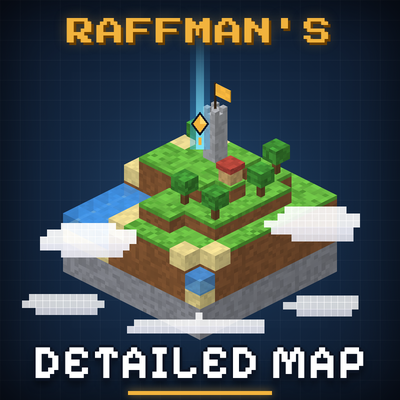
CurseForge · Minecraft mod
Raffman's Detailed Map
A detailed diorama-style map and minimap with team-shared fog of war, waypoints, teams, diplomacy and chunk claims.
Choose a version Pick your version below, then grab the matching file.
Quick answer
Which Raffman's Detailed Map release should I use?
beta file raffmansmap-fabric-26.3-1.0.2.jar
Game version 26.3
Loader Fabric
Raffman's Detailed Map raffmansmap-fabric-26.3-1.0.2.jar targets 26.3 with Fabric. The project page does not say whether this file belongs on the client, dedicated server, or both. No extra mods listed for this file.
Where it goes
Is Raffman's Detailed Map required on the client, server, or both?
The project page does not say whether this file belongs on the client, dedicated server, or both.
Client Source doesn’t say
Dedicated server Source doesn’t say
Loader for this release Fabric
Required install it here Optional supported, not mandatory Not supported do not install here Source doesn’t say do not assume
The source does not explicitly classify this release as client-only or server-only.
What else does Raffman's Detailed Map raffmansmap-fabric-26.3-1.0.2.jar need?
raffmansmap-fabric-26.3-1.0.2.jar. Change the file and its required mods may change too.
This file does not list any required mods. Do not add a library just because a different file uses it.
This file does not list any required or optional mods.
Before you install it
Add Raffman's Detailed Map without breaking your instance.
Built for Raffman's Detailed Map raffmansmap-fabric-26.3-1.0.2.jar. Pick another file and the loader, install side or required mods may change.
- 01
Stick to this file
Use raffmansmap-fabric-26.3-1.0.2.jar. It targets 26.3 with Fabric; another release may have different loader, side or dependency requirements.
- 02
Bring the mods it needs
This file does not list any required mods. Do not add a library just because a different file uses it.
- 03
Put it on the correct side
The project page does not say whether this file belongs on the client, dedicated server, or both.
- 04
Pick the file you checked
Use the “Get this file” button beside raffmansmap-fabric-26.3-1.0.2.jar. It opens that exact file at the source.
About this project
What does Raffman's Detailed Map add?
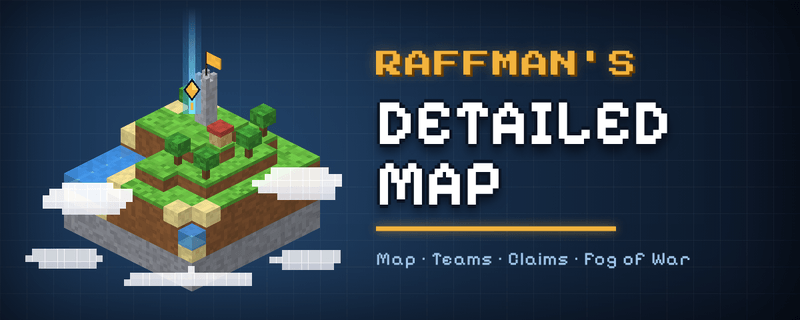 Raffman's Detailed Map draws your world as a small 3D diorama: every map pixel is ray-traced through the real blocks, so houses, towers, cliffs, trees and bridges keep their shape, with colours taken straight from the block textures (modded blocks and resource packs included). On top of the map it adds everything a multiplayer server needs: teams, diplomacy and chunk claims.
Available for: NeoForge 1.21.1 · Forge 1.20.1 · Forge 26.3 Install on client and server for full functionality – if the mod isn't installed on the server, you only get the map.
🗺️ Map
- Fullscreen map in 3D diorama view or top-down view, smooth zoom from single blocks to ~10,000 blocks, cave view, Nether and End layers
- Minimap with many options: square, rounded, circle, rectangle, oval or hexagon, rotating or north-up, opacity, frame style, free placement with the mouse, icon sizes
- Fog of war – unexplored chunks are covered by clouds that match the dimension (glowing ash and smoke in the Nether, a violet haze in the End); exploration is shared live with your team
- Mobs as small moving figures with a coloured outline (friendly, neutral, hostile), further away as mob heads; player faces, boss detection (works with modded bosses)
- Waypoints with 31 symbols and colours, shown in the world with distance and an optional light beam, team-shared waypoints, automatic death waypoints, double-click on the map to set one
- Death list on screen: the 3 players with the most deaths and your own place – 5 styles, adjustable size, place it anywhere
- Imports your waypoints from Xaero's Minimap automatically; unlocked Waystones appear as waypoints
🛡️ Teams & Claims
- Teams with ranks (Leader, Officer, Member, Recruit) and a permission matrix
- Pixel logo editor and team cape designer
- Chunk claims owned by players, shared with their team; select several chunks and set rights for allies and strangers only for the selection; presets; protection against explosions, fire, liquids, pistons, mob griefing and PvP; force-loading
- Animated territory intro with team logo and the owner's own welcome message
- Trusted players outside the team
- Optional minimum playtime: players have to play a set time per day, week, month or custom period, otherwise their claims are released (the world itself is not changed); players see the status in the multiplayer server list
- Automatic import of existing claims and teams from Open Parties and Claims, FTB Chunks and Flan
⚔️ Diplomacy
- Browse all teams with logo, description and members, join open teams or send a join request
- Alliances, wars (PvP inside protected claims, optional raids, optional capturing of enemy claims) and peace offers
- Team stance: passive, neutral or aggressive
- Team chat (
/tcor a key), pings for your team, intruder alerts
⚙️ Config
Server: serverconfig/raffmansmap-server.toml (claims per player, force-load limit, war and capturing, minimum playtime, stances, alerts …) · Client: everything can be changed in-game (key J).
Credits & License
Map renderer based on Diorama by Dara Adedeji (MIT License) – the license text ships inside the jar (THIRD_PARTY_NOTICES.txt). Bug reports and ideas are welcome in the comments.
Project description from CurseForge.
Pick your setup
Raffman's Detailed Map by Minecraft version and loader
Choose the version and loader you play, then open the matching release.
Minecraft version
1.21.1
1 loader buildMinecraft version
1.20.1
1 loader buildCheck the dependencies, then try the file in a copied instance before changing a world you care about.
Recent files
Raffman's Detailed Map versions and loaders
raffmansmap-fabric-26.3-1.0.2.jar
29 Oct 2026
Client Source doesn’t say Server Source doesn’t say Dependencies No extras listed Listed on Release listing
Check the 26.3 · Fabric setup Fabric26.3 beta
raffmansmap-forge-26.3-1.0.2.jar
29 Oct 2026
Client Source doesn’t say Server Source doesn’t say Dependencies No extras listed Listed on Release listing
Check the 26.3 · Forge setup Forge26.3 beta
raffmansmap-neoforge-1.21.1-1.0.2.jar
29 Oct 2026
Client Source doesn’t say Server Source doesn’t say Dependencies No extras listed Listed on Release listing
Check the 1.21.1 · NeoForge setup 1.21.1NeoForge beta
raffmansmap-forge-1.20.1-1.0.2.jar
29 Oct 2026
Client Source doesn’t say Server Source doesn’t say Dependencies No extras listed Listed on Release listing
Check the 1.20.1 · Forge setup 1.20.1Forge beta
raffmansmap-forge-1.0.1.jar
raffmansmap-forge-26.3-1.0.1.jar
28 Oct 2026
Client Source doesn’t say Server Source doesn’t say Dependencies No extras listed Listed on Release listing
Check the 26.3 · Forge setup Forge26.3 beta
raffmansmap-forge-1.0.1.jar
raffmansmap-forge-1.20.1-1.0.1.jar
28 Oct 2026
Client Source doesn’t say Server Source doesn’t say Dependencies No extras listed Listed on Release listing
Check the 1.20.1 · Forge setup 1.20.1Forge beta
raffmansmap-1.0.1 NF
raffmansmap-1.0.1.jar
28 Oct 2026
Client Source doesn’t say Server Source doesn’t say Dependencies No extras listed Listed on Release listing
Check the 1.21.1 · NeoForge setup 1.21.1NeoForge beta
raffmansmap-1.0.0 Forge
raffmansmap-forge-1.20.1-1.0.0.jar
24 Oct 2026
Client Source doesn’t say Server Source doesn’t say Dependencies No extras listed Listed on Release listing
Check the 1.20.1 · Forge setup 1.20.1Forge beta
raffmansmap-1.0.0 NF
raffmansmap-1.0.0.jar
24 Oct 2026
Client Source doesn’t say Server Source doesn’t say Dependencies No extras listed Listed on Release listing
Check the 1.21.1 · NeoForge setup 1.21.1NeoForge beta
raffmansmap-0.9.9 NF
raffmansmap-0.9.9.jar
24 Oct 2026
Client Source doesn’t say Server Source doesn’t say Dependencies No extras listed Listed on Release listing
Check the 1.21.1 · NeoForge setup 1.21.1NeoForge beta
raffmansmap-0.9.9 Forge
raffmansmap-forge-1.20.1-0.9.9.jar
24 Oct 2026
Client Source doesn’t say Server Source doesn’t say Dependencies No extras listed Listed on Release listing
Check the 1.20.1 · Forge setup 1.20.1Forge beta
raffmansmap-0.9.8.jar
23 Oct 2026
Client Source doesn’t say Server Source doesn’t say Dependencies No extras listed Listed on Release listing
Check the 1.20.1 · Forge setup 1.20.1Forge beta
Looking for an older file? The official CurseForge project page is in Resources.
 mod
mod CurseForge + Modrinth · Minecraft
Cold Sweat
Adds a survival-focused temperature system to Minecraft, with lots of customization!
 mod
mod CurseForge + Modrinth · Minecraft
Every Compat (Wood Good)
Universal Wood Compat: Quark, Twilight Forest, Twigs, Another Furniture, Farmers Delight, Macaw's, Valhelsia, Architects Palette, Deco Blocks, Crayfish FM
 mod
mod CurseForge · Minecraft
Journey of Reverie
This is a mod created for the ReverieFoundry modpack to improve JEI compatibility and extend Silent Gear and Iron's Spells 'n Spellbooks.