CurseForge · Minecraft mod
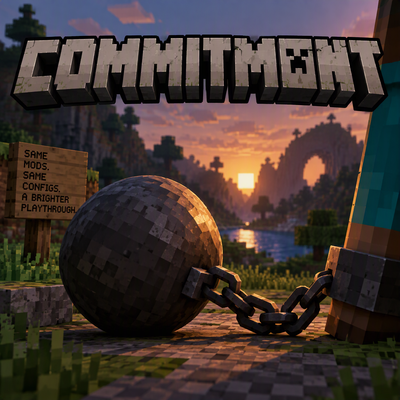
Commitment
A Modpack locking mod with a 24 hour unlock option! Perfect for people who spend more time modding then playing! Locks your mod list, resource packs, and mod configurations! Focus on finally playing!
Quick answer
Which Commitment release matches 26.2 NeoForge?
commitment-1.0.1+neoforge-mc26.2.jar targets 26.2 with NeoForge. The project page does not say whether this file belongs on the client, dedicated server, or both. No extra mods listed for this file.
Where it goes
Is Commitment required on the client, server, or both?
The project page does not say whether this file belongs on the client, dedicated server, or both.
The source does not explicitly classify this release as client-only or server-only.
What else does commitment-1.0.1+neoforge-mc26.2.jar need?
commitment-1.0.1+neoforge-mc26.2.jar on 26.2 NeoForge. Every mod below is checked against that same setup.
This file does not list any required mods. Do not add a library just because a different file uses it.
This file does not list any required or optional mods.
Before you install it
Add Commitment without breaking your instance.
Built for commitment-1.0.1+neoforge-mc26.2.jar on 26.2 NeoForge. Pick another file and the loader, install side or required mods may change.
- 01
Stick to this file
Use commitment-1.0.1+neoforge-mc26.2.jar. It targets 26.2 with NeoForge; another release may have different loader, side or dependency requirements.
- 02
Bring the mods it needs
This file does not list any required mods. Do not add a library just because a different file uses it.
- 03
Put it on the correct side
The project page does not say whether this file belongs on the client, dedicated server, or both.
- 04
Pick the file you checked
Use the “Get this file” button beside commitment-1.0.1+neoforge-mc26.2.jar. It opens that exact file at the source.
About this project
What does Commitment add?
Install with caution!
This mod will lock you out of changing your modpack without using the unlock command! Even if you delete the mod, you will still have to wait 24 hours! This is tamper-proof! But not impossible to remove forcefully. Information on this is available @Github check the side links!
Who is this for even?: This is for me! And anyone else who struggles with just sitting down and playing; I know I have spent equal(or more) hours into modding a game versus playing it! This aims to help solve that problem!
What will this do? : This will prevent your world from loading if a change has been detected! You will see a message alerting you that a change has been detected, and an option to close the window or initiate an unlock.
What constitutes a change?: Adding/removing mods/datapacks/resourcepacks, changing mod settings, difficulty, game rules, and game mode.
What this doesn't affect: Any video, audio, controls, keybinds, language settings, configs for mods controlling video/audio/etc., i.e Sodium settings are still fine to change; shaderpacks, and shader settings
Can this break my world?: No! This is completely safe to use and is manually removable in a worst-case scenario! Info for this can be found Here!
Commands:
- /commit -- Initiates the lock
- /commit status -- checks lock status
- /unlock -- Unlock everything
You will then have to wait 24 hours before being able to make the change. You can continue to play in the meantime!
(Please note the 24-hour timer requires an internet connection to complete its unlock, as it checks an internet clock, which is tamper-proof.)
Check out some of my other projects!
Are you a financially well-off person who can afford to support a project like this? Consider throwing a few bucks my way and click the donate button below to buy me a Ko-Fi!
Project description from CurseForge.
Pick your setup
Commitment by Minecraft version and loader
Choose the version and loader you play, then open the matching release.
26.2
4 loader builds26.1.2
4 loader builds26.1.1
2 loader builds26.1
2 loader builds1.21.11
1 loader buildCheck the dependencies, then try the file in a copied instance before changing a world you care about.
Recent files
Commitment versions and loaders
commitment-1.0.1+neoforge-mc26.2.jar
commitment-1.0.1-neoforge-mc26.2.jar
29 Oct 2026
Looking for an older file? The official CurseForge project page is in Resources.