Fabric API Needed by ShelfSight 1.0.0 (Fabric 26.3)
requiredMatching file found Matched file: [26.3] Fabric API 0.165.0+26.3

CurseForge · Minecraft mod
See which bookshelves power your enchanting table, which are blocked and by what, and where the missing shelves for level 30 go.
Quick answer
ShelfSight 1.0.0 (Fabric 26.3) targets 26.3 with Fabric. The project page does not say whether this file belongs on the client, dedicated server, or both. All 1 required mods have matching files.
Where it goes
The project page does not say whether this file belongs on the client, dedicated server, or both.
The source does not explicitly classify this release as client-only or server-only.
ShelfSight 1.0.0 (Fabric 26.3) on 26.3. Every mod below is checked against that same setup.
Install Fabric API first. We found matching files for this game-version and loader setup.
We only count dependency files that match this setup. A file for another loader does not fill the gap.
Before you install it
Built for ShelfSight 1.0.0 (Fabric 26.3) on 26.3. Pick another file and the loader, install side or required mods may change.
Use ShelfSight 1.0.0 (Fabric 26.3). It targets 26.3 with Fabric; another release may have different loader, side or dependency requirements.
Install Fabric API first. We found matching files for this game-version and loader setup.
The project page does not say whether this file belongs on the client, dedicated server, or both.
Use the “Get this file” button beside ShelfSight 1.0.0 (Fabric 26.3). It opens that exact file at the source.
About this project
ShelfSight shows which bookshelves power your enchanting table, which ones are blocked and by what, and exactly where the missing shelves for level 30 go.
Ever built an enchanting room and only got level 24 offers? A torch, a carpet or a candle in the wrong spot silently cuts the bookshelf power, and vanilla gives you no hint which shelf is affected. ShelfSight makes the invisible rules visible.
/shelfsight toggle and /shelfsight reload (reloads the config file).#minecraft:enchantment_power_provider and #minecraft:enchantment_power_transmitter, so it follows exactly the same rules as the game, including datapacks and mods that change those tags.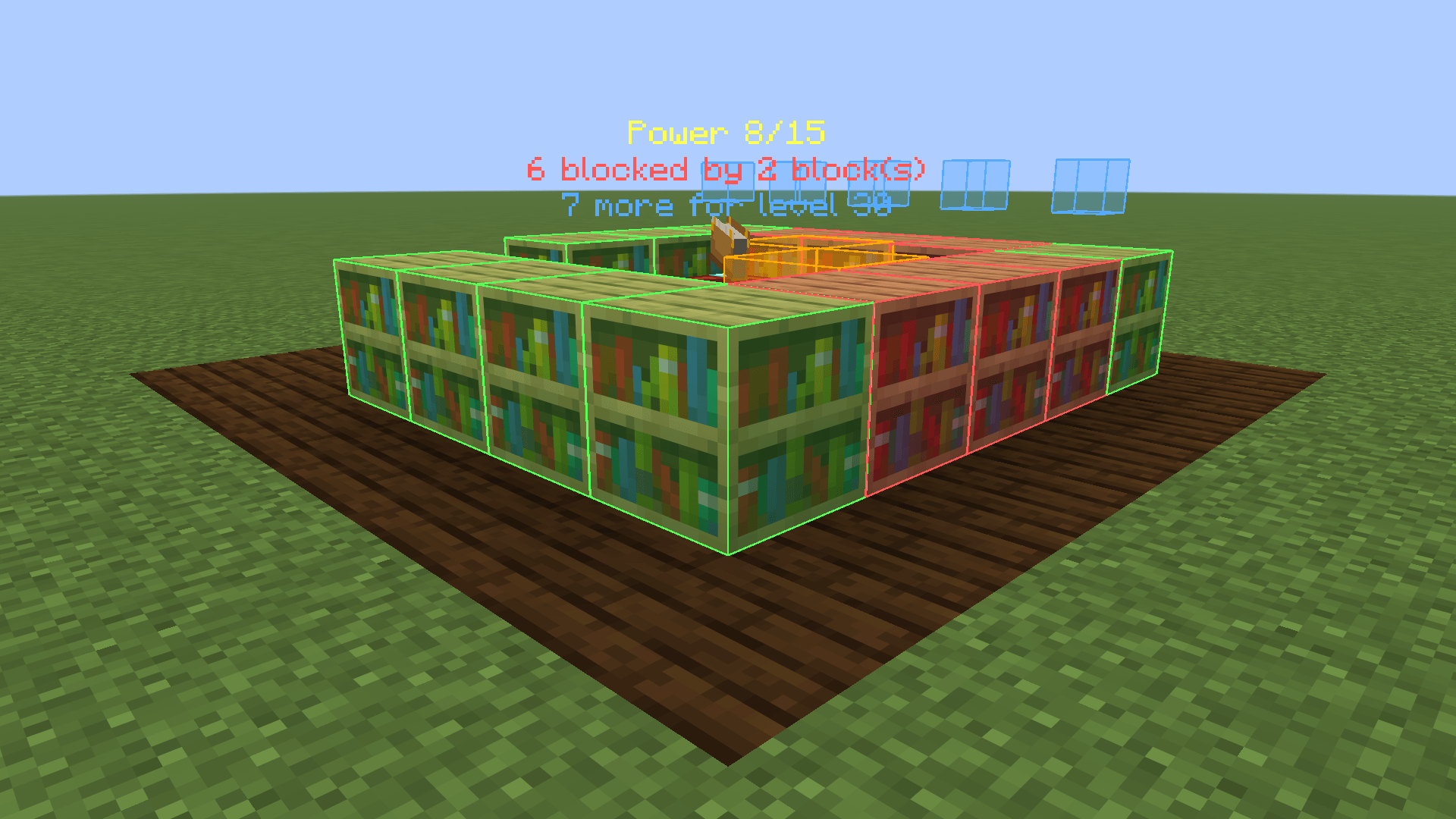
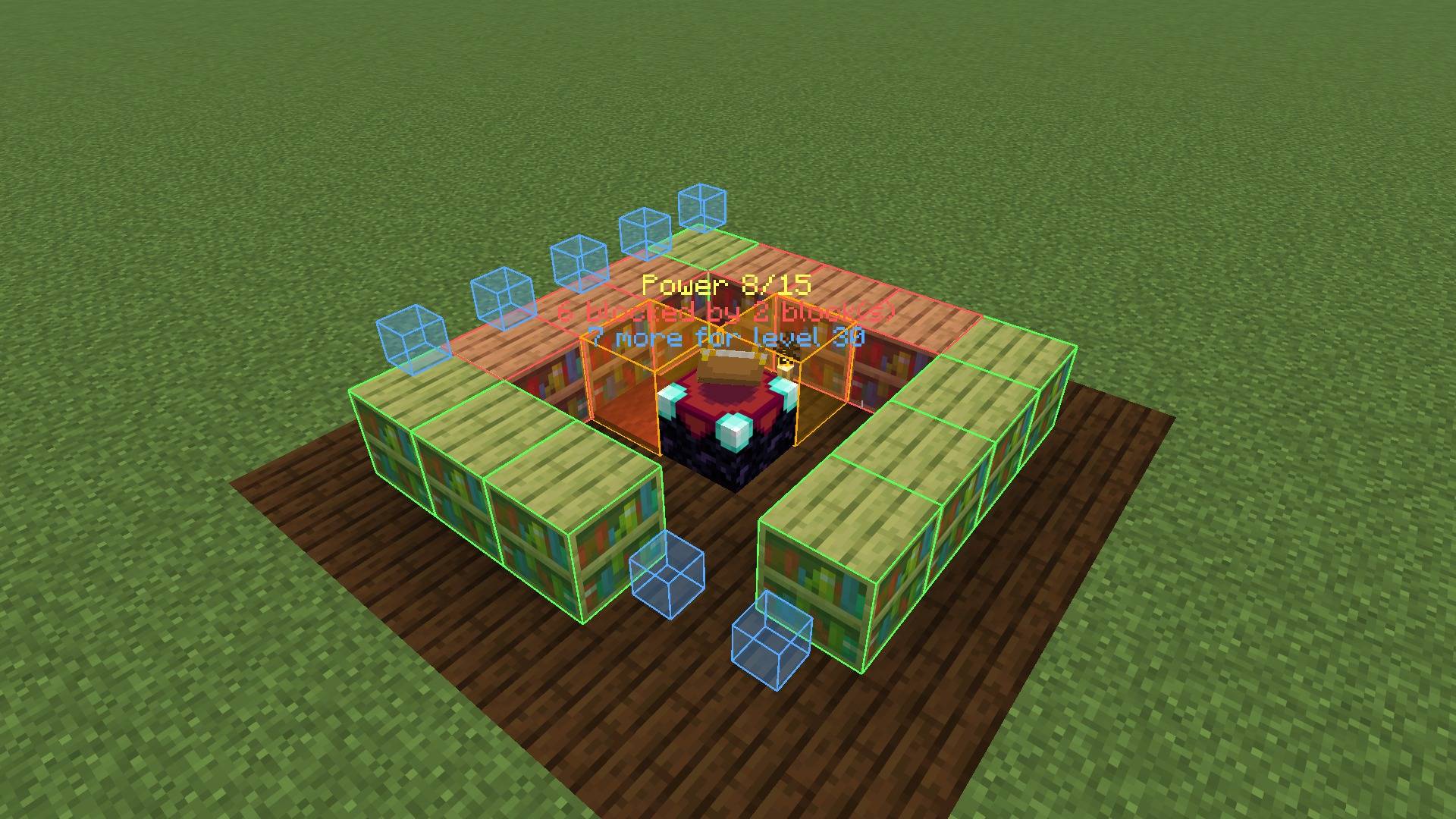
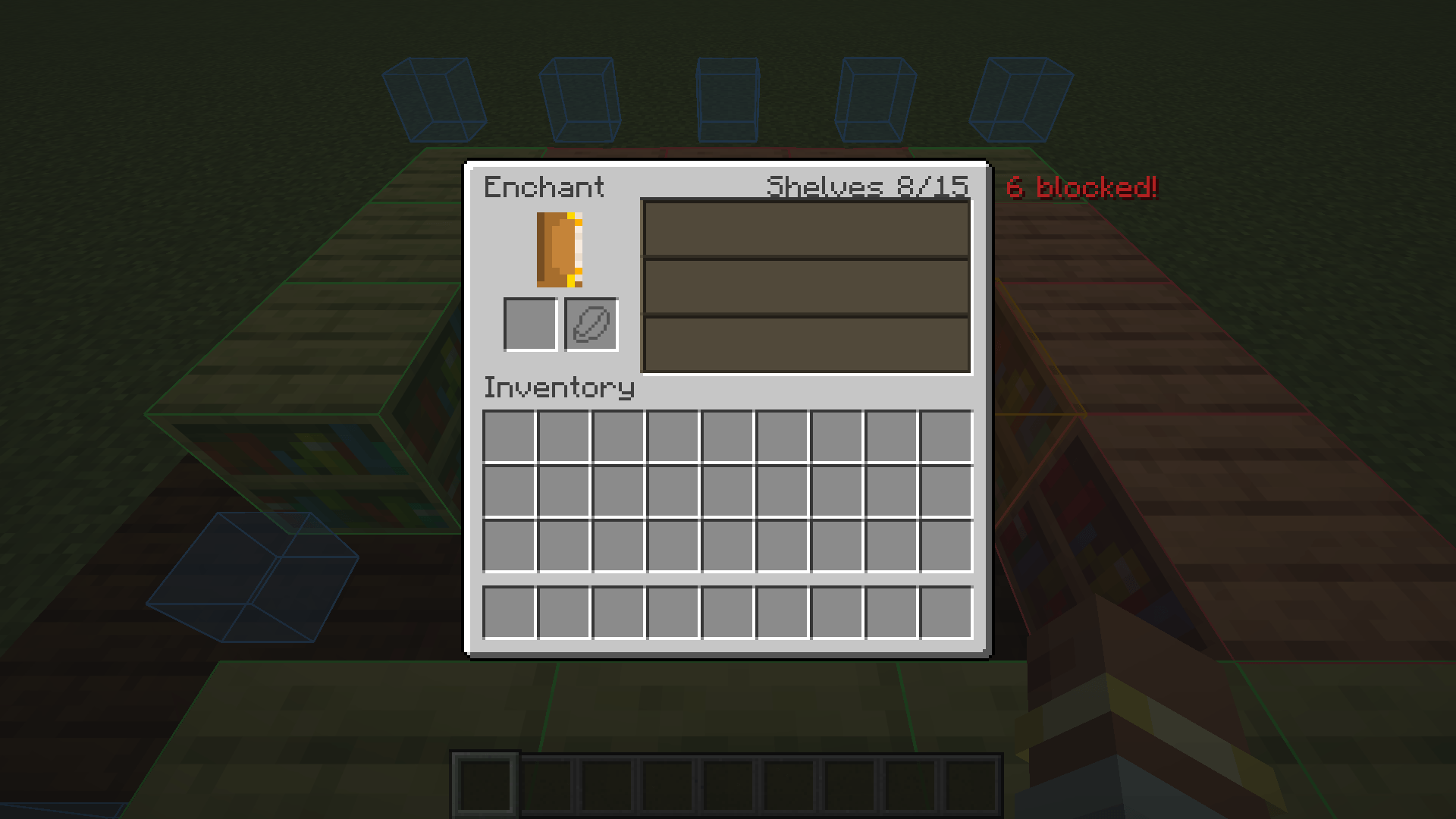
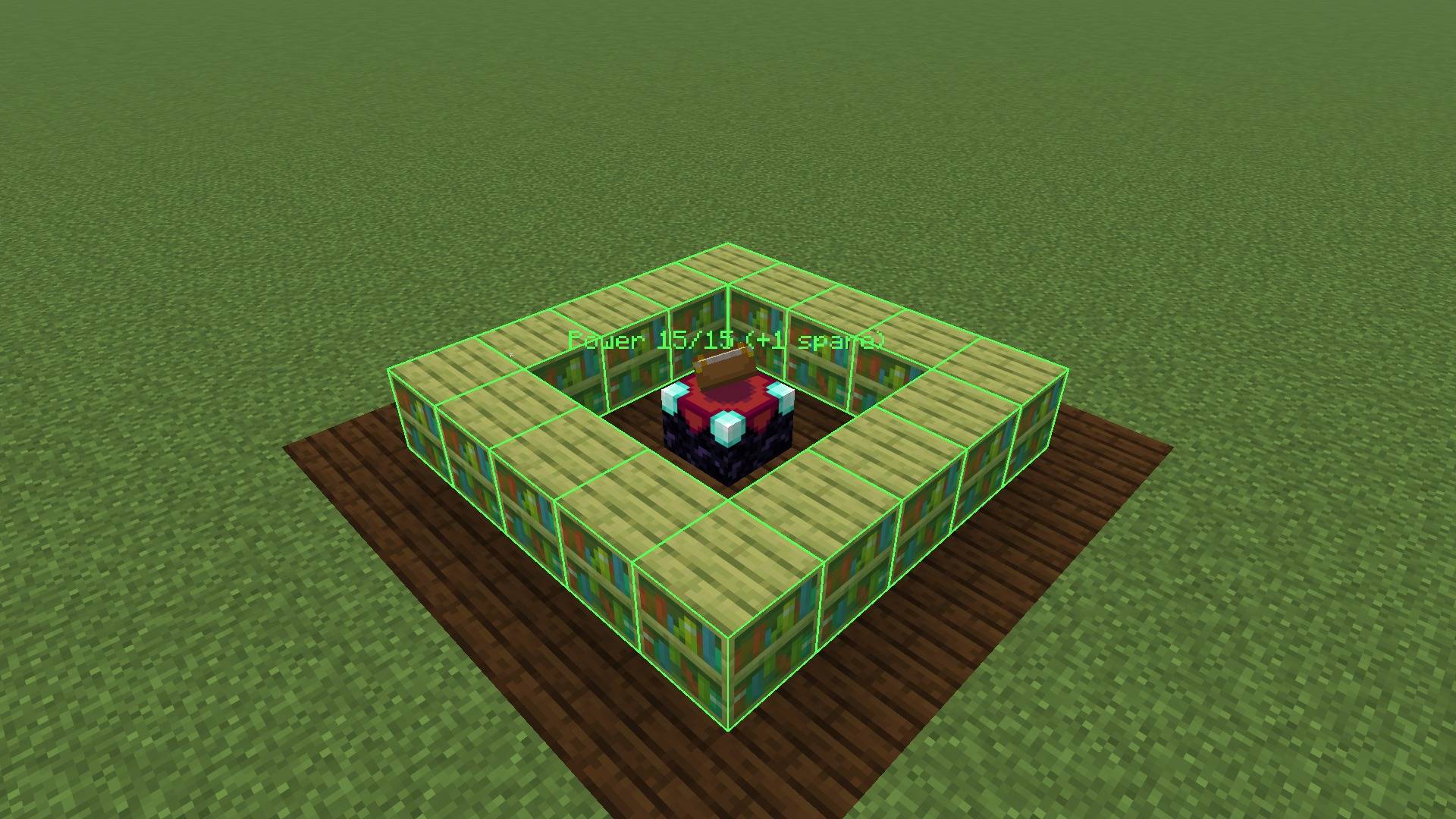
All screenshots are unedited in-game captures.
The config file is config/shelfsight.json. It is created on first launch; after editing, use /shelfsight reload.
| Option | Default | Description |
|---|---|---|
enabled |
true |
Master switch (also toggled with the key) |
scanRadius |
8 |
Tables within this many blocks are analyzed (1-32) |
showPoweringShelves |
true |
Green outlines on working shelves |
showBlockedShelves |
true |
Red outlines on blocked shelves |
showObstructions |
true |
Orange boxes on the blocking blocks |
showPlacementPlan |
true |
Blue cubes where shelves are missing |
showTableLabel |
true |
Floating counter above the table |
showInEnchantingScreen |
true |
Shelf count in the enchanting screen |
seeThroughBlocks |
false |
Draw outlines through walls |
poweringColor, blockedColor, obstructionColor, planColor |
green, red, orange, blue | Colors as #AARRGGBB or #RRGGBB |
Does this change how enchanting works? No. ShelfSight only displays information. Enchanting stays 100% vanilla.
Is this a cheat? Is it allowed on servers? It only shows the bookshelf layout you can already see and the counting rules the game already uses. It does not reveal enchantment offers, seeds or anything hidden.
Why is a shelf red even though there is nothing in between? Some blocks count as obstructions although they look harmless: torches, carpets, candles, slabs, buttons, glass and so on. Only air and replaceable blocks such as grass, fern, vines or snow layers let the power through. The orange box shows exactly which block it is.
Why do I only need 15 shelves when there are 32 slots? The game caps bookshelf power at 15. More shelves don't help, and ShelfSight tells you how many you have to spare.
Do chiseled bookshelves count? Not in vanilla, so ShelfSight shows them as empty slots. If a mod or datapack adds them to #minecraft:enchantment_power_provider, ShelfSight counts them automatically.
Forge/NeoForge version? Currently Fabric only.
ShelfSight was developed with the help of AI tools. Licensed under MIT.
Project description from CurseForge.
Pick your setup
Choose the version and loader you play, then open the matching release.
Check the dependencies, then try the file in a copied instance before changing a world you care about.
Recent files
shelfsight-1.0.0.jar
21 Oct 2026
Looking for an older file? The official CurseForge project page is in Resources.
 mod
modEarn separate experience for each skill just by playing — walking, mining, fighting, swimming, fishing, etc. — and level them up for attribute bonuses that grow with every level.
 mod
modFind the block entities around you: chests, machines, tanks and cables. Search, click, follow the beam.
 mod
modA mod adds all of the fish from Sea of Thieves, fish fer ye pirate!