Minecraft version
Back to mods 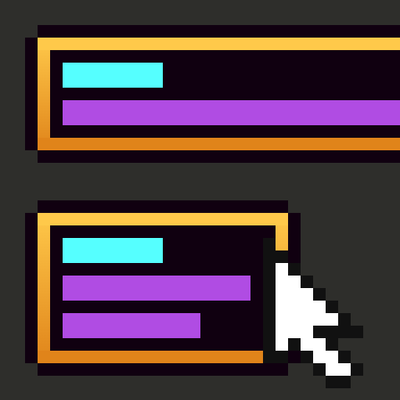
CurseForge · Minecraft mod
Tooltips improved
Makes long tooltips readable, wraps lines that are too long, lets you scroll tooltips that run off the screen, and more!
Choose a version Pick your version below, then grab the matching file.
Quick answer
Which Tooltips improved release matches 26.2 NeoForge?
Best match for your filters tooltipsimproved-neoforge-0.1.0+26.2.jar
Game version 26.2
Loader NeoForge
Tooltips improved tooltipsimproved-neoforge-0.1.0+26.2.jar targets 26.2 with NeoForge. The project page does not say whether this file belongs on the client, dedicated server, or both. No extra mods listed for this file.
Where it goes
Is Tooltips improved required on the client, server, or both?
The project page does not say whether this file belongs on the client, dedicated server, or both.
Client Source doesn’t say
Dedicated server Source doesn’t say
Loader for this release NeoForge
Required install it here Optional supported, not mandatory Not supported do not install here Source doesn’t say do not assume
The source does not explicitly classify this release as client-only or server-only.
What else does Tooltips improved tooltipsimproved-neoforge-0.1.0+26.2.jar need?
tooltipsimproved-neoforge-0.1.0+26.2.jar on 26.2 NeoForge. Every mod below is checked against that same setup.
This file does not list any required mods. Do not add a library just because a different file uses it.
This file does not list any required or optional mods.
Before you install it
Add Tooltips improved without breaking your instance.
Built for Tooltips improved tooltipsimproved-neoforge-0.1.0+26.2.jar on 26.2 NeoForge. Pick another file and the loader, install side or required mods may change.
- 01
Stick to this file
Use tooltipsimproved-neoforge-0.1.0+26.2.jar. It targets 26.2 with NeoForge; another release may have different loader, side or dependency requirements.
- 02
Bring the mods it needs
This file does not list any required mods. Do not add a library just because a different file uses it.
- 03
Put it on the correct side
The project page does not say whether this file belongs on the client, dedicated server, or both.
- 04
Pick the file you checked
Use the “Get this file” button beside tooltipsimproved-neoforge-0.1.0+26.2.jar. It opens that exact file at the source.
About this project
What does Tooltips improved add?
Tooltips Improved fixes Minecraft tooltips that are too long, too wide, or in the wrong place.
What it does
Scrolls oversized tooltips. If a tooltip runs off the screen, scroll it with the mouse wheel or Page Up/Down. Hold Left Alt (or use a side wheel) to scroll sideways. The wheel only moves a tooltip that doesn't fit, so scrollable lists keep working. All keys can be rebound under Controls → Inventory, including an optional "Reset Tooltip Position" key.

Wraps long lines. Lines are broken to fit beside your cursor, on the screen, at half the screen width, or at a width you choose. Colors and formatting are kept.

Moves tooltips off the cursor. When a tooltip doesn't fit beside the cursor, it's centered above or below, or moved to a corner, so it doesn't cover the item you're hovering. Very tall tooltips show their top first.
Fits armor trims on one line. Three lines of trim info become one, like Sentry Armor Trim (Iron). Hold Shift to see the full vanilla lines.

Adjusts the look. Make the tooltip background see-through and remove the gap under an item's name.

Why use it
Big modpacks, enchanted gear and full shulker boxes often produce tooltips you can't read in vanilla. Tooltips Improved fixes them without changing how the game plays. It's client-side only, so it works on any server, and every feature can be turned off.
Requirements
None. Fabric API is not needed. Mod Menu is optional on Fabric.
Supports
Fabric and NeoForge on Minecraft 1.21.1, 1.21.11, 26.2 and 26.3 (only these versions). Change any option in-game through Mod Menu on Fabric or the Config button in NeoForge's mod list, or edit config/tooltipsimproved.json. Forge support is planned.
Credits
Inspired by these great projects:
Written from scratch.
Project description from CurseForge.
Pick your setup
Tooltips improved by Minecraft version and loader
Choose the version and loader you play, then open the matching release.
Minecraft version
26.2
2 loader buildsMinecraft version
1.21.11
2 loader buildsMinecraft version
1.21.1
2 loader buildsCheck the dependencies, then try the file in a copied instance before changing a world you care about.
Recent files
Tooltips improved versions and loaders
tooltipsimproved-neoforge-0.1.0+26.2.jar
21 Oct 2026
Client Source doesn’t say Server Source doesn’t say Dependencies No extras listed Listed on Release listing
Check the 26.2 · NeoForge setup NeoForge26.2 release
Looking for an older file? The official CurseForge project page is in Resources.