Fabric API Needed by inventorycontrol-1.0.0-alpha-26.3.jar
requiredMatching file found Matched file: [26.3] Fabric API 0.166.0+26.3

CurseForge · Minecraft mod
This is a minecraft mod that allows you to shrink your inventory by decreasing the amount of grid rows. Also works on a server.
Quick answer
inventorycontrol-1.0.0-alpha-26.3.jar targets 26.3 with Fabric. The project page does not say whether this file belongs on the client, dedicated server, or both. All 1 required mods have matching files.
Where it goes
The project page does not say whether this file belongs on the client, dedicated server, or both.
The source does not explicitly classify this release as client-only or server-only.
inventorycontrol-1.0.0-alpha-26.3.jar on 26.3. Every mod below is checked against that same setup.
Install Fabric API first. We found matching files for this game-version and loader setup.
We only count dependency files that match this setup. A file for another loader does not fill the gap.
Before you install it
Built for inventorycontrol-1.0.0-alpha-26.3.jar on 26.3. Pick another file and the loader, install side or required mods may change.
Use inventorycontrol-1.0.0-alpha-26.3.jar. It targets 26.3 with Fabric; another release may have different loader, side or dependency requirements.
Install Fabric API first. We found matching files for this game-version and loader setup.
The project page does not say whether this file belongs on the client, dedicated server, or both.
Use the “Get this file” button beside inventorycontrol-1.0.0-alpha-26.3.jar. It opens that exact file at the source.
About this project
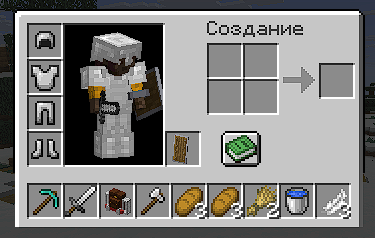

Here is the default configuration file located in minecraft/inventorycontrol/config.json
{
  "inventoryRows": 0,
  "menuAdjustments": [
    {
      "menuClassPath": "net.minecraft.world.inventory.CraftingMenu",
      "modY": 12,
      "doNotRender": [
        0
      ],
      "renderBackground": true
    },
    {
      "menuClassPath": "net.minecraft.world.inventory.ChestMenu",
      "modY": 18,
      "doNotRender": [
        0
      ],
      "renderBackground": true
    },
    {
      "menuClassPath": "net.minecraft.world.inventory.FurnaceMenu",
      "modY": 6,
      "doNotRender": [
        2
      ],
      "renderBackground": true
    },
    {
      "menuClassPath": "net.minecraft.world.inventory.MerchantMenu",
      "modY": 6,
      "doNotRender": [
        2
      ],
      "renderBackground": false
    }
  ]
}
inventoryRows - (range 0-3) how much rows in your inventory you want (0 = only hotbar)
menuAdjustments - a list of MenuAdjustments records
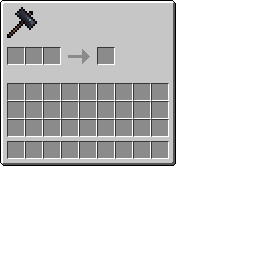
menuClassPath - full name of inventory class that you want to change visual parameters formodY - Y axis modificator, it translates player inventory up higherdoNotRender - a list of slot indexes that you don't want to render cells for. useful when there's a big result cell in a furnace/somewhere else and you don't want the mod to cover it)renderBackground - should mod render background for inventoryTo use a custom inventory you'll need to replace its texture. you do something like this:
before:
after:
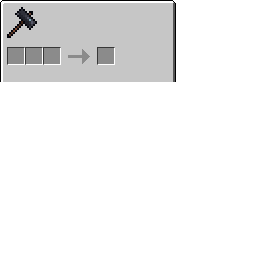
so you just basically cut down the part with inventory slots (you can use photomea if you dont have photoshop) and then create your own resourcepack to replace original mod texture. then it should work properly!
if you encountered any visual glitches you can always use menu adjustments in the config file and play with parameters.
Project description from CurseForge.
Pick your setup
Choose the version and loader you play, then open the matching release.
Check the dependencies, then try the file in a copied instance before changing a world you care about.
Recent files
21 Oct 2026
Looking for an older file? The official CurseForge project page is in Resources.
 mod
Improves the Stonecutter GUI, adding Search Bar, 3D Preview and other things. More features soon!
 mod
Don't let walls and fences stop you! Jump over them!
 mod
Adds Minecraft Story Mode inspired white pumpkins that will generate in the pale garden. Made for SpookyJam 2024