Minecraft version
Back to mods 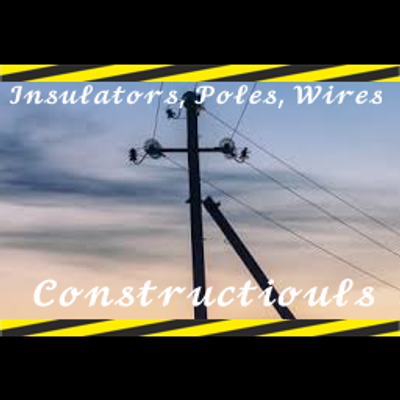
CurseForge · Minecraft mod
Constructiouls
Mod with realistic LEP constructor.
Choose a version Pick your version below, then grab the matching file.
Quick answer
Which Constructiouls release should I use?
Latest stable file constructiouls-0.1.1.jar
Game version 1.16.5
Loader Forge
constructiouls-0.1.1.jar targets 1.16.5 with Forge. The project page does not say whether this file belongs on the client, dedicated server, or both. No extra mods listed for this file.
Where it goes
Is Constructiouls required on the client, server, or both?
The project page does not say whether this file belongs on the client, dedicated server, or both.
Client Source doesn’t say
Dedicated server Source doesn’t say
Loader for this release Forge
Required install it here Optional supported, not mandatory Not supported do not install here Source doesn’t say do not assume
The source does not explicitly classify this release as client-only or server-only.
What else does constructiouls-0.1.1.jar need?
constructiouls-0.1.1.jar. Change the file and its required mods may change too.
This file does not list any required mods. Do not add a library just because a different file uses it.
This file does not list any required or optional mods.
Before you install it
Add Constructiouls without breaking your instance.
Built for constructiouls-0.1.1.jar. Pick another file and the loader, install side or required mods may change.
- 01
Stick to this file
Use constructiouls-0.1.1.jar. It targets 1.16.5 with Forge; another release may have different loader, side or dependency requirements.
- 02
Bring the mods it needs
This file does not list any required mods. Do not add a library just because a different file uses it.
- 03
Put it on the correct side
The project page does not say whether this file belongs on the client, dedicated server, or both.
- 04
Pick the file you checked
Use the “Get this file” button beside constructiouls-0.1.1.jar. It opens that exact file at the source.
About this project
What does Constructiouls add?
EN\US
Constructiouls — Realistic Overhead Power Line Constructor
Constructiouls is a Minecraft mod that provides tools for building realistic overhead power lines (OHL), along with several additional tools for working with custom models.
🛠️ Mod Tools
Insulator
A decorative component used to place insulators and connect wires to them. Right-clicking the air opens a menu where you can select a model from an installed resource pack.
Pole
A decorative component used to build overhead power line structures. Right-clicking the air opens a menu where you can select a model from an installed resource pack.
Wire Tool
Allows you to create wires between two insulators. Connection points are defined by the model's wire_attachments_1 through wire_attachments_6 attachment nodes.
Right-clicking the air opens a menu where you can select a wire model from an installed resource pack.
Wire Remover
Allows you to remove previously created wires.
Rotation Tool
Allows you to rotate models in increments of 1°, 5°, 30°, or 90°. Right-clicking the air opens a menu where you can select the rotation mode.
Tension Cable
Works similarly to the Wire Tool but creates connections without sag. It is suitable for tensioned cables and other elements that should remain straight.
Right-clicking the air opens a menu where you can select a model from an installed resource pack.
📦 How to Install Resource Packs
Step 1: Download a Resource Pack
Download a resource pack designed for Constructiouls.
Step 2: Place the Resource Pack in the Correct Folder
For TLauncher and other launchers:
Press
Win + R.Enter
%appdata%in the window that appears and press Enter.Open the
.minecraftfolder.Place the resource pack in the
resourcepacksfolder.
If you use a separate Minecraft installation or a modpack stored in the versions directory, the path may look like this:
%appdata%/.minecraft/versions/ModpackName/resourcepacks
Replace ModpackName with the name of your installation or modpack.
For Prism Launcher:
Press
Win + R.Enter
%appdata%and press Enter.Open the
PrismLauncherfolder, then openinstances.Find your Minecraft instance, for example,
My Instance (1.16.5).Open the instance folder, then open its
minecraftfolder.Place the resource pack in the
resourcepacksfolder.
Step 3: Enable the Resource Pack
Launch Minecraft.
Open Options → Resource Packs.
Find the downloaded resource pack and enable it.
Step 4: Reload Resources When Necessary
If you download an updated version of a resource pack with the same name as the previous version, press F3 + T while in-game to reload resources.
🧰 ATTENTION, RESOURCE PACK CREATORS!
Want to create your own resource pack for Constructiouls?
Visit the Constructiouls project page and open README.md. It contains the model requirements and instructions for adding models so they appear correctly in the mod's selection menus.
You can also use the official Constructiouls resource pack as a reference.
Create your own poles, insulators, wires, and other overhead power line components, and bring your engineering projects to life in Minecraft!
RU\RU
Constructiouls — реалистичный конструктор воздушных линий электропередачи (ВЛ)
Constructiouls — это мод для Minecraft, добавляющий инструменты для создания реалистичных воздушных линий электропередачи (ВЛ), а также несколько вспомогательных инструментов для работы с моделями.
🛠️ Инструменты мода
Изолятор (Insulator)
Декоративный элемент, предназначенный для размещения изоляторов и подключения к ним проводов. При нажатии ПКМ по воздуху открывается меню, в котором можно выбрать модель из установленного ресурс-пака.
Опора (Pole)
Декоративный элемент для создания опор воздушных линий электропередачи. При нажатии ПКМ по воздуху открывается меню выбора модели из установленного ресурс-пака.
Инструмент для проводов (Wire Tool)
Позволяет создавать провода между двумя изоляторами. Для определения точек подключения используются элементы модели wire_attachments_1–wire_attachments_6.
При нажатии ПКМ по воздуху открывается меню, в котором можно выбрать модель провода из установленного ресурс-пака.
Инструмент удаления проводов (Wire Remover)
Позволяет удалять ранее созданные провода.
Инструмент вращения (Rotation Tool)
Позволяет вращать модели с шагом 1°, 5°, 30° или 90°. При нажатии ПКМ по воздуху открывается меню выбора режима вращения.
Натяжной трос (Tension Cable)
Работает аналогично инструменту для проводов, но создаёт соединения без провисания. Подходит для тросов и других элементов, которые должны оставаться натянутыми.
При нажатии ПКМ по воздуху открывается меню выбора модели из установленного ресурс-пака.
📦 Инструкция по установке ресурс-паков с моделями
Шаг 1. Скачайте ресурс-пак
Скачайте ресурс-пак, предназначенный для Constructiouls.
Шаг 2. Поместите ресурс-пак в нужную папку
Для TLauncher и других лаунчеров:
Нажмите
Win + R.В появившемся окне введите
%appdata%и нажмите Enter.Откройте папку
.minecraft.Поместите ресурс-пак в папку
resourcepacks.
Если вы используете отдельную установку Minecraft или модпак, расположенный в папке versions, путь может выглядеть следующим образом:
%appdata%/.minecraft/versions/ModpackName/resourcepacks
Замените ModpackName на название вашей установки или модпака.
Для Prism Launcher:
Нажмите
Win + R.Введите
%appdata%и нажмите Enter.Откройте папку
PrismLauncher, затемinstances.Найдите нужную установку Minecraft, например
My Instance (1.16.5).Откройте папку этой установки, затем
minecraft.Поместите ресурс-пак в папку
resourcepacks.
Шаг 3. Активируйте ресурс-пак
Запустите Minecraft.
Откройте Настройки → Наборы ресурсов (Options → Resource Packs).
Найдите скачанный ресурс-пак и активируйте его.
Шаг 4. Обновите ресурсы при необходимости
Если вы скачали обновлённую версию ресурс-пака с тем же названием, что и у предыдущей версии, нажмите F3 + T во время игры, чтобы перезагрузить ресурсы.
🧰 ВНИМАНИЕ, СОЗДАТЕЛИ РЕСУРС-ПАКОВ!
Хотите создать собственный ресурс-пак для Constructiouls?
Перейдите на страницу проекта Constructiouls и откройте файл README.md. В нём описаны требования к моделям и инструкции по их добавлению, чтобы они корректно отображались в меню мода.
В качестве примера вы также можете использовать официальный ресурс-пак Constructiouls.
Создавайте собственные модели опор, изоляторов, проводов и других элементов воздушных линий электропередачи и воплощайте свои инженерные проекты в Minecraft!
Project description from CurseForge.
Pick your setup
Constructiouls by Minecraft version and loader
Choose the version and loader you play, then open the matching release.
Check the dependencies, then try the file in a copied instance before changing a world you care about.
Recent files
Constructiouls versions and loaders
constructiouls-0.1.1.jar
23 Oct 2026
Client Source doesn’t say Server Source doesn’t say Dependencies No extras listed Listed on Release listing
Check the 1.16.5 · Forge setup 1.16.5Forge release
constructiouls-0.1.0.jar
21 Oct 2026
Client Source doesn’t say Server Source doesn’t say Dependencies No extras listed Listed on Release listing
Check the 1.16.5 · Forge setup 1.16.5Forge release
Looking for an older file? The official CurseForge project page is in Resources.
 mod
mod CurseForge · Minecraft
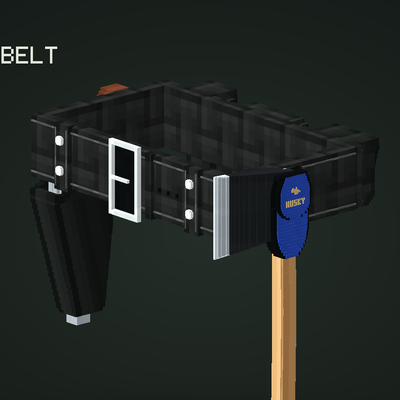
🧟 Rick Grimes' Duty Belt | The Walking Dead
Adds Rick Grimes's famous police duty belt.
 mod
mod CurseForge · Minecraft
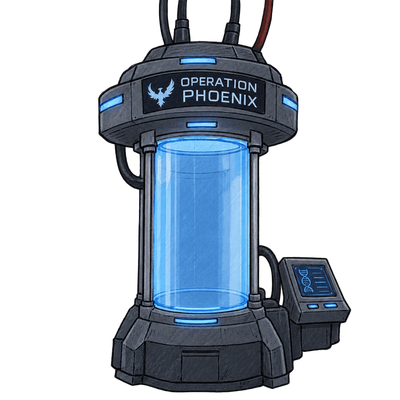
Operation Phoenix
You have obtained a cloning chamber; after death, you respawn inside it.
 mod
mod CurseForge · Minecraft
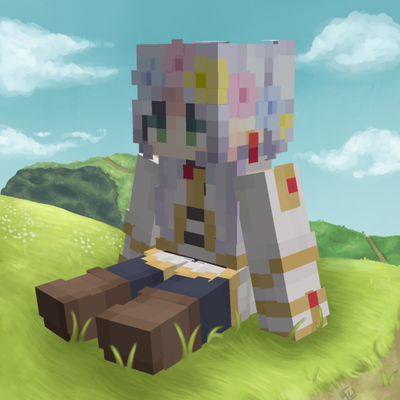
Plushie Friends
Turn any Minecraft player's skin into a collectible 3D plushie! Create custom player plushies to decorate your world, servers, and modpacks.