Fabric API Needed by The Dream Table the_dream_table-2.0.0-beta.jar
requiredMatching file found Matched file: [1.21.1] Fabric API 0.116.17+1.21.1
CurseForge · Minecraft mod
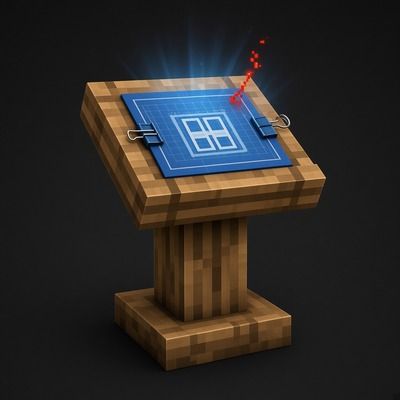
The Dream Table projects a classic redstone farm as a hologram, then builds it one block per second after you deliver the materials.
Quick answer
The Dream Table the_dream_table-2.0.0-beta.jar targets 1.21.1 with Fabric. The project page does not say whether this file belongs on the client, dedicated server, or both. All 1 required mods have matching files.
Where it goes
The project page does not say whether this file belongs on the client, dedicated server, or both.
The source does not explicitly classify this release as client-only or server-only.
the_dream_table-2.0.0-beta.jar. Change the file and its required mods may change too.
Install Fabric API first. We found matching files for this game-version and loader setup.
We only count dependency files that match this setup. A file for another loader does not fill the gap.
Before you install it
Built for The Dream Table the_dream_table-2.0.0-beta.jar. Pick another file and the loader, install side or required mods may change.
Use the_dream_table-2.0.0-beta.jar. It targets 1.21.1 with Fabric; another release may have different loader, side or dependency requirements.
Install Fabric API first. We found matching files for this game-version and loader setup.
The project page does not say whether this file belongs on the client, dedicated server, or both.
Use the “Get this file” button beside the_dream_table-2.0.0-beta.jar. It opens that exact file at the source.
About this project
The Dream Table is a block that builds vanilla farms for you. You pick a farm, place a hologram where you want it, deliver the materials, and the table builds it block by block.
Sugar Cane, Bamboo, Crop Farm, Mob Farm and Iron Farm. More farms will be added over time.
Your own schematics
Any .nbt, .schem or .litematic file of up to 16,384 blocks placed in your schematics folders appears under My Schematics and can be built the same way. On a server, players see the server's schematics without needing the files.
Lists every farm you have finished, with its location and status. From there you can:
Each player has their own project at the same table, and their progress is only visible to them.
config/the_dream_table.properties sets the maximum build speed, how many farms each player can keep loaded, and whether farms stay loaded while players are offline. The block tag the_dream_table:protected
marks blocks that builds should never clear.
The Dream Table was inspired by a Minecraft Bedrock mod that introduced me to the idea behind automated farm construction. The Dream Table is an independently developed Minecraft Java mod with its own implementation, features, and ongoing development.
Credit and thanks to the original creator for the inspiration.
Original project: [https://www.curseforge.com/minecraft-bedrock/addons/easy-redstone-br]
Minecraft 1.21.1, Fabric Loader 0.16 or newer, and Fabric API.
The Dream Table is in beta. Bug reports and suggestions are welcome!
Project description from CurseForge.
Pick your setup
Choose the version and loader you play, then open the matching release.
Check the dependencies, then try the file in a copied instance before changing a world you care about.
Recent files
24 Oct 2026
23 Oct 2026
23 Oct 2026
23 Oct 2026
23 Oct 2026
22 Oct 2026
22 Oct 2026
22 Oct 2026
22 Oct 2026
22 Oct 2026
22 Oct 2026
22 Oct 2026
Looking for an older file? The official CurseForge project page is in Resources.
 mod
modClay Soldiers Remake is a data driven remake of the classic Clay Soldiers mod.
 mod
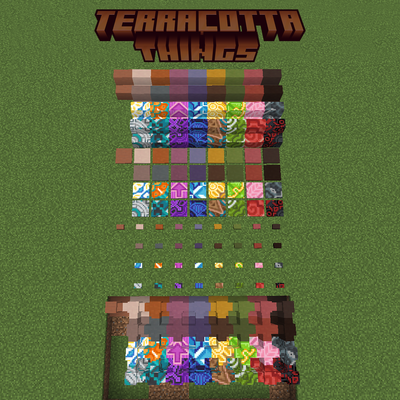
modAdd stairs, slabs, walls, pressure plates, and buttons for every terracotta and glazed terracotta.
 mod
modEliminates render queue latency using NVIDIA Reflex architecture. Works on ANY GPU!