Accessories Needed by Cobblemon - Smart Rotom cobblemon-smartrotom-2.4.jar
requiredMatching file found Matched file: [1.21.1] Accessories [Fabric] - 1.1.0-beta.54

CurseForge · Minecraft mod
SmartRotom aims to bring the Rotom Phone from Pokémon Scarlet and Violet to Minecraft, integrating with Cobblemon to combine the Pokédex, portable PC, healing, trading, map, and social features into a single interface.
Quick answer
Cobblemon - Smart Rotom cobblemon-smartrotom-2.4.jar targets 1.21.1 with Fabric. The project page does not say whether this file belongs on the client, dedicated server, or both. All 5 required mods have matching files.
Where it goes
The project page does not say whether this file belongs on the client, dedicated server, or both.
The source does not explicitly classify this release as client-only or server-only.
cobblemon-smartrotom-2.4.jar. Change the file and its required mods may change too.
Install Accessories, Cobblemon, Fabric Language Kotlin, oωo (owo-lib) and 1 more first. We found matching files for this game-version and loader setup. 3 come through another mod in the chain.
3 extra mods were pulled in by other dependencies. Indented rows show who needs each one. We only count dependency files that match this setup. A file for another loader does not fill the gap.
Before you install it
Built for Cobblemon - Smart Rotom cobblemon-smartrotom-2.4.jar. Pick another file and the loader, install side or required mods may change.
Use cobblemon-smartrotom-2.4.jar. It targets 1.21.1 with Fabric; another release may have different loader, side or dependency requirements.
Install Accessories, Cobblemon, Fabric Language Kotlin, oωo (owo-lib) and 1 more first. We found matching files for this game-version and loader setup. 3 come through another mod in the chain.
The project page does not say whether this file belongs on the client, dedicated server, or both.
Use the “Get this file” button beside cobblemon-smartrotom-2.4.jar. It opens that exact file at the source.
About this project
SmartRotom adds the Rotom Phone from Pokémon Scarlet and Violet to Minecraft, with several features for Cobblemon. It comes with different cases to customize its appearance. Hold it in your hand and right-click to open it.
From your phone, you can view the map, access the Community interface, and use a camera with selfie mode, portrait mode, filters, and photo editing tools. Your photos are saved to the gallery, where you can share them with other players. SmartRotom also supports optional mods that expand the phone’s features.

SmartRotom’s camera lets you take photos in first-person or selfie mode. You can adjust the zoom, choose the aspect ratio, set a timer, and apply filters before taking a photo. Portrait mode lets you focus on Pokémon, players, or mobs while blurring the background. Photos are saved to your gallery, where you can share them in posts or send them through private messages.
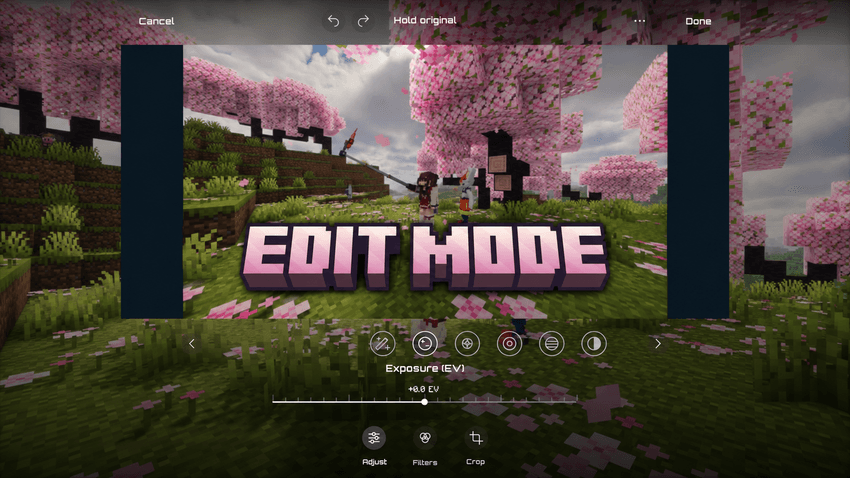
SmartRotom’s photo editor lets you adjust exposure, brightness, contrast, saturation, temperature, and more. It includes filters with adjustable intensity, sharpening, vignettes, and highlight and shadow controls. You can also save your own custom filters to use again.
You can crop, rotate, and straighten your photos, compare your changes with the original, and undo or redo adjustments before saving.
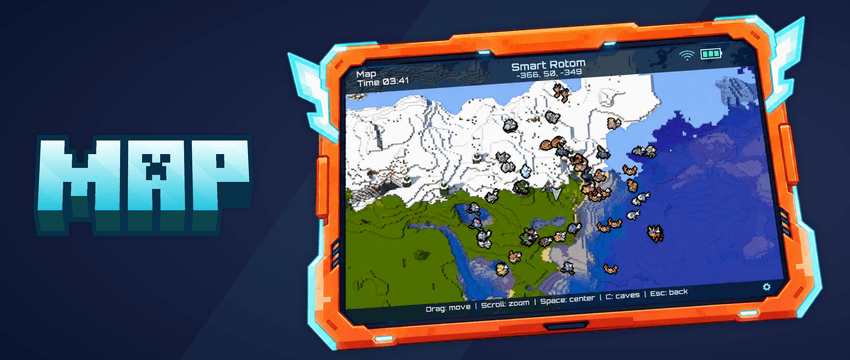
SmartRotom’s map lets you explore your world directly from your phone. You can create, rename, and delete waypoints from the map. When selecting a waypoint or Waystone, you can view its information and, if cheats are enabled, teleport to it quickly.
SmartRotom offers optional compatibility with Waystones, displaying your travel points and their different variants. The map uses Diorama, integrated directly into SmartRotom, so you do not need to install it separately. Credits to Diorama’s creator for their work.
You can configure a keybind to open the map from the controls. You do not need to hold the SmartRotom; having it in your inventory is enough.
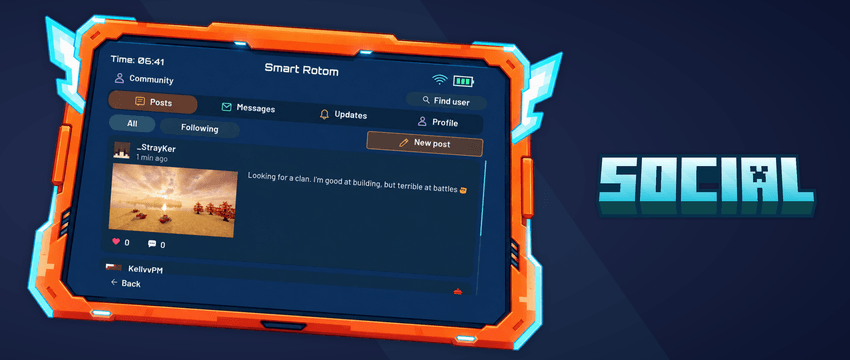
SmartRotom lets you share photos in posts, follow other players, and have your own followers. You can browse profiles, customize your own, like posts, and leave comments in the community.
You can also send private messages, share photos through chat, and trade Pokémon over long distances with other players. SmartRotom offers optional compatibility with Emojiful; installing it is recommended for using emojis in chats, private messages, and posts.
EXTRA:
PokéNav and FishingNav can be added through optional upgrades. Combine either item with any SmartRotom variant in a crafting table to get an upgraded SmartRotom.
Open the PokéNav interface with the configured key while carrying the upgraded SmartRotom in your inventory. To use FishingNav, press Shift + right-click while holding your upgraded SmartRotom.
Project description from CurseForge.
Pick your setup
Choose the version and loader you play, then open the matching release.
Check the dependencies, then try the file in a copied instance before changing a world you care about.
Recent files
9 Nov 2026
cobblemon-smartrotom-2.3.jar
2 Nov 2026
cobblemon-smartrotom-2.2.jar
1 Nov 2026
cobblemon-smartrotom-2.1.jar
29 Oct 2026
cobblemon-smartrotom-2.0.jar
28 Oct 2026
26 Oct 2026
cobblemon-smartrotom-1.0.jar
22 Oct 2026
Looking for an older file? The official CurseForge project page is in Resources.
 mod
Integrations and content for Apotheosis
 mod
5e races, classes, feats, cantrips, player levels. Now with model changes!
 mod
This mod is currently in active Development. Features, models, and ballistic tuning are under active development. If you encounter any bugs, balance suggestions, or feedback, please report them in the comment section!