Minecraft version
Back to mods 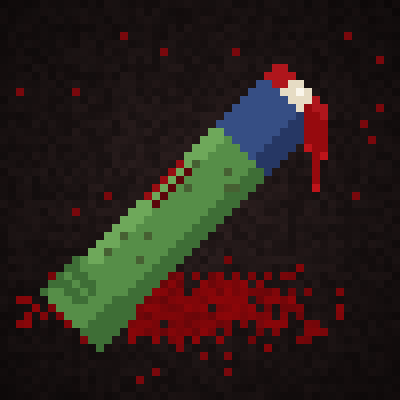
CurseForge · Minecraft mod
Bloodstone's Limbloss
Zombies can tear off your arms, legs and head, and each missing limb comes with its own debuff.
Choose a version Pick your version below, then grab the matching file.
Quick answer
Which Bloodstone's Limbloss release should I use?
Latest stable file limbloss 1.20.1 FORGE V1.2
Game version 1.20.1
Loader Forge
Bloodstone's Limbloss limbloss 1.20.1 FORGE V1.2 targets 1.20.1 with Forge. The project page does not say whether this file belongs on the client, dedicated server, or both. No extra mods listed for this file.
Where it goes
Is Bloodstone's Limbloss required on the client, server, or both?
The project page does not say whether this file belongs on the client, dedicated server, or both.
Client Source doesn’t say
Dedicated server Source doesn’t say
Loader for this release Forge
Required install it here Optional supported, not mandatory Not supported do not install here Source doesn’t say do not assume
The source does not explicitly classify this release as client-only or server-only.
What else does Bloodstone's Limbloss limbloss 1.20.1 FORGE V1.2 need?
limbloss 1.20.1 FORGE V1.2. Change the file and its required mods may change too.
This file does not list any required mods. Do not add a library just because a different file uses it.
This file does not list any required or optional mods.
Before you install it
Add Bloodstone's Limbloss without breaking your instance.
Built for Bloodstone's Limbloss limbloss 1.20.1 FORGE V1.2. Pick another file and the loader, install side or required mods may change.
- 01
Stick to this file
Use limbloss 1.20.1 FORGE V1.2. It targets 1.20.1 with Forge; another release may have different loader, side or dependency requirements.
- 02
Bring the mods it needs
This file does not list any required mods. Do not add a library just because a different file uses it.
- 03
Put it on the correct side
The project page does not say whether this file belongs on the client, dedicated server, or both.
- 04
Pick the file you checked
Use the “Get this file” button beside limbloss 1.20.1 FORGE V1.2. It opens that exact file at the source.
About this project
What does Bloodstone's Limbloss add?
A zombie bite isn't just lost hearts anymore. Zombies can tear off your arms, legs and eventually your head, and you have to survive with whatever's left.
How it works
When a zombie hits you, it can rip off a limb. The zombie keeps hold of it, and if it gets the chance, it'll eat it to heal. That limb is gone until you die or find a way to grow it back.
- Lose your off-hand arm: no offhand slot, slower mining
- Lose your main arm: you can't hold anything
- Lose a leg: you slow down
- Lose both legs: you're crawling
- Lose your head: you're dead, and the zombie walks off holding it
Your head is safe while you still have all your limbs. The more pieces you lose, the easier it gets for a zombie to finish the job.
Features
- Missing limbs disappear from your player model, in first person too
- Zombies carry your severed limbs as 3D models, and they'll eat them
- Bleeding after you lose a limb. Patch yourself up with bandages
- Eat a golden apple to regrow lost limbs, with a grow-back animation
- Armor lowers your chance of losing a limb
- Your body stays in the world after death
- Gore
Config
You can change every number (debuff strength, limb-loss chance, armor protection and more) in config/limbloss.properties. Run /limbloss reload to apply changes without restarting.
Compatibility
This mod doesn't change zombie spawns, speed or health, so it works with zombie modpacks and other mob mods.
Requirements
- Minecraft 26.3
- Fabric Loader
- Fabric API
Feel free to add it to your modpack.
Project description from CurseForge.
Pick your setup
Bloodstone's Limbloss by Minecraft version and loader
Choose the version and loader you play, then open the matching release.
Minecraft version
1.20.1
2 loader buildsCheck the dependencies, then try the file in a copied instance before changing a world you care about.
Recent files
Bloodstone's Limbloss versions and loaders
limbloss 1.20.1 FORGE V1.2
limbloss-2.3.3-1.20.1.jar
1 Nov 2026
Client Source doesn’t say Server Source doesn’t say Dependencies No extras listed Listed on Release listing
Check the 1.20.1 · Forge setup 1.20.1Forge release
limbloss fabric 1.20.1 V1.1
limbloss-2.2.0-1.20.1.jar
29 Oct 2026
Client Source doesn’t say Server Source doesn’t say Dependencies No extras listed Listed on Release listing
Check the 1.20.1 · Fabric setup Fabric1.20.1 release
limbloss forge 1.20.1 V1.1
limbloss-forge-2.2.0-1.20.1.jar
29 Oct 2026
Client Source doesn’t say Server Source doesn’t say Dependencies No extras listed Listed on Release listing
Check the 1.20.1 · Forge setup 1.20.1Forge release
2.1.2 Forge 1.20.1
limbloss-forge-2.1.2-1.20.1.jar
29 Oct 2026
Client Source doesn’t say Server Source doesn’t say Dependencies No extras listed Listed on Release listing
Check the 1.20.1 · Forge setup 1.20.1Forge release
limbloss 1.20.1
limbloss-2.1.2+1.20.1.jar
24 Oct 2026
Client Source doesn’t say Server Source doesn’t say Dependencies 1 required · 1 unchecked Listed on Release listing
Check the 1.20.1 · Fabric setup Fabric1.20.1 release
limbloss-2.0.0.jar
22 Oct 2026
Client Source doesn’t say Server Source doesn’t say Dependencies 1 required · 1 unchecked Listed on Release listing
Check the 26.3 · Fabric setup Fabric26.3 release
Looking for an older file? The official CurseForge project page is in Resources.
 mod
CurseForge + Modrinth · Minecraft
I'm Herobrine
Become Herobrine and unlock all his abilities
 mod
CurseForge · Minecraft
CLAVIS BACKPORT
Just a backport of this amazing minigame mod for 1.20.1
 mod
CurseForge · Minecraft
Doomsday Functionality
An addon to Doomsday Decoration by Huzai that allows looting and loot refresh intervals