Minecraft version
Back to mods 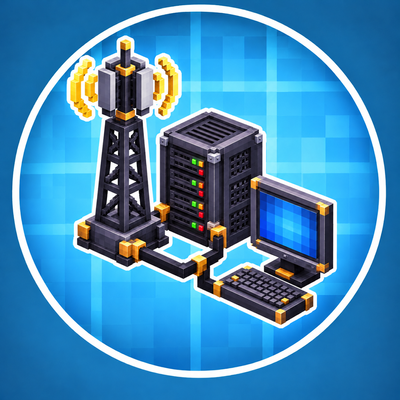
CurseForge · Minecraft mod
Create: Advanced Computer Technic
Build-your-own computers with a desktop and your own programs, servers with websites and online shops, radio towers, WiFi, TVs, security cameras and phones – an addon for Advanced Electricity.
Choose a version Pick your version below, then grab the matching file.
Quick answer
Which Create: Advanced Computer Technic release should I use?
Latest stable file advanced_computer_technic-1.20.1_1.0.0.jar
Game version 1.20.1
Loader Forge
Create: Advanced Computer Technic advanced_computer_technic-1.20.1_1.0.0.jar targets 1.20.1 with Forge. The project page does not say whether this file belongs on the client, dedicated server, or both. No extra mods listed for this file.
Where it goes
Is Create: Advanced Computer Technic required on the client, server, or both?
The project page does not say whether this file belongs on the client, dedicated server, or both.
Client Source doesn’t say
Dedicated server Source doesn’t say
Loader for this release Forge
Required install it here Optional supported, not mandatory Not supported do not install here Source doesn’t say do not assume
The source does not explicitly classify this release as client-only or server-only.
What else does Create: Advanced Computer Technic advanced_computer_technic-1.20.1_1.0.0.jar need?
advanced_computer_technic-1.20.1_1.0.0.jar. Change the file and its required mods may change too.
This file does not list any required mods. Do not add a library just because a different file uses it.
This file does not list any required or optional mods.
Before you install it
Add Create: Advanced Computer Technic without breaking your instance.
Built for Create: Advanced Computer Technic advanced_computer_technic-1.20.1_1.0.0.jar. Pick another file and the loader, install side or required mods may change.
- 01
Stick to this file
Use advanced_computer_technic-1.20.1_1.0.0.jar. It targets 1.20.1 with Forge; another release may have different loader, side or dependency requirements.
- 02
Bring the mods it needs
This file does not list any required mods. Do not add a library just because a different file uses it.
- 03
Put it on the correct side
The project page does not say whether this file belongs on the client, dedicated server, or both.
- 04
Pick the file you checked
Use the “Get this file” button beside advanced_computer_technic-1.20.1_1.0.0.jar. It opens that exact file at the source.
About this project
What does Create: Advanced Computer Technic add?
Description
Advanced Computer Technic
Computers, radio and internet for your Advanced Electricity grid.
This addon for Advanced Electricity (Crafts & Additions: Lamps & Fuses) adds computers you build from parts (CPU, RAM, graphics card, hard drive) with a graphical desktop and the CogScript language, a laptop, server racks with websites and online shops, radio with radio towers up to 15,000 blocks, WiFi, TVs and a cinema screen, security cameras, telephones, a printer, a USB stick, a keypad and a parcel station. Everything runs on power from your grid and talks over data cables, radio or WiFi.
Requirements
- Minecraft 1.20.1 with Forge
- Create (6.x)
- Create: Crafts & Additions
- Advanced Electricity 1.0.5 or newer (power, cables and the Electronics Workbench for the computer parts)
- Optional: Simple Voice Chat (talking on the phone), SecurityCraft (its cameras show up on computers), JEI
Install the mod on both the server and the client.
💻 Computers, Radio & Internet
Programmable computers that run on Crafts & Additions power, talk over radio and WiFi, host websites and drive screens, printers, cameras, phones and valves.
🔩 Build your own PC
- Parts: CPU, RAM, graphics card and hard drive, each in tiers 1–6. You solder them yourself at the Electronics Workbench: pick the target with a tab, place resistors, capacitors, transistors, chips, relays and LEDs (or press Auto) – a checklist shows what the next tier still needs and a rotatable 3D view shows the board as you build it. Every part is a small 3D model in your hand.
- PC tower + PC monitor: the computer is a tower with a glass side panel and case fans with LED rings – the installed parts are visible and glow while it runs. Dye the case with any dye. The modern flat PC Monitor goes next to the tower (or by data cable), keyboard and mouse sit in front of it and it shows the live picture.
- Assembly Bench with a rotatable 3D view: put a PC case, server chassis or laptop shell and the parts in, press Assemble – out comes a computer, server or laptop. Take apart gives the parts back, so you can upgrade. You can also install a part by right-clicking a computer.
- What the parts do: the CPU sets the speed (×0.5 to ×4), RAM the file size and how many programs run nested, the graphics card the resolution and colour depth (up to 640 × 360 at 32 bit), the hard drive the storage (64 KB up to 4 MB NVMe). Your files live on the hard drive and travel with it.
- Laptop: built-in screen, keyboard, touchpad, battery and WiFi. Sneak + right-click folds it up and you take it with you – files and battery included.
- Rename computers, servers, routers, cameras and phones with a name tag (or
label,rack name). Pick up a computer with everything on it using sneak + Create wrench. - USB Stick to carry files between computers (
usb put / get).
🖥️ Graphics, Desktop & your own OS
- Graphics mode (
gfx): real pixels at the resolution of your graphics card, colour depth 4, 8, 16, 24 or 32 bit (32 bit with transparency). Lines, rectangles, circles, gradients, pixel font, icons, images and screenshots. The computer window scales the picture as large as your screen allows. - CogOS Desktop (
desktop): wallpaper, icons, taskbar with start menu, clock, WiFi and battery, and built-in apps – Files, Terminal, Browser, Chat, Paint, Calculator, Cameras, System and Settings (resolution, colour depth, colour scheme, wallpaper, computer name, start with desktop). - Your own apps: any program whose first line is
// app: Name, icon: gameshows up on the desktop. Theguitoolkit gives you windows, buttons, text fields, checkboxes, sliders, lists and progress bars in a few lines. - Your own operating system: write a program with
gui.*,os.apps(),os.run(),os.shell()and boot it withsetboot <program>.
✍️ Coding
- New code editor: syntax colours, line numbers, errors shown while you type, auto-indent, auto-closing brackets and quotes, undo/redo, selection with shift and mouse, comment toggle, duplicate line and suggestions as you type (Tab accepts).
- Coding helper (
helfer): writes programs from a description – now also graphical apps, paint, camera monitor, valve control, answering machine, shop and your own OS – and controls the computer: "öffne den desktop", "drucke notizen", "licht hinten an", "ventil zu", "auflösung 320x180 16 bit", "wlan suchen", "neue datei test", "kopiere a nach b", "suche print in spiel", "rechne (3+4)*12", "spiel musik jakob". It shows the matching command so you learn it. - Colour codes
&0–&fin printed text, and&,|,:,;,<,>all work in code (also typed with AltGr). - CogScript stays simple, works like ComputerCraft (
term,fs,rednet,peripheral,redstone…) and has a full manual on the computer (help).
📡 Radio, WiFi & Internet
- Radio with an illuminated control panel, scan, presets and volume; antennas and tuners are found automatically. Realistic propagation (distance, height, shortwave at night, weather).
- Radio Tower up to 15,000 blocks range, build it yourself from segments, platforms and antennas.
- WiFi: the WiFi Router (name and password) and every radio tower span a WiFi network. Computers, laptops, servers, printers, cameras and phones join without cables. With a radio at the router the WiFi has internet, without it it is a local intranet.
wlan scan / connect. - Servers need internet or WiFi: a radio by cable, or a WiFi network.
- Chat (
chat): messages arrive while you type, channels, scrolling, names – no more lost input.
🌐 Websites & Online Shops
- Server Rack with up to 8 servers, each with its own domain, password and name – with a smoked glass door you open to insert or pull out servers, rails, vents and server handles.
- Server programs:
rack puta file andrack runit – it keeps running on the server in the background (also after a restart),rack logshows its output. - Website templates (
site neu start / shop / blog / gaestebuch / umfrage), preview before uploading andsite hochladen. - Forms:
{{input:name}},{{password:pw}},{{submit:Send}}in any page. - Online shops: a Parcel Station at the server rack is your shop's stock. Set prices with
shop preis, list the offers on your site withshop.items()and buy links. Customers pay from their own parcel station (emeralds by default) and the goods arrive there – sell anything you made yourself. - Designer, text pages with colours and links, script pages with storage – as before.
📺 Screens, Cameras & Devices
- Big Screen TV (3 × 2 blocks) and Cinema Screen (5 × 3) besides the small TV. TVs show text, images, a live camera (
tv.camera) or mirror a computer's graphics (tv.mirror) – use them as monitors. - Security Camera: a high-resolution live picture (256 × 144) computed in the world – surface detail, soft corner shadows, sun shadows, sky light, fog, time of day and night vision, rendered off the main thread – on computers (Cameras app,
camera.show) and TVs. Pan with sneak + right-click orcamera.turn. - Live view:
kamera live <name>(or the button in the Cameras app) puts your view into the camera with the real Minecraft graphics – look around with the mouse, sneak or Esc to exit. - SecurityCraft: SecurityCraft security cameras near a computer show up in its camera list too (picture, TVs, live view), and SecurityCraft keypads and scanners open our doors by redstone.
- Printer: prints files as written books (paper + ink sac).
- Telephone (landline, no mobile phones): four-digit number, phone book, ringing, answering – while connected you talk through the chat – and with Simple Voice Chat installed you simply speak: your voice comes out of the other phone. Computers can call, answer and speak (answering machine template).
- Keypad for doors: right code = 3 seconds of redstone, three wrong codes lock it with an alarm. Our doors open with any redstone, so SecurityCraft keypads and scanners work with them too.
Other computer features
- Music over the radio: put a music disc into a radio and every radio on the same frequency plays it like a radio station. Or broadcast songs from a computer:
musik spiel jakob– several tracks with instruments and chords, built-in public-domain songs, your own.songfiles (musik neu),radio.song()in code. - TV broadcasting and redstone on all sides.
- Control your grid: computers read and switch the devices of Advanced Electricity on the data cable – fuse boxes, lamps, control panels, valves (
valve.open / close) and flow meters (meter.read).
🎬 Ponder Scenes
Hold W over an item for animated Create-style tutorials: radio tower, computer, radio and music, television and server rack.
⚙️ Configuration
Power use of every device, radio and tower range (default 15,000), WiFi range of routers and towers, laptop battery, shop currency, computer speed, file limits and camera quality.
🌍 Languages
English and German. The full CogScript reference is in COGSCRIPT_BEFEHLE.md (German) and in-game with help.
Requires Advanced Electricity, Create and Create: Crafts & Additions. This is an independent addon and is not affiliated with the Create or Crafts & Additions teams.
Project description from CurseForge.
Pick your setup
Create: Advanced Computer Technic by Minecraft version and loader
Choose the version and loader you play, then open the matching release.
Check the dependencies, then try the file in a copied instance before changing a world you care about.
Recent files
Create: Advanced Computer Technic versions and loaders
advanced_computer_technic-1.20.1_1.0.0.jar
23 Oct 2026
Client Source doesn’t say Server Source doesn’t say Dependencies No extras listed Listed on Release listing
Check the 1.20.1 · Forge setup 1.20.1Forge release
Looking for an older file? The official CurseForge project page is in Resources.
 mod
mod CurseForge + Modrinth · Minecraft
Resource Data Pack Loader
RDPL - Restoring JOY back to Modpack building! The API that should have been by MCT
 mod
mod CurseForge + Modrinth · Minecraft
Tiny Takeover Backport
A Minecraft mod that brings the complete Tiny Takeover drop to older Minecraft versions!
 mod
mod Modrinth · Minecraft
Jurassic Saga
Jurassic Saga is the Dinosaur Mod for you! It focuses on immersion of the Jurassic Park dinosaurs, ranging from novels, movies, comics, and toylines! With all of this, you can create your own Jurassic Park!