Minecraft version
Back to mods 
CurseForge · Minecraft mod
ScreamSS14
This mod brings screams, laughs, and death gasps from Space Station 14 into Minecraft.
Choose a version Pick your version below, then grab the matching file.
Quick answer
Which ScreamSS14 release should I use?
Latest stable file ScreamSS14-1.2.jar
Game version 1.7.10
Loader Forge
ScreamSS14-1.2.jar targets 1.7.10 with Forge. The project page does not say whether this file belongs on the client, dedicated server, or both. No extra mods listed for this file.
Where it goes
Is ScreamSS14 required on the client, server, or both?
The project page does not say whether this file belongs on the client, dedicated server, or both.
Client Source doesn’t say
Dedicated server Source doesn’t say
Loader for this release Forge
Required install it here Optional supported, not mandatory Not supported do not install here Source doesn’t say do not assume
The source does not explicitly classify this release as client-only or server-only.
What else does ScreamSS14-1.2.jar need?
ScreamSS14-1.2.jar. Change the file and its required mods may change too.
This file does not list any required mods. Do not add a library just because a different file uses it.
This file does not list any required or optional mods.
Before you install it
Add ScreamSS14 without breaking your instance.
Built for ScreamSS14-1.2.jar. Pick another file and the loader, install side or required mods may change.
- 01
Stick to this file
Use ScreamSS14-1.2.jar. It targets 1.7.10 with Forge; another release may have different loader, side or dependency requirements.
- 02
Bring the mods it needs
This file does not list any required mods. Do not add a library just because a different file uses it.
- 03
Put it on the correct side
The project page does not say whether this file belongs on the client, dedicated server, or both.
- 04
Pick the file you checked
Use the “Get this file” button beside ScreamSS14-1.2.jar. It opens that exact file at the source.
About this project
What does ScreamSS14 add?
ScreamSS14 (Minecraft 1.7.10)
This mod brings the iconic screams, laughs, and death gasps from Space Station 14 directly into Minecraft.
Multiplayer Compatibility
Controls & Commands
- B Key — Scream. Uses the specific sound of your chosen species (2.5-second cooldown). 1% Hidden scream.
- M Key — Quick action. Executes a configured command or message (customizable in the settings GUI).
- /screamcfg — Opens the settings GUI to configure text colors, gradients, font styles, animations, and the quick action key.
- /<3 — Displays your health above your head.
- /!!!, /), /( — Emotes (angry, smile, sad) display overhead. When angry, the player model visually blushes red
- /xd, /scream — Laugh. Has no cooldown. The text above the head renders vertically and smoothly fades away over 2.5 seconds.
- /race — Choose your species. Available to all players without admin permissions; saves to the configuration file and persists after restarts. Pressing the Tab key allows you to cycle through all 14 species.
- Overhead Chat — Shows what you type in chat directly above your head (lasts 7 seconds) with animated typing dots (. . .). Text stacks vertically, hides behind walls, and supports customizable colors, animated gradients, bold/italic font, wave, and shake effects.
Mechanics
- Pain Scream: Taking more than 4 HP (2 full hearts) of actual damage has a 80% chance to trigger an involuntary scream with a red text indicator above your head (10-second cooldown).
- Fire Scream: Taking fire or lava damage triggers an involuntary scream (unless protected by Fire Resistance).
- Nausea Laugh: Suffering from nausea causes the character to periodically laugh.
- Health Indicator: Command /<3 displays hearts above the player's head (supports normal, absorption, poison, and wither).
- Death Gasp: When entering the dying state, your species' death groan plays without any text appearing on the screen.
- Distance Audio Fading: All sounds and text indicators are restricted to a 24-block radius. Volume is at 100% up to 8 blocks, linearly drops to 10% at a distance of 24 blocks, and completely fades out beyond 24 blocks.
- Rendering: Text overlays render correctly in third-person mode (F5) and use isolated OpenGL states for full compatibility with Angelica Render and modern shaders.
Species Included
- Human — Human screams, laughs, death gasps, and a rare Wilhelm scream.
- Female — Female screams, laughs, and death gasps.
- Dwarf — Pitch-shifted electromagnetic sounds (lowered to 0.75).
- Vulpkanin — Canonical fox screeches, barks, and laughs.
- Slime — Squishy, squelching, and bubbling screams, laughs, and death groans.
- Reptilian — Lizard hisses, low growls, and joyful chirps/laughs.
- Moth — Fluttering, buzzing, chirping, squeaking, and quiet laughs.
- Arachnid — Sinister spider sounds, including chittering, clicking jaws, and clicks.
- Diona — Plant-like rustling of bark and leaves instead of standard laughs.
- Silicon — Robotic glitches: syndiborg screams, beeps, and laughs.
- Xenoborg — Alien synthesized sounds and techno-laughter.
- Skeleton — Rattling bone clicks.
- Zombie — Guttural undead groans.
- Clown — Honking and manic clown laughter.
Angelica Compatibility
Fully compatible with the Angelica rendering engine (Sodium/Iris and modern shader backports for 1.7.10).
The overhead text rendering uses strict OpenGL state isolation (matrix popping/pushing and attribute resets). It does not interfere with shaders, lighting, or vanilla textures, and displays correctly in third-person view (F5).
More versions coming soon... <3
Legal & Credits
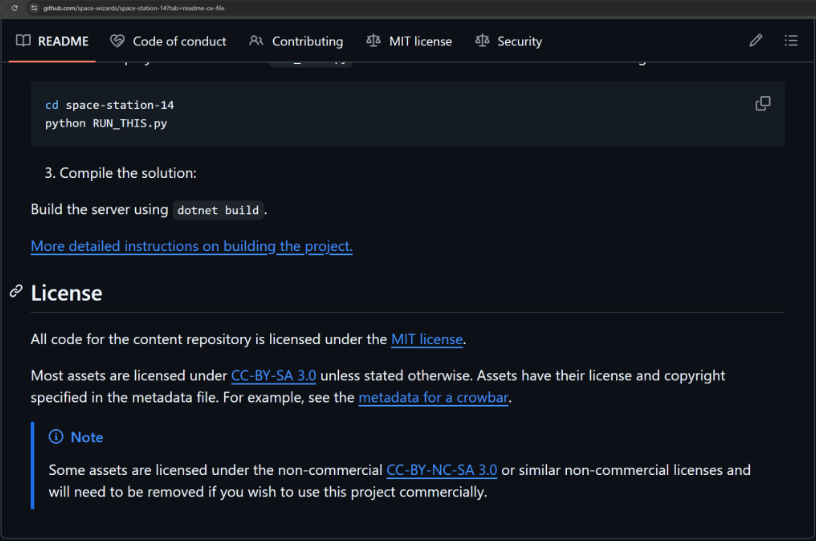
- Audio Materials & Licensing: All sound assets and species voices belong to the developers of Space Station 14 (Space Wizards Federation / WizDen) and Space Station 13. According to their repository terms, all game assets (including audio) are licensed under CC BY-SA 3.0 and CC0. This project is fully compliant with these terms. Proper credit is hereby given to the original creators.
- Minecraft: All rights to Minecraft belong to Mojang Synergies AB / Microsoft.
- Development: Created for Minecraft 1.7.10 with assistance from Antigravity (Google DeepMind).
Project description from CurseForge.
Pick your setup
ScreamSS14 by Minecraft version and loader
Choose the version and loader you play, then open the matching release.
Check the dependencies, then try the file in a copied instance before changing a world you care about.
Recent files
ScreamSS14 versions and loaders
ScreamSS14-1.2.jar
13 Nov 2026
Client Source doesn’t say Server Source doesn’t say Dependencies No extras listed Listed on Release listing
Check the 1.7.10 · Forge setup Forge1.7.10 release
ScreamSS14-1.1.jar
29 Oct 2026
Client Source doesn’t say Server Source doesn’t say Dependencies No extras listed Listed on Release listing
Check the 1.7.10 · Forge setup Forge1.7.10 release
ScreamSS14-1.0.jar
23 Oct 2026
Client Source doesn’t say Server Source doesn’t say Dependencies No extras listed Listed on Release listing
Check the 1.7.10 · Forge setup Forge1.7.10 release
Looking for an older file? The official CurseForge project page is in Resources.
 mod
CurseForge · Minecraft
Camera Monitoring: CCTV System Fully Customizable + Screens
Professional CCTV for Minecraft: PTZ security cameras, live monitor screens that auto-switch to whoever is on camera, patrol and motion tracking modules, alarms and permissions. Fabric, NeoForge and Forge, 1.20.1 to 26.3.
 mod
CurseForge · Minecraft
Hempdustry 2
Plant, harvest and use hemp in a new way ! A Vanilla+ and pretty acurate open source cannabis mod for Minecraft with three weed strains – Build and craft with hemp, cook some edibles, get effects from flowers and more...
 mod
CurseForge · Minecraft
[StarWine] Corpse
Ultra-lightweight corpse mod for your modpack