Fabric API Needed by Stall v1.0.3
requiredMatching file found Matched file: [26.3] Fabric API 0.166.0+26.3
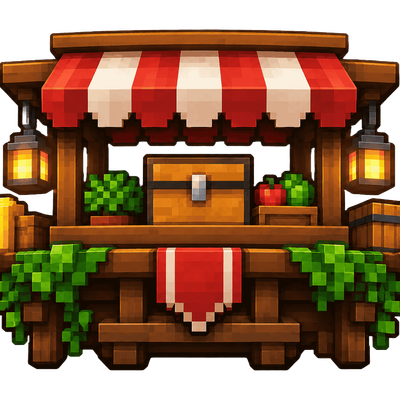
CurseForge · Minecraft mod
Player-owned shops, custom trading, and a thriving player-driven economy.
Quick answer
Stall v1.0.3 targets 26.1.2, 26.2, 26.3 with Fabric. The project page does not say whether this file belongs on the client, dedicated server, or both. All 1 required mods have matching files.
Where it goes
The project page does not say whether this file belongs on the client, dedicated server, or both.
The source does not explicitly classify this release as client-only or server-only.
Stall v1.0.3 on 26.3. Every mod below is checked against that same setup.
Install Fabric API first. We found matching files for this game-version and loader setup.
We only count dependency files that match this setup. A file for another loader does not fill the gap.
Before you install it
Built for Stall v1.0.3 on 26.3. Pick another file and the loader, install side or required mods may change.
Use Stall v1.0.3. It targets 26.1.2, 26.2, 26.3 with Fabric; another release may have different loader, side or dependency requirements.
Install Fabric API first. We found matching files for this game-version and loader setup.
The project page does not say whether this file belongs on the client, dedicated server, or both.
Use the “Get this file” button beside Stall v1.0.3. It opens that exact file at the source.
About this project




Stall is a player shop system for Fabric dedicated servers on Minecraft 26.1.2, 26.2 and 26.3. Players turn an ordinary barrel, chest or shulker box into a shop, stock it with items, and set up trades that other players buy with a click. Shops are real blocks with real stock, and players on a vanilla client need nothing installed: Stall runs entirely on the server.
Running Spigot, Paper or Folia instead? The plugin is on Modrinth and the GitHub releases, and it reads the same shop files.
/stall token./stall remove, and the token comes back to you.Physical Shops A shop is a vanilla barrel, chest, trapped chest or shulker box, and its contents are the shop's stock. Payments go into the same container.
Custom Models & Tokens Supports custom furniture and block models from CraftEngine, Nexo, and Oraxen, plus configurable token items, custom model data and skull textures.
Two-for-Three Trades Every offer asks for up to two items and gives up to three items, each up to one stack. For example, 1 diamond + 2 gold ingots → 8 iron ingots.
Large Containers Grant stall.barrel.large or stall.shulker.large for 54 stock slots. Breaking a shulker shop drops stock safely and returns the token.
Up to Six Offers One row per offer, all on one page.
Clear Availability Each offer shows whether it's in stock, whether you can afford it, and whether the shop has room for your payment, and lists what's missing.
All-or-Nothing Trades Every trade is checked in full before anything moves. No partial trades and no lost items.
Exact Item Matching Enchantments, names, durability and potion types all count.
Shop Limits & Overrides Tiers such as stall.limit.5, checked through Fabric API's permission API, plus /stall admin max override commands.
Claim Friendly Shops only go where their owner could open the container anyway, so protection mods decide where shops can go.
Protected Stock Other players can't break or open a shop, and hoppers can't drain it.
Saved With the World Shops are kept in the world's own folder, so a world backup includes them.
Explosions leave shop containers and their stock intact. Missing containers are cleaned up automatically, with tokens waiting for /stall reclaim. Double chests are one shop covering both halves, with 54 slots of stock. Copper chests are excluded because copper golems can remove their contents.
| Command | |
|---|---|
/stall |
Show how shops work and the commands below. |
/stall token [amount] |
Get Stall tokens. |
/stall list |
List your shops and your shop limit. |
/stall info |
Show the owner and offers of the shop you're looking at. |
/stall remove |
Remove the shop you're looking at and give its token back to its owner. |
/stall reclaim |
Collect tokens from shops removed while you were offline. |
/stall preview |
See your own shops the way buyers do. |
/stall admin give <player> [amount] |
Give a player Stall tokens. |
/stall admin max <limit|offers> <set|add|take> <player> <amount> |
Set, add, or take from a player's shop limit or max offers override. |
/stall admin max <limit|offers> reset <player> |
Reset a player's shop limit or max offers override. |
/stall admin reload |
Reload config.yml and lang.yml. |
| Permission | Default | |
|---|---|---|
stall.use |
everyone | Open shops and buy from them. |
stall.create |
everyone | Turn a barrel, chest or shulker box into a shop with a token. |
stall.token |
everyone | Use /stall token. |
stall.limit.<n> |
none | Own up to n shops, from 0 to 100. |
stall.limit.unlimited |
op | Own any number of shops. |
stall.offers.<n> |
none | Have up to n offers per shop (1 to 6). |
stall.barrel.large |
none | Barrel shops have 54 stock slots instead of 27. |
stall.shulker.large |
none | Shulker box shops have 54 stock slots instead of 27. |
stall.admin |
op | Edit and remove any shop, and use /stall admin. |
Players without a stall.limit tier can own 3 shops.
Large barrels use one vanilla 54-slot menu: 27 ordinary slots and 27 attached slots. Hoppers and comparators see only the ordinary slots. Empty the extra slots before /stall remove, uninstalling Stall, or moving a world between Fabric and Spigot/Paper; breaking the barrel drops its extra items.
Project description from CurseForge.
Pick your setup
Choose the version and loader you play, then open the matching release.
Check the dependencies, then try the file in a copied instance before changing a world you care about.
Recent files
Stall-Fabric-1.0.3.jar
7 Nov 2026
Stall-Fabric-1.0.2.jar
7 Nov 2026
Stall-Fabric-1.0.1.jar
26 Oct 2026
24 Oct 2026
Looking for an older file? The official CurseForge project page is in Resources.
 mod
Simple Tracking Compass is a Minecraft mod that adds a Compass to the top-left corner of your screen which lets you track other players.
 mod
Fast, precise, and fully customizable client-side inventory controls
 mod
Create custom world portal to travel between dimensions.
