Mod Menu Optional for Typestones 0.1.0
optionalMatching file found Matched file: v21.0.0 for 26.3

CurseForge · Minecraft mod
Letter and picture blocks, for floor, walls and ceilings, made by a Typewriter
Quick answer
Typestones 0.1.0 targets 26.3 with Fabric. The project page does not say whether this file belongs on the client, dedicated server, or both. All 1 required mods have matching files.
Where it goes
The project page does not say whether this file belongs on the client, dedicated server, or both.
The source does not explicitly classify this release as client-only or server-only.
Typestones 0.1.0 on Fabric. Every mod below is checked against that same setup.
Install Fabric API first. We found matching files for this game-version and loader setup. 1 comes through another mod in the chain.
1 extra mod was pulled in by another dependency. Indented rows show who needs each one. We only count dependency files that match this setup. A file for another loader does not fill the gap.
Before you install it
Built for Typestones 0.1.0 on Fabric. Pick another file and the loader, install side or required mods may change.
Use Typestones 0.1.0. It targets 26.3 with Fabric; another release may have different loader, side or dependency requirements.
Install Fabric API first. We found matching files for this game-version and loader setup. 1 comes through another mod in the chain.
The project page does not say whether this file belongs on the client, dedicated server, or both.
Use the “Get this file” button beside Typestones 0.1.0. It opens that exact file at the source.
About this project
Smooth stone blocks that carry a letter, digit or sign on all six sides, and picture stones that together show an image. A Typewriter makes them, and a Pencil puts them into the world.
Type a line of up to 128 characters, set a letter dye and optionally a background dye, and press Start.
The Typewriter's Pencil button makes a pencil from a stick and a smooth stone. It lays the last line or picture stone by stone, straight from the Typewriter's output.
With Billboard API or CC: Tweaked, a program can have the Typewriter type an image as picture stones by using the Lua box which can execute Lua code.
Without Billboard API or CC: Tweaked, the RGB dye and its recipe stay hidden.
The latest version of the Billbox API (which contains the Lua box, cables and ports) can always be obtained from GitHub Release Billboard API.
Source code on GitHub, MIT license.
Made with Claude AI: Claude writes the code, textures and icon; Konitor decides what the mod does and tests it.
Project description from CurseForge.
Pick your setup
Choose the version and loader you play, then open the matching release.
Check the dependencies, then try the file in a copied instance before changing a world you care about.
Recent files
typestones-0.1.0.jar
10 Nov 2026
1 Nov 2026
Looking for an older file? The official CurseForge project page is in Resources.
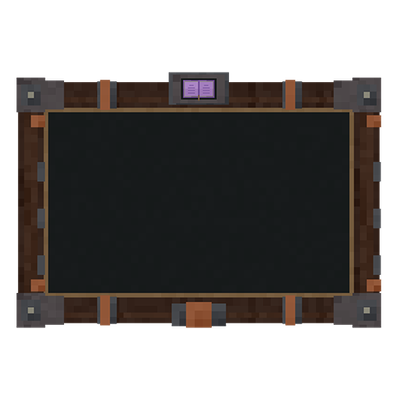 mod
A next-gen questing mod featuring an immersive 3D tablet, advanced objectives, custom rewards, multiplayer support, mod support and an intuitive web editor.
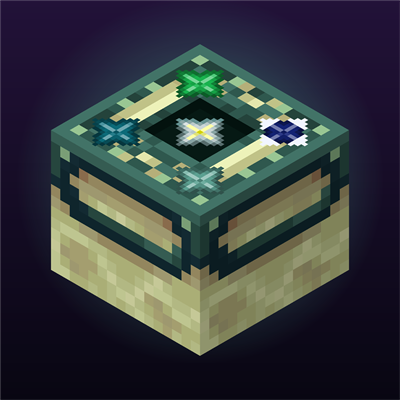 mod
Defeat the 5 bosses to unlock the End portal in a improved vanilla experience. Each boss drops a usefull star and... One Piece?
 mod
Auto clicker (autoclicker) and AFK helper for Fabric, NeoForge and Forge: auto attack, auto eat, auto fish, auto farm, auto tool, hotbar refill, anti-AFK and hotkeys for mob farms, mining, farming and fishing