Minecraft version
Back to mods 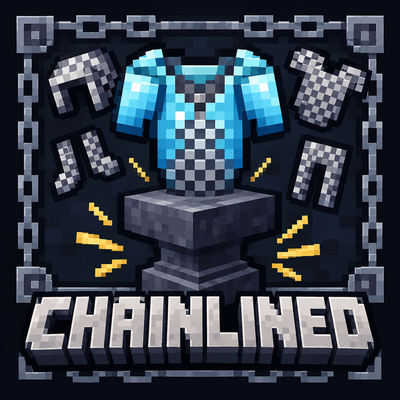
CurseForge · Minecraft mod
Chainlined
It reworks chainmail armor around a single idea: chainmail is not worn for its own protection, but used as a **lining** that permanently reinforces other armor.
Choose a version Pick your version below, then grab the matching file.
Quick answer
Which Chainlined release should I use?
Latest stable file Chainlined-3.0.0-26.3-NeoForge.jar
Game version 26.3
Loader NeoForge
Chainlined-3.0.0-26.3-NeoForge.jar targets 26.3 with NeoForge. The project page does not say whether this file belongs on the client, dedicated server, or both. No extra mods listed for this file.
Where it goes
Is Chainlined required on the client, server, or both?
The project page does not say whether this file belongs on the client, dedicated server, or both.
Client Source doesn’t say
Dedicated server Source doesn’t say
Loader for this release NeoForge
Required install it here Optional supported, not mandatory Not supported do not install here Source doesn’t say do not assume
The source does not explicitly classify this release as client-only or server-only.
What else does Chainlined-3.0.0-26.3-NeoForge.jar need?
Chainlined-3.0.0-26.3-NeoForge.jar. Change the file and its required mods may change too.
This file does not list any required mods. Do not add a library just because a different file uses it.
This file does not list any required or optional mods.
Before you install it
Add Chainlined without breaking your instance.
Built for Chainlined-3.0.0-26.3-NeoForge.jar. Pick another file and the loader, install side or required mods may change.
- 01
Stick to this file
Use Chainlined-3.0.0-26.3-NeoForge.jar. It targets 26.3 with NeoForge; another release may have different loader, side or dependency requirements.
- 02
Bring the mods it needs
This file does not list any required mods. Do not add a library just because a different file uses it.
- 03
Put it on the correct side
The project page does not say whether this file belongs on the client, dedicated server, or both.
- 04
Pick the file you checked
Use the “Get this file” button beside Chainlined-3.0.0-26.3-NeoForge.jar. It opens that exact file at the source.
About this project
What does Chainlined add?
Chainlined
Overview
中文描述在下方
Chainlined reworks chainmail armor around a single idea: chainmail is not worn for its own protection, but used as a lining that permanently reinforces other armor.
Vanilla chainmail has no crafting recipe and almost no place in progression. This mod gives it one. Chainmail pieces can be crafted, and each piece can be spent on an anvil to raise the armor points of armor for the same slot.
The mod adds no new items, no new dimensions and no new combat mechanics. It changes how chainmail is obtained and what it is good for.
Features
⛓️ Craftable chainmail
All four chainmail pieces can now be crafted from chains alone.
| Piece | Chains |
|---|---|
| Chainmail Helmet | 5 |
| Chainmail Chestplate | 8 |
| Chainmail Leggings | 7 |
| Chainmail Boots | 4 |
🔨 Anvil lining
Place the armor you want to reinforce in the left slot of an anvil, and a chainmail piece for the same slot in the right slot. The anvil returns the reinforced armor.
The chainmail piece is consumed, and one experience level is charged by default.
🛡️ Armor bonus
Reinforced armor gains extra armor points on top of its current value. The bonus is configured per slot: one point for helmets and boots, two points for chestplates and leggings by default.
The bonus is added to the value the armor already has, so changes made to that value by other mods are preserved rather than overwritten.
🔁 Lining inheritance
When reinforced armor is used on a crafting table to craft an upgraded armor piece for the same slot, the lining is carried over to the result. A reinforced diamond chestplate becomes a reinforced netherite chestplate.
📖 Clear tooltips
Chainmail pieces explain the anvil procedure in their tooltip. Reinforced armor is marked as Chainmailed and lists the extra armor points it has gained.
⛔ Blacklist
Armor pieces can be excluded from lining. The list can be edited in the configuration file or in game with /chainlined blacklist add and /chainlined blacklist remove.
⚙️ Configuration
Per-slot armor values, the anvil experience cost and the lining blacklist are configurable. Changes take effect without restarting the game.
Notes
- A piece of armor can be lined only once. The lining is permanent and cannot be removed.
- The chainmail piece used on the anvil must match the slot of the armor being reinforced.
- Chainmail's own armor value is set by the same configuration — one point for helmets and boots, two points for chestplates and leggings by default — reflecting its role as a lining material rather than standalone protection.
简介
Chainlined围绕一个思路重做了锁链甲:锁链甲不再用于自身防护,而是作为内衬,永久强化其它护甲。
原版锁链甲没有合成配方,在游戏进程中几乎没有位置。本模组为它补上了这一点:锁链甲可以合成,并可以在铁砧上消耗,为同部位的护甲提高护甲值。
模组不新增物品、不新增维度,也不改动战斗机制。它改变的只是锁链甲的获取方式与用途。
特性
⛓️ 可合成的锁链甲
四种锁链甲部件现在均可仅用锁链合成。
| 部件 | 锁链 |
|---|---|
| 锁链头盔 | 5 |
| 锁链胸甲 | 8 |
| 锁链护腿 | 7 |
| 锁链靴子 | 4 |
🔨 铁砧加衬
将需要强化的护甲放入铁砧左槽,同部位的锁链甲放入右槽,即可从铁砧取出加衬后的护甲。
右槽的锁链甲会被消耗,默认还需支付 1 级经验。
🛡️ 护甲加成
加衬护甲会在其当前护甲值之上获得额外护甲值。加成按部位配置:默认头盔与靴子各 1 点,胸甲与护腿各 2 点。
加成叠加在护甲已有的数值上,因此其它模组对该数值的修改会被保留,而不是被覆盖。
🔁 内衬继承
用加衬护甲在工作台合成同部位的升级护甲时,内衬会一并保留到成品上。加衬的钻石胸甲升级后,即成为加衬的下界合金胸甲。
📖 明确的物品提示
锁链甲的物品提示会说明铁砧用法;加衬护甲会标注已加锁链内衬,并列出获得的额外护甲值。
⛔ 黑名单
可将护甲排除在加衬之外。黑名单可在配置文件中编辑,也可在游戏内通过 /chainlined blacklist add 与 /chainlined blacklist remove 指令调整。
⚙️ 配置
各部位护甲值、铁砧经验费用与内衬黑名单均可配置,修改后无需重启游戏即可生效。
说明
- 每件护甲只能加衬一次。内衬为永久效果,无法移除。
- 铁砧所用的锁链甲必须与目标护甲的部位一致。
- 锁链甲自身的护甲值由同一份配置决定——默认头盔与靴子各 1 点、胸甲与护腿各 2 点——以体现其作为内衬材料、而非独立防护的定位。
Project description from CurseForge.
Pick your setup
Chainlined by Minecraft version and loader
Choose the version and loader you play, then open the matching release.
Minecraft version
26.2
1 loader buildMinecraft version
1.21.1
1 loader buildCheck the dependencies, then try the file in a copied instance before changing a world you care about.
Recent files
Chainlined versions and loaders
Chainlined-3.0.0-26.3-NeoForge.jar
21 Nov 2026
Client Source doesn’t say Server Source doesn’t say Dependencies No extras listed Listed on Release listing
Check the 26.3 · NeoForge setup NeoForge26.3 release
Chainlined-2.0.0-26.2-NeoForge.jar
21 Nov 2026
Client Source doesn’t say Server Source doesn’t say Dependencies No extras listed Listed on Release listing
Check the 26.2 · NeoForge setup NeoForge26.2 release
Chainlined-1.0.0-1.21.1-NeoForge.jar
24 Oct 2026
Client Source doesn’t say Server Source doesn’t say Dependencies No extras listed Listed on Release listing
Check the 1.21.1 · NeoForge setup 1.21.1NeoForge release
Looking for an older file? The official CurseForge project page is in Resources.
 mod
CurseForge · Minecraft
KeySwitch
Key Switch is a client-side Minecraft mod for NeoForge that resolves key binding conflicts between mods.
 mod
CurseForge · Minecraft
Pasture Tales
Vanilla farming, rebuilt as an actual ranch.
 mod
CurseForge · Minecraft
Arial Ascension
A knowledge-driven magic mod where you research essences, craft modular spells, conquer bosses inside their minds, and ascend into a living embodiment of your arcane school.