MyCel Needed by More Beacon Colors 1.1.2 (NeoForge, 26.1-26.1.2)
requiredMatching file found Matched file: Mycel 1.6.1 (Fabric, Forge, NeoForge, 26.1-26.1.2)
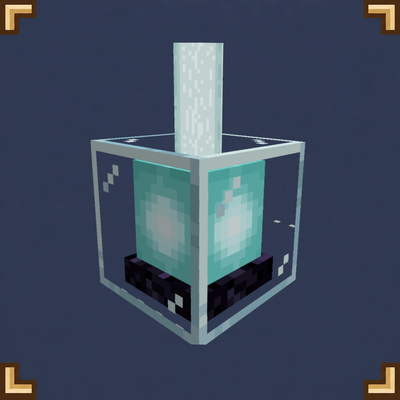
CurseForge · Minecraft mod
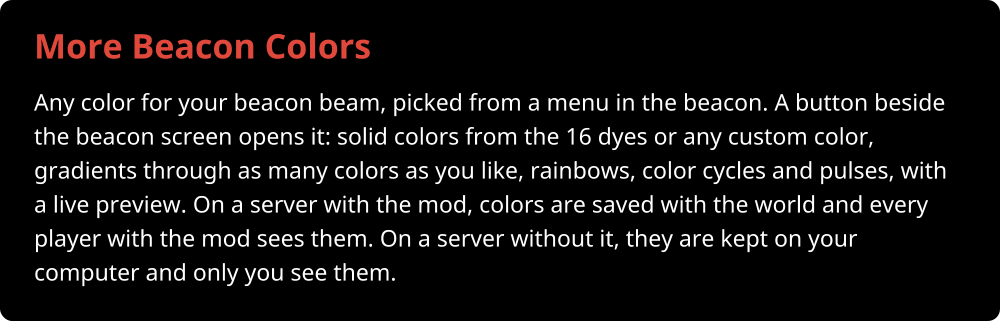
Any color for your beacon beam, picked from a menu in the beacon: solid colors, gradients, rainbows, color cycles and pulses.
Quick answer
More Beacon Colors 1.1.2 (NeoForge, 26.1-26.1.2) targets 26.1, 26.1.1, 26.1.2 with NeoForge. The project page does not say whether this file belongs on the client, dedicated server, or both. All 1 required mods have matching files.
Where it goes
The project page does not say whether this file belongs on the client, dedicated server, or both.
The source does not explicitly classify this release as client-only or server-only.
More Beacon Colors 1.1.2 (NeoForge, 26.1-26.1.2). Change the file and its required mods may change too.
Install MyCel first. We found matching files for this game-version and loader setup.
We only count dependency files that match this setup. A file for another loader does not fill the gap.
Before you install it
Built for More Beacon Colors 1.1.2 (NeoForge, 26.1-26.1.2). Pick another file and the loader, install side or required mods may change.
Use More Beacon Colors 1.1.2 (NeoForge, 26.1-26.1.2). It targets 26.1, 26.1.1, 26.1.2 with NeoForge; another release may have different loader, side or dependency requirements.
Install MyCel first. We found matching files for this game-version and loader setup.
The project page does not say whether this file belongs on the client, dedicated server, or both.
Use the “Get this file” button beside More Beacon Colors 1.1.2 (NeoForge, 26.1-26.1.2). It opens that exact file at the source.
About this project











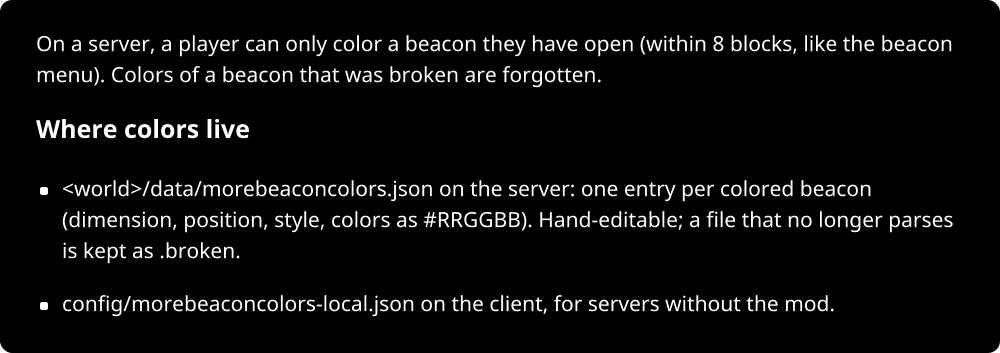 >



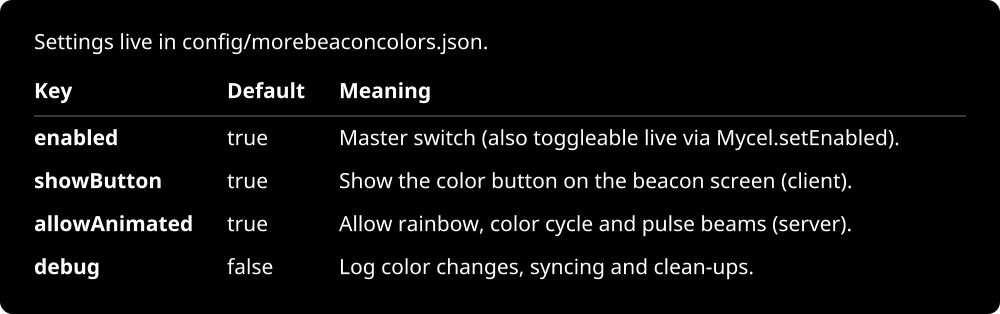

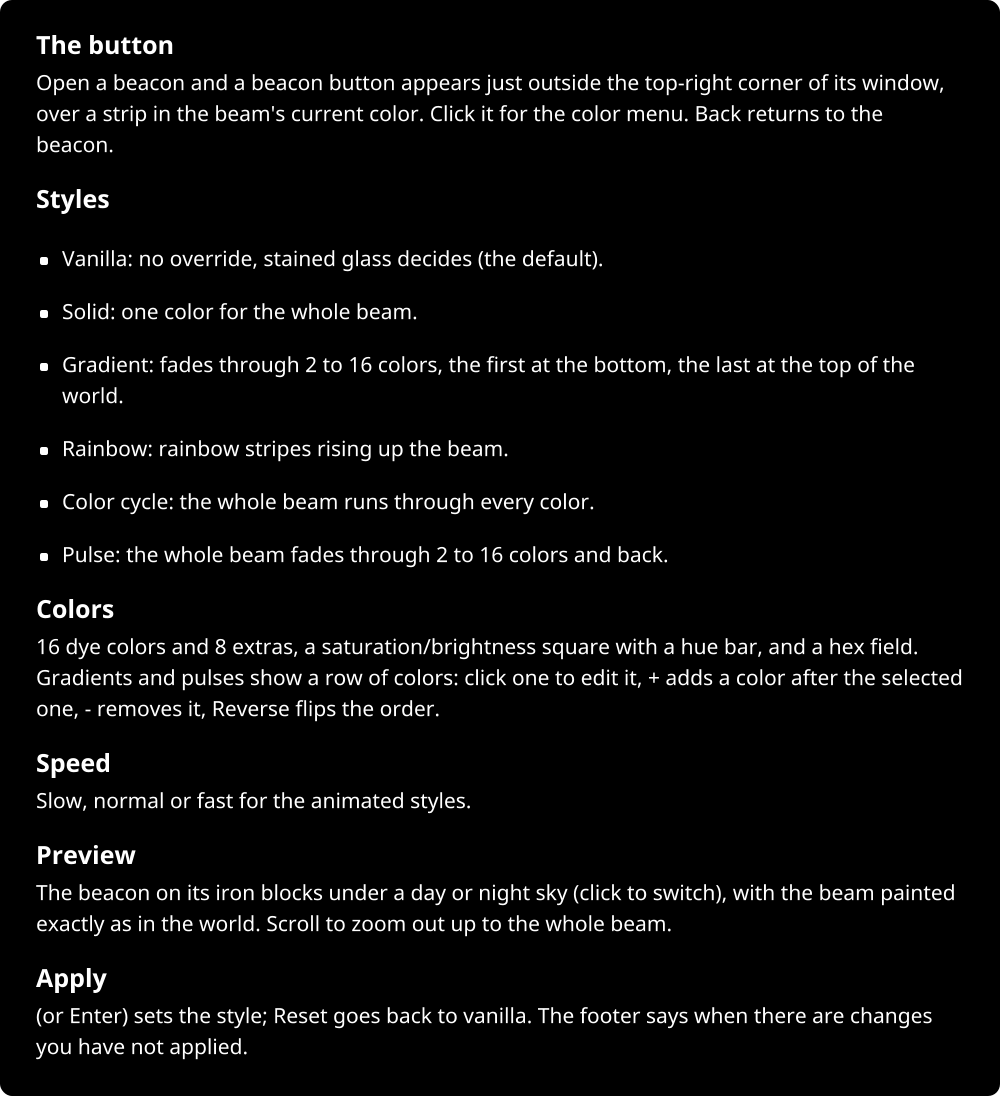
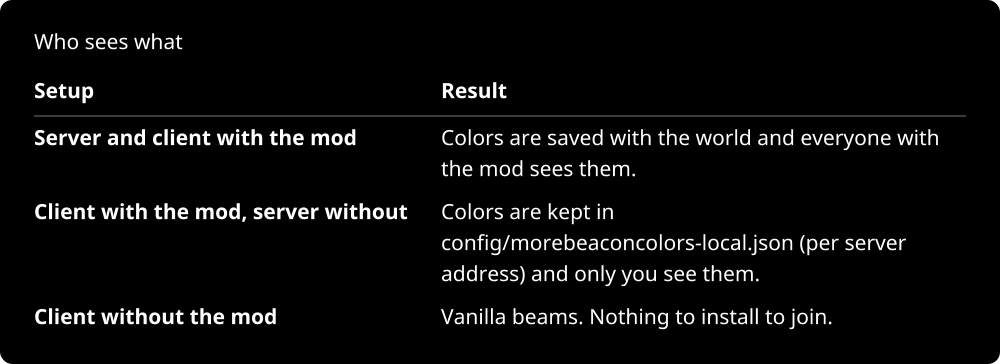
Project description from CurseForge.
Pick your setup
Choose the version and loader you play, then open the matching release.
Check the dependencies, then try the file in a copied instance before changing a world you care about.
Recent files
morebeaconcolors-neoforge-26.1-1.1.2.jar
4 Nov 2026
morebeaconcolors-forge-26.1-1.1.2.jar
4 Nov 2026
morebeaconcolors-fabric-26.1-1.1.2.jar
4 Nov 2026
morebeaconcolors-neoforge-26.2-1.1.2.jar
4 Nov 2026
morebeaconcolors-forge-26.2-1.1.2.jar
4 Nov 2026
morebeaconcolors-fabric-26.2-1.1.2.jar
4 Nov 2026
morebeaconcolors-neoforge-26.3-1.1.2.jar
4 Nov 2026
morebeaconcolors-forge-26.3-1.1.2.jar
4 Nov 2026
morebeaconcolors-fabric-26.3-1.1.2.jar
4 Nov 2026
morebeaconcolors-neoforge-26.3-1.1.1.jar
2 Nov 2026
morebeaconcolors-forge-26.3-1.1.1.jar
2 Nov 2026
morebeaconcolors-fabric-26.3-1.1.1.jar
2 Nov 2026
Looking for an older file? The official CurseForge project page is in Resources.
 mod
Introduces high-density Deep Storage Cells with no type limits. A continuation and derivative work based on AE2 Things.
 mod
A highly advanced screenshot improvement mod.
 mod
Play music and videos in Minecraft with a built-in browser (w adb) and share it through headphones, speakers, TVs and radios.
