Fabric API Needed by Compare Tooltips CompareTooltips-1.0.0.jar
requiredMatching file found Matched file: [26.3] Fabric API 0.166.0+26.3
CurseForge · Minecraft mod
See the armor, weapon or tool you have equipped right next to the item you hover, with the stat differences in green and red.
Quick answer
Compare Tooltips CompareTooltips-1.0.0.jar targets 26.3 with Fabric. The project page does not say whether this file belongs on the client, dedicated server, or both. All 1 required mods have matching files.
Where it goes
The project page does not say whether this file belongs on the client, dedicated server, or both.
The source does not explicitly classify this release as client-only or server-only.
CompareTooltips-1.0.0.jar. Change the file and its required mods may change too.
Install Fabric API first. We found matching files for this game-version and loader setup.
We only count dependency files that match this setup. A file for another loader does not fill the gap.
Before you install it
Built for Compare Tooltips CompareTooltips-1.0.0.jar. Pick another file and the loader, install side or required mods may change.
Use CompareTooltips-1.0.0.jar. It targets 26.3 with Fabric; another release may have different loader, side or dependency requirements.
Install Fabric API first. We found matching files for this game-version and loader setup.
The project page does not say whether this file belongs on the client, dedicated server, or both.
Use the “Get this file” button beside CompareTooltips-1.0.0.jar. It opens that exact file at the source.
About this project
Is that new chestplate actually better? Hover it and find out. Compare Tooltips shows the armor, weapon or tool you have equipped right next to the item under your mouse, plus coloured stat differences like +2 Armor or -1 Attack Damage. No more putting gear on and taking it off again just to compare.
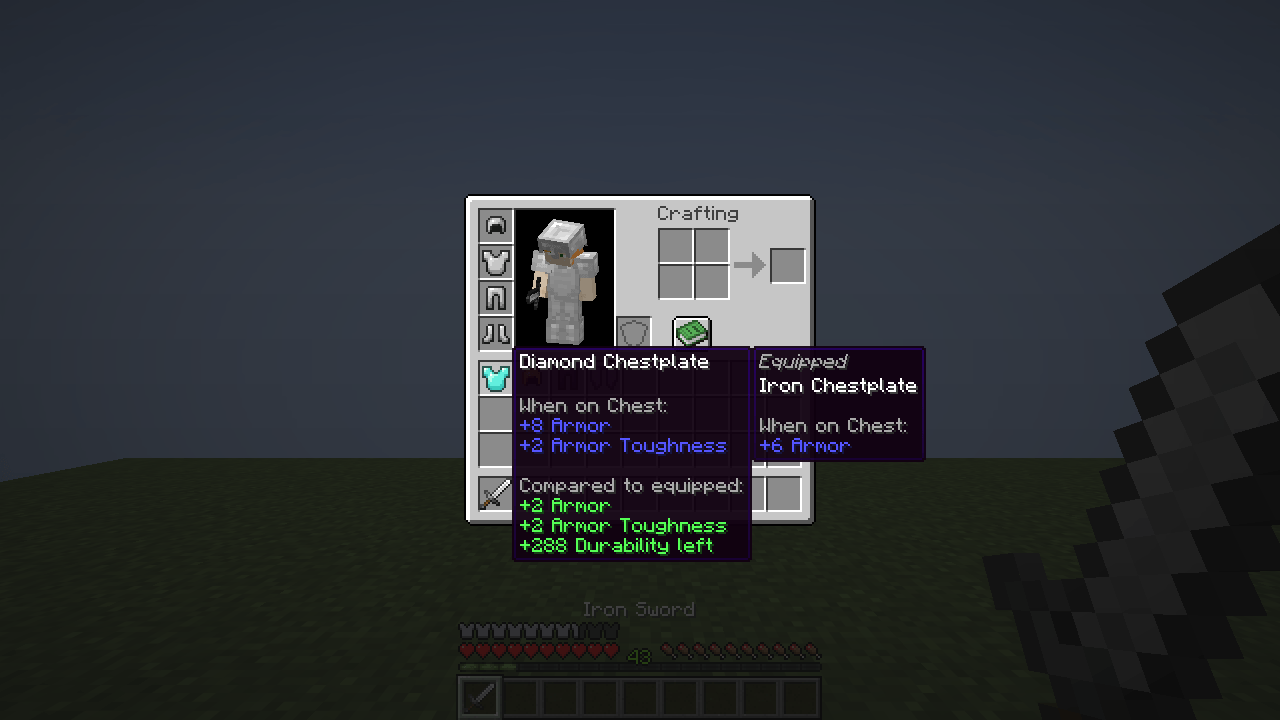
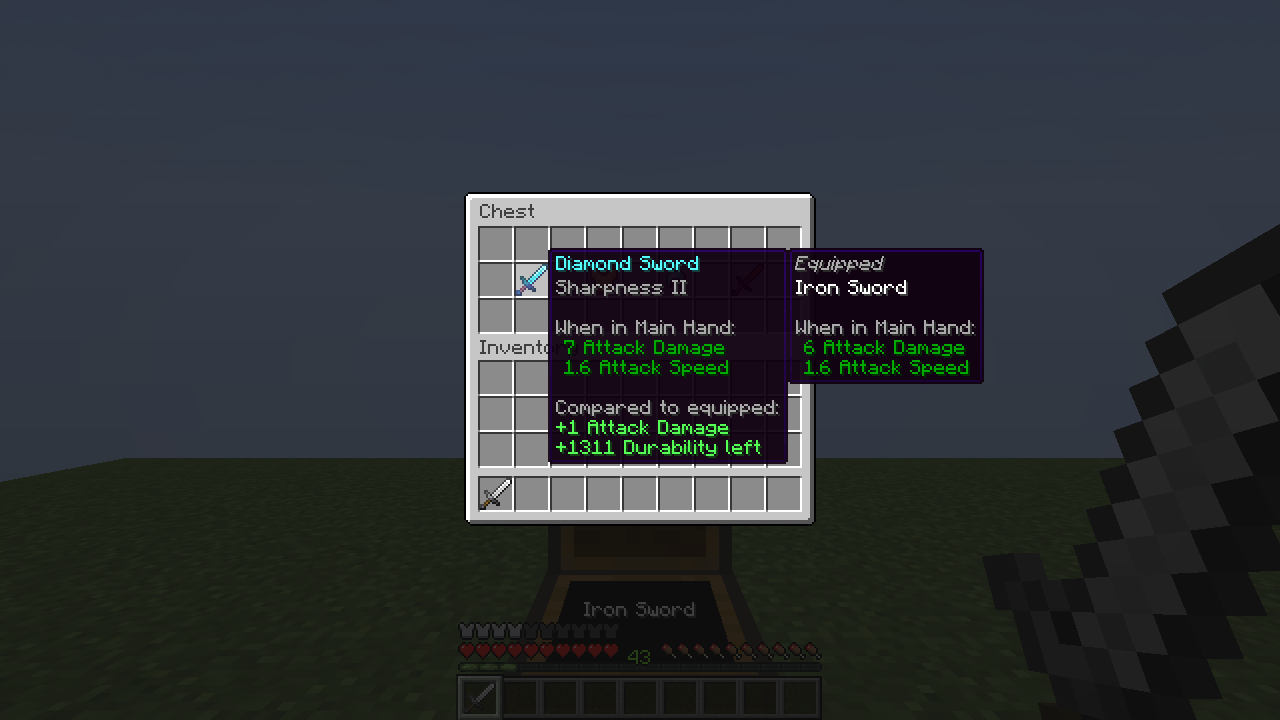
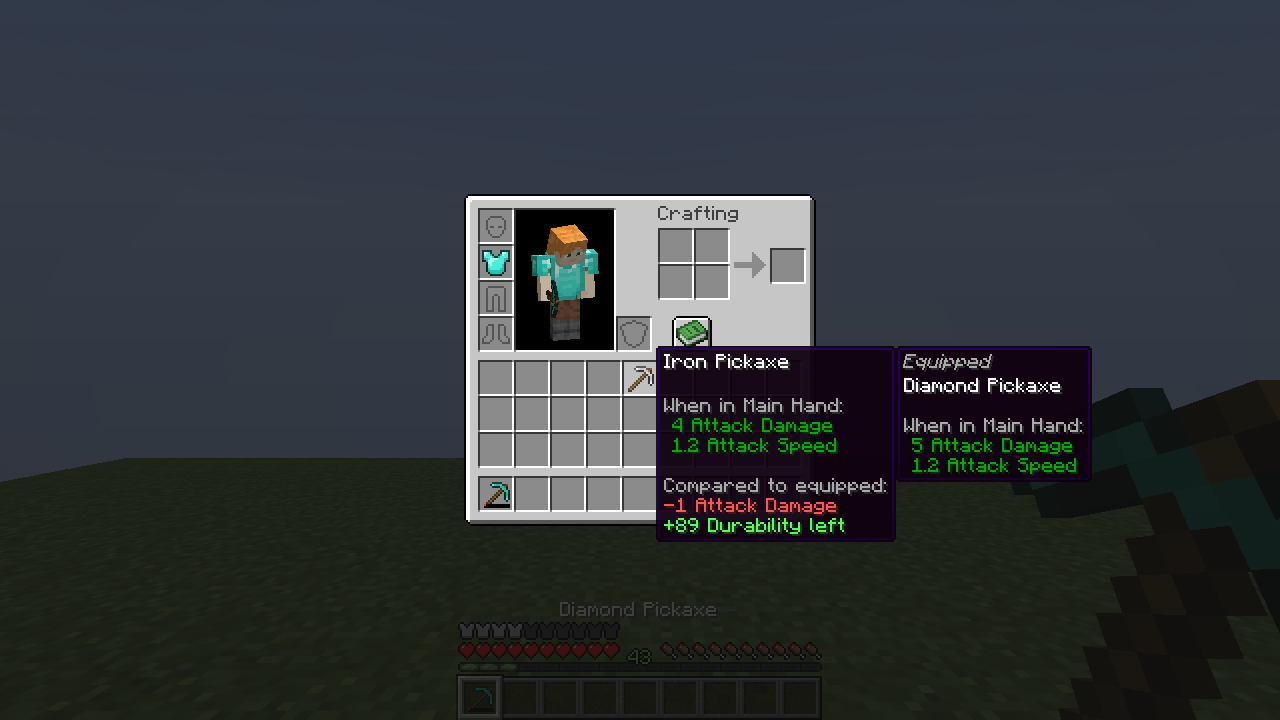
CompareTooltips-1.0.0.jar into your mods folder.| Minecraft | 26.3 |
| Loader | Fabric |
| Required | Fabric API |
| Side | Client only (not needed on servers) |
| Java | 25 (bundled with the official launcher for 26.3) |
Settings are saved in config/comparetooltips.json and can be changed in game:
| Command | Effect |
|---|---|
/comparetooltips |
show the current settings |
/comparetooltips toggle |
turn the mod on or off |
/comparetooltips armor <true/false> |
compare armor and wearables |
/comparetooltips held <true/false> |
compare weapons and tools with your main hand |
/comparetooltips differences <true/false> |
show the coloured difference lines |
/comparetooltips requirekey <true/false> |
only compare while the key is held |
/comparetooltips reload |
reload the config file |
Do I need it on the server? No. It is purely client-side and only reads what your own client already knows. Multiplayer has not been tested yet.
Is this a port of Equipment Compare? No. Compare Tooltips is an independent mod written from scratch for 26.3 with a similar idea. It shares no code with other mods.
Can I use it in my modpack? Yes. The mod is MIT licensed, so feel free to include it.
Will there be other Minecraft versions or NeoForge? 1.0.0 targets Fabric 26.3 only. Tell us on Discord what you need.
Bug reports, ideas and questions: Join our Discord
Project description from CurseForge.
Pick your setup
Choose the version and loader you play, then open the matching release.
Check the dependencies, then try the file in a copied instance before changing a world you care about.
Recent files
24 Oct 2026
Looking for an older file? The official CurseForge project page is in Resources.
 mod
Adds rarities and modifiers to items. Random chances on crafting, looting, trading, fishing, etc. Highly configurable.
 mod
A spoilage mod with ways to preserve food. Has support for Cold Sweat, Appleskin, and EMI. Food loses hunger and saturation as it decays. Insanely configurable.
 mod
HoloGui is an immersive way to add holographic gui's to Minecraft