Jade 🔍 Optional for Legacy Connector 0.3.10
optionalMatching file found Matched file: [NeoForge 1.21.1] 15.10.6
CurseForge · Minecraft mod
A Minecraft mod that acts as a compatibility layer for older mods to run on newer verisons
Quick answer
Legacy Connector 0.3.10 targets 1.21.1 with NeoForge. The project page does not say whether this file belongs on the client, dedicated server, or both. No extra mods listed for this file.
Where it goes
The project page does not say whether this file belongs on the client, dedicated server, or both.
The source does not explicitly classify this release as client-only or server-only.
Legacy Connector 0.3.10. Change the file and its required mods may change too.
This file does not list any required mods. Do not add a library just because a different file uses it.
2 extra mods were pulled in by other dependencies. Indented rows show who needs each one. We only count dependency files that match this setup. A file for another loader does not fill the gap.
Before you install it
Built for Legacy Connector 0.3.10. Pick another file and the loader, install side or required mods may change.
Use Legacy Connector 0.3.10. It targets 1.21.1 with NeoForge; another release may have different loader, side or dependency requirements.
This file does not list any required mods. Do not add a library just because a different file uses it.
The project page does not say whether this file belongs on the client, dedicated server, or both.
Use the “Get this file” button beside Legacy Connector 0.3.10. It opens that exact file at the source.
About this project




Play unmodified 1.7.10 and 1.12.2 Forge mods on NeoForge 1.21.1.
| Legacy version | Support |
|---|---|
| 1.7.10 | ✅ Supported (beta) |
| 1.12.2 | ✅ Supported (alpha) |
Drop 1.7.10 or 1.12.2 mod jars into your mods folder next to Legacy Connector. They get translated when the game loads and run as normal NeoForge mods. It's the same idea as Sinytra Connector, but for old Forge mods instead of Fabric. Your original jars are never modified.
Beta: 1.7.10 content mods like Iron Chest, Twilight Forest, Thaumcraft, HBM, RFTools, Thermal Expansion, Botania, Biomes O' Plenty and Witchery run with their blocks, items, mobs, recipes, GUIs, world generation and dimensions. Galacticraft and its addons run, with each planet's own gravity. Thaumcraft, Witchery and the Reika mods (RotaryCraft, ReactorCraft, ElectriCraft, ChromatiCraft) load inside All the Mods 10. 1.12.2 support is in alpha: big content mods like Botania, Blood Magic, Mekanism, EnderIO, Immersive Engineering, Tinkers' Construct and Scape and Run: Parasites load and play with their own models, mobs, GUIs and world generation. Back up your worlds before trying a new mod set.
Old mods' content joins the game the way a modern mod's does: their biomes through the pack's biome placement (TerraBlender when it's installed), their ores and world generators as normal features, their village buildings as houses in normal villages, and structure loot through loot tables. So it plays along with your other mods, and data packs can tweak it like anything else.
Compatibility list & reports: check whether a mod works, or report how it went for you.
mods. Mods that bundle their own Mixin (common in 1.12.2, e.g. Spartan Weaponry) go in mods/1.12.2 instead; in mods itself NeoForge would load them as launcher plugins before they can be translated, and the game would stop.logs/legacyconnector-report.txt to see what was translated and anything that couldn't be linked.All taken in a real game client on NeoForge 1.21.1, with unmodified 1.7.10 mods that have no modern version running next to modern content.
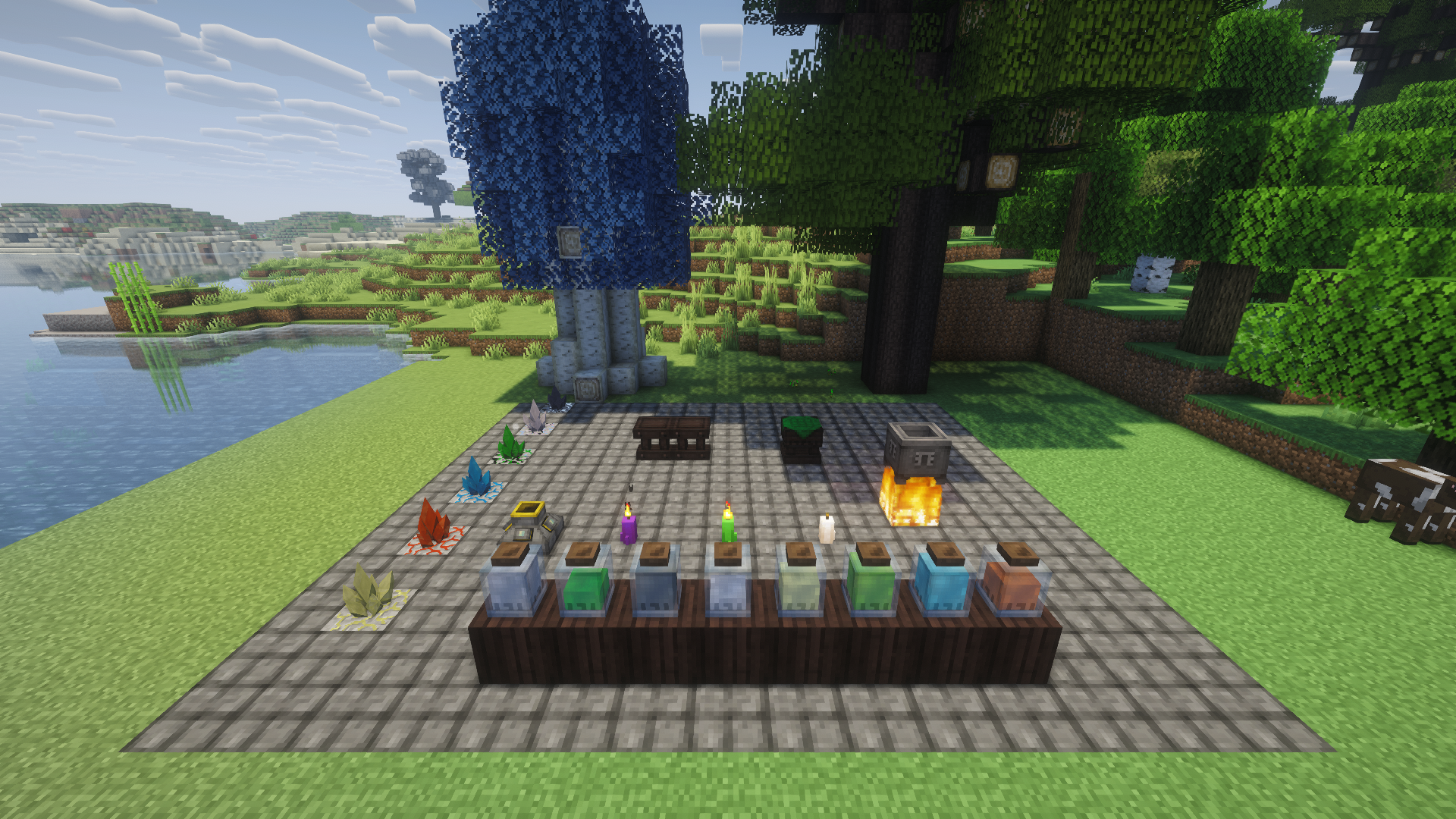
A Thaumcraft 4 workshop: infusion altar, crucible, alembics, essentia jars, research table, an aura node and magical trees
Scanning stone with the Thaumometer, held in both hands (Complementary shaders) 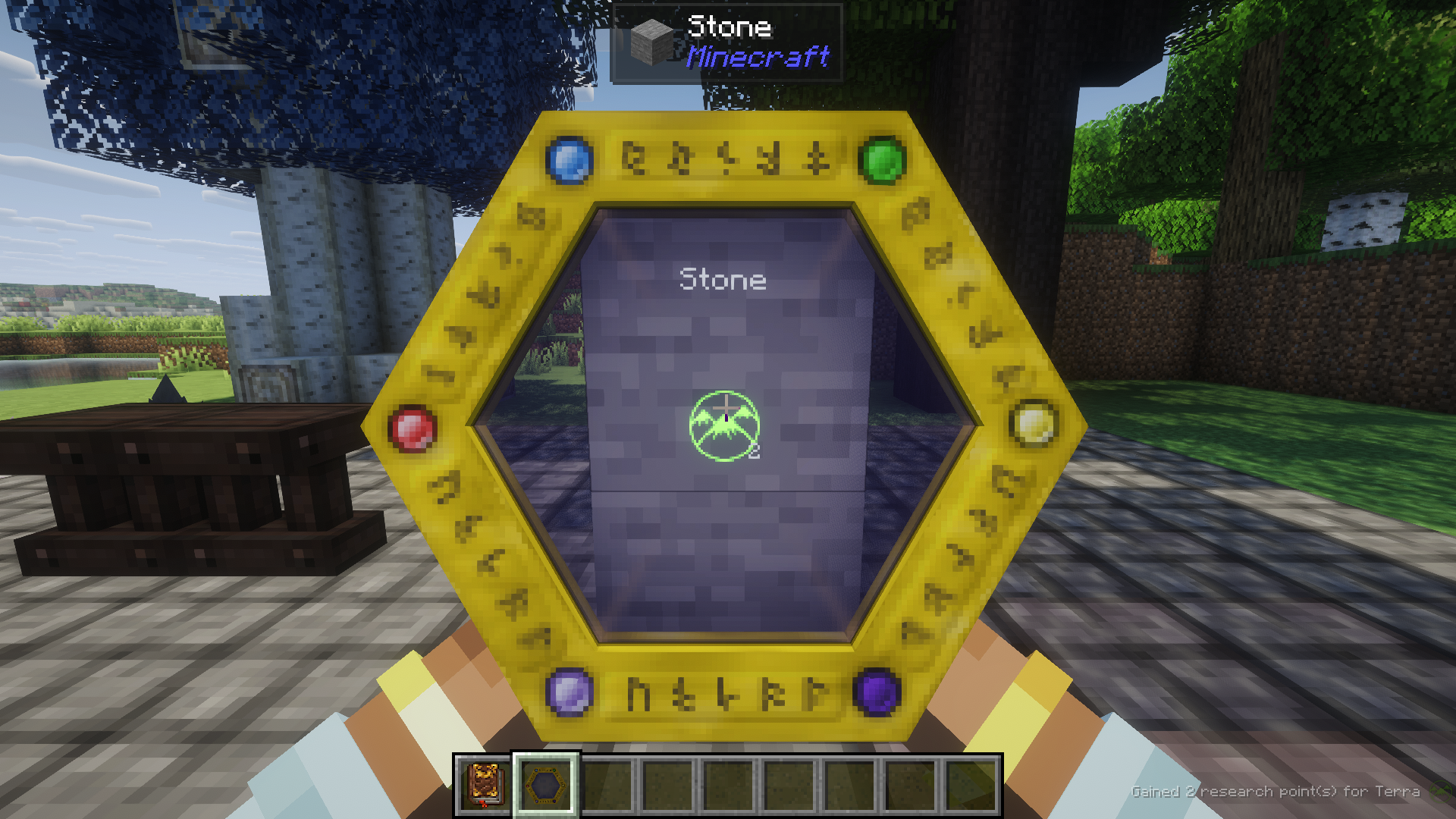
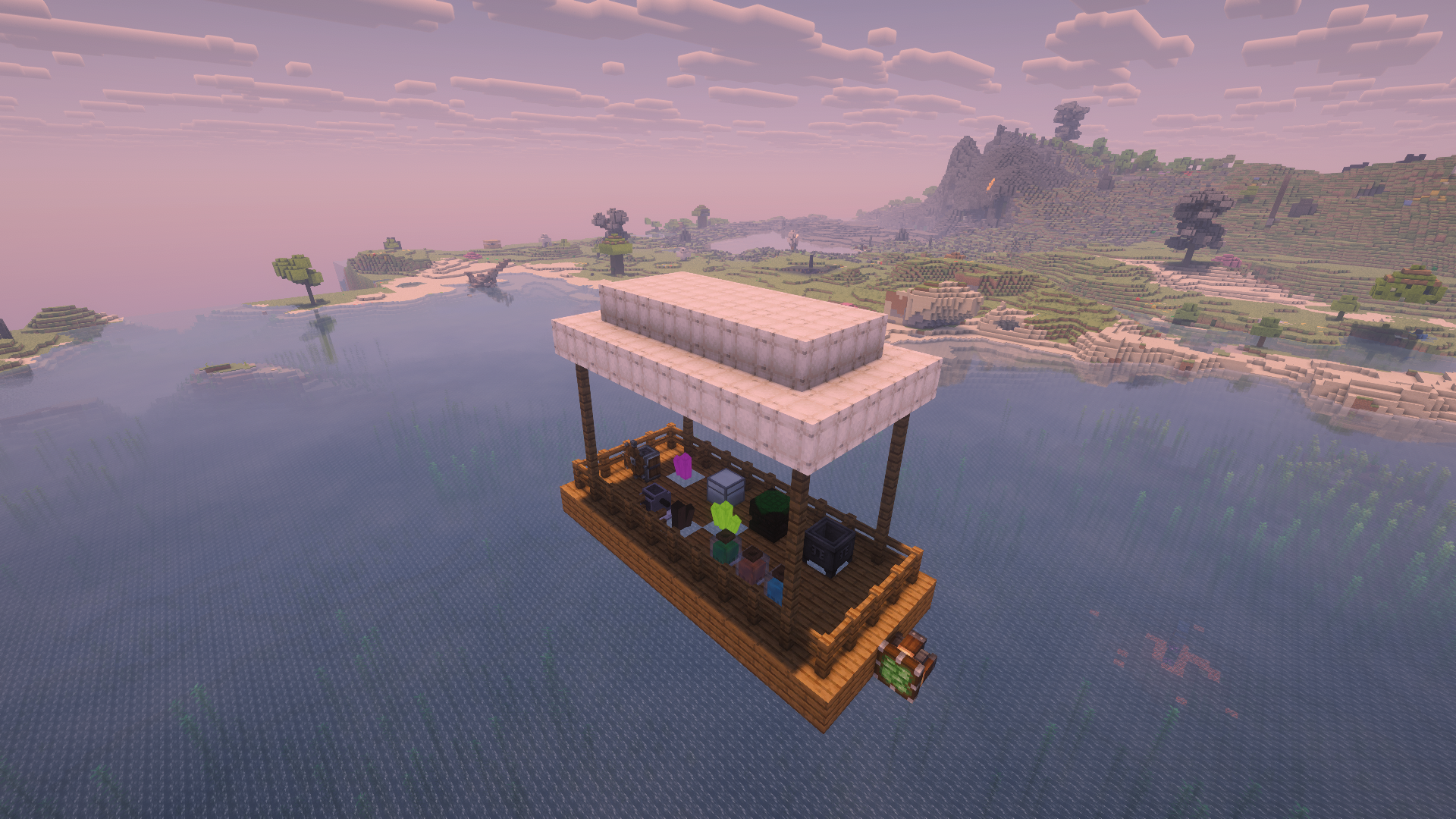
A Create Aeronautics airship (Sable physics) carrying 1.7.10 blocks: Thaumcraft essentia jars, crucible and arcane workbench, an Iron Chest, a RotaryCraft engine and ChromatiCraft crystals
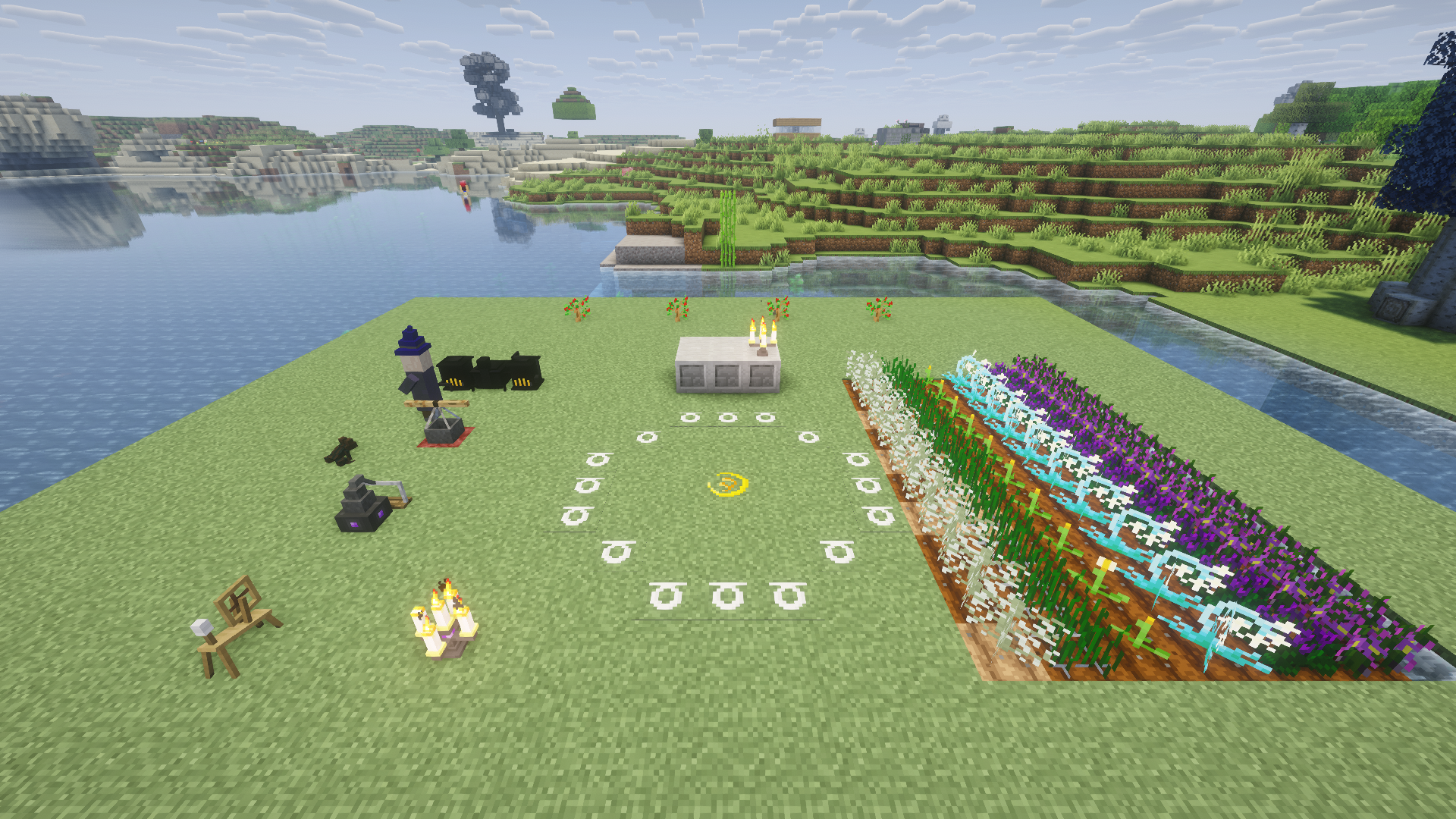
A Witchery ritual site: chalk circle, altar, witch's oven, kettle, distillery and spinning wheel, crops and Witchery creatures
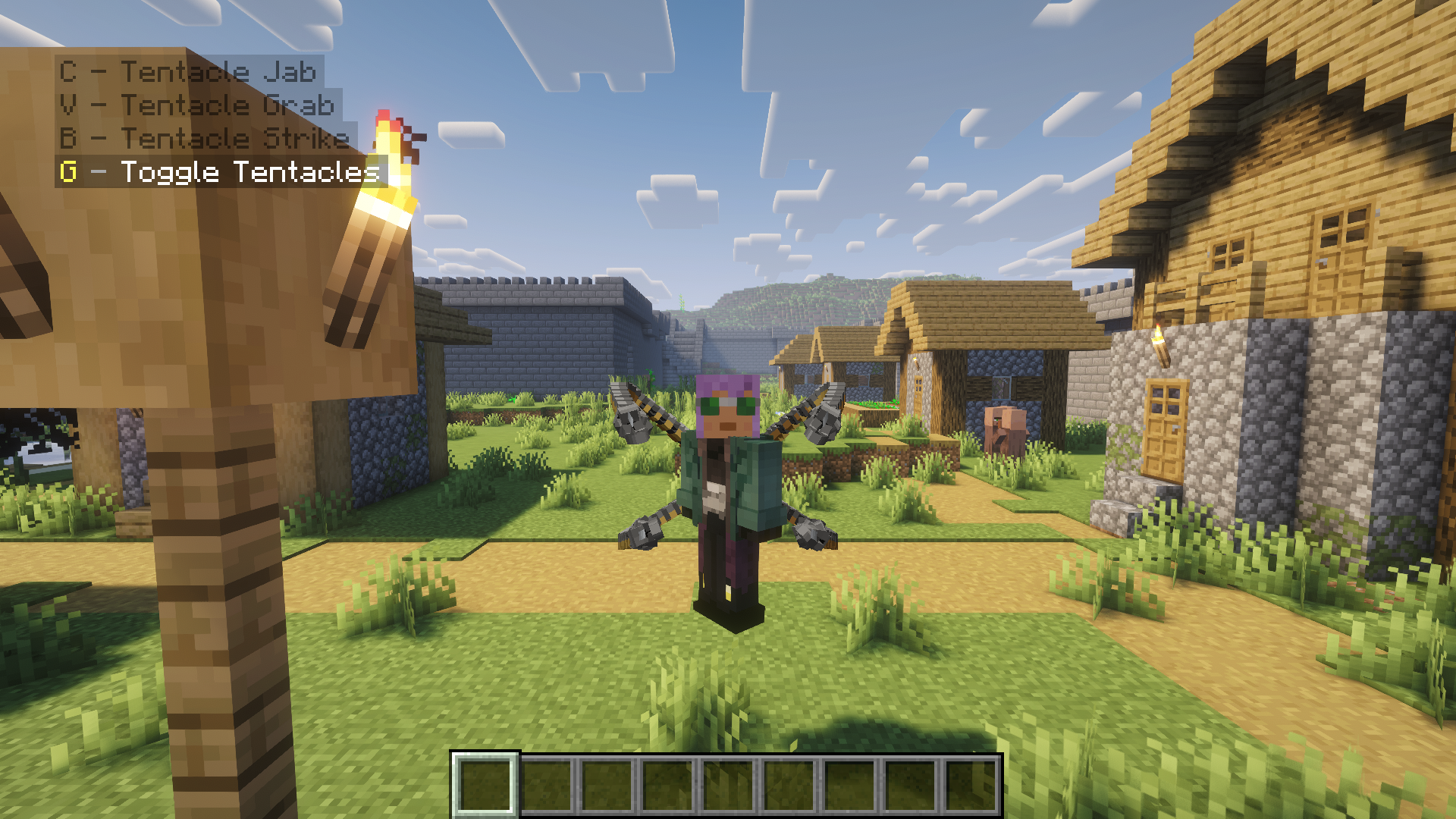
Fisk's Superheroes: Doctor Octopus with his tentacles deployed and the suit's abilities
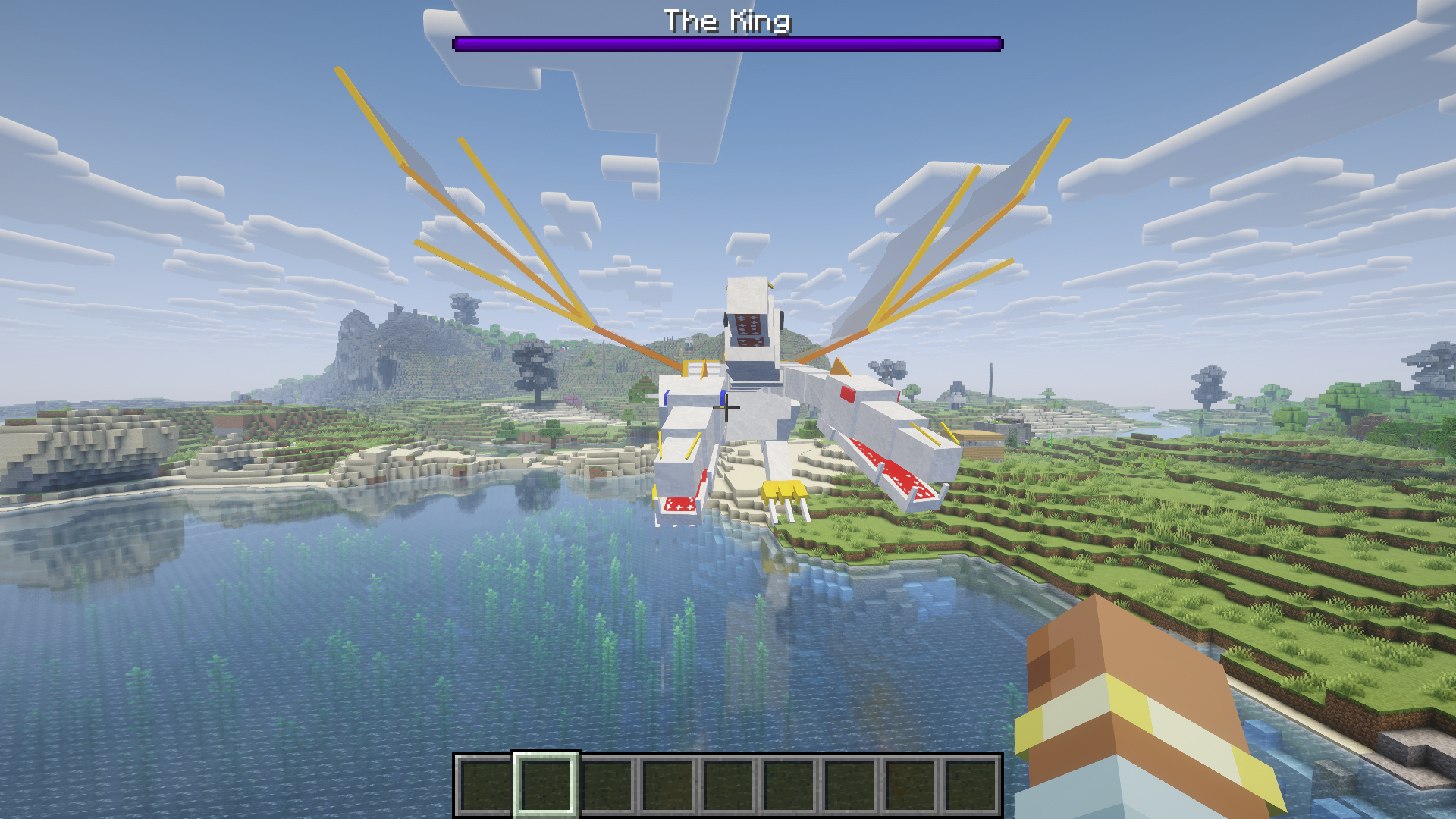
OreSpawn's The King, with a modern boss bar
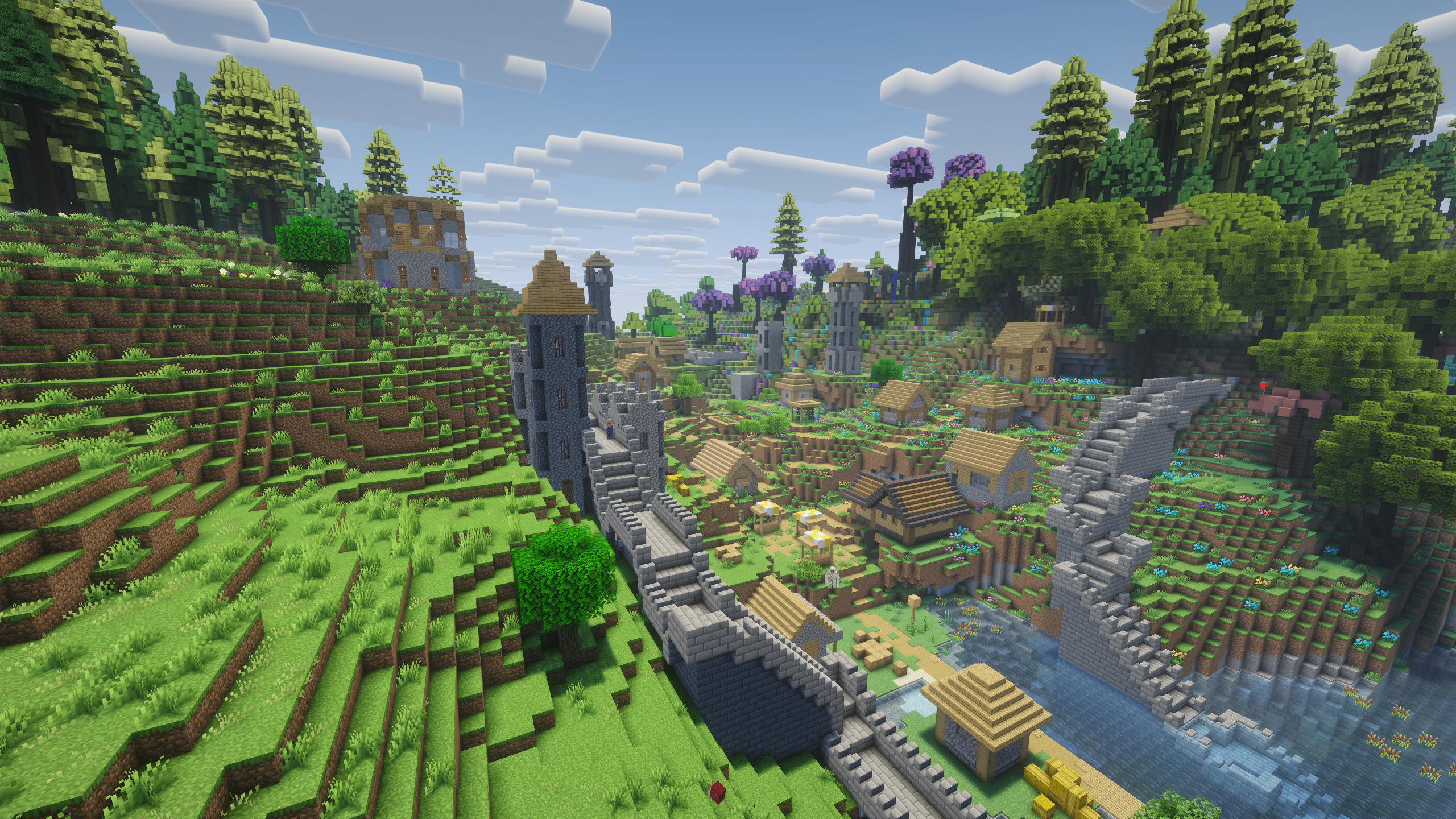
A vanilla village in All the Mods 10 with Witchery's town walls, keep and watchtowers and Thaumcraft's wizard tower, built by their legacy village code
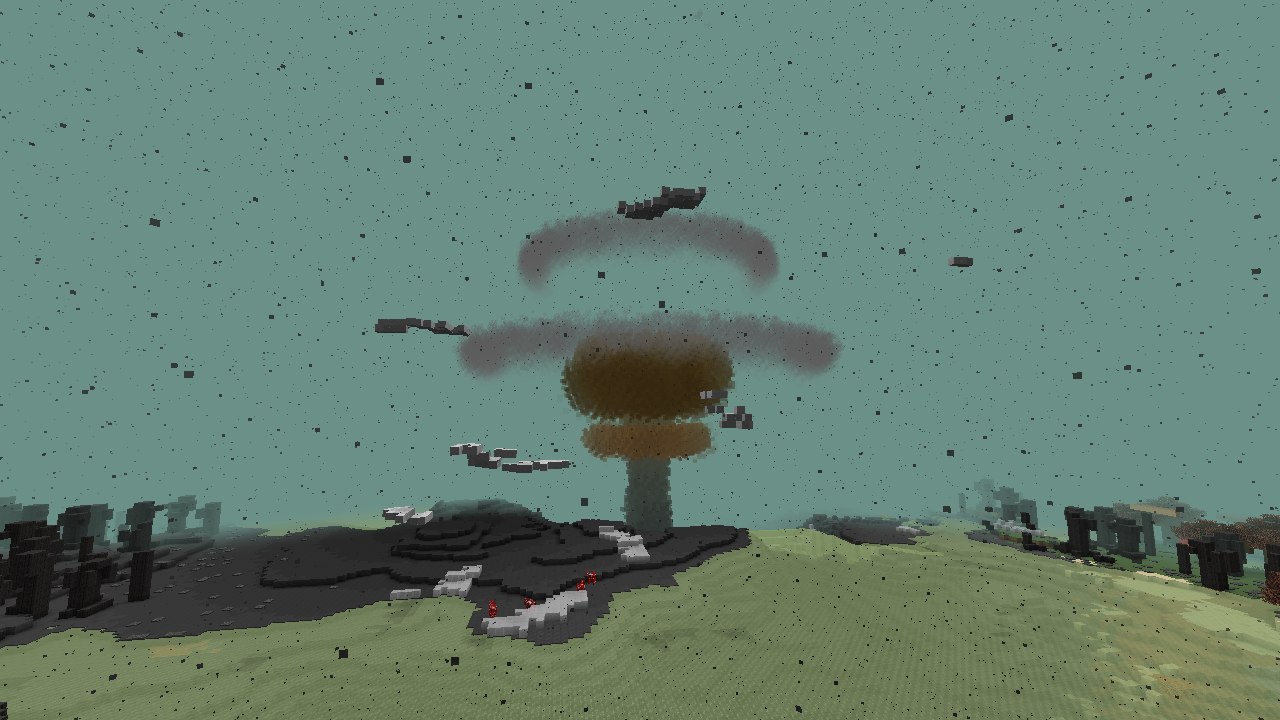
A nuclear explosion from HBM's Nuclear Tech Mod, drawn by its own effect code
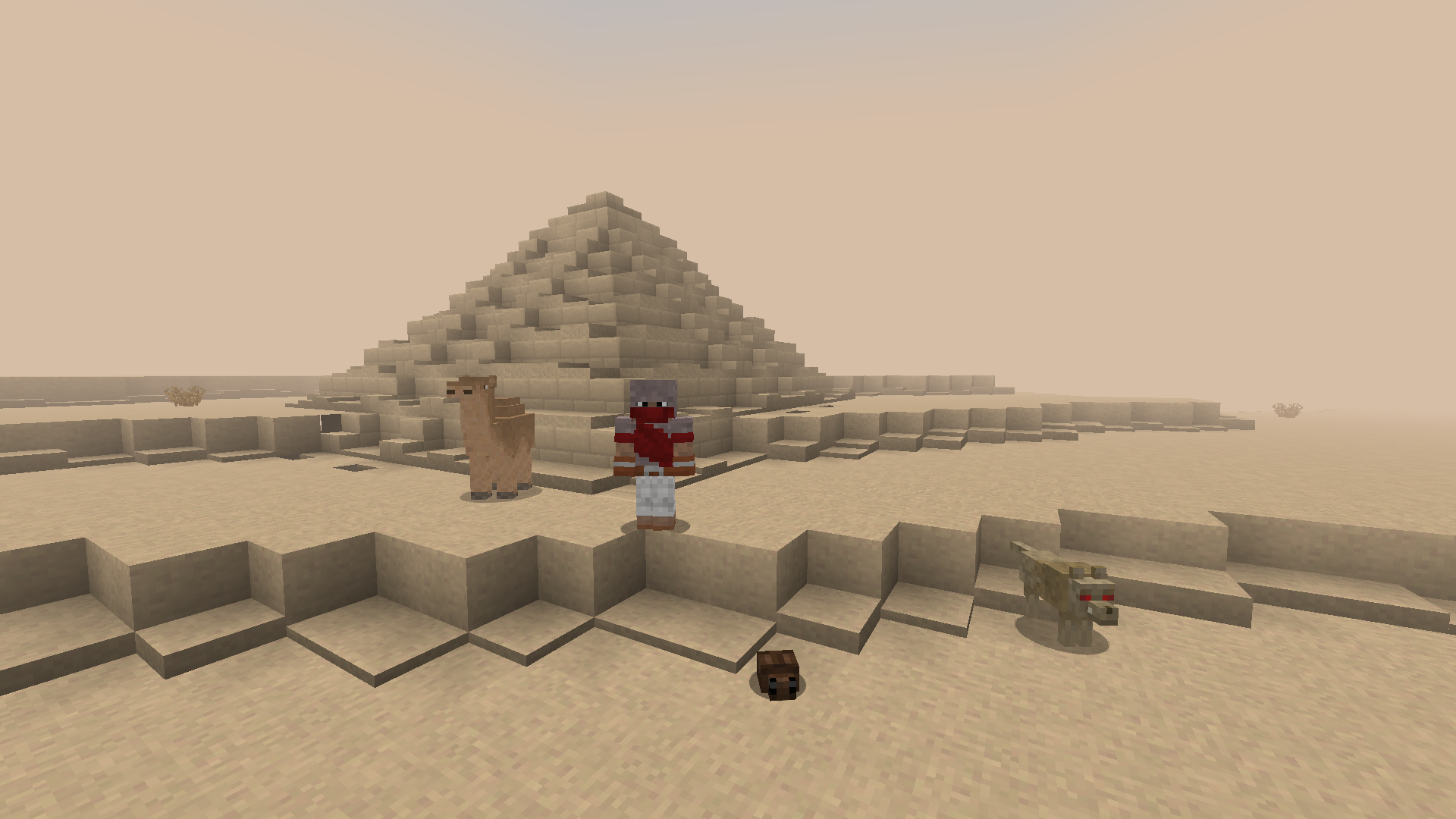
1.12.2: Atum 2, the desert dimension, with its pyramids, sandstorm haze and creatures
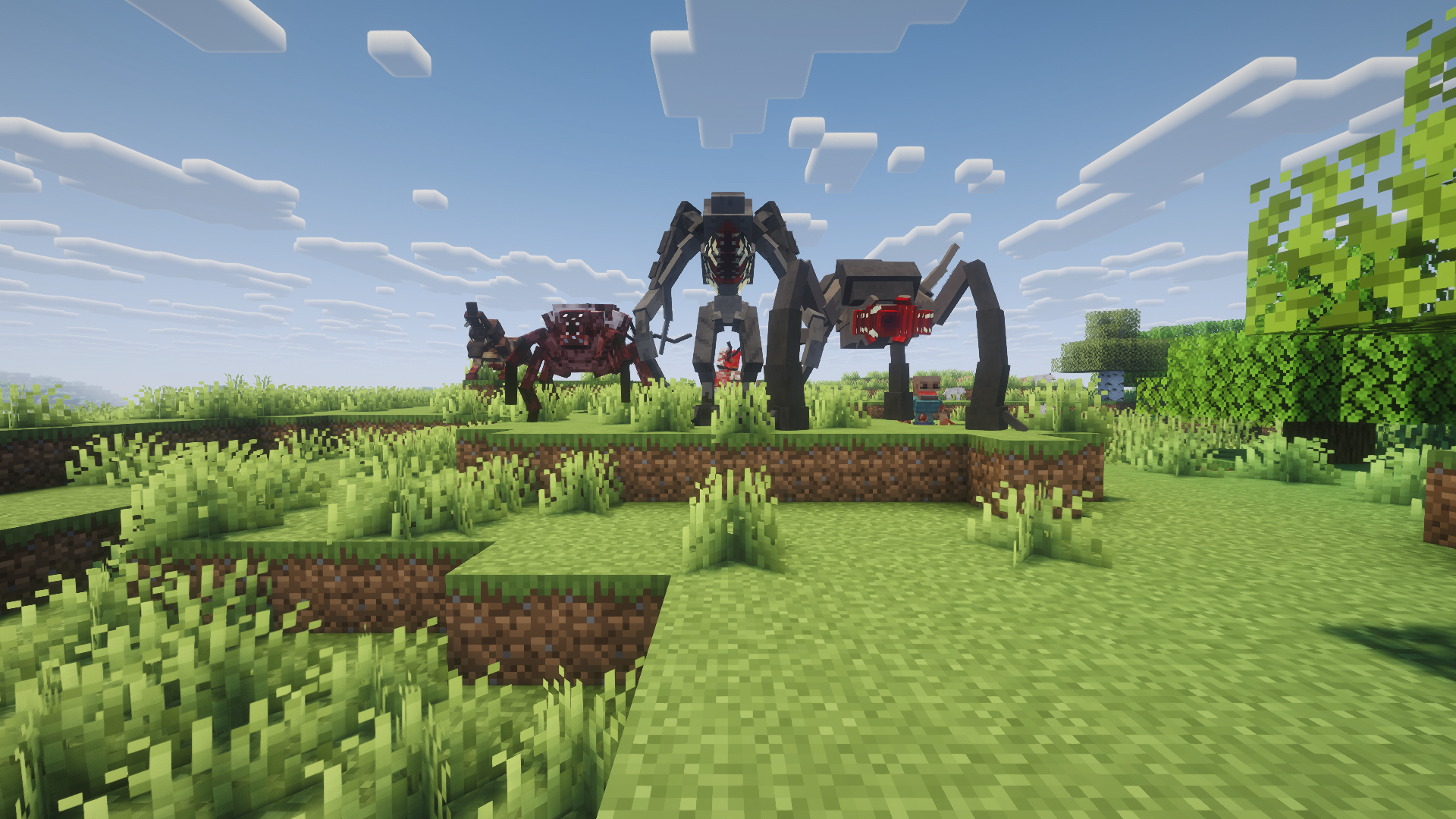
1.12.2: Scape and Run: Parasites, with its own models and renderers:
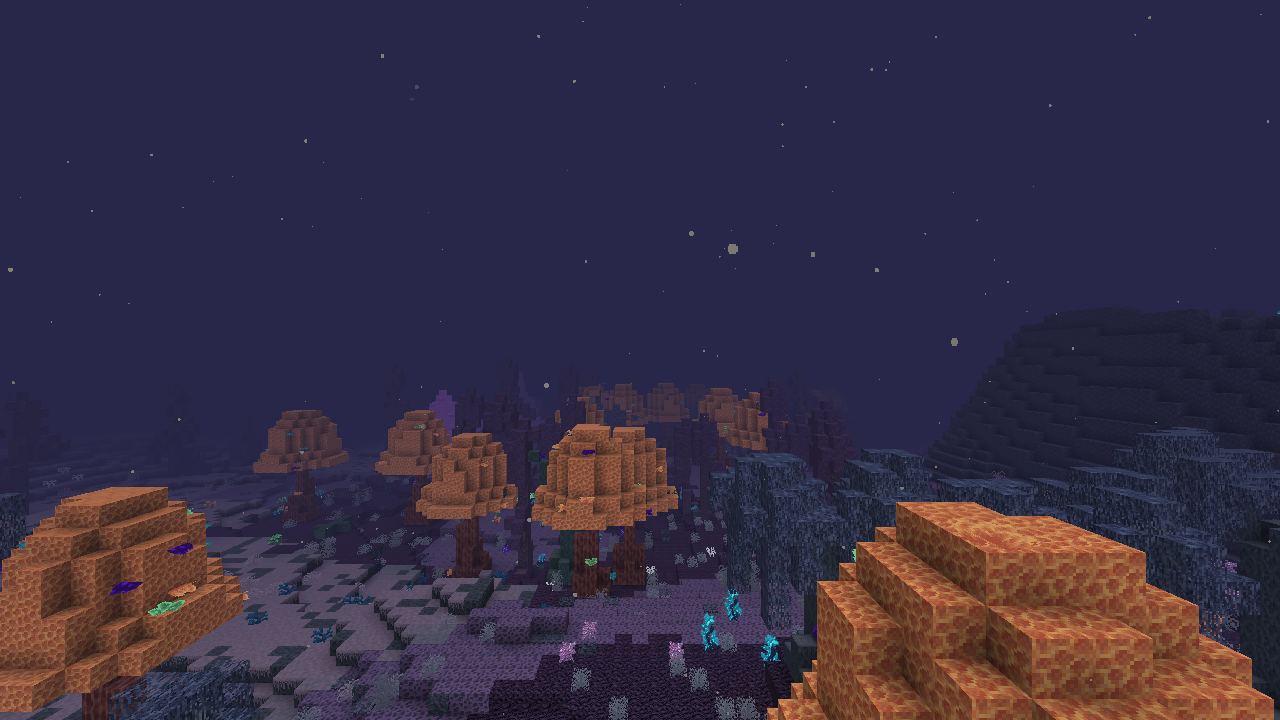
1.12.2: The Midnight, the Deceitful Bog with its own biomes, Bogshrooms and night sky:
mcmod.info, @Mod annotations and FML referencesNoClassDefFoundErrorMods work because the legacy API they were written against is rebuilt on top of NeoForge, not because of patches for individual mods. Mod-specific fixes are a rare last resort, kept small and isolated.
@ObjectHolder, @SidedProxy, @EventBusSubscriber)@Config classes are filled from their config files| Legacy | Becomes | Notes |
|---|---|---|
| Baubles | Curios | Bauble items go into Curios slots |
| NotEnoughItems | JEI | Legacy recipe handlers become JEI categories and answer recipe/usage lookups |
| Waila | Jade | Legacy tooltip providers show in Jade |
| CoFH RF API | NeoForge Energy | Always on. 1 RF = 1 FE, so modern cables connect |
If the modern mod isn't installed, the legacy library loads as usual. Each replacement can also be turned off in the config to load the legacy library instead.
Create contraptions and Create Aeronautics/Sable ships can carry legacy blocks (1.7.10 and 1.12.2): tile entity data and inventories move with the block, and blocks that legacy pistons could not move are refused. Tested in game with a mechanical bearing and an Aeronautics airship (1.7.10: Iron Chest, Thaumcraft, RotaryCraft, ChromatiCraft). Limitations: blocks are not rotated when placed back turned, and legacy inventories are not contraption storage.
Thaumcraft 4 measured against no legacy mods in a real client: about +38 MB of heap after a full GC. Frame rate and tick time vary more between identical runs than between the two setups. Loading Thaumcraft takes about 5.5 s per launch; translating its jar adds about 0.5 s on the first launch only (the result is cached). Details are in the documentation on GitHub.
Legacy recipes are normal modern recipes with stable ids (<mod>:<kind>/<output item>, e.g. ic2:shaped/macerator), in a pack below your world data packs. Replace or remove them with a data pack, edit them with KubeJS (event.remove({mod: 'ic2'})), or keep using MineTweaker 3 scripts (1.7.10): recipes.addShaped, recipes.remove, furnace.addRecipe and furnace.remove become modern recipes. KubeJS changes also apply in mod crafting tables, autocrafters and furnaces. Removing vanilla recipes from MineTweaker scripts is not supported yet; use a data pack or KubeJS for those.
Settings are in config/legacyconnector.properties, which is created with comments on first launch.
| Setting | Default | What it does |
|---|---|---|
oreBackgrounds.enabled |
true |
Replaces the old stone/netherrack/end stone behind legacy ore textures with modern textures |
oreBackgrounds.stone (also .netherrack, .endStone) |
stone |
Texture to use behind ores, e.g. deepslate or tuff, or legacy to keep the old one |
modernizeTextures |
true |
Replaces old vanilla art inside legacy mod textures (copies of old blocks, items and GUIs, old stone/plank/brick backgrounds behind a mod's art) with the modern vanilla textures |
textures.modernLeaves |
true |
Rebuilds mod leaves that recolour the old vanilla leaves in the modern leaf pattern, keeping the mod's colours |
deepLayer.enabled |
true |
Spreads legacy ores down below y=0 without adding any: you get the same amount as the original mod |
deepLayer.excludeGenerators |
empty | Generators that shouldn't run below y=0 |
blocks.flattenSubtypes |
true |
Gives each legacy block subtype with its own item a block of its own, as in the 1.13 flattening, so modern mods see the right subtype |
events.skip |
empty | Legacy event handlers to switch off (full.ClassName#method), for tracking down one that misbehaves |
1.7.10 (beta): Iron Chest, Twilight Forest, Thaumcraft, HBM, RFTools, Thermal Expansion and others work in game. Galacticraft and its addons run with per-planet gravity. In-game tests of the GT New Horizons pack and a 130-jar 1.7.10 mod list, which place every block, use every item and spawn every mob, rate 166 mods as working and 57 as partly working.
1.12.2 (alpha): content mods load and play in a real client: blocks and items with their models, mobs with their own renderers and AI (Scape and Run: Parasites' parasites hunt you), GUIs, world generation, loot, natural spawning and Forge events. In a server test of 32 big mods (Applied Energistics 2, Blood Magic, Botania, Biomes O' Plenty, Chisel, EnderIO, Forestry, Immersive Engineering, Mekanism, Thaumcraft, Thermal Expansion, Tinkers' Construct, Twilight Forest and more), every mod but BuildCraft Silicon loaded fully: about 2,060 blocks, 3,480 items and 3,680 recipes. In a larger test of 116 mods, about 5,050 blocks and 10,170 items register, and an automatic self test places and right-clicks every block and uses every item without errors. Performance and bug-fix mods like FoamFix, BetterFPS and VanillaFix are skipped.
See the compatibility site for per-mod results.
Not done yet (1.7.10): per-vertex colour on handler-drawn blocks. Portals other than Twilight Forest's and skies in other mods' dimensions haven't all been verified.
Not supported: coremods and tweakers that patch Minecraft's own classes. They're reported in the log, and the rest of the mod still loads. When a coremod only changes engine behaviour that has a modern equivalent, like Galacticraft's gravity, Legacy Connector recreates that behaviour instead.
Engine and launcher patches (FastCraft, Hodgepodge, NEID and other ID extenders) are skipped on purpose, since they only make sense on the old engine.
After launching, check logs/legacyconnector-report.txt. For each legacy jar, it lists the detected version, the mod IDs, any unresolved references, and which APIs are stubbed. Known issues and workarounds (ID conflicts, mismatched Forestry/Binnie versions, etc.) are on the GitHub page. Please report results on the compatibility site.
The game stops on launch with "Module … contains package org.spongepowered…": a 1.12.2 jar in mods/ bundles its own Mixin (Spartan Weaponry, MixinBooter mods, SuperMartijn642's Core Lib). NeoForge loads such jars as launcher plugins before any mod code (including Legacy Connector) can run, so this cannot be fixed from inside the mod. Move the jar into mods/1.12.2/ (or mods/1.7.10/); Legacy Connector reads those folders and removes the bundled Mixin when it translates the jar.
| Command | What it does |
|---|---|
/legacyconnector mods |
List loaded legacy mods |
/legacyconnector list <blocks/items/entities> <mod> |
List a mod's IDs |
/legacyconnector inspect |
Describe the block or entity you're looking at (legacy class, metadata, tile entity, render type) |
/legacyconnector give <item> [meta] [count] |
Give a legacy item with metadata |
/legacyconnector place <block> [meta] |
Place a legacy block with metadata |
/legacyconnector spawn <entity> [count] |
Spawn a legacy mob |
/legacyconnector gui <mod> <id> [pos] |
Open a mod's GUI by its handler ID |
/legacyconnector dim list / dim <id> [pos] |
List or travel to legacy mod dimensions |
/legacyconnector biome <id> |
Jump to a legacy biome |
IDs tab-complete.
Other NeoForge mods can add modern support to legacy mods through a small public API: lifecycle events, access to legacy classes, modern/legacy stack and tile conversion, and NeoForge capabilities for legacy tile entities. Guide and example addon (modern aspects for Thaumcraft 4): Addon API.
✅ 1.7.10 → 🧪 1.12.2 (in progress) → 1.16.5 → 1.2.5
Modpacks: anyone may include Legacy Connector in a modpack, on any platform, without asking for permission. This covers Legacy Connector only; the legacy mods you put next to it keep their own licenses.
Legal: Legacy Connector is released under the MIT License. It contains no Minecraft, Forge or third-party mod code. You supply your own mod jars; please don't redistribute them.
Modrinth · Source & issue tracker (GitHub) · Compatibility list
Project description from CurseForge.
Pick your setup
Choose the version and loader you play, then open the matching release.
Check the dependencies, then try the file in a copied instance before changing a world you care about.
Recent files
legacyconnector-0.3.10.jar
31 Oct 2026
legacyconnector-0.3.9.jar
31 Oct 2026
legacyconnector-0.3.8.jar
31 Oct 2026
legacyconnector-0.3.7.jar
31 Oct 2026
legacyconnector-0.3.6.jar
30 Oct 2026
legacyconnector-0.3.5.jar
29 Oct 2026
legacyconnector-0.3.4.jar
28 Oct 2026
legacyconnector-0.3.3.jar
28 Oct 2026
legacyconnector-0.3.2.jar
28 Oct 2026
legacyconnector-0.3.1.jar
27 Oct 2026
legacyconnector-0.3.0.jar
26 Oct 2026
legacyconnector-0.2.11.jar
26 Oct 2026
Looking for an older file? The official CurseForge project page is in Resources.
 mod
PrimeClient is the custom Client-side Mod made specifically for Pixelmon Prime. It enables the ability to communicate with the server using the PrimeAPI.
 mod
Pick a colour or theme and pull matching blocks straight out of your Applied Energistics 2 network.
 mod
A lightweight mesh loading and rendering library for Minecraft mods, with optional GeckoLib integration.
