Minecraft version
Back to mods 
CurseForge · Minecraft mod
Commands Menu
Commands GUI
Choose a version Pick your version below, then grab the matching file.
Quick answer
Which Commands Menu release matches 26.1?
Best match for your filters smpmenu-1.0.0-mc26.x.jar
Game version 26.1, 26.1.1, 26.1.2
Loader Fabric
Commands Menu smpmenu-1.0.0-mc26.x.jar targets 26.1, 26.1.1, 26.1.2 with Fabric. The project page does not say whether this file belongs on the client, dedicated server, or both. No extra mods listed for this file.
Where it goes
Is Commands Menu required on the client, server, or both?
The project page does not say whether this file belongs on the client, dedicated server, or both.
Client Source doesn’t say
Dedicated server Source doesn’t say
Loader for this release Fabric
Required install it here Optional supported, not mandatory Not supported do not install here Source doesn’t say do not assume
The source does not explicitly classify this release as client-only or server-only.
What else does Commands Menu smpmenu-1.0.0-mc26.x.jar need?
smpmenu-1.0.0-mc26.x.jar on 26.1. Every mod below is checked against that same setup.
This file does not list any required mods. Do not add a library just because a different file uses it.
This file does not list any required or optional mods.
Before you install it
Add Commands Menu without breaking your instance.
Built for Commands Menu smpmenu-1.0.0-mc26.x.jar on 26.1. Pick another file and the loader, install side or required mods may change.
- 01
Stick to this file
Use smpmenu-1.0.0-mc26.x.jar. It targets 26.1, 26.1.1, 26.1.2 with Fabric; another release may have different loader, side or dependency requirements.
- 02
Bring the mods it needs
This file does not list any required mods. Do not add a library just because a different file uses it.
- 03
Put it on the correct side
The project page does not say whether this file belongs on the client, dedicated server, or both.
- 04
Pick the file you checked
Use the “Get this file” button beside smpmenu-1.0.0-mc26.x.jar. It opens that exact file at the source.
About this project
What does Commands Menu add?
SMP Menu – The Ultimate Command Shortcut Hub for SMP & Lifesteal Servers
SMP Menu is an intuitive, modern, and highly customizable client-side utility mod designed specifically for players who enjoy competitive and economy-driven Minecraft servers such as DonutSMP, Lifesteal SMP, and survival multiplayer networks. Inspired by the sleek shortcut mechanics popularized by content creators like DrDonut, this mod eliminates the frustration of repeatedly typing long commands into chat during high-stakes gameplay, intense PvP battles, or fast-paced trading sessions.
With a single tap of your keyboard, an elegant dark-themed graphical interface smoothly appears directly over your game screen. From here, you have instant one-click access to all of your essential server destinations and actions: teleporting straight to your first or second home, opening the global auction house, checking buy orders, instantly selling your inventory or hand items, visiting server shops, trading with friends, claiming land territories, or heading back to spawn.
What sets SMP Menu apart is its unmatched freedom of personalization. You never have to edit complex text files outside the game. With the built-in visual editor, you can seamlessly add brand-new buttons for any custom command you want, assign any iconic Minecraft item as its visual icon with live preview, and even delete or rename buttons on the fly. The interactive edit mode lets you grab and freely drag any button across your entire monitor with your mouse, allowing you to design your dream layout with pixel-perfect precision or automatically snap everything into neat symmetrical columns with a single click.
Furthermore, the comprehensive profile management system allows you to build and switch between dedicated layouts for different game modes in an instant. Keep one profile loaded with economy and marketplace buttons for trading hubs, and switch to another profile tailored with heart withdrawals, clan management, and combat teleportation for dangerous PvP encounters. Responsive, lightweight, and visually stunning, SMP Menu is the ultimate quality-of-life companion for every modern Minecraft adventurer.
Project description from CurseForge.
Pick your setup
Commands Menu by Minecraft version and loader
Choose the version and loader you play, then open the matching release.
Minecraft version
26.2
1 loader buildMinecraft version
26.1.2
1 loader buildMinecraft version
26.1.1
1 loader buildMinecraft version
26.1
1 loader buildMinecraft version
1.21.11
1 loader buildMinecraft version
1.21.10
1 loader buildMinecraft version
1.21.9
1 loader buildMinecraft version
1.21.8
1 loader buildMinecraft version
1.21.7
1 loader buildMinecraft version
1.21.6
1 loader buildMinecraft version
1.21.5
1 loader buildShowing the newest 12 of 17 game versions. Older files are in the list below.
Check the dependencies, then try the file in a copied instance before changing a world you care about.
Recent files
Commands Menu versions and loaders
smpmenu-1.0.0-mc26.x.jar
24 Oct 2026
Client Source doesn’t say Server Source doesn’t say Dependencies No extras listed Listed on Release listing
Check the 26.1 · Fabric setup Fabric26.126.1.126.1.2 release
Looking for an older file? The official CurseForge project page is in Resources.
 mod
CurseForge · Minecraft
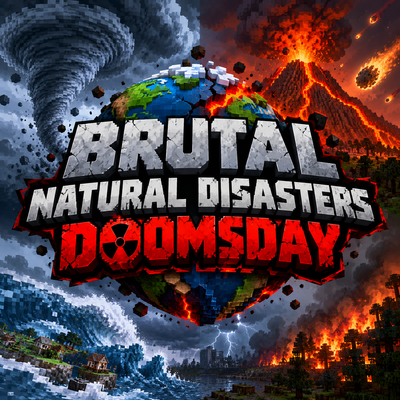
Natural Disasters: DOOMSDAY
Earthquakes, tsunamis, tornadoes, hurricanes, volcanoes, meteors and more. 7 intensity tiers up to The End of the World, warning signs, chain reactions and real terrain destruction. Summon any disaster with the Harbinger.
 mod
CurseForge + Modrinth · Minecraft
Polydium
Well-rounded client-side optimization mod. Extremely compatible Vulkan backend for 1.21.11-26.1.2. By Polyfrost, best with OneClient.
 mod
CurseForge + Modrinth · Minecraft
TokorotenSlime
A core mod adding a few items and blocks, serving as the foundation for addons.