Minecraft version
Back to mods 
CurseForge · Minecraft mod
Props
The ultimate solution for placing items in the world.
Choose a version Pick your version below, then grab the matching file.
Quick answer
Which Props release should I use?
beta file Props 1.2-beta
Game version 1.21.1
Loader NeoForge
Props 1.2-beta targets 1.21.1 with NeoForge. The project page does not say whether this file belongs on the client, dedicated server, or both. No extra mods listed for this file.
Where it goes
Is Props required on the client, server, or both?
The project page does not say whether this file belongs on the client, dedicated server, or both.
Client Source doesn’t say
Dedicated server Source doesn’t say
Loader for this release NeoForge
Required install it here Optional supported, not mandatory Not supported do not install here Source doesn’t say do not assume
The source does not explicitly classify this release as client-only or server-only.
What else does Props 1.2-beta need?
Props 1.2-beta. Change the file and its required mods may change too.
This file does not list any required mods. Do not add a library just because a different file uses it.
This file does not list any required or optional mods.
Before you install it
Add Props without breaking your instance.
Built for Props 1.2-beta. Pick another file and the loader, install side or required mods may change.
- 01
Stick to this file
Use Props 1.2-beta. It targets 1.21.1 with NeoForge; another release may have different loader, side or dependency requirements.
- 02
Bring the mods it needs
This file does not list any required mods. Do not add a library just because a different file uses it.
- 03
Put it on the correct side
The project page does not say whether this file belongs on the client, dedicated server, or both.
- 04
Pick the file you checked
Use the “Get this file” button beside Props 1.2-beta. It opens that exact file at the source.
About this project
What does Props add?
Beta
Props is in beta, the models shown are subject to change.
About
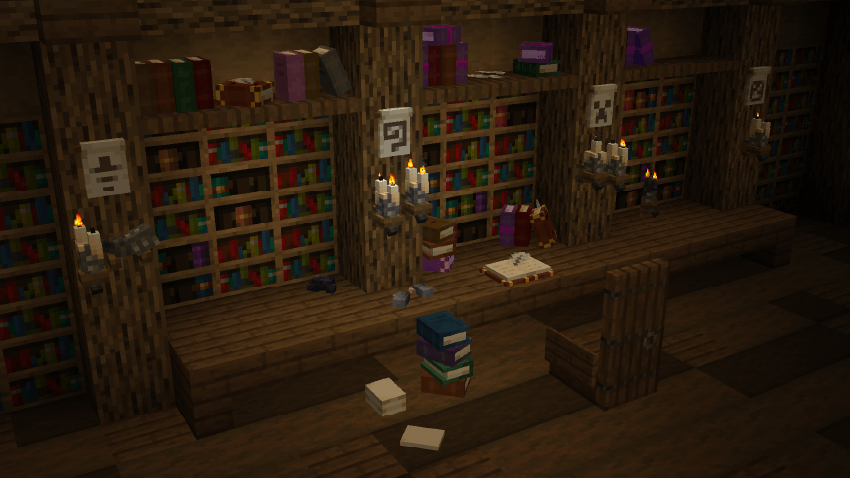
Props lets you place items in your world as detailed 3D models. It's a simple, vanilla-friendly decoration mod that doesn't change gameplay, so it fits both vanilla and modded worlds.
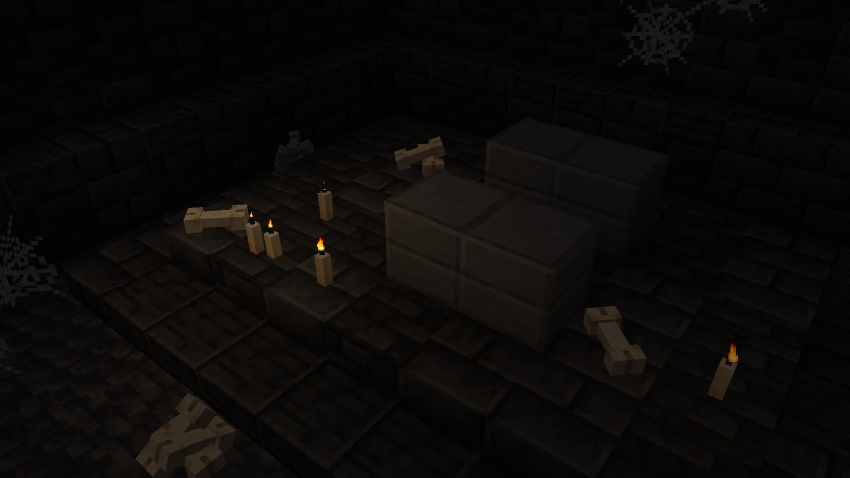
Features
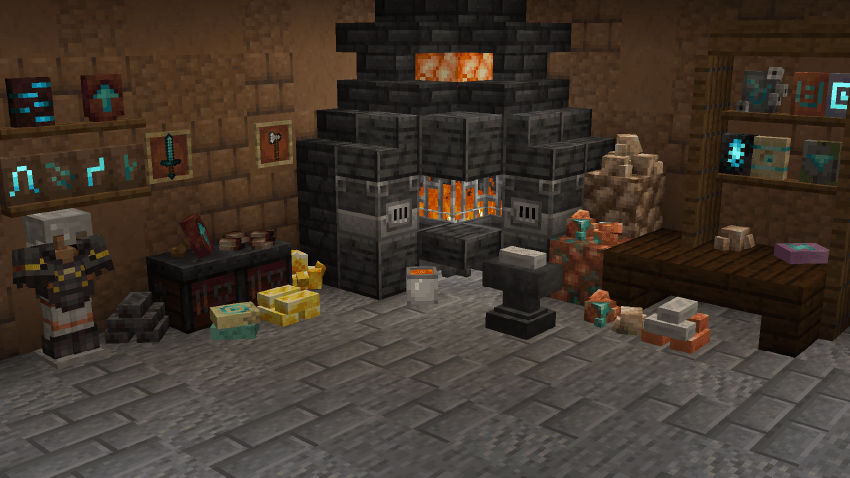
- Item Placement: Just "Shift + R-Click" and voilà.
- Tools: Buckets, shears, the totem and other tools are placed with the Tool Key (Alt by default), so you don't place them by accident when you sneak.
- Pick Up: "R-Click" or "Shift + R-Click" to pick up 1 item of the pile. "Shift + R-Click" picks up a prop even with an item in your hand.
- Pile: The same and similar items can be piled/stacked (see Pile Mechanic bellow).
- Aim: In book piles you take the item you are pointing at.
- Poses: Some props change pose with a right click (lying, standing, leaning on a small wooden support).
- Wall props: Some props can be placed on walls (see Wall Props below).
- Just The Item: Breaking a prop/pile gives you the original item/items back.
Pile Mechanic:
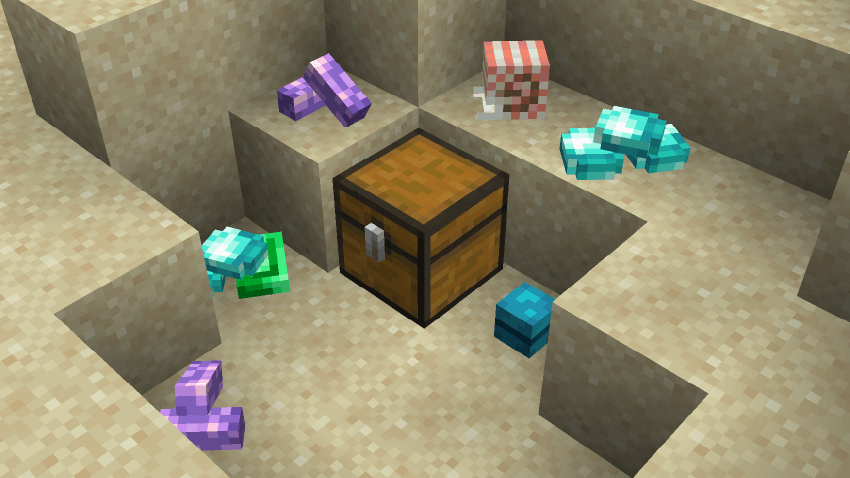
Items of the same category can be stacked together, even if they are different materials. This means you can place 1 iron ingot, 1 gold ingot and 1 copper ingot in the same block.
- Dyes (max 3): all 16 colors, mixed freely.
- Ingots (max 10): iron, copper, gold, netherite, brick, nether brick.
- Nuggets (max 9): iron, gold.
- Raw ores (max 4): raw iron, raw copper, raw gold.
- Powders (max 4): gunpowder, sugar, bone meal, clay ball, redstone, glowstone dust.
- Coal (max 6): coal, charcoal.
- Gems (max 4): diamond, emerald.
- Rods (max 4): blaze rod, breeze rod, stick.
- Shards (max 6): amethyst shard, echo shard.
- Ink sacs (max 4): ink sac, glow ink sac.
- Ender (max 4): ender pearl, eye of ender.
- Slime (max 4): slime ball, magma cream.
- Books (max 4 lying, 6 standing): book, enchanted book, book and quill, written book. Books are placed where you aim.
- Smithing templates (max 5 lying, 6 standing): all armor trim templates and the netherite upgrade.
- Pottery sherds: 1 per block on the floor.
- Music discs (max 16): standing or lying down, and leaning on the sides once the pile is tall enough.
- Trial keys (max 3) and ominous trial keys (max 2).
- Goat horns (max 3).
- Tools: brush (max 3), shears (max 3), flint and steel (max 2) and spyglass (1).
- Totem of undying: 1 per block.
- Buckets: 1 per block, they don't stack.
Wall Props
Only some props can be placed on a wall. When you place one, a small support appears on its own: a shelf, a peg or a rack. It is purely aesthetic and only exists when the prop is on the wall, and it disappears when you take the last prop.
- Smithing templates: up to 2, on a shelf.
- Pottery sherds: up to 2, on a shelf.
- Music discs: up to 2, on a shelf.
- Trial keys (up to 3) and ominous trial keys (up to 2): on a peg. One of each can share the wall.
- Goat horns: up to 2, on a peg.
- Totem of undying: 1, on a peg.
- Tools: up to 3 on a rack. Brush, shears, flint and steel and spyglass can be mixed.
You can change the wood of the support: right-click it with any planks (not consumed).
Interactions
- Smithing templates: right-click a single template to switch between lying, standing and leaning on a small wooden support. Use a glow ink sac to make the blue center glow, and an axe to remove it.
- Books: right-click a book and quill or a written book to write or read it. Use a feather to open or close it.
- Buckets: right-click a placed bucket with an empty or water bucket to swap between full and empty.
- Goat horns, pottery sherds and discs: right-click to change their pose.
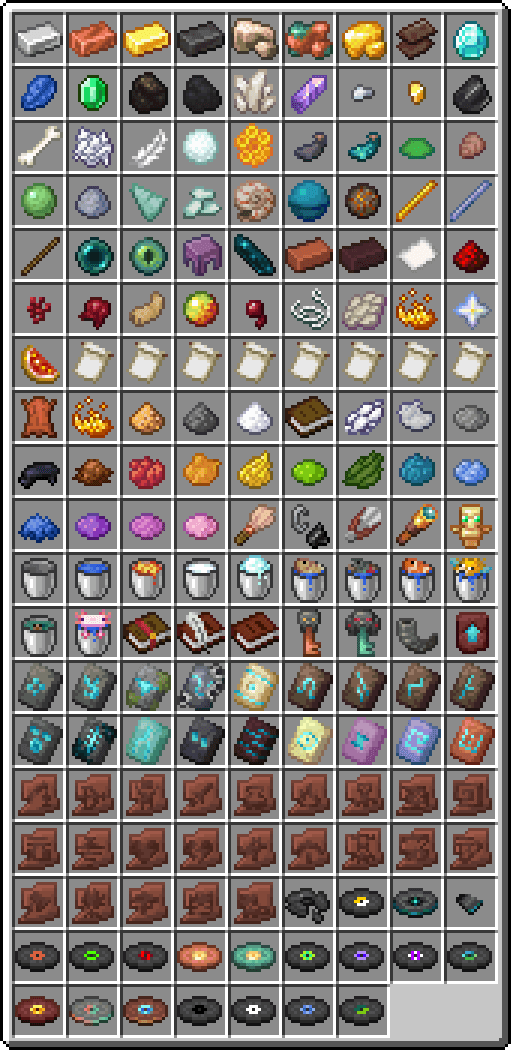
Available props at the moment:
Planned
- Vanilla: Adding props for most vanilla items.
- Mod support: Compatibility with popular mods (Create, Farmer's delight, Vanilla Backport, etc).
- Ports: Official Fabric port and updates for more Minecraft versions once the core NeoForge release is fully stabilized.
- Interactions: more props will play animations when you interact with them (slime ball, magma cream, ender pearl and ender eye already have them).
Next Update
- Compasses, the clock, and the tools that are still missing.
FAQ
- Can I include this mod in my modpack?
Yes, you can include Props in your modpack. - Will there be a Fabric version?
Yes, a Fabric port is planned after the initial NeoForge version is fully stable. - Can I request support for a specific mod?
Sure, for now you can leave a comment here while I set up a dedicated place for suggestions. - Will there be a backport of this mod?
I'd like to. The plan is to finish the vanilla content first, then bring the mod to other loaders and versions as time allows. It's not a promise, but it's on the roadmap.
Config
You can configure the Place Key, the Tool Key and Place mode.
- Place Key: Default is "Shift".
- Tool Key: Default is "Alt". Used to place tools.
- Place mode: Choose whether or not the Place Key is required to place props.
- Blacklist: to avoid duplicate placeable items with other mods, you can disable props in
config/props.jsonusing item IDs ("minecraft:diamond").
Blacklist is controlled by the server, and a restart is required to apply the change.
Official Pages
Props is only officially published on CurseForge, and Modrinth is coming soon.
Uploading, mirroring or redistributing Props (or its files, models or textures) on any other website or platform is not allowed without my permission. Any other page that offers it is not official, and I can't guarantee its files are safe or up to date.
Please download it only from the official pages. And enjoy!
Project description from CurseForge.
Pick your setup
Props by Minecraft version and loader
Choose the version and loader you play, then open the matching release.
Check the dependencies, then try the file in a copied instance before changing a world you care about.
Recent files
Props versions and loaders
Props 1.2-beta
props-1.2-beta.jar
18 Nov 2026
Client Source doesn’t say Server Source doesn’t say Dependencies No extras listed Listed on Release listing
Check the 1.21.1 · NeoForge setup 1.21.1NeoForge beta
Props 1.1-beta
props-1.1-beta.jar
1 Nov 2026
Client Source doesn’t say Server Source doesn’t say Dependencies No extras listed Listed on Release listing
Check the 1.21.1 · NeoForge setup 1.21.1NeoForge beta
Props 1.0-beta
props-1.0-beta.jar
25 Oct 2026
Client Source doesn’t say Server Source doesn’t say Dependencies No extras listed Listed on Release listing
Check the 1.21.1 · NeoForge setup 1.21.1NeoForge beta
Looking for an older file? The official CurseForge project page is in Resources.
 mod
CurseForge + Modrinth · Minecraft
Adventure Item Names
Unique names for weapons, tools, armour and items found throughout your world.
 mod
Modrinth · Minecraft
Props
The ultimate solution for placing items in the world.
 mod
CurseForge · Minecraft
Phoenix's Chromatic Codes
This is a mod to add custom color codes for use in signs, lang keys, etc.