Minecraft version
Back to mods 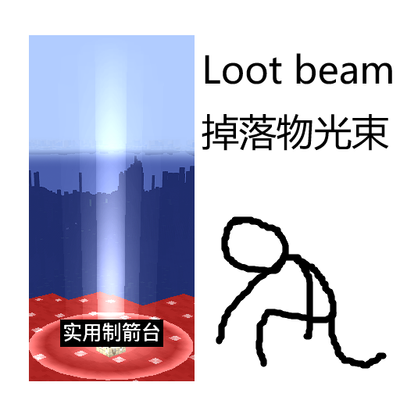
CurseForge · Minecraft mod
Z80Z Loot Beam
Color-coded beams, glows, name labels and tooltips for dropped loot — 7 beam styles, rarity colors with per-item overrides, shader-friendly, zero dependencies.
Choose a version Pick your version below, then grab the matching file.
Quick answer
Which Z80Z Loot Beam release should I use?
Latest stable file z80z-loot-beam-3.3.0.jar
Game version 1.20.1
Loader Forge
Z80Z Loot Beam z80z-loot-beam-3.3.0.jar targets 1.20.1 with Forge. The project page does not say whether this file belongs on the client, dedicated server, or both. No extra mods listed for this file.
Where it goes
Is Z80Z Loot Beam required on the client, server, or both?
The project page does not say whether this file belongs on the client, dedicated server, or both.
Client Source doesn’t say
Dedicated server Source doesn’t say
Loader for this release Forge
Required install it here Optional supported, not mandatory Not supported do not install here Source doesn’t say do not assume
The source does not explicitly classify this release as client-only or server-only.
What else does Z80Z Loot Beam z80z-loot-beam-3.3.0.jar need?
z80z-loot-beam-3.3.0.jar. Change the file and its required mods may change too.
This file does not list any required mods. Do not add a library just because a different file uses it.
This file does not list any required or optional mods.
Before you install it
Add Z80Z Loot Beam without breaking your instance.
Built for Z80Z Loot Beam z80z-loot-beam-3.3.0.jar. Pick another file and the loader, install side or required mods may change.
- 01
Stick to this file
Use z80z-loot-beam-3.3.0.jar. It targets 1.20.1 with Forge; another release may have different loader, side or dependency requirements.
- 02
Bring the mods it needs
This file does not list any required mods. Do not add a library just because a different file uses it.
- 03
Put it on the correct side
The project page does not say whether this file belongs on the client, dedicated server, or both.
- 04
Pick the file you checked
Use the “Get this file” button beside z80z-loot-beam-3.3.0.jar. It opens that exact file at the source.
About this project
What does Z80Z Loot Beam add?
A client-side mod for Minecraft 1.20.1 (Forge 47.3.0+, Java 17): renders rarity-colored beams, glows, name labels and item tooltips above dropped loot. No third-party dependencies, compatible with vanilla rendering, and specially handled for shader packs.
Features
- 7 beam styles: classic beam, slim laser, soft fog pillar, tapered spire, helix ribbon, double helix, floating halo
- Rarity-based colors (common white / uncommon green / rare blue / epic pink / enchanted purple), overridable per item, tag or mod
- Beam fade-in, close-range fade-out, tip fade; shorter beams for common loot; breathing and rotating animations
- Ground glow and halo with independently adjustable radius
- Dropped-item labels: beam-colored, optional stack count, background border, scale and offset, "only while looking at it" mode
- Full item tooltip when sneaking at a drop
- New-drop sound with its own sound blacklist
- Graphical config screen in English / Chinese (follows the client language), hover help on every option
- Filters: whitelist / blacklist (items, tags, mods), equipment-only, rare-only, max render distance
- Performance: per-entity rule & label caching, single pass per frame, frustum culling, squared-distance checks
Install
Drop z80z-loot-beam-forge-1.20.1-<version>.jar into .minecraft/mods. Client side only. Upgrading from the old Loot Beams Lite: delete loot-beams-lite-*.jar and rename config/lootbeamslite-client.toml to config/z80z_loot_beam-client.toml to keep your settings.
Usage
- Press
Bin game to toggle the effects - Mod list → Z80Z Loot Beam → Config for the graphical settings
- Config file:
config/z80z_loot_beam-client.toml
Rendering notes
Without shaders the mod uses a custom render type with the vanilla position-color shader (additive blending). Shader packs take over the world shaders and bleach or darken beams, so with shaders enabled the beams are drawn through the pack's particle pass: gradients go into a gradient texture, vertex alpha stays at 1, and the texture color is kept slightly off pure white so packs don't rewrite the colors.
License & credits
MIT (see LICENSE). Gameplay design was inspired by the Loot Beams mod; this is an independent, dependency-free reimplementation — all code, textures, lang entries, config structure and naming are original, and the repository contains no code or assets from the original mod.
特性
- 7 种光柱样式:经典光柱、纤细激光、柔光雾柱、锥形尖塔、螺旋光带、双螺旋、浮空光环
- 颜色跟随稀有度(普通白 / 少见绿 / 稀有蓝 / 史诗粉 / 附魔紫),也可按物品、标签、模组自定义
- 光柱淡入、近距离淡出、顶端渐隐;普通品质可缩短光柱;动态呼吸与旋转动画
- 地面光晕与光环,半径独立可调
- 掉落物名称:颜色跟随光柱、可显示堆叠数量、背景边框、缩放与偏移,可限制"仅准星看向时显示"
- 潜行看向掉落物时显示完整物品提示框
- 新掉落物提示音,带独立声音黑名单
- 图形配置界面支持中文 / 英文(跟随客户端语言),每个设置都有悬停说明
- 筛选:白名单 / 黑名单(物品、标签、模组)、仅装备、仅稀有品质、最大渲染距离
- 性能:按掉落物缓存规则与名称、每帧单次遍历、视锥剔除、距离平方比较
环境
- Minecraft 1.20.1
- Forge 47.3.0 或更高
- 仅客户端安装(服务器不需要装)
安装
把 z80z-loot-beam-forge-1.20.1-<版本>.jar 放进 .minecraft/mods。
从旧的 Loot Beams Lite 升级时:删除 loot-beams-lite-*.jar,并把 config/lootbeamslite-client.toml 重命名为 config/z80z_loot_beam-client.toml(模组 ID 变了,配置文件也跟着换名),原有设置就会保留。
使用
- 游戏内按
B即时开关光效 - 模组列表 → Z80Z Loot Beam → 配置,打开图形界面(每个设置悬停都有说明)
- 配置文件:
config/z80z_loot_beam-client.toml
从源码构建
需要 JDK 17,项目自带 Gradle Wrapper:
./gradlew build
产物位于 build/libs/z80z-loot-beam-forge-1.20.1-<版本>.jar。
渲染说明
- 关光影:自建渲染类型配原版位置-颜色着色器,加色混合绘制同心光壳与地面光环。
- 开光影:光影包会接管世界着色器。通用方块程序会把光柱漂白并抖动低透明度像素,信标光柱程序会把颜色平方后交给光照阶段(变黑),闪电程序会直接覆盖顶点色。因此光柱改走光影包的粒子通道:所有渐变量放进渐变贴图(贴图 UV 在所有程序里都是平滑插值的),顶点 alpha 固定为 1、贴图颜色略偏离纯白,避免被识别为烟雾 / 雪 / 岩浆粒子改写颜色。
许可
MIT,见 LICENSE。
参考与致谢
功能设计参考了同类模组 Loot Beams(掉落物光柱、稀有度着色、名称与潜行提示框等玩法), 目的是给不方便安装该模组前置的玩家一个功能等价、无依赖的替代实现。
代码、贴图、语言文本、配置结构与命名均为本项目原创:配置键使用 camelCase 分组结构, 渐变贴图为程序生成,渲染管线(多层同心光壳、锥形、螺旋光带、双螺旋、浮空光环 + 光影下的粒子通道方案) 为本项目实现。仓库中不含原模组的任何代码、贴图或文本。
Project description from CurseForge.
Pick your setup
Z80Z Loot Beam by Minecraft version and loader
Choose the version and loader you play, then open the matching release.
Check the dependencies, then try the file in a copied instance before changing a world you care about.
Recent files
Z80Z Loot Beam versions and loaders
z80z-loot-beam-3.3.0.jar
25 Oct 2026
Client Source doesn’t say Server Source doesn’t say Dependencies No extras listed Listed on Release listing
Check the 1.20.1 · Forge setup 1.20.1Forge release
Looking for an older file? The official CurseForge project page is in Resources.
 mod
CurseForge + Modrinth · Minecraft
Quick Skin
Sick of wasting time with Minecraft’s slow launcher just to change your skin? Quick Skin lets you swap skins instantly even on “offline” servers and gives you access to every official Minecraft cape.
 mod
CurseForge · Minecraft
The Item Upgrader
Roulette mini-game for Minecraft! Risk your items to get better gear. Features dynamic recipe valuation, stat scaling, and anti-dupe protection. Test your luck!
 mod
CurseForge + Modrinth · Minecraft
Runeborn | Soulslike RPG progression
A soulslike RPG overhaul: earn runes, level eight attributes at Ember Shrines, wield 74 scaling armaments and hunt seven Sovereigns.