Minecraft version
Back to mods 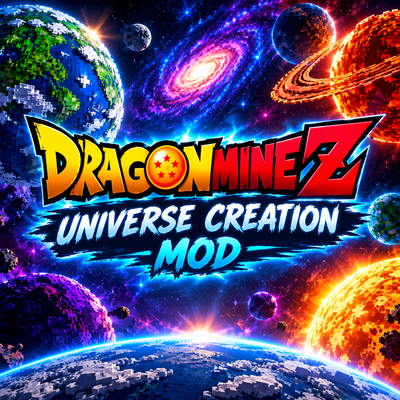
CurseForge · Minecraft mod
Dmz universe creation.
it a universe creation for Dragonmine z
Choose a version Pick your version below, then grab the matching file.
Quick answer
Which Dmz universe creation. release should I use?
Latest stable file dmzspace-0.16.1.jar
Game version 1.20.1
Loader Forge
Dmz universe creation. dmzspace-0.16.1.jar targets 1.20.1 with Forge. The project page does not say whether this file belongs on the client, dedicated server, or both. No extra mods listed for this file.
Where it goes
Is Dmz universe creation. required on the client, server, or both?
The project page does not say whether this file belongs on the client, dedicated server, or both.
Client Source doesn’t say
Dedicated server Source doesn’t say
Loader for this release Forge
Required install it here Optional supported, not mandatory Not supported do not install here Source doesn’t say do not assume
The source does not explicitly classify this release as client-only or server-only.
What else does Dmz universe creation. dmzspace-0.16.1.jar need?
dmzspace-0.16.1.jar. Change the file and its required mods may change too.
This file does not list any required mods. Do not add a library just because a different file uses it.
This file does not list any required or optional mods.
Before you install it
Add Dmz universe creation. without breaking your instance.
Built for Dmz universe creation. dmzspace-0.16.1.jar. Pick another file and the loader, install side or required mods may change.
- 01
Stick to this file
Use dmzspace-0.16.1.jar. It targets 1.20.1 with Forge; another release may have different loader, side or dependency requirements.
- 02
Bring the mods it needs
This file does not list any required mods. Do not add a library just because a different file uses it.
- 03
Put it on the correct side
The project page does not say whether this file belongs on the client, dedicated server, or both.
- 04
Pick the file you checked
Use the “Get this file” button beside dmzspace-0.16.1.jar. It opens that exact file at the source.
About this project
What does Dmz universe creation. add?
DMZ Space adds a whole universe to explore: build your own ship, fly between orbiting planets, and travel across galaxies.
- Build and fly your own spaceship: design it block by block. You get first-person flying, banking turns, boost, and loop-de-loops by holding your view up or down.
- Seats and holograms: place a Pilot Seat and passenger seats so friends can ride along. Holographic galaxy projectors go in your cockpit.
- A living solar system: planets slowly orbit over Minecraft days and line up at set times. Moons circle their planets. Every planet is generated by the mod, with terrain, clouds, oceans, gas giants, rings, city lights and atmosphere glow, so no resource pack is needed.
- Hyper-jump: cinematic light-speed travel to distant worlds.
- Space station: a giant station with a rotating ring, docking arms, solar wings and beacons.
- Destroy the moon: blast it with a powerful enough ki attack at night and it’s gone for everyone. No more Oozaru (an operator command can restore it).
- Planet and cosmos editors: create and customise your own planets and galaxies.
- Reality Tearing Sword and Angel’s Staff: tear open portals to other universes and teleport with style.
- Galaxy map, GPS and radar: live positions, travel times and a 3D hologram view.
- Shader-friendly, with glow and bloom on engines, portals and hyper-jumps.
Requires: Forge 1.20.1, DragonMine Z.
Project description from CurseForge.
Pick your setup
Dmz universe creation. by Minecraft version and loader
Choose the version and loader you play, then open the matching release.
Check the dependencies, then try the file in a copied instance before changing a world you care about.
Recent files
Dmz universe creation. versions and loaders
dmzspace-0.16.1.jar
10 Nov 2026
Client Source doesn’t say Server Source doesn’t say Dependencies No extras listed Listed on Release listing
Check the 1.20.1 · Forge setup 1.20.1Forge release
dmzspace-0.15.0.jar
8 Nov 2026
Client Source doesn’t say Server Source doesn’t say Dependencies No extras listed Listed on Release listing
Check the 1.20.1 · Forge setup 1.20.1Forge release
dmzspace-0.10.1.jar
5 Nov 2026
Client Source doesn’t say Server Source doesn’t say Dependencies No extras listed Listed on Release listing
Check the 1.20.1 · Forge setup 1.20.1Forge release
Looking for an older file? The official CurseForge project page is in Resources.
 mod
CurseForge · Minecraft
[SBW] Explosion Plus
Explosion Plus makes every blast deadlier with shrapnel, shattering windows, blinding flashes, shell shock, fire and lasting scorch marks.
 mod
CurseForge · Minecraft
Backroom Agriculture
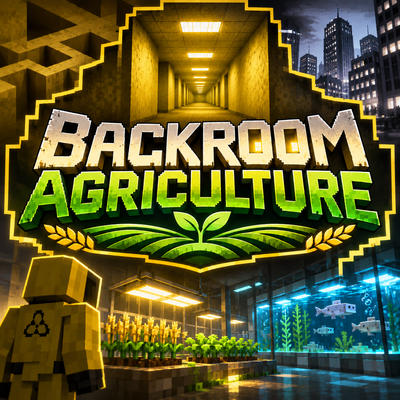
backroom Agriculture is a comprehensive farming and food expansion mod for Minecraft in custom made backrooms. It introduces 100 unique crops with distinct seeds, growth stages, harvesting mechanics, and biome-specific wild spawning. in back room also!
 mod
CurseForge · Minecraft
Fate Flip - Stop or Draw?
Every 2 minutes, fate deals you 10 face-down cards. Flip one... then stop, or push your luck? 67 cards that twist how you see, hear and control Minecraft.