Minecraft version
Back to mods 
CurseForge · Minecraft mod
Support sorcery
Healing and buffing mod
Choose a version Pick your version below, then grab the matching file.
Quick answer
Which Support sorcery release should I use?
Latest stable file support_sorcery-1.1.0-neoforge-1.21.1.jar
Game version 1.21.1
Loader NeoForge
Support sorcery support_sorcery-1.1.0-neoforge-1.21.1.jar targets 1.21.1 with NeoForge. The project page does not say whether this file belongs on the client, dedicated server, or both. No extra mods listed for this file.
Where it goes
Is Support sorcery required on the client, server, or both?
The project page does not say whether this file belongs on the client, dedicated server, or both.
Client Source doesn’t say
Dedicated server Source doesn’t say
Loader for this release NeoForge
Required install it here Optional supported, not mandatory Not supported do not install here Source doesn’t say do not assume
The source does not explicitly classify this release as client-only or server-only.
What else does Support sorcery support_sorcery-1.1.0-neoforge-1.21.1.jar need?
support_sorcery-1.1.0-neoforge-1.21.1.jar. Change the file and its required mods may change too.
This file does not list any required mods. Do not add a library just because a different file uses it.
This file does not list any required or optional mods.
Before you install it
Add Support sorcery without breaking your instance.
Built for Support sorcery support_sorcery-1.1.0-neoforge-1.21.1.jar. Pick another file and the loader, install side or required mods may change.
- 01
Stick to this file
Use support_sorcery-1.1.0-neoforge-1.21.1.jar. It targets 1.21.1 with NeoForge; another release may have different loader, side or dependency requirements.
- 02
Bring the mods it needs
This file does not list any required mods. Do not add a library just because a different file uses it.
- 03
Put it on the correct side
The project page does not say whether this file belongs on the client, dedicated server, or both.
- 04
Pick the file you checked
Use the “Get this file” button beside support_sorcery-1.1.0-neoforge-1.21.1.jar. It opens that exact file at the source.
About this project
What does Support sorcery add?
Warning: this mod is currently in alpha please report any bugs in the comments(made it release so that people whould see it without filters and stuff).
This mod adds tools like healing and buffing wands, healing blocks (resorative monoliths), advancements and extracts used to craft the items and blocks.
Every item has a basic, advanced and expert version (exept pure extracts), each version being better than the previous, but it comes at a cost of being harder to craft.
Look at my profile for more i've made.
Again fell free to comment anything you whould like to say like bugs, new feature ideas and so on.
Later update plans:
Liquids (by spilling extracts), bug patches and special tables to craft the extracts.
Project description from CurseForge.
Pick your setup
Support sorcery by Minecraft version and loader
Choose the version and loader you play, then open the matching release.
Check the dependencies, then try the file in a copied instance before changing a world you care about.
Recent files
Support sorcery versions and loaders
support_sorcery-1.1.0-neoforge-1.21.1.jar
30 Oct 2026
Client Source doesn’t say Server Source doesn’t say Dependencies No extras listed Listed on Release listing
Check the 1.21.1 · NeoForge setup 1.21.1NeoForge release
support_sorcery-1.0.2-neoforge-1.21.1.jar
28 Oct 2026
Client Source doesn’t say Server Source doesn’t say Dependencies No extras listed Listed on Release listing
Check the 1.21.1 · NeoForge setup 1.21.1NeoForge release
healing_sorcery-1.0.1-neoforge-1.21.1.jar
27 Oct 2026
Client Source doesn’t say Server Source doesn’t say Dependencies No extras listed Listed on Release listing
Check the 1.21.1 · NeoForge setup 1.21.1NeoForge release
support_sorcery-0.1.0-neoforge-1.21.1.jar
healing_sorcery-1.0.0-neoforge-1.21.1.jar
25 Oct 2026
Client Source doesn’t say Server Source doesn’t say Dependencies No extras listed Listed on Release listing
Check the 1.21.1 · NeoForge setup 1.21.1NeoForge release
Looking for an older file? The official CurseForge project page is in Resources.
 mod
mod CurseForge + Modrinth · Minecraft
Forestry: CE
Forestry bees, trees, and more on modern Minecraft.
 mod
mod CurseForge · Minecraft
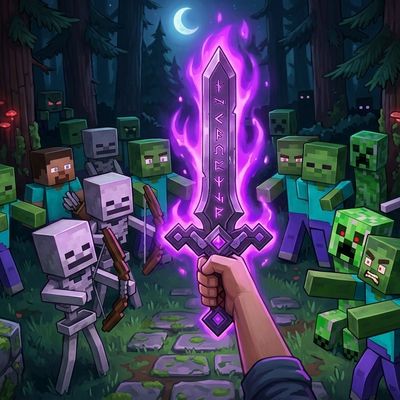
Provocation
Mobfriend is a Minecraft mod (designed for NeoForge 1.21.1) that introduces an exciting new tactical mechanic to melee combat: the ability to unleash chaos among enemy ranks by turning monsters against each other.
 mod
mod CurseForge · Minecraft
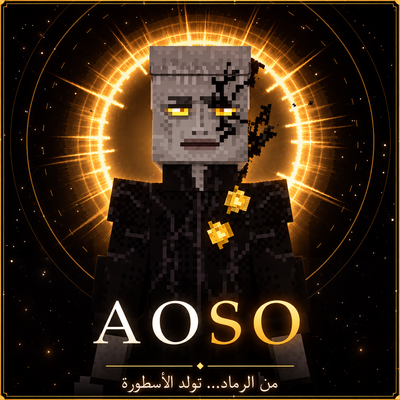
AOSO SAGA
Enter the world of AOSO: the Korz and its sectors, royal bloodlines, realms beyond, legendary weapons, a tree of powers and cinematic bosses — a voiced saga in Arabic & English.