Smart Hopper Optional for Ascended Storage ascended-storage-fabric-26.3-1.0.37.jar
optionalMatching file found Matched file: smarthoppers-1.0.14.jar
CurseForge · Minecraft mod
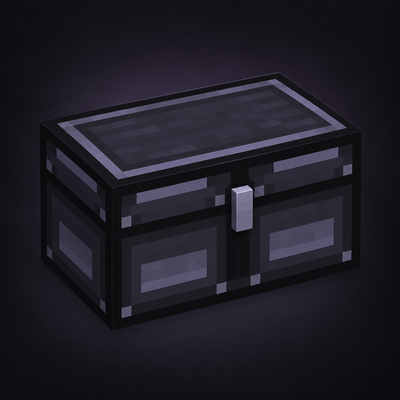
Upgrade your storage with Ascended Storage! Discover five tiers of chests, barrels, and shulker boxes, featuring increased capacity, customizable colors, and seamless double chests.
Quick answer
Ascended Storage ascended-storage-fabric-26.3-1.0.37.jar targets 26.3 with Fabric. The project page does not say whether this file belongs on the client, dedicated server, or both. All 1 required mods have matching files.
Where it goes
The project page does not say whether this file belongs on the client, dedicated server, or both.
The source does not explicitly classify this release as client-only or server-only.
ascended-storage-fabric-26.3-1.0.37.jar. Change the file and its required mods may change too.
Install Fabric API first. We found matching files for this game-version and loader setup.
We only count dependency files that match this setup. A file for another loader does not fill the gap.
Before you install it
Built for Ascended Storage ascended-storage-fabric-26.3-1.0.37.jar. Pick another file and the loader, install side or required mods may change.
Use ascended-storage-fabric-26.3-1.0.37.jar. It targets 26.3 with Fabric; another release may have different loader, side or dependency requirements.
Install Fabric API first. We found matching files for this game-version and loader setup.
The project page does not say whether this file belongs on the client, dedicated server, or both.
Use the “Get this file” button beside ascended-storage-fabric-26.3-1.0.37.jar. It opens that exact file at the source.
About this project
Upgrade your storage. Expand your possibilities.
Ascended Storage enhances Minecraft's vanilla storage system with upgradeable Chests, Barrels, and Shulker Boxes across four material tiers.
From Iron to Netherite, each upgrade increases your storage capacity while maintaining Minecraft's familiar gameplay.
Enjoy custom metallic textures, 16 dye colors, expandable double chests, and vanilla-style animations.
4 Storage Tiers: Iron, Gold, Diamond, and Netherite.
3 Storage Types: Chests, Barrels, and Shulker Boxes.
Expanded Storage: Up to 117 slots per container.
Double Chests: Up to 234 inventory slots.
16 Dye Colors: Customize your storage containers.
Custom Metallic Textures: Unique appearances for every material tier.
Vanilla-Style Animations: Familiar opening and closing behavior.
JEI / REI Compatibility: Recipe synchronization for supported recipe viewers.
Configurable Storage: Customize inventory capacities.
Language Support: English and German.
Each material tier provides additional inventory space.
| Material | Chest | Barrel | Shulker Box | Double Chest |
|---|---|---|---|---|
| Iron | 63 | 63 | 63 | 126 |
| Gold | 81 | 81 | 81 | 162 |
| Diamond | 99 | 99 | 99 | 198 |
| Netherite | 117 | 117 | 117 | 234 |
All inventory slots are accessible on a single screen without additional pages.
Place two matching chests next to each other to create a double chest.
Both chests must have the same material tier, color, and orientation.
Double chests provide twice the storage capacity while maintaining vanilla-style opening animations.
Recoloring one half automatically recolors the entire double chest using only one dye!
Ascended Storage features a simple and intuitive upgrade system.
Start with a regular Minecraft Chest, Barrel, or Shulker Box and upgrade it using increasingly valuable materials.
Surround a regular Minecraft container with 8 Iron Ingots.
| Iron Ingot | Iron Ingot | Iron Ingot |
|---|---|---|
| Iron Ingot | Vanilla Chest | Iron Ingot |
| Iron Ingot | Iron Ingot | Iron Ingot |
Result: Iron Chest
The same crafting pattern works with vanilla Barrels and Shulker Boxes.
Colored vanilla Shulker Boxes can also be upgraded directly into matching colored Iron Shulker Boxes.
Upgrade your Iron storage using 8 Gold Ingots.
Iron → Gold
Upgrade your Gold storage using 8 Diamonds.
Gold → Diamond
Netherite storage is crafted using a Smithing Table.
Required ingredients:
1 Netherite Upgrade Smithing Template
1 Diamond Chest, Barrel, or Shulker Box
1 Netherite Ingot
Result: Netherite Storage
Take your storage wherever you go!
Ascended Storage introduces upgraded Shulker Boxes with significantly increased inventory capacities.
Every material tier features its own metallic design and supports all 16 dye colors.
Upgrading a Shulker Box preserves its existing contents and compatible item components, including custom names.
No need to empty your Shulker Boxes before upgrading!
Shulker Boxes also retain vanilla-style opening and closing animations.
Personalize your storage with all 16 vanilla Minecraft dye colors.
Simply right-click a placed container with a dye to change its appearance.
Recolor Chests, Barrels, and Shulker Boxes.
Choose between 16 colors.
Keep your unique metallic material design.
Recolor double chests simultaneously.
Preserve stored items when recoloring.
Create color-coded storage rooms and organize your items your way.
Ascended Storage includes configurable storage capacities.
Configuration file: config/ascended_storage.json
Customize inventory sizes for individual storage tiers and container types.
You can also enable or disable container recoloring.
Ascended Storage includes recipe synchronization through Fabric API for compatibility with recipe viewers such as Just Enough Items (JEI) and Roughly Enough Items (REI).
View upgrade ingredients and discover the available storage tiers without memorizing crafting recipes.
Netherite upgrades use Minecraft's standard smithing recipe system.
Minecraft: 26.3
Mod Loader: Fabric
Java: 25+
Fabric API: Required
JEI and REI are optional.
For multiplayer, install Ascended Storage and Fabric API on both the server and client.
Ascended Storage is designed to feel like a natural extension of Minecraft's vanilla storage system.
No complicated machines or unnecessary mechanics.
Just more storage space, meaningful upgrades, beautiful textures, and simple customization.
More storage. More upgrades. More possibilities.
Project description from CurseForge.
Pick your setup
Choose the version and loader you play, then open the matching release.
Check the dependencies, then try the file in a copied instance before changing a world you care about.
Recent files
28 Oct 2026
27 Oct 2026
Looking for an older file? The official CurseForge project page is in Resources.
 mod
All-in-one storage that grows from a chest network on day one to channel-free cell drives, autocrafting and quantum bridges, plus vaults, drawers and backpacks.
 mod
New currency economy provide Ancient Debris, Totem of Undying,Enchanted Golden Apple
 mod
Plant a seed, wait, and a baby animal grows out of the ground. Crops for every animal, plus water, Nether and lava variants. A port of Animal Crops to 1.21.1.