Hypnos API Needed by Good Anvils good_anvils-0.19.3-dev.jar
requiredMatching file found Matched file: hypnos_api-0.19.3-dev.jar
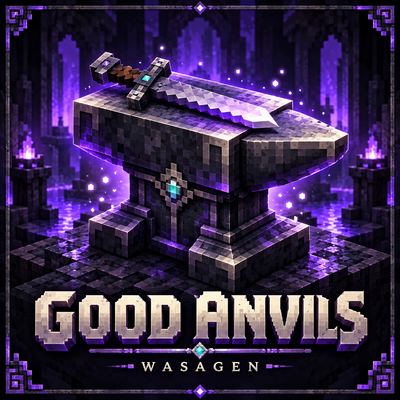
CurseForge · Minecraft mod
Repair and customize equipment with persistent anvil storage, cost previews and a dedicated name editor.
Quick answer
Good Anvils good_anvils-0.19.3-dev.jar targets 26.3 with NeoForge. The project page does not say whether this file belongs on the client, dedicated server, or both. All 1 required mods have matching files.
Where it goes
The project page does not say whether this file belongs on the client, dedicated server, or both.
The source does not explicitly classify this release as client-only or server-only.
good_anvils-0.19.3-dev.jar. Change the file and its required mods may change too.
Install Hypnos API first. We found matching files for this game-version and loader setup.
We only count dependency files that match this setup. A file for another loader does not fill the gap.
Before you install it
Built for Good Anvils good_anvils-0.19.3-dev.jar. Pick another file and the loader, install side or required mods may change.
Use good_anvils-0.19.3-dev.jar. It targets 26.3 with NeoForge; another release may have different loader, side or dependency requirements.
Install Hypnos API first. We found matching files for this game-version and loader setup.
The project page does not say whether this file belongs on the client, dedicated server, or both.
Use the “Get this file” button beside good_anvils-0.19.3-dev.jar. It opens that exact file at the source.
About this project
Good Anvils turns existing Minecraft anvils into persistent equipment workstations. Repair items, apply enchantments and edit names while seeing the required materials, level cost and result before committing an operation.
&6, &l, &r and &#RRGGBB.Use a normal, chipped or damaged Minecraft anvil; no new anvil recipe is required. Right-click it normally to open Good Anvils while the persistent prototype is enabled. Put the item in the first input and the repair material, matching item or enchanted book in the second. Review the preview and take the result to complete the operation.
For example, put a damaged bow in the first input and string in the second. Each consumed string restores up to half of the bow's maximum durability. The preview shows the actual recovery and level cost; enchantments and work history can affect the price.
Closing the interface leaves the two inputs stored in that particular anvil. The result is a preview until it is taken. The name editor and the i information button are part of the interface.
Good Spells is an optional companion. When both mods are installed, Good Anvils reads its enchantment limits, supported equipment, special compatibility rules and upgrade prices through Hypnos API. It also provides the material-based mastery route for supported advanced books. Good Spells is not required for ordinary Good Anvils repairs and renaming.
This build targets Minecraft Java 26.3, NeoForge 26.3.0.95 and Java 25. Install good_anvils-0.19.3-dev.jar and Hypnos API 0.19.3-dev in the instance's mods folder. For multiplayer, install matching versions on the server and every client. This is a NeoForge mod; this build does not declare Forge or Fabric support.
config/good-anvils-prototype.toml controls enablePersistentPrototype (default true), renameLevelCost (default 0), maxNameLength (default 100 visible characters), allowNameColors and allowNameStyles (both default true).
config/good-anvils-client.toml controls showStoredItem (default true) and storedItemRenderDistance (default 48 blocks). Close the game or server before editing these files.
Version 0.19.3-dev is a development build. Its source documentation records local checks, but a dedicated-server or multiplayer gameplay validation for this exact build is not documented. Test it in a copy of your world before using it for an ongoing playthrough.
This version does not provide repair of the anvil block itself or a completed block-wear system for the custom workstation. Other mods replacing anvil screens, repair rules or enchantment data may need compatibility testing.
Where is it installed, and does every player need it? In mods on the client and server, together with the exact required Hypnos API build. Every player joining a server using it needs the matching installation.
Does it work on a dedicated server? The implementation includes server-managed storage and operations. Dedicated-server and multiplayer gameplay results for this exact build are not documented; multiplayer is not being presented as verified.
Can I add it to an existing world? It operates on existing anvil blocks and adds no new anvil crafting recipe. A complete install-and-remove cycle on an established world is not documented for this build; use a backup copy first.
What happens if I disable or uninstall it? Empty every anvil's stored inputs before disabling the persistent prototype or removing the mod. Removal also removes access to its custom workstation and stored-data handling.
Is it configurable? Yes; see the two files above. The nine additional material-repair rules are bundled resources, not automatically reloaded datapack settings.
May I use it in a modpack? This build declares All Rights Reserved. Check the author's permission and the hosting platform's applicable modpack settings before redistributing it; no blanket redistribution permission is stated here.
Include the exact mod, Minecraft, NeoForge and Java versions, the relevant log, the operation and ingredients used, the expected result, and whether the issue occurs in singleplayer or multiplayer. Include a screenshot for interface problems.
Created and developed by Wasagen. Part of the Hypnos ecosystem. The build declares All Rights Reserved. Minecraft and third-party components retain their respective ownership and terms.
Project description from CurseForge.
Pick your setup
Choose the version and loader you play, then open the matching release.
Check the dependencies, then try the file in a copied instance before changing a world you care about.
Recent files
26 Oct 2026
Looking for an older file? The official CurseForge project page is in Resources.
 mod
A planetary survival, industrial automation, and atmospheric terraforming tech mod set in a hostile desert world populated by colossal sandworms.
 mod
Dogfight in 30+ flyable jets, WWII warbirds and helicopters, then take warships and submarines to sea. F-22, F-35, Spitfire, Apache, a sailing Nimitz carrier, air refuelling and a campaign. (Formerly known as Fighter Jets Overhaul)
 mod
Add custom villager trades with a GUI