Minecraft version
Back to mods 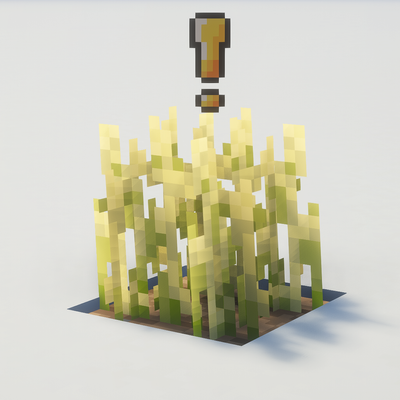
CurseForge · Minecraft mod
Simple Grow Progress
Simple contextual icons displaying the status of your crops and a few simple icons to indicate why they are not growing !
Choose a version Pick your version below, then grab the matching file.
Quick answer
Which Simple Grow Progress release should I use?
Latest stable file grow-progress-1.0.jar
Game version 26.3
Loader Fabric
Simple Grow Progress grow-progress-1.0.jar targets 26.3 with Fabric. The project page does not say whether this file belongs on the client, dedicated server, or both. No extra mods listed for this file.
Where it goes
Is Simple Grow Progress required on the client, server, or both?
The project page does not say whether this file belongs on the client, dedicated server, or both.
Client Source doesn’t say
Dedicated server Source doesn’t say
Loader for this release Fabric
Required install it here Optional supported, not mandatory Not supported do not install here Source doesn’t say do not assume
The source does not explicitly classify this release as client-only or server-only.
What else does Simple Grow Progress grow-progress-1.0.jar need?
grow-progress-1.0.jar. Change the file and its required mods may change too.
This file does not list any required mods. Do not add a library just because a different file uses it.
This file does not list any required or optional mods.
Before you install it
Add Simple Grow Progress without breaking your instance.
Built for Simple Grow Progress grow-progress-1.0.jar. Pick another file and the loader, install side or required mods may change.
- 01
Stick to this file
Use grow-progress-1.0.jar. It targets 26.3 with Fabric; another release may have different loader, side or dependency requirements.
- 02
Bring the mods it needs
This file does not list any required mods. Do not add a library just because a different file uses it.
- 03
Put it on the correct side
The project page does not say whether this file belongs on the client, dedicated server, or both.
- 04
Pick the file you checked
Use the “Get this file” button beside grow-progress-1.0.jar. It opens that exact file at the source.
About this project
What does Simple Grow Progress add?
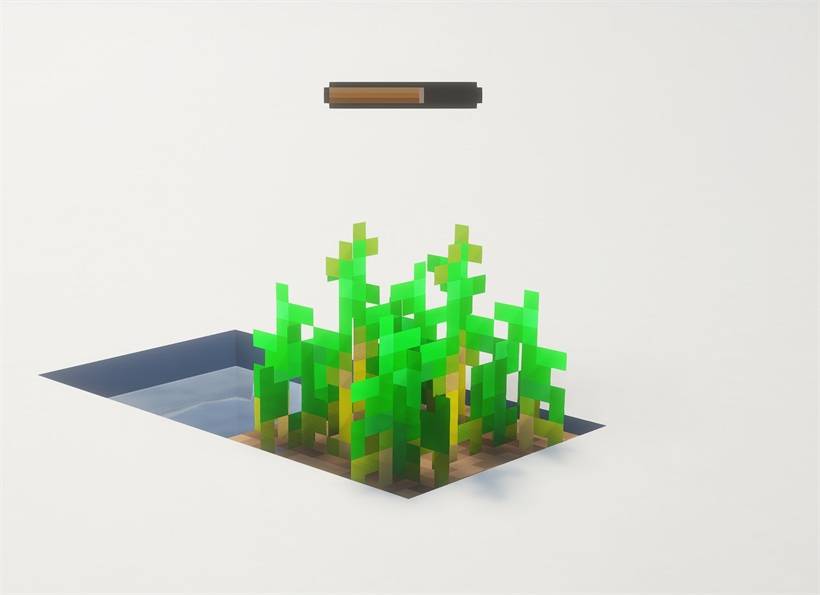
- Growth bars: A small bar over each growing crop goes from red to amber as it grows. It shows when you look at the crop.
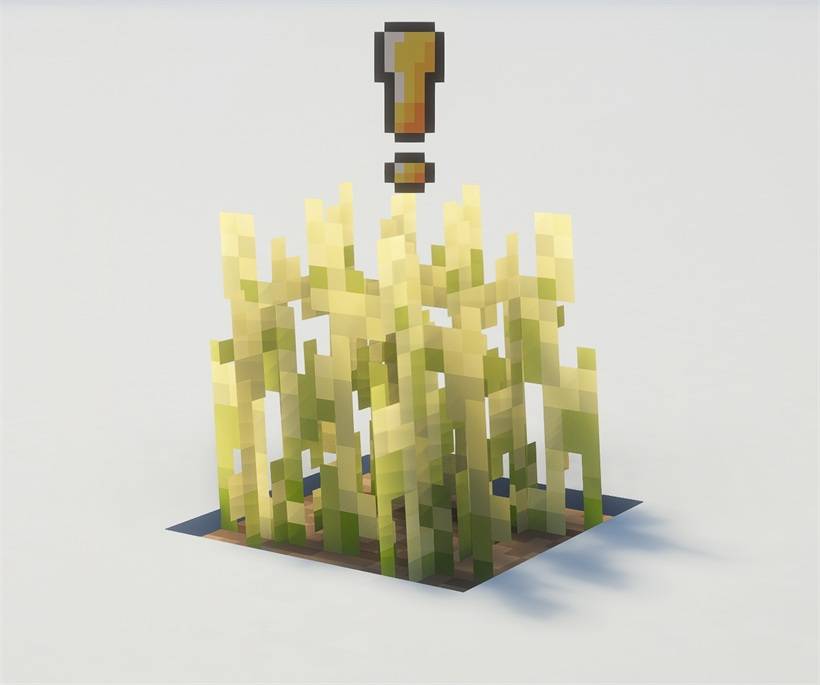
- Ready to harvest: When a crop is fully grown, the bar is replaced by a bobbing "!" mark.
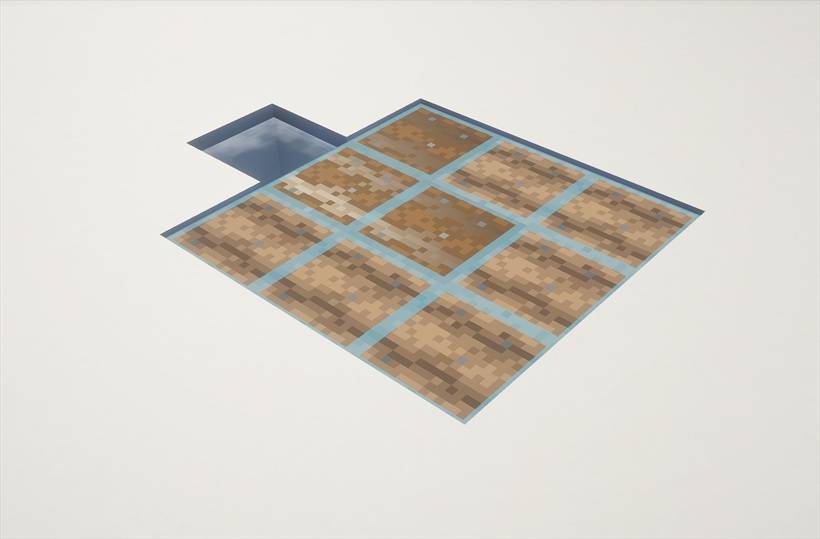
- Water map: Farmland that is fed by water, and will never dry out, gets a blue tile on top. Press H to turn it on or off.
- Problem warnings: A moon icon means a crop is too dark to grow. A water drop means its farmland will dry out.
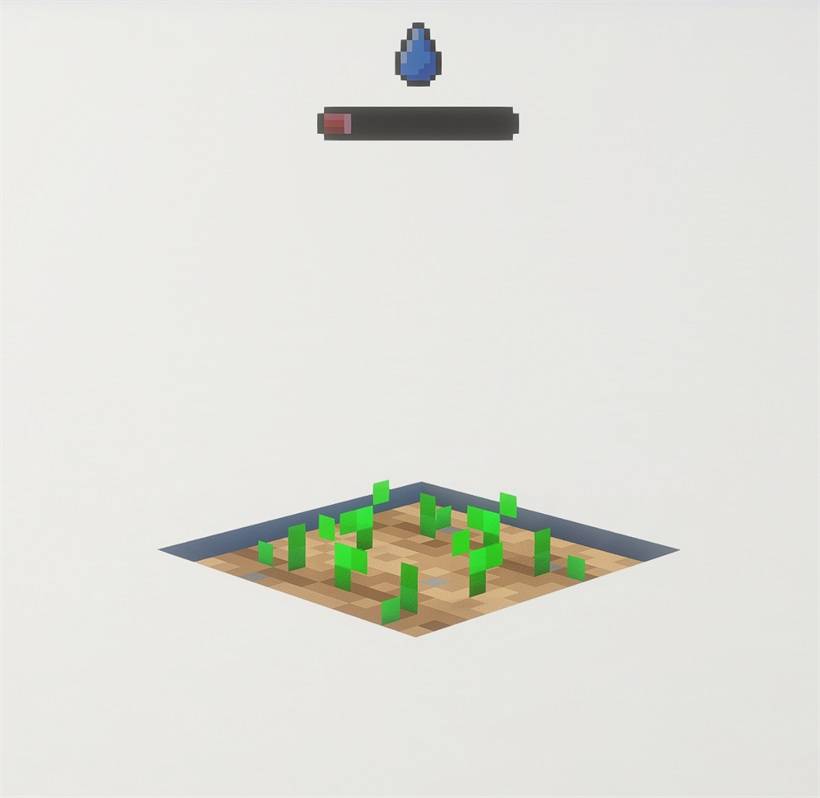
- Harvest counter: Aim at a field and a number by your hotbar shows how many crops on it are ready.
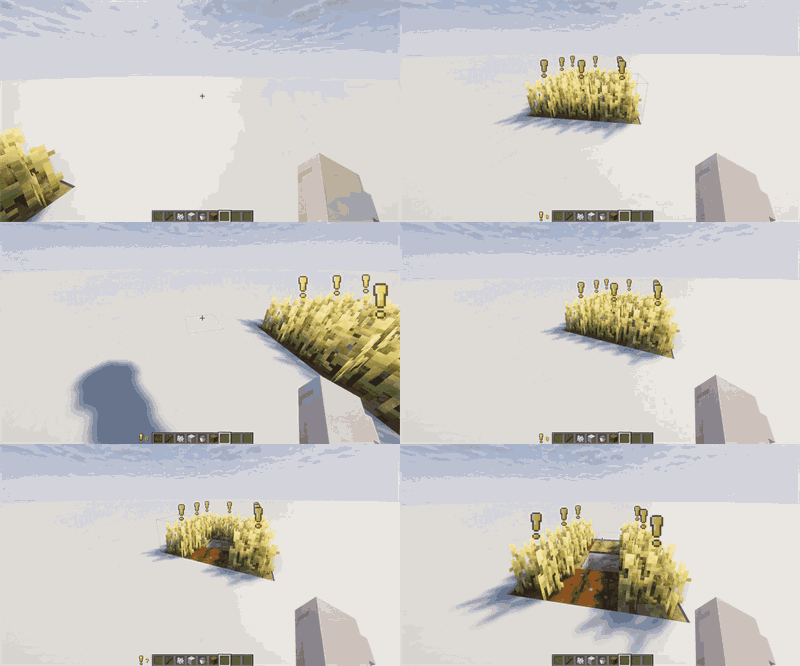
- Settings: Turn any feature on or off, choose what stays visible with F1, and change the distances in Mod Menu.
Works with shader packs. Client-side only, so it works on any server and nobody else needs it installed.
Project description from CurseForge.
Pick your setup
Simple Grow Progress by Minecraft version and loader
Choose the version and loader you play, then open the matching release.
Check the dependencies, then try the file in a copied instance before changing a world you care about.
Recent files
Simple Grow Progress versions and loaders
grow-progress-1.0.jar
grow-progress-1.0.0.jar
26 Oct 2026
Client Source doesn’t say Server Source doesn’t say Dependencies No extras listed Listed on Release listing
Check the 26.3 · Fabric setup Fabric26.3 release
Looking for an older file? The official CurseForge project page is in Resources.
 mod
CurseForge · Minecraft
MultiClicker
Auto clicker (autoclicker) and AFK helper for Fabric, NeoForge and Forge: auto attack, auto eat, auto fish, auto farm, auto tool, hotbar refill, anti-AFK and hotkeys for mob farms, mining, farming and fishing
 mod
CurseForge · Minecraft
OnlyMouse
OnlyMouse is an accessibility-focused Minecraft Java Edition mod that enables players to play using only a mouse, reducing the need for a physical keyboard.
 mod
CurseForge · Minecraft
Cobblemon Alpha Candy
A Cobblemon addon that lets you attempt to turn your own Pokémon into Alpha Pokémon using Alpha Candy.