Sophisticated Core Needed by Sophisticated Smeltery sophisticated_smeltery-1.5-SNAPSHOT.jar
requiredMatching file found Matched file: sophisticatedcore-1.20.1-1.5.40.2493.jar
CurseForge · Minecraft mod
This simple mod is to put tinker smeltery into Sophisticated backpack or Sophisticated storage
Quick answer
Sophisticated Smeltery sophisticated_smeltery-1.5-SNAPSHOT.jar targets 1.20.1 with Forge. The project page does not say whether this file belongs on the client, dedicated server, or both. All 3 required mods have matching files.
Where it goes
The project page does not say whether this file belongs on the client, dedicated server, or both.
The source does not explicitly classify this release as client-only or server-only.
sophisticated_smeltery-1.5-SNAPSHOT.jar. Change the file and its required mods may change too.
Install Sophisticated Core, Tinkers Construct, Mantle first. We found matching files for this game-version and loader setup. 14 come through another mod in the chain.
14 extra mods were pulled in by other dependencies. Indented rows show who needs each one. We only count dependency files that match this setup. A file for another loader does not fill the gap.
Before you install it
Built for Sophisticated Smeltery sophisticated_smeltery-1.5-SNAPSHOT.jar. Pick another file and the loader, install side or required mods may change.
Use sophisticated_smeltery-1.5-SNAPSHOT.jar. It targets 1.20.1 with Forge; another release may have different loader, side or dependency requirements.
Install Sophisticated Core, Tinkers Construct, Mantle first. We found matching files for this game-version and loader setup. 14 come through another mod in the chain.
The project page does not say whether this file belongs on the client, dedicated server, or both.
Use the “Get this file” button beside sophisticated_smeltery-1.5-SNAPSHOT.jar. It opens that exact file at the source.
About this project
Sophisticated Smeltery is an addon for Tinkers' Construct that brings its massive multiblock smelteries into a single Sophisticated Backpack or Sophisticated Storage block, while retaining convenient smelting, fluid handling, item interaction, and casting functionality.
Blank Melting Upgrade: Craft it with a Smeltery Controller, Foundry Controller, or Transmute Controller from Esotericism Tinker to bind the corresponding furnace functionality. The controller can be retrieved or replaced with another one through crafting.
Once bound, the upgrade can be installed in a backpack or storage block. Seared Fuel Tanks can be added to provide fuel capacity, while seared structural blocks increase the furnace's capacity. The upgrade also benefits from other upgrades, such as Stack Upgrades.
Part of the storage inventory becomes available for smelting, automatically processing items whenever sufficient fuel is available.
The system automatically prioritizes fuels that meet the required temperature. Fluids inserted from either side will preferentially enter the fuel tank if they are valid fuels.
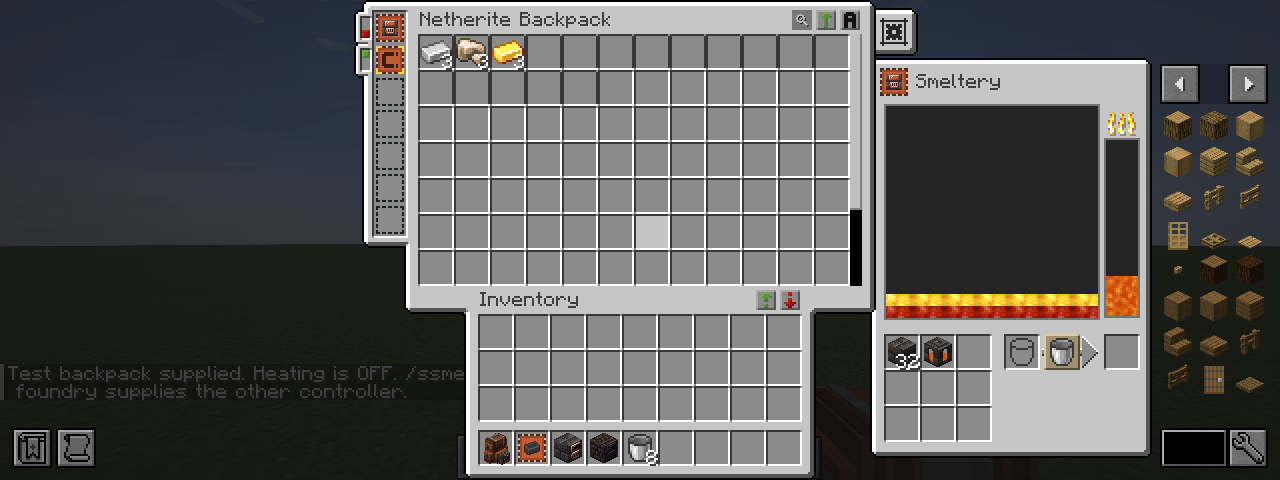
Smeltery Upgrade: Functions like a regular Smeltery, including its bonus output yields.
Foundry Upgrade: Functions like a regular Foundry, producing byproducts instead of alloying fluids.
Transmute Upgrade: Functions like a Transmute Furnace, disabling alloying and exchanging byproducts. It can also be upgraded to an Advanced version, which provides three selectable melting modes and an alloying toggle.
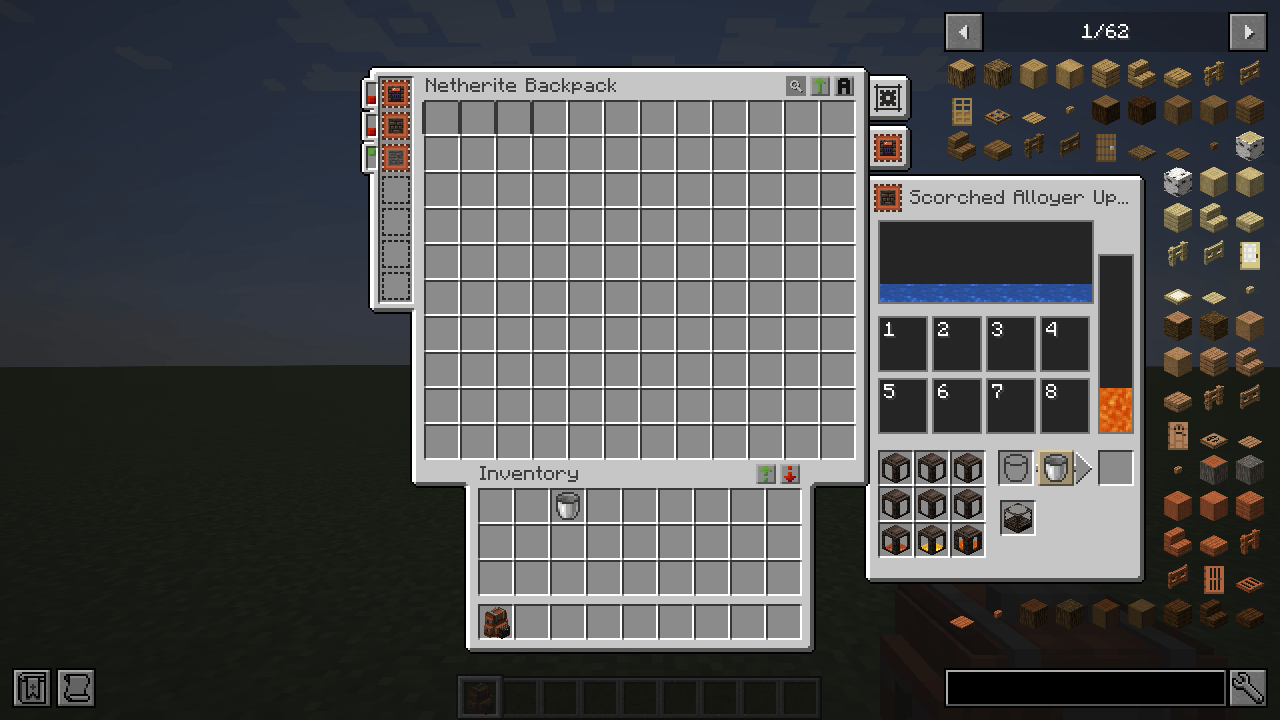
Seared and Scorched Casting Upgrades: Work like their corresponding Casting Tables and Casting Basins, with the ability to switch between table and basin modes.
Items can be locked into casting slots for automatic extraction from the backpack's inventory. Scorched casting still requires casts where applicable.
Advanced Casting Upgrades can automatically transfer completed cast items into inventory slots that are not used for smelting.
If there is insufficient fluid to complete a casting operation, the remaining fluid can be returned to the tank using the refund button.
Alloying Furnace: Provides eight slots for fluid tanks, allowing alloying operations to take place directly inside the backpack or storage block. The remaining fuel slots support both solid and liquid fuels.
Entity Melting: Captured entities placed partially into the fuel slot can be melted when the appropriate conditions are met, producing their corresponding melting outputs.
Since Sophisticated Storage does not have an Entity Capture Upgrade, this feature is unavailable for storage blocks.
Spawner Upgrade: Allows a Monster Spawner to be placed into an upgrade slot and continue spawning mobs normally.
If an Entity Capture Upgrade is installed and the required conditions are met, spawned mobs will preferentially be captured into the backpack.
Alternatively, placing a backpack next to a Monster Spawner allows eligible spawned mobs to be captured directly.
Advanced Spawner Upgrade: Allows spawners inside the backpack or directly adjacent to it to ignore player-distance requirements and natural spawning rules.
More features may be added in the future based on demand.
Project description from CurseForge.
Pick your setup
Choose the version and loader you play, then open the matching release.
Check the dependencies, then try the file in a copied instance before changing a world you care about.
Recent files
21 Nov 2026
29 Oct 2026
26 Oct 2026
26 Oct 2026
Looking for an older file? The official CurseForge project page is in Resources.
 mod
Enhances vanilla wolves with unique personalities (Aggressive, Pacifist, Normal), smarter AI, safety behaviors, and combat improvements.
 mod
Displays a list of materials and the chests in which they are located
 mod
A mod that adds more ways to store and lock up your items!