
Minecraft version
Back to mods 
CurseForge · Minecraft mod
Deltacraft: Inexistent Freedom
Explore the world of Minecraft through the most game-accurate DELTARUNE combat simulator.
Choose a version Pick your version below, then grab the matching file.
Quick answer
Which Deltacraft: Inexistent Freedom release should I use?
beta file deltacraft-inexistent-freedom-0.8.7.jar
Game version 1.20.1
Loader Forge
Deltacraft: Inexistent Freedom deltacraft-inexistent-freedom-0.8.7.jar targets 1.20.1 with Forge. The project page does not say whether this file belongs on the client, dedicated server, or both. No extra mods listed for this file.
Where it goes
Is Deltacraft: Inexistent Freedom required on the client, server, or both?
The project page does not say whether this file belongs on the client, dedicated server, or both.
Client Source doesn’t say
Dedicated server Source doesn’t say
Loader for this release Forge
Required install it here Optional supported, not mandatory Not supported do not install here Source doesn’t say do not assume
The source does not explicitly classify this release as client-only or server-only.
What else does Deltacraft: Inexistent Freedom deltacraft-inexistent-freedom-0.8.7.jar need?
deltacraft-inexistent-freedom-0.8.7.jar. Change the file and its required mods may change too.
This file does not list any required mods. Do not add a library just because a different file uses it.
This file does not list any required or optional mods.
Before you install it
Add Deltacraft: Inexistent Freedom without breaking your instance.
Built for Deltacraft: Inexistent Freedom deltacraft-inexistent-freedom-0.8.7.jar. Pick another file and the loader, install side or required mods may change.
- 01
Stick to this file
Use deltacraft-inexistent-freedom-0.8.7.jar. It targets 1.20.1 with Forge; another release may have different loader, side or dependency requirements.
- 02
Bring the mods it needs
This file does not list any required mods. Do not add a library just because a different file uses it.
- 03
Put it on the correct side
The project page does not say whether this file belongs on the client, dedicated server, or both.
- 04
Pick the file you checked
Use the “Get this file” button beside deltacraft-inexistent-freedom-0.8.7.jar. It opens that exact file at the source.
About this project
What does Deltacraft: Inexistent Freedom add?
A DELTARUNE-inspired combat mod for Minecraft 1.20.1.
DISCORD LINK: https://discord.gg/3sZT6akDT
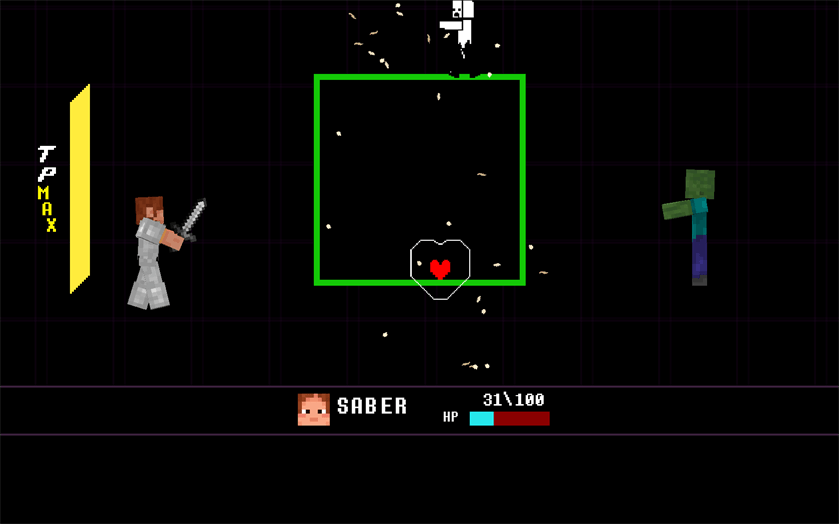
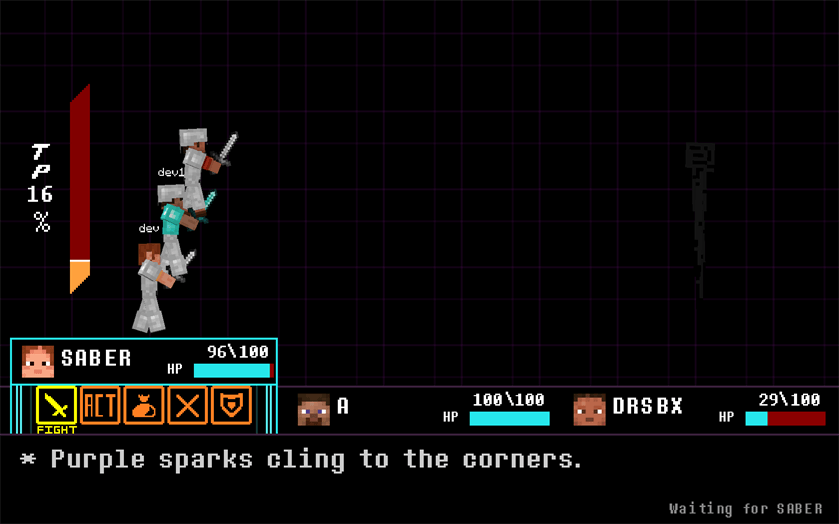
Deltacraft replaces ordinary fights with a turn-based battle system built around timed attacks, ACT choices, mercy, magic, and bullet patterns. Walk into a supported hostile mob, attack it, or let it attack you and the world gives way to a full battle screen.
This is not just a menu pasted over normal Minecraft combat. Enemies have their own attacks, dialogue, ACT options, mercy conditions, and rewards. Your armor, weapon, food, status effects, and other equipment still matter once the battle begins.
Battles
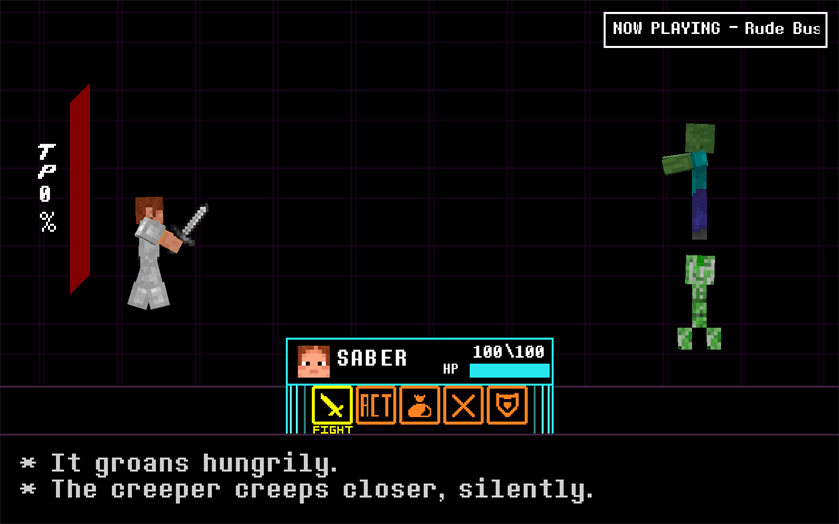
During your turn, you can:
- FIGHT with a timing bar. Better timing means a stronger hit.
- ACT to interact with an enemy and build MERCY without killing it.
- ITEM to use real food and recovery items from your inventory.
- SPARE enemies once they are ready to give up.
- DEFEND to reduce incoming damage and prepare for the next attack.
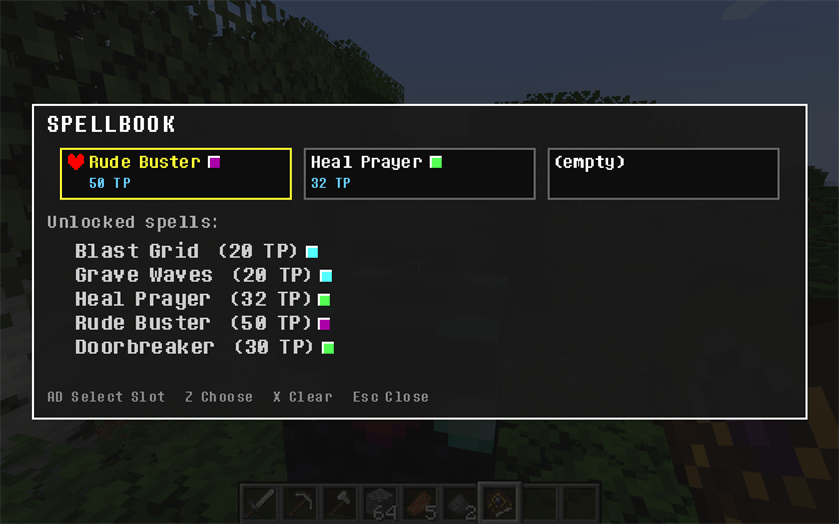
- Use MAGIC. Rude Buster and Heal Prayer work in PvE, while collected enemy attacks become part of your PvP loadout.
Enemy turns become short bullet-hell sequences. Move your SOUL inside the battle box, dodge the pattern, and graze attacks to build TP. Every enemy fights differently: Creepers turn the floor into a blast grid, Skeletons fill the arena with arrows, Spiders close off space with webs, Endermen bend the box around void attacks, and Blazes bring faster fire-based patterns.
Nearby supported mobs can enter as a mixed group of up to three enemies, so running into a crowd is a very different fight from catching one mob alone.
Enemies
The current encounter roster includes:
- Zombies
- Skeletons
- Spiders
- Creepers
- Blazes
- Endermen
Each regular enemy has multiple attack patterns and its own peaceful route. Defeating an enemy and sparing it both count as a victory and both feed into the mod's progression.
Your vessel
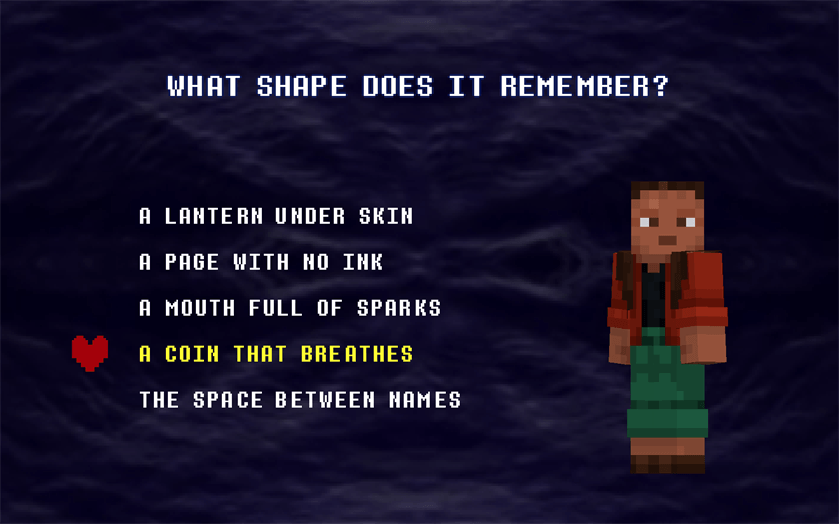
The first time you enter a world, you create a vessel through a short intro sequence. You choose its name, answer a set of questions, pick a battle color, and select your preferred difficulty. Your answers lead to one of five paths:
IMPACT, WARMTH, PATTERN, FALLING, or SILENCE.
The path you receive affects your starting gear and opens its own advancement branch. It does not lock you out of the rest of the combat system.
PvE difficulty can be changed later between Easy, Normal, Hard, and Extreme. Higher settings increase enemy health, damage, and pattern speed, but also improve battle rewards.
Spells, shards, and the Shard Table
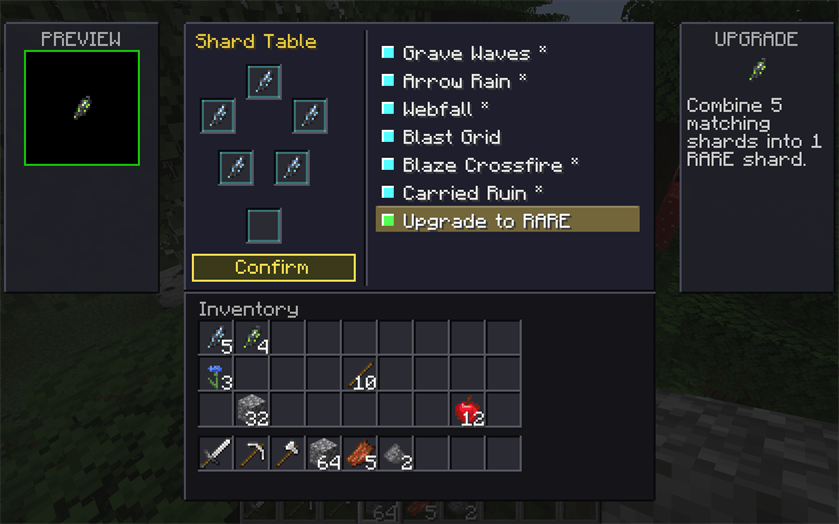
Enemies can teach you their attacks. Deltacraft currently has 29 obtainable spells spread across several rarity tiers, from Common through Mythic.
Battle rewards can include shards matching those rarities. At a Shard Table, five matching shards can be:
- combined into a shard of the next rarity, or
- spent on a Spell Scroll for an eligible attack you have encountered.
Spell Scrolls are real items, so they can be stored, dropped, or traded before somebody uses one to learn the attack. The Spellbook lets you review your collection and equip three learned spells for PvP.
Talismans and battle items
Talismans add smaller build choices without replacing normal Minecraft equipment. Some improve grazing or healing, some change the FIGHT timing bar, and others help with fire, defense, item conservation, or spell progression. Talismans have limited uses and can be toggled for automatic activation from the inventory.
Normal food works in battle, and dedicated recovery items such as Revive Dust and Revive Mint can bring a downed party member back into the fight.
Multiplayer
PvE parties support up to three players. Use the party commands to invite friends:
/party invite <player>
/party accept
/party decline
/party leave
/party disband
/party promote <player>
/party kick <player>
/party list
Nearby party members are pulled into the same encounter. Everyone chooses an action before the shared enemy phase. Party members keep their own HP, equipment, items, and vessel progression, while the party builds and spends one shared TP meter.
For PvP, craft a Duel Blade and use it on another player to begin a one-on-one duel. PvP uses the same timing attacks, bullet patterns, items, defending, and learned magic as the main combat system. Party-versus-party duels are not part of the current version.
Controls and settings
The default battle controls are deliberately simple:
- WASD - move through menus or control your SOUL
- Z - confirm
- X - cancel or go back
- O - open Deltacraft settings
Mouse menu navigation can be enabled in the settings screen. You can also change the HUD color palette, battle music volume, combat sound volume, PvE difficulty, and the world's hostile spawn rate preset.
Installation
Deltacraft requires:
- Minecraft 1.20.1
- Forge 47.x
- The mod installed on both the client and server for multiplayer
There are no additional library mods required.
Current state
The mod is playable in survival and multiplayer, but it is still being actively developed. More enemies, patterns, spells, bosses, balance changes, and presentation work are planned. Existing worlds may receive new progression content as development continues.
Deltacraft is a fan-made project inspired by DELTARUNE. It is not affiliated with or endorsed by Toby Fox, Mojang, or Microsoft.
Special Thanks
A special thanks to all the people who contributed in the creation of this project!
ToastyTV
Lilia C.
Galen C.
Project description from CurseForge.
Pick your setup
Deltacraft: Inexistent Freedom by Minecraft version and loader
Choose the version and loader you play, then open the matching release.
Check the dependencies, then try the file in a copied instance before changing a world you care about.
Recent files
Deltacraft: Inexistent Freedom versions and loaders
deltacraft-inexistent-freedom-0.8.7.jar
15 Nov 2026
Client Source doesn’t say Server Source doesn’t say Dependencies No extras listed Listed on Release listing
Check the 1.20.1 · Forge setup 1.20.1Forge beta
deltacraft-inexistent-freedom-0.8.6.jar
8 Nov 2026
Client Source doesn’t say Server Source doesn’t say Dependencies No extras listed Listed on Release listing
Check the 1.20.1 · Forge setup 1.20.1Forge beta
deltacraft-inexistent-freedom-0.8.5.jar
3 Nov 2026
Client Source doesn’t say Server Source doesn’t say Dependencies No extras listed Listed on Release listing
Check the 1.20.1 · Forge setup 1.20.1Forge beta
deltacraft-inexistent-freedom-0.8.3.jar
27 Oct 2026
Client Source doesn’t say Server Source doesn’t say Dependencies No extras listed Listed on Release listing
Check the 1.20.1 · Forge setup 1.20.1Forge beta
deltacraft-inexistent-freedom-0.8.2.jar
26 Oct 2026
Client Source doesn’t say Server Source doesn’t say Dependencies No extras listed Listed on Release listing
Check the 1.20.1 · Forge setup 1.20.1Forge beta
Looking for an older file? The official CurseForge project page is in Resources.
 mod
CurseForge · Minecraft
DragonMineZ – Battle Power TP Multiplier
This is a DragonMineZ addon that scales TP gains dynamically based on your current Battle Power, keeping training useful throughout progression. The Battle Power multiplier stays at x1 below 1,000,000 BP and increases continuously above that.
 mod
CurseForge · Minecraft
DragonMineZ – Better Dragon Balls
A DragonMineZ addon that expands Dragon Ball wishes with massive TP rewards, progressive Potential Unlocks, and support for Noea and DragonMineZ Plus.
 mod
CurseForge · Minecraft
DragonMineZ – Better Dragon Ball Cooldowns
A DragonMineZ addon that adds configurable Dragon Ball cooldowns with personal or shared timers, realtime or playtime modes, admin commands, and support for Earth, Namekian, and Super Dragon Balls.