Minecraft version
Back to mods 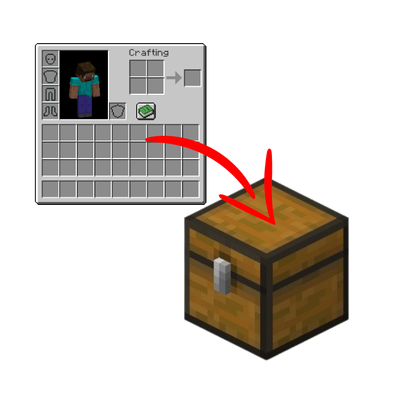
CurseForge · Minecraft mod
Stashify
Sort your inventory into nearby chests, barrels and shulker boxes with a single key.
Choose a version Pick your version below, then grab the matching file.
Quick answer
Which Stashify release should I use?
beta file Stashify 0.1.0
Game version 1.21.1
Loader NeoForge
Stashify 0.1.0 targets 1.21.1 with NeoForge. The project page does not say whether this file belongs on the client, dedicated server, or both. No extra mods listed for this file.
Where it goes
Is Stashify required on the client, server, or both?
The project page does not say whether this file belongs on the client, dedicated server, or both.
Client Source doesn’t say
Dedicated server Source doesn’t say
Loader for this release NeoForge
Required install it here Optional supported, not mandatory Not supported do not install here Source doesn’t say do not assume
The source does not explicitly classify this release as client-only or server-only.
What else does Stashify 0.1.0 need?
Stashify 0.1.0. Change the file and its required mods may change too.
This file does not list any required mods. Do not add a library just because a different file uses it.
This file does not list any required or optional mods.
Before you install it
Add Stashify without breaking your instance.
Built for Stashify 0.1.0. Pick another file and the loader, install side or required mods may change.
- 01
Stick to this file
Use Stashify 0.1.0. It targets 1.21.1 with NeoForge; another release may have different loader, side or dependency requirements.
- 02
Bring the mods it needs
This file does not list any required mods. Do not add a library just because a different file uses it.
- 03
Put it on the correct side
The project page does not say whether this file belongs on the client, dedicated server, or both.
- 04
Pick the file you checked
Use the “Get this file” button beside Stashify 0.1.0. It opens that exact file at the source.
About this project
What does Stashify add?
Stashify in action
Embed Removed: https://www.youtube-nocookie.com/embed/PCdgl-LgLCk
Stashify
Tired of walking from chest to chest after every mining trip? Stashify sorts your inventory into nearby storage with a single key press.
Press R and every item in your inventory that a nearby container already holds goes straight into it. You get a soft ding, a few green sparkles show which containers received items, and you're done.
Features
- One key, no menus. Press R (rebindable in Controls) and your items are sorted.
- Smart matching. An item only goes into a container that already contains that item, so nothing ends up in the wrong place.
- Safe by design. Your hotbar is never touched, and only storage blocks are used: chests, trapped chests, barrels and shulker boxes. Furnaces, hoppers, dispensers and similar blocks are ignored.
- Configurable. Change the search radius (1 to 32 blocks, default 8), or turn the sound and the particles off, from the in-game config screen.
- Mod-friendly. Containers from other mods can be added through the
stashify:sortable_containersblock tag, using a data pack.
Requirements
- Minecraft 1.21.1
- NeoForge 21.1.x
- Needed on both the client and the server
Alpha notice
This is the first release (0.1.0). A second sorting mode, which also sorts items by category, is planned for a future version.
Made by PANINI.
Project description from CurseForge.
Pick your setup
Stashify by Minecraft version and loader
Choose the version and loader you play, then open the matching release.
Check the dependencies, then try the file in a copied instance before changing a world you care about.
Recent files
Stashify versions and loaders
Stashify 0.1.0
stashify-0.1.0.jar
26 Oct 2026
Client Source doesn’t say Server Source doesn’t say Dependencies No extras listed Listed on Release listing
Check the 1.21.1 · NeoForge setup 1.21.1NeoForge beta
Looking for an older file? The official CurseForge project page is in Resources.
 mod
CurseForge + Modrinth · Minecraft
Persistent Inventory Search
🔎 [Client] Makes search queries remain inside the creative inventory during tab switching and closing.
 mod
CurseForge + Modrinth · Minecraft
RandoWand
A simple NeoForge 1.21.1 mod adding a block randomization wand to simplify building gradients and texturing in Minecraft. Feed blocks to the wand for random placement. Got ideas or feedback? Contact me on Discord: Toxic_bullet.
 mod
CurseForge · Minecraft
CoordsHUD (Fabric)
Your X, Y and Z in the action bar, always on. /coords hides or shows it. Server-side, works in singleplayer too.