Localhost Finder
Find Minecraft servers running on your own computer, without typing a single port number.
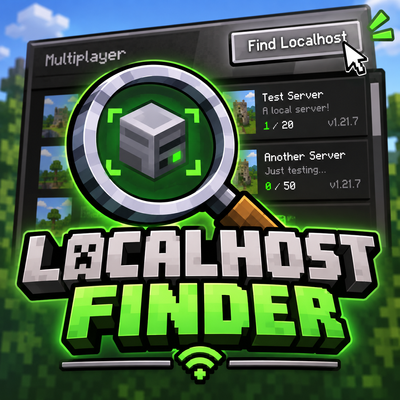
Started a server and forgot which port it ended up on? Running several test servers at once? Localhost Finder adds a Find Localhost button to the multiplayer screen that scans your own machine, lists every Minecraft server it finds, and lets you join with one click.
Client-side only. Nothing needs to be installed on the server.
Features
- One-click discovery. A Find Localhost button appears in the top-right corner of the multiplayer (server list) screen.
- Full port scan. Checks all 65,535 ports on both 127.0.0.1 (IPv4) and ::1 (IPv6).
- Live results. Servers show up as they are found, with a progress indicator, and you can stop the scan at any time.
- Useful server info. Each result shows the MOTD, version, port and player count (online / max).
- Click to connect. Click a server in the list to join it right away.
- Safe by design. Only loopback addresses are ever contacted.
- Translated. English and Dutch (Nederlands) included.
How it works
The scanner sends a standard Minecraft Server List Ping (status request) to each port and only keeps the ports that answer with a valid Minecraft status response. It never logs in and never sends chat or gameplay data.
Privacy and safety
- Only literal loopback addresses (127.0.0.1 and ::1) are probed. No DNS lookups, no LAN scanning, no external hosts.
- Nothing is sent to the internet. No telemetry, no analytics, no accounts.
- Responses are size-limited and sanitised before being displayed.
- Scanning uses short timeouts and a small pool of background threads, so the game stays responsive.
Usage
- Start your server (dedicated or local servers running on your computer).
- Open Multiplayer and click Find Localhost in the top-right corner.
- Press Scan ports and wait for your server to appear.
- Click the server to connect. Press ESC to close the screen.
On Forge the screen can also be opened with a hotkey (default: K, rebindable under Options > Controls > Localhost Finder).
Supported versions and loaders
- Minecraft 26.3: Fabric, Forge, NeoForge, Quilt
- Minecraft 26.2: Fabric, Forge, NeoForge, Quilt
- Minecraft 26.1: Fabric, Forge, NeoForge, Quilt
- Minecraft 1.21.x: Fabric, Forge, NeoForge
Each Minecraft version has its own universal JAR that contains all three loaders, so you download one file and it works on your loader of choice. Pick the file that matches your Minecraft version.
Requirements
- Java: 25 or newer for Minecraft 26.x, Java 21 or newer for Minecraft 1.21.x
- Fabric: Fabric Loader 0.19.5+ and Fabric API (use the Fabric API build for your Minecraft version)
- Forge / NeoForge: a current build for your Minecraft version (26.3: Forge 66+, NeoForge 26.3+; 26.2: Forge 65+, NeoForge 26.2+)
- Client only. Do not install it on a server.
FAQ
Does it find servers on other computers or on my LAN? No. It is deliberately limited to your own computer.
Why does the scan take a while? It checks 131,070 addresses (65,535 ports x IPv4 and IPv6). Results appear live, so you can usually join before it has finished.
Does it work with modded or proxied servers? Yes, as long as the server answers a normal Minecraft status request on a local port. Whether you can actually join still depends on your installed mods and the server's own requirements.
Can I put it in a modpack? Please ask first.
Credits and license
Created by Kxvi.
License: All Rights Reserved
Disclosure
Parts of the code and this description were written with AI assistance and reviewed by the author. The project logo was generated with AI.
Project description from CurseForge.