Vellum GUI Needed by Hudsmith 0.1.0 (NeoForge 26.3)
requiredMatching file found Matched file: Vellum 0.10.1 (NeoForge 26.3)

CurseForge · Minecraft mod
Customize your HUD with HTML and CSS
Quick answer
Hudsmith 0.1.0 (NeoForge 26.3) targets 26.3 with NeoForge. The project page does not say whether this file belongs on the client, dedicated server, or both. All 1 required mods have matching files.
Where it goes
The project page does not say whether this file belongs on the client, dedicated server, or both.
The source does not explicitly classify this release as client-only or server-only.
Hudsmith 0.1.0 (NeoForge 26.3). Change the file and its required mods may change too.
Install Vellum GUI first. We found matching files for this game-version and loader setup.
We only count dependency files that match this setup. A file for another loader does not fill the gap.
Before you install it
Built for Hudsmith 0.1.0 (NeoForge 26.3). Pick another file and the loader, install side or required mods may change.
Use Hudsmith 0.1.0 (NeoForge 26.3). It targets 26.3 with NeoForge; another release may have different loader, side or dependency requirements.
Install Vellum GUI first. We found matching files for this game-version and loader setup.
The project page does not say whether this file belongs on the client, dedicated server, or both.
Use the “Get this file” button beside Hudsmith 0.1.0 (NeoForge 26.3). It opens that exact file at the source.
About this project
Hudsmith draws your HUD from hud.html and hud.css in your config folder. Edit to your heart's content, style with CSS, and the HUD will reload when you save.
Hudsmith is powered by the web engine Vellum, which enables live reloading, Vue-like templating (v-if, v-for, @click, etc), and JavaScript.
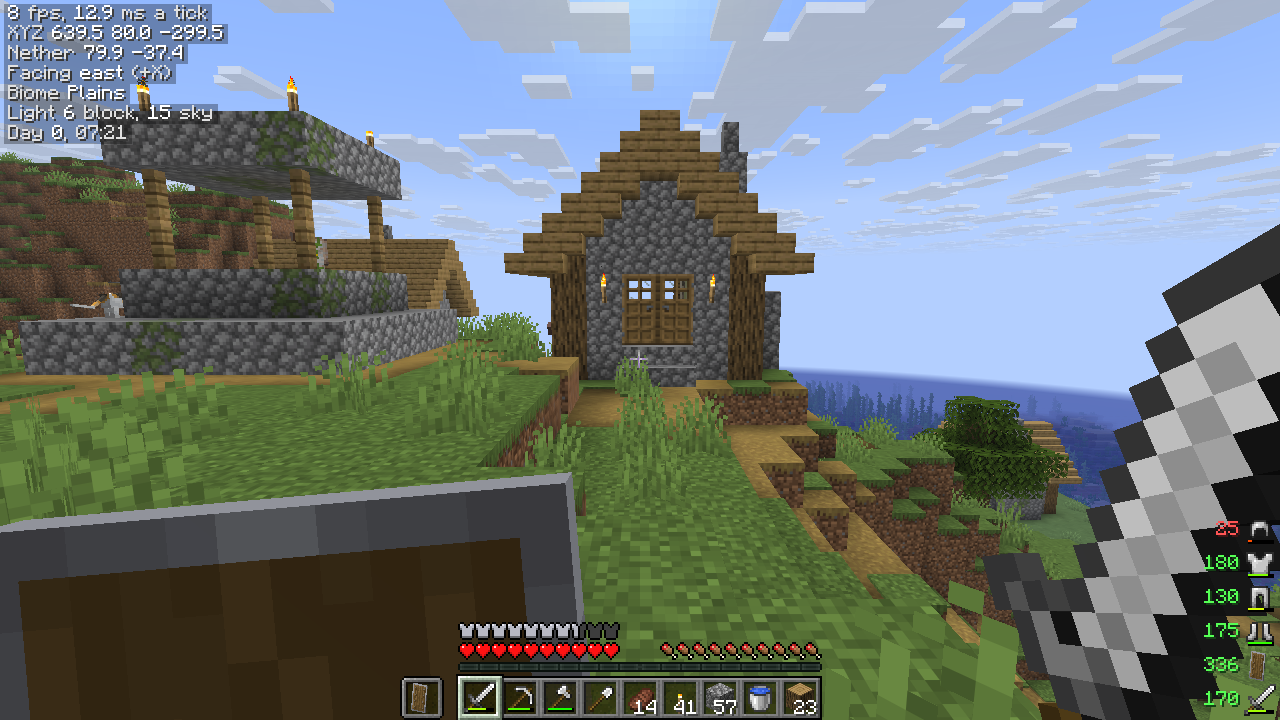
A minimal template:
<br><link rel="stylesheet" href="hud.css"><br><br><br><div class="pill" v-if="!debug"><br><span>{{ bx }} {{ by }} {{ bz }}</span><br><span>{{ biome.name }}</span><br><span>{{ clock(time) }}</span><br></div><br><br>.pill {<br>position: absolute; top: 4px; left: 4px;<br>display: flex; gap: 8px;<br>padding: 2px 6px; border-radius: 6px;<br>background: rgba(0, 0, 0, 0.45);<br>color: #ffffff; text-shadow: minecraft;<br>}<br> |
 |
|---|
Vellum's scripting docs cover what your page may contain.
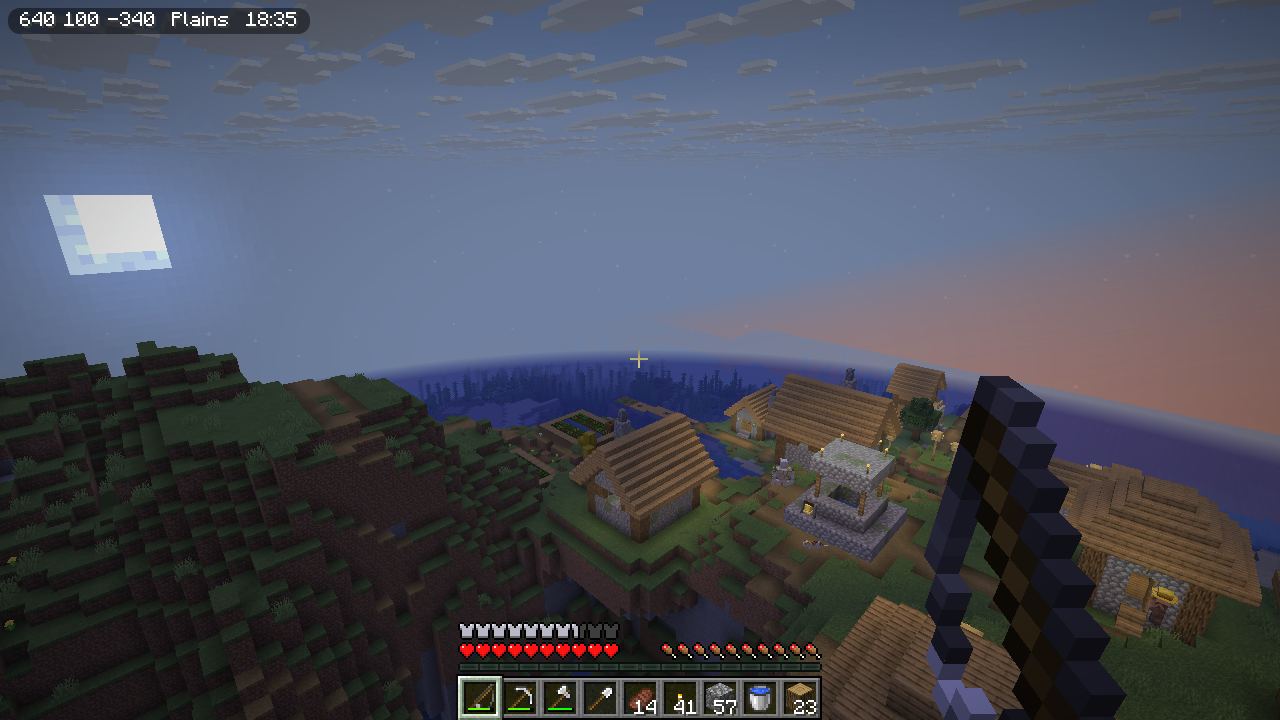
| Minimal Shows your coordinates, biome and time in the top-left corner. |
|
|---|---|
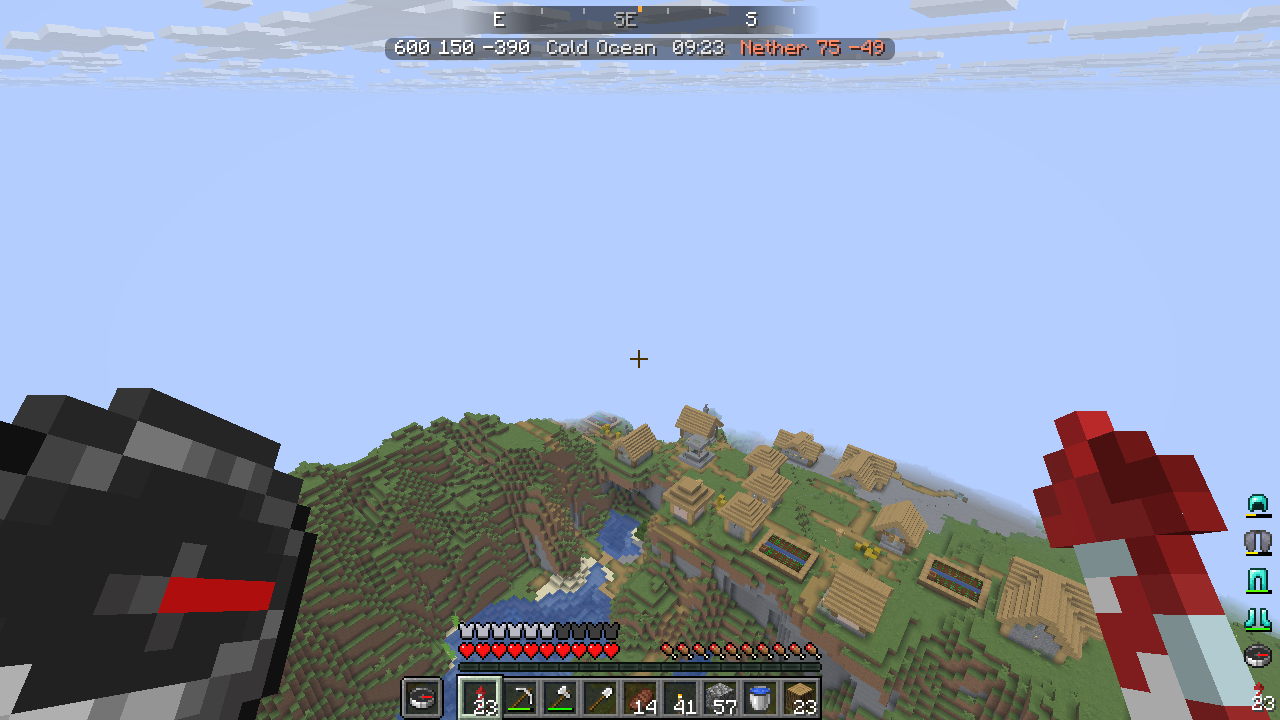
| Compass Puts a compass strip across the top of the screen that slides as you turn. Your armor and tools are in the bottom-right corner. |
 |
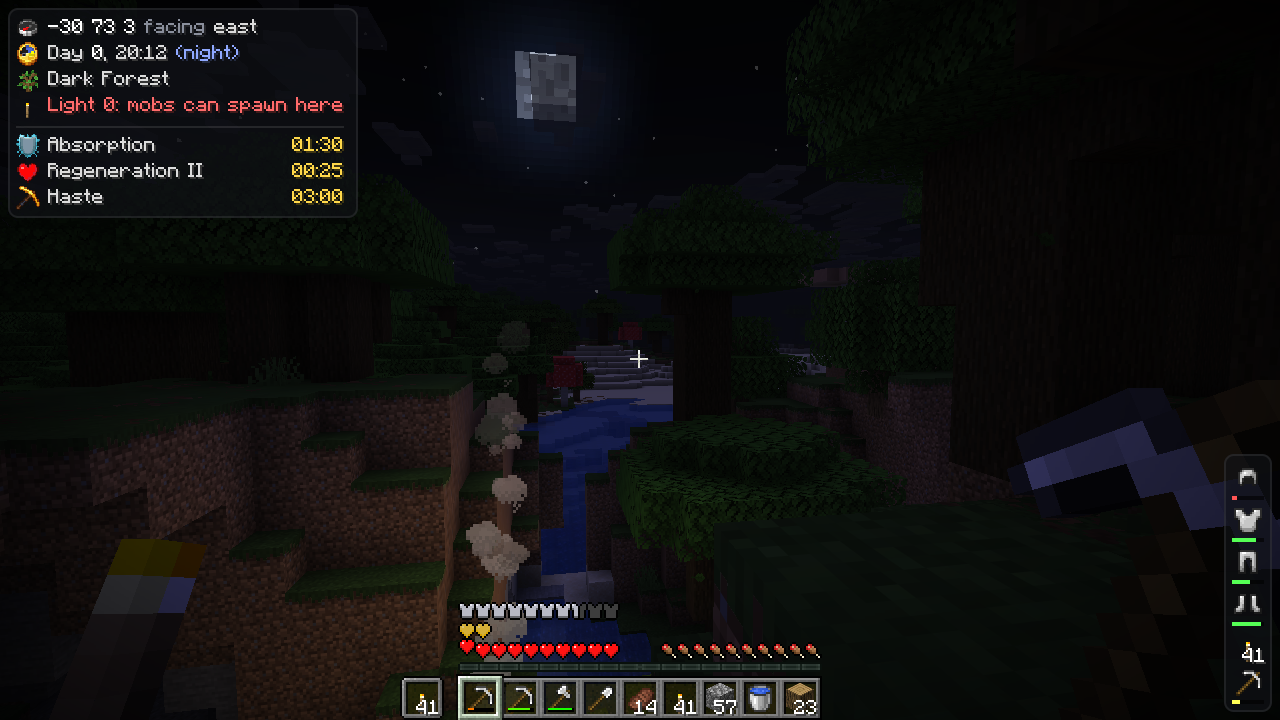
| Survival Each row starts with an item icon. Light turns red where hostile mobs can spawn and effects show their icon and the time left. |
 |
| Builder Shows the block/entity you're looking at as a slowly rotating model with some useful metadata and a small map of the chunk. |
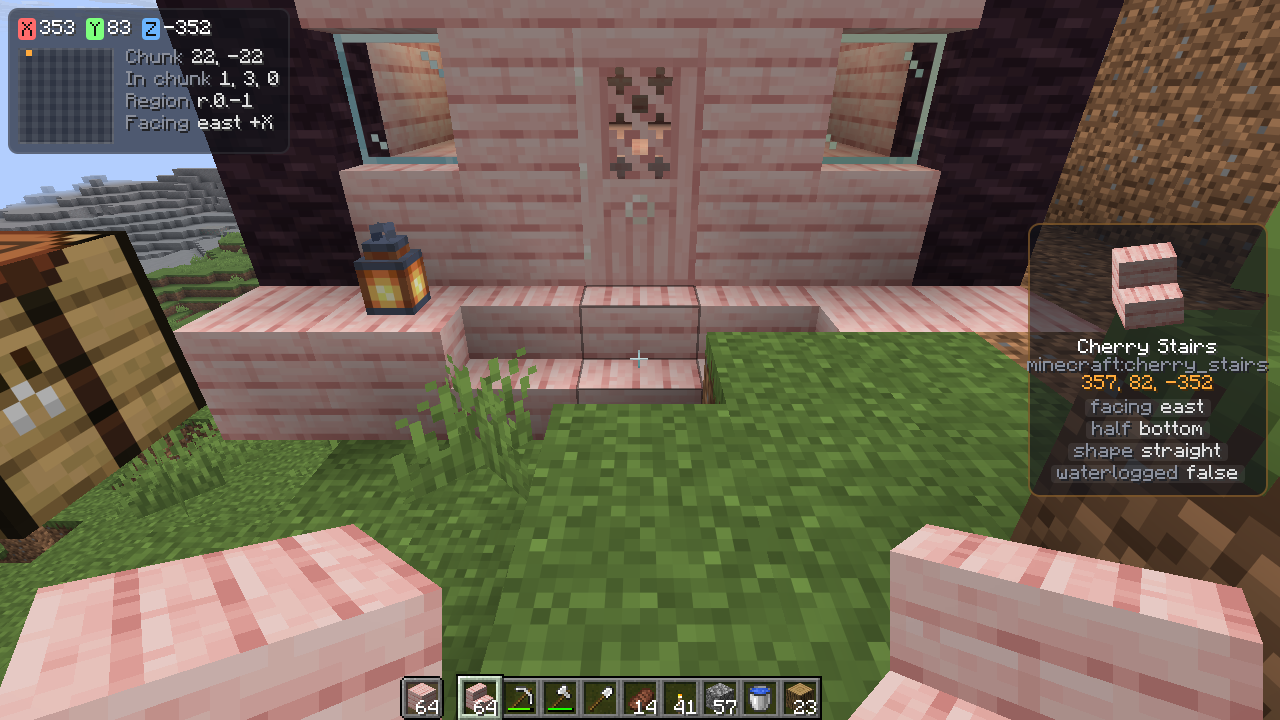 |
| Performance Graphs your frame rate and the server's tick time over the last 30 seconds using <canvas> |
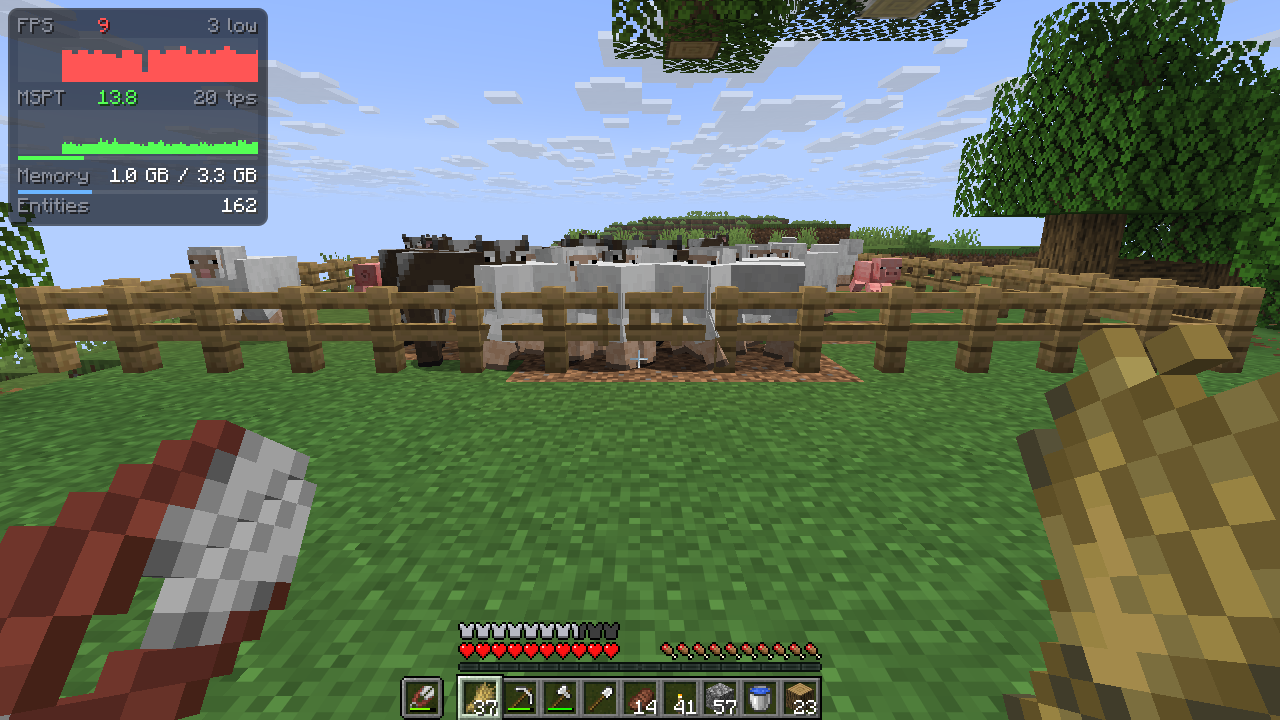 |
/hudsmith opens the Hudsmith screen. It lets you choose from a template and has an API reference for variables you can use in your HUDconfig/hudsmith/ (also accessible from /hudsmith)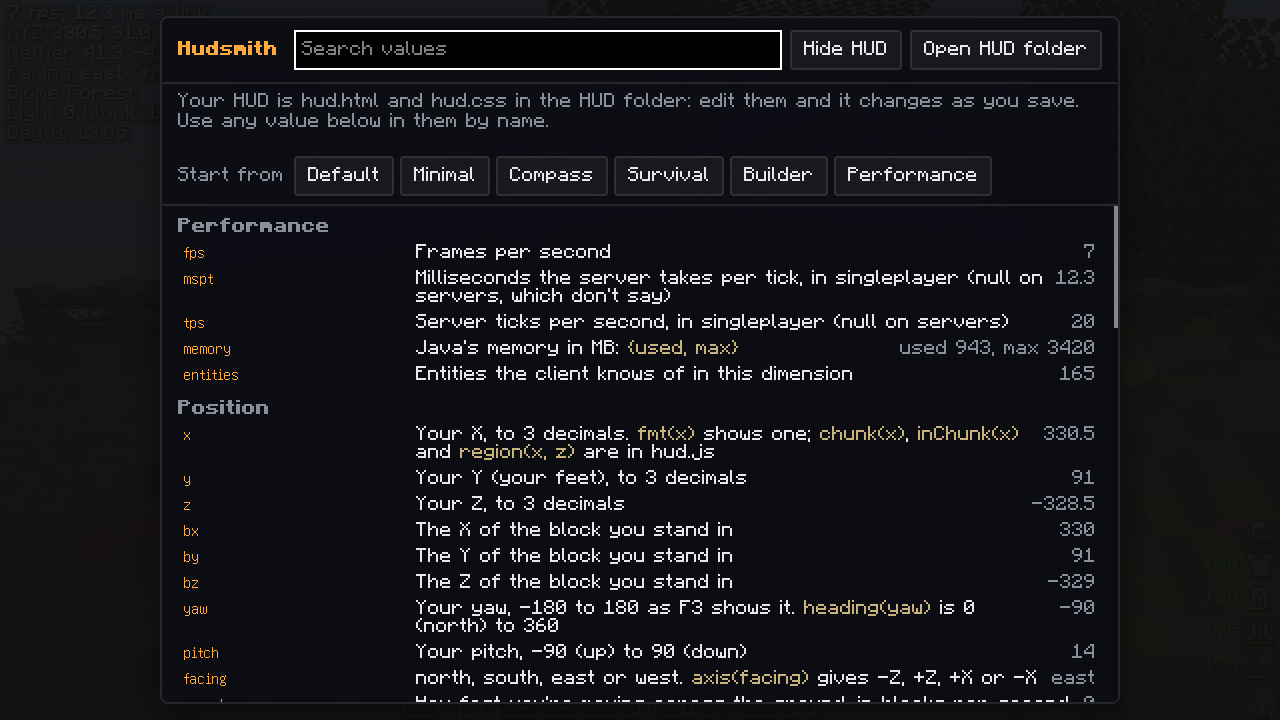
Numbers are Numbers and anything with parts or attributes is an object, such as biome.name, mainhand.durability, target.properties or scoreboard.scores.
hudsmith:vellum/lib/hud.js has some helpers for casting values to text, such as fmt(x), chunk(x), region(x, z), otherWorld(dimension, x, z) for Nether coordinates, clock(time), heading(yaw), wearColor(stack) and roman(n). Add `` to use them.
Every value is listed here.
| Minecraft | NeoForge | Fabric |
|---|---|---|
| 26.3 | 26.3.0.26-beta+ | Loader 0.19.5+, Fabric API |
| 26.2 | 26.2.0.88+ | Loader 0.19.5+, Fabric API |
| 1.21.1 | 21.1.255+ | Loader 0.19.5+, Fabric API |
Hudsmith needs Vellum 0.9.0 or newer.
Resource packs and mods can add templates in assets/<namespace>/hudsmith/templates/<name>/: a hud.html plus whatever it links (CSS, scripts, PNG images). They show up on the Hudsmith screen, and picking one copies its files into config/hudsmith/.
Modpacks can ship config/hudsmith/hud.html and hud.css directly.
Your mod can add values that players put on their HUD. Register them on the client during setup:
HudsmithApi.register("mymod_mana", "My Mod", "Your mana, 0 to 100", () -> Mana.of(Minecraft.getInstance().player));
A value is read once a tick while a world is loaded, and returns a String, Number, Boolean, Gson JsonElement or null. Start the name with your mod id.
Project description from CurseForge.
Pick your setup
Choose the version and loader you play, then open the matching release.
Check the dependencies, then try the file in a copied instance before changing a world you care about.
Recent files
hudsmith-neoforge-26.3-0.1.0.jar
27 Oct 2026
hudsmith-neoforge-26.2-0.1.0.jar
27 Oct 2026
hudsmith-neoforge-1.21.1-0.1.0.jar
27 Oct 2026
hudsmith-fabric-26.3-0.1.0.jar
27 Oct 2026
hudsmith-fabric-1.21.1-0.1.0.jar
27 Oct 2026
hudsmith-fabric-26.2-0.1.0.jar
27 Oct 2026
Looking for an older file? The official CurseForge project page is in Resources.
 mod
A mod for Minecraft helping control input method
 mod
A highly advanced screenshot improvement mod.
 mod
A next-gen questing mod featuring an immersive 3D tablet, advanced objectives, custom rewards, multiplayer support, mod support and an intuitive web editor.