Minecraft version
Back to mods 
CurseForge · Minecraft mod
CodHealthbar [TACZ-SBW]
This is a lightweight mod that enhances the customization of health bars for mobs and players own HUD, like Call of Duty, allowing you to assign health bars in any color you choose, with a wide range of customization options and effects.
Choose a version Pick your version below, then grab the matching file.
Quick answer
Which CodHealthbar [TACZ-SBW] release should I use?
Latest stable file codhealthbar-1.8.0.jar
Game version 1.20.1
Loader Forge
CodHealthbar [TACZ-SBW] codhealthbar-1.8.0.jar targets 1.20.1 with Forge. The project page does not say whether this file belongs on the client, dedicated server, or both. No extra mods listed for this file.
Where it goes
Is CodHealthbar [TACZ-SBW] required on the client, server, or both?
The project page does not say whether this file belongs on the client, dedicated server, or both.
Client Source doesn’t say
Dedicated server Source doesn’t say
Loader for this release Forge
Required install it here Optional supported, not mandatory Not supported do not install here Source doesn’t say do not assume
The source does not explicitly classify this release as client-only or server-only.
What else does CodHealthbar [TACZ-SBW] codhealthbar-1.8.0.jar need?
codhealthbar-1.8.0.jar. Change the file and its required mods may change too.
This file does not list any required mods. Do not add a library just because a different file uses it.
This file does not list any required or optional mods.
Before you install it
Add CodHealthbar [TACZ-SBW] without breaking your instance.
Built for CodHealthbar [TACZ-SBW] codhealthbar-1.8.0.jar. Pick another file and the loader, install side or required mods may change.
- 01
Stick to this file
Use codhealthbar-1.8.0.jar. It targets 1.20.1 with Forge; another release may have different loader, side or dependency requirements.
- 02
Bring the mods it needs
This file does not list any required mods. Do not add a library just because a different file uses it.
- 03
Put it on the correct side
The project page does not say whether this file belongs on the client, dedicated server, or both.
- 04
Pick the file you checked
Use the “Get this file” button beside codhealthbar-1.8.0.jar. It opens that exact file at the source.
About this project
What does CodHealthbar [TACZ-SBW] add?
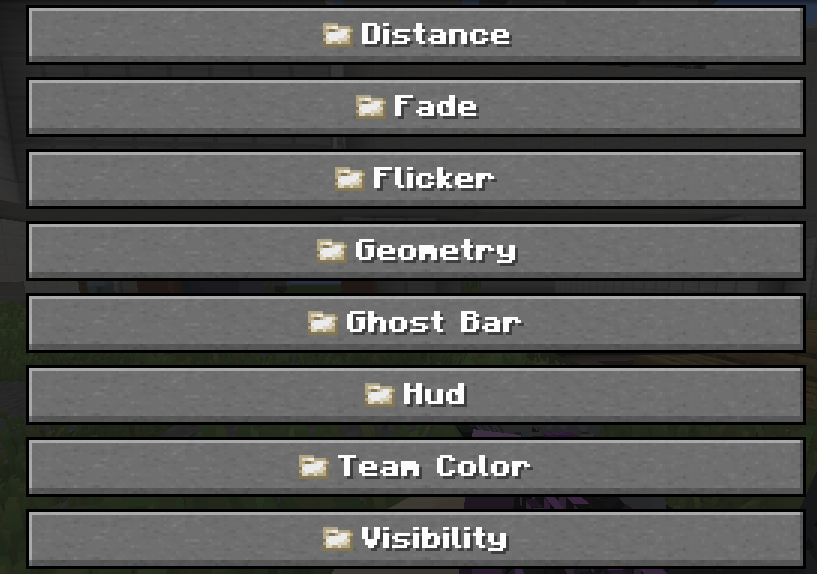
I created this mod because I couldn't find one that suited a shooter-style experience in Minecraft. It allows for the customization of health bars based on whether entities are on your team, the opposing team, or are neutral/mobs. You can adjust various parameters, such as color, a background fade effect (with a configurable delay before it disappears), bar backgrounds, outlines, and more.
It also includes other features, such as the ability to hide hunger bars, shields, and other vanilla UI elements. Furthermore, you can configure health settings—including regeneration frequency and the amount of health restored per tick—as well as toggle the hunger mechanic on or off.
I recommend hiding team names using the command: /team modify (team name) nametagVisibility never. In a future update, I plan to add more configuration options for name placement.
Demonstration video:
I recommend using the "Configured" mod to fully customize all aspects of this mod.
Project description from CurseForge.
Pick your setup
CodHealthbar [TACZ-SBW] by Minecraft version and loader
Choose the version and loader you play, then open the matching release.
Check the dependencies, then try the file in a copied instance before changing a world you care about.
Recent files
CodHealthbar [TACZ-SBW] versions and loaders
codhealthbar-1.8.0.jar
27 Oct 2026
Client Source doesn’t say Server Source doesn’t say Dependencies No extras listed Listed on Release listing
Check the 1.20.1 · Forge setup 1.20.1Forge release
Looking for an older file? The official CurseForge project page is in Resources.
 mod
CurseForge · Minecraft
Chest Sorter
A lightweight storage utility mod that sorts mixed chests into clean item categories.
 mod
CurseForge · Minecraft
NeroLink
Your Neroland world in your pocket — check your drones, energy, quests and stock from anywhere, and nudge them while you're away.
 mod
CurseForge · Minecraft
Fancy Block Particles - Reforged
3D digging/block particles for Minecraft 26.2 & 26.3 (Fabric, NeoForge & Forge) - a community port of Hantonik & TominoCZ's FBP Renewed, originally created by MorphoxL.