Minecraft version
Back to mods 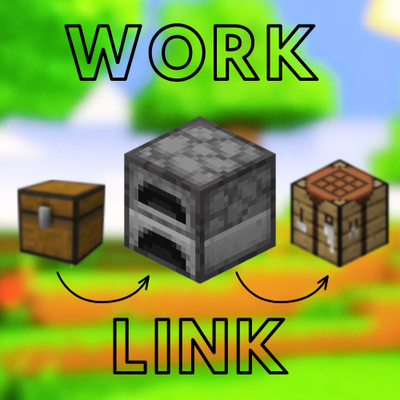
CurseForge · Minecraft mod
WorkLink
A quick and easy, all-accessible workbench mod!
Choose a version Pick your version below, then grab the matching file.
Quick answer
Which WorkLink release should I use?
Latest stable file worklink.0.1.0-jar
Game version 26.3
Loader Fabric, Forge
worklink.0.1.0-jar targets 26.3 with Fabric, Forge. The project page does not say whether this file belongs on the client, dedicated server, or both. No extra mods listed for this file.
Where it goes
Is WorkLink required on the client, server, or both?
The project page does not say whether this file belongs on the client, dedicated server, or both.
Client Source doesn’t say
Dedicated server Source doesn’t say
Loader for this release Fabric, Forge
Required install it here Optional supported, not mandatory Not supported do not install here Source doesn’t say do not assume
The source does not explicitly classify this release as client-only or server-only.
What else does worklink.0.1.0-jar need?
worklink.0.1.0-jar. Change the file and its required mods may change too.
This file does not list any required mods. Do not add a library just because a different file uses it.
This file does not list any required or optional mods.
Before you install it
Add WorkLink without breaking your instance.
Built for worklink.0.1.0-jar. Pick another file and the loader, install side or required mods may change.
- 01
Stick to this file
Use worklink.0.1.0-jar. It targets 26.3 with Fabric, Forge; another release may have different loader, side or dependency requirements.
- 02
Bring the mods it needs
This file does not list any required mods. Do not add a library just because a different file uses it.
- 03
Put it on the correct side
The project page does not say whether this file belongs on the client, dedicated server, or both.
- 04
Pick the file you checked
Use the “Get this file” button beside worklink.0.1.0-jar. It opens that exact file at the source.
About this project
What does WorkLink add?
WorkLink! Thank you for checking out WorkLink!
WorkLink is a mod where you can easily access ALL your workbenches in one! It supports any type of work bench, as well as modded ones as well, including containers!
--- HOW TO USE ---
To simply use WorkLink, download the mod. It automatically enables it. To use, make sure you are near workbenches or containers of some sort. Access anything, whether it's your inventory or a workbench itself, you'll see the list and pages of all the workbenches that are near you can access!
--- CONTROLS ---
Shift + Click = Saves or stars your favorite workbench, making access for it at the very top (supports many favorites)
CTRL + Click = Hides certain (or all) buttons you CTRL + Click on, removing them from the side bar, making the annoying ones completely invisible. These can only be undone from Mod Menu.
--- IMPORTANT PLEASE READ ---
This mod requires a dependency, called Mod Menu. It is on CurseForge, so install it to your world by downloading it, or find it here -> Mod Menu Install!
MOD MENU ^^^^
Please check out the images and videos to get more understanding of WorkLink! Thank you and enjoy!
-UKno Team! <3
Project description from CurseForge.
Pick your setup
WorkLink by Minecraft version and loader
Choose the version and loader you play, then open the matching release.
Check the dependencies, then try the file in a copied instance before changing a world you care about.
Recent files
WorkLink versions and loaders
worklink.0.1.0-jar
workstation-handoff-0.2.0-alpha.1-mc26.3-fabric.jar
27 Oct 2026
Client Source doesn’t say Server Source doesn’t say Dependencies No extras listed Listed on Release listing
Check the 26.3 · Fabric setup FabricForge26.3 release
Looking for an older file? The official CurseForge project page is in Resources.
 mod
mod CurseForge + Modrinth · Minecraft
Skniro's Furniture
Skniro's furniture mod introduces a wide range of furniture while keeping the original Minecraft aesthetic.
 mod
mod CurseForge + Modrinth · Minecraft
Collective
🎓 Collective is a shared library with common code for all of Serilum's mods.
 mod
mod CurseForge + Modrinth · Minecraft
Village Spawn Point
🏙 Sets the spawn point in a new world to the center of a village.