Minecraft version
Back to mods 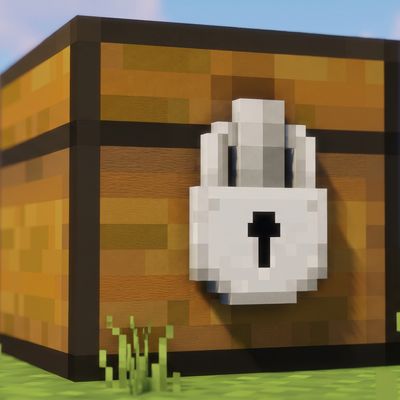
CurseForge · Minecraft mod
Locked Chest
A Fabric mod for Minecraft 26.2. Lock a chest, barrel, or shulker box to only accept specific items.
Choose a version Pick your version below, then grab the matching file.
Quick answer
Which Locked Chest release should I use?
Latest stable file lockedchest-1.0.0.jar
Game version 26.2
Loader Fabric
Locked Chest lockedchest-1.0.0.jar targets 26.2 with Fabric. The project page does not say whether this file belongs on the client, dedicated server, or both. No extra mods listed for this file.
Where it goes
Is Locked Chest required on the client, server, or both?
The project page does not say whether this file belongs on the client, dedicated server, or both.
Client Source doesn’t say
Dedicated server Source doesn’t say
Loader for this release Fabric
Required install it here Optional supported, not mandatory Not supported do not install here Source doesn’t say do not assume
The source does not explicitly classify this release as client-only or server-only.
What else does Locked Chest lockedchest-1.0.0.jar need?
lockedchest-1.0.0.jar. Change the file and its required mods may change too.
This file does not list any required mods. Do not add a library just because a different file uses it.
This file does not list any required or optional mods.
Before you install it
Add Locked Chest without breaking your instance.
Built for Locked Chest lockedchest-1.0.0.jar. Pick another file and the loader, install side or required mods may change.
- 01
Stick to this file
Use lockedchest-1.0.0.jar. It targets 26.2 with Fabric; another release may have different loader, side or dependency requirements.
- 02
Bring the mods it needs
This file does not list any required mods. Do not add a library just because a different file uses it.
- 03
Put it on the correct side
The project page does not say whether this file belongs on the client, dedicated server, or both.
- 04
Pick the file you checked
Use the “Get this file” button beside lockedchest-1.0.0.jar. It opens that exact file at the source.
About this project
What does Locked Chest add?
Locked Chest
A Fabric mod for Minecraft 26.2. Lock a chest, barrel, or shulker box to
only accept specific items.
How it works
Every chest, barrel, and shulker box gets a small button in the top-right
corner of its screen, showing "All" by default. Click it to open a search
list and pick one or more items - the button then shows how many items
are locked in.
Once locked:
- Only the selected item(s) can be placed into that container, whether by
hand or pushed in by a hopper (or hopper minecart, dispenser, etc.) - Anything already inside, or the locked item(s) themselves, can still be
taken out freely - locking only restricts what goes *in*. - Click "Unlock (accept all)" in the picker to return it to normal.
Each container remembers its own lock independently and persists it to
disk.
Requirements
| Requirement | Version |
|---|---|
| Minecraft | 26.2 |
| Fabric Loader | 0.19.3+ |
| Fabric API | 0.160.0+26.2 |
| Java | 25+ |
Installation
- Install Fabric Loader for Minecraft 26.2.
- Download Fabric API matching 26.2.
- Download the latest release of this mod.
- Place both
.jarfiles in yourmodsfolder.
Project description from CurseForge.
Pick your setup
Locked Chest by Minecraft version and loader
Choose the version and loader you play, then open the matching release.
Check the dependencies, then try the file in a copied instance before changing a world you care about.
Recent files
Locked Chest versions and loaders
lockedchest-1.0.0.jar
27 Oct 2026
Client Source doesn’t say Server Source doesn’t say Dependencies No extras listed Listed on Release listing
Check the 26.2 · Fabric setup Fabric26.2 release
Looking for an older file? The official CurseForge project page is in Resources.
 mod
CurseForge · Minecraft
Visual Item Edit
a mod that let you edit weapon and equipment stats via an in-game visual GUI
 mod
CurseForge · Minecraft
stacks of 16 update
Ever wondered why you can only stack Ender Pearls up to 16, but Ender Eyes up to 64?
 mod
CurseForge + Modrinth · Minecraft
Fantasy Armor (Medieval Series)
New armor sets with 3D models in medieval fantasy style.