Sky's Building Pieces Needed by Sky’s Terrain Smoother Sky's Terrain Smoother 0.1.1.2603001 for Minecraft 26.3 (Forge)
requiredMatching file found Matched file: Sky's Building Pieces 0.3.9.2603001 for Minecraft 26.3 (Forge)
CurseForge · Minecraft mod
Smooth new terrain and cave floors with slabs, steps and corners, choose from three smoothing levels, with built in Mineralogy support.
Quick answer
Sky’s Terrain Smoother Sky's Terrain Smoother 0.1.1.2603001 for Minecraft 26.3 (Forge) targets 26.3 with Forge. The project page does not say whether this file belongs on the client, dedicated server, or both. All 2 required mods have matching files.
Where it goes
The project page does not say whether this file belongs on the client, dedicated server, or both.
The source does not explicitly classify this release as client-only or server-only.
Sky's Terrain Smoother 0.1.1.2603001 for Minecraft 26.3 (Forge). Change the file and its required mods may change too.
Install Sky's Building Pieces, Sky's Grass Slabs first. We found matching files for this game-version and loader setup.
We only count dependency files that match this setup. A file for another loader does not fill the gap.
Before you install it
Built for Sky’s Terrain Smoother Sky's Terrain Smoother 0.1.1.2603001 for Minecraft 26.3 (Forge). Pick another file and the loader, install side or required mods may change.
Use Sky's Terrain Smoother 0.1.1.2603001 for Minecraft 26.3 (Forge). It targets 26.3 with Forge; another release may have different loader, side or dependency requirements.
Install Sky's Building Pieces, Sky's Grass Slabs first. We found matching files for this game-version and loader setup.
The project page does not say whether this file belongs on the client, dedicated server, or both.
Use the “Get this file” button beside Sky's Terrain Smoother 0.1.1.2603001 for Minecraft 26.3 (Forge). It opens that exact file at the source.
About this project
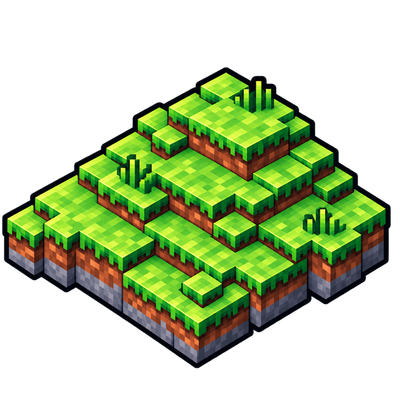
Sky's Terrain Smoother adds gentler transitions to Minecraft's hills, rocky slopes and cave floors using slabs, steps and corners. Grass stays grassy, stone uses matching stone pieces, and sandy slopes get sand slabs.
The result keeps Minecraft's blocky look while making the terrain easier to walk across.
There are three levels to choose from:
Where a material only has slabs, the smoother continues using those at every level.
Smoothing applies to newly generated Overworld terrain, including dry cave floors with enough headroom and supports grass, dirt, natural stone variants, sandstone, sand and hardened clay.
Existing terrain isn't reshaped. In an established world, explore beyond the areas you've already generated to see the effect.
Mineralogy is supported automatically when installed, with no separate Mineralogy add-on needed.
The smoother uses Mineralogy's natural rock slabs alongside the matching rock steps and corners supplied by Sky's Building Pieces. You can turn this support off in the configuration.
For Biomes O' Plenty grass and soils, use the separate Sky's Terrain Smoother — Biomes O' Plenty add-on.
Sky's Terrain Smoother requires:
Install all three mods on both the client and server, using builds for the same Minecraft version. Mineralogy and the BOP add-on are optional.
Open Mods → Sky's Terrain Smoother → Config to choose a smoothing level, turn smoothing on or off, or change Mineralogy support. Restart Minecraft after changing these settings.
On a dedicated server, edit config/skysterrainsmoother.cfg and restart the server.
Turning smoothing off leaves any pieces already generated in place. Keep the mods that provide those pieces installed, and back up your world before changing its mod list.
Project description from CurseForge.
Pick your setup
Choose the version and loader you play, then open the matching release.
Check the dependencies, then try the file in a copied instance before changing a world you care about.
Recent files
SkysTerrainSmoother-0.1.1.2603001.jar
10 Nov 2026
SkysTerrainSmoother-0.1.0.2603001.jar
10 Nov 2026
SkysTerrainSmoother-0.1.0.121012.jar
8 Nov 2026
SkysTerrainSmoother-0.1.0.112021.jar
30 Oct 2026
SkysTerrainSmoother-0.1.0.110021.jar
27 Oct 2026
Looking for an older file? The official CurseForge project page is in Resources.
 mod
Adventure time inspired dungeon crawler on a train. Procedurally generated carriages on a infinite sable physics train. Rich narrative, with custom made mods for a completely unique experience.
 mod
Storage, computation and crafting extensions for Neo ECO AE Extension, with KubeJS integration for custom infinite matrices.
 mod
The mod is developed to closely follow behaviors, events, and descriptions from the animated series and official lore, bringing the Pokémon world to life as authentically as possible. For example, carp-like creatures can leap waterfalls in their