Minecraft version
Back to mods 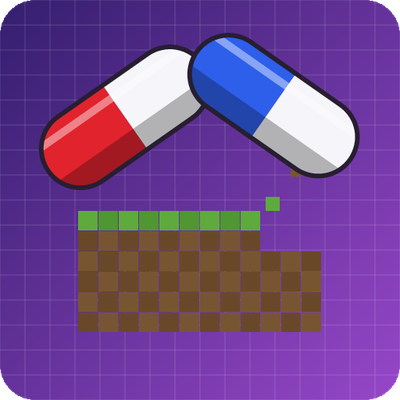
CurseForge · Minecraft mod
shrink-yourself
Shrink yourself with a pill, carve blocks pixel by pixel, and build tiny worlds that actually work.
Choose a version Pick your version below, then grab the matching file.
Quick answer
Which shrink-yourself release should I use?
Latest stable file shrink-mod-1.0.0.jar
Game version 26.3
Loader Fabric
shrink-yourself shrink-mod-1.0.0.jar targets 26.3 with Fabric. The project page does not say whether this file belongs on the client, dedicated server, or both. No extra mods listed for this file.
Where it goes
Is shrink-yourself required on the client, server, or both?
The project page does not say whether this file belongs on the client, dedicated server, or both.
Client Source doesn’t say
Dedicated server Source doesn’t say
Loader for this release Fabric
Required install it here Optional supported, not mandatory Not supported do not install here Source doesn’t say do not assume
The source does not explicitly classify this release as client-only or server-only.
What else does shrink-yourself shrink-mod-1.0.0.jar need?
shrink-mod-1.0.0.jar. Change the file and its required mods may change too.
This file does not list any required mods. Do not add a library just because a different file uses it.
This file does not list any required or optional mods.
Before you install it
Add shrink-yourself without breaking your instance.
Built for shrink-yourself shrink-mod-1.0.0.jar. Pick another file and the loader, install side or required mods may change.
- 01
Stick to this file
Use shrink-mod-1.0.0.jar. It targets 26.3 with Fabric; another release may have different loader, side or dependency requirements.
- 02
Bring the mods it needs
This file does not list any required mods. Do not add a library just because a different file uses it.
- 03
Put it on the correct side
The project page does not say whether this file belongs on the client, dedicated server, or both.
- 04
Pick the file you checked
Use the “Get this file” button beside shrink-mod-1.0.0.jar. It opens that exact file at the source.
About this project
What does shrink-yourself add?
Shrink Mod
Shrink yourself with a pill, carve blocks pixel by pixel, and build tiny worlds that actually work.
Take the red pill and the world grows around you. Take the blue pill and you are back to normal. Grab the Pixel Hoe and every block becomes a 16×16×16 canvas of real pixels you can pick out, collect and build with. Then shrink down and walk through the tiny house you just built, with a working workbench, furnace and chest inside.
Requires the mod Fabric API
Features
Red & Blue Pills
- Red Pill – shrinks you down to a fraction of your size (scale 0.146). Speed, jump height, fall damage and step height are adjusted so shrinking feels natural.
- Blue Pill – restores your normal size and stats.
- Every pill can be used 100 times before it breaks.
- Craft them with dye and sugar (2 pills per craft).
Pixel Hoe – real 1/16 pixels
- Right-click any full block with the Pixel Hoe to pop out one pixel (1/16 of a block). The block gets a real, visible hole with a proper hitbox.
- The pixel drops as an item made of that block's material (biome tint included, grass becomes dirt inside).
- Collect the pixels and place them again with a right-click, in any block space, to build whatever you like.
- A block that is completely filled again turns back into the normal block.
- Break a pixel block and all of its pixels drop.
Pixel Table – miniature versions of everything
- The Pixel Table opens a small menu: put any item or block in, take its mini version (exactly 1 pixel in size) out.
- Place minis anywhere inside a pixel block. Many different minis fit in one block, so you can furnish a whole tiny house inside a single block space.
Minis that really work
Right-click a mini to use it, just like the full-size block:
- Crafting Table, Stonecutter, Grindstone, Loom, Cartography Table, Smithing Table, Enchanting Table, Anvil – open the real menu
- Furnace, Blast Furnace, Smoker – really smelt and cook
- Chest, Barrel, Shulker Boxes, Hopper, Dropper, Dispenser – store your items
- Torches, Glowstone, Lanterns, burning furnaces … – light up the whole block
Everything else can still be placed as a decoration. Use the Pixel Hoe to take a mini out again – its contents drop with it.
Recipes
- Pixel Hoe – 2 Amethyst Shards on top, 2 Sticks below (hoe shape).
- Pixel Table – 2 Amethyst Shards on top, 2 Crafting Tables below.
- Red / Blue Pill – Red or Blue Dye + Sugar (makes 2).
Everything also lives in its own Shrink Mod creative tab.
Notes
- All pixels in one block use the same material.
- Minis are intentionally tiny – step close and aim carefully.
Made by P3ximimi.
Project description from CurseForge.
Pick your setup
shrink-yourself by Minecraft version and loader
Choose the version and loader you play, then open the matching release.
Check the dependencies, then try the file in a copied instance before changing a world you care about.
Recent files
shrink-yourself versions and loaders
shrink-mod-1.0.0.jar
27 Oct 2026
Client Source doesn’t say Server Source doesn’t say Dependencies No extras listed Listed on Release listing
Check the 26.3 · Fabric setup Fabric26.3 release
Looking for an older file? The official CurseForge project page is in Resources.
 mod
CurseForge · Minecraft
Fast Horse Potion and Breeding
Fast Horse , Breeding Horse, Horse Potion,Horse Zero Fall Damage
 mod
CurseForge · Minecraft
Boundless: Quests
Quests In Minecraft: A Comprehensive Questing Mod For Modpack Creators
 mod
CurseForge · Minecraft
Orbs of Radiara
THE rpg mod! Hunt 11 ancient orbs and fly a rocket to another planet. Fight fully animated bosses with their own music, become a vampire, giant, a god, and many more. Explore different worlds. Forge 1.20.1 and NeoForge 1.21.1. Requires Pehkui.