Fabric API Needed by Aged Copper Gear aged_copper_gear-1.0.0.jar
requiredMatching file found Matched file: [26.3] Fabric API 0.166.2+26.3
CurseForge · Minecraft mod
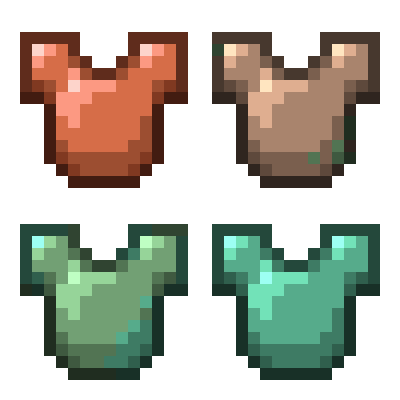
Copper tools and armor age like copper blocks as they wear out: exposed, weathered and oxidized. Also visible on worn armor. Client-side.
Quick answer
Aged Copper Gear aged_copper_gear-1.0.0.jar targets 26.3 with Fabric. The project page does not say whether this file belongs on the client, dedicated server, or both. All 1 required mods have matching files.
Where it goes
The project page does not say whether this file belongs on the client, dedicated server, or both.
The source does not explicitly classify this release as client-only or server-only.
aged_copper_gear-1.0.0.jar. Change the file and its required mods may change too.
Install Fabric API first. We found matching files for this game-version and loader setup.
We only count dependency files that match this setup. A file for another loader does not fill the gap.
Before you install it
Built for Aged Copper Gear aged_copper_gear-1.0.0.jar. Pick another file and the loader, install side or required mods may change.
Use aged_copper_gear-1.0.0.jar. It targets 26.3 with Fabric; another release may have different loader, side or dependency requirements.
Install Fabric API first. We found matching files for this game-version and loader setup.
The project page does not say whether this file belongs on the client, dedicated server, or both.
Use the “Get this file” button beside aged_copper_gear-1.0.0.jar. It opens that exact file at the source.
About this project
Copper blocks turn green over time. Now your copper gear does too, based on how worn out it is.
| Durability left | Look |
|---|---|
| more than 75 % | Copper |
| 75 % or less | Exposed |
| 50 % or less | Weathered |
| 25 % or less | Oxidized |
Only your client needs the mod. It works on any server, including vanilla servers. Other players see your armor's stage if they have the mod too.
No extra resource pack needed: the mod already includes all textures.
Project description from CurseForge.
Pick your setup
Choose the version and loader you play, then open the matching release.
Check the dependencies, then try the file in a copied instance before changing a world you care about.
Recent files
27 Oct 2026
Looking for an older file? The official CurseForge project page is in Resources.
 mod
Fast Horse , Breeding Horse, Horse Potion,Horse Zero Fall Damage
 mod
Unique names for weapons, tools, armour and items found throughout your world.
 mod
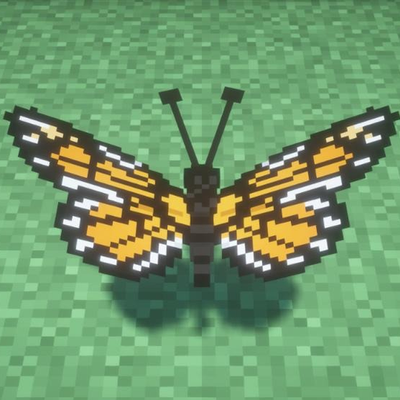
Twelve real butterflies to find by day, catch with a net, keep in jars, draw to a flower feeder and raise from egg to wing.