Minecraft version
Back to mods 
CurseForge · Minecraft mod
Workshop Utilities
Add Backpack and its slot, Workshop Table, and Elytra Slot
Choose a version Pick your version below, then grab the matching file.
Quick answer
Which Workshop Utilities release should I use?
Latest stable file workshop-utilities-2.1.4.jar
Game version 26.3
Loader Fabric
Workshop Utilities workshop-utilities-2.1.4.jar targets 26.3 with Fabric. The project page does not say whether this file belongs on the client, dedicated server, or both. No extra mods listed for this file.
Where it goes
Is Workshop Utilities required on the client, server, or both?
The project page does not say whether this file belongs on the client, dedicated server, or both.
Client Source doesn’t say
Dedicated server Source doesn’t say
Loader for this release Fabric
Required install it here Optional supported, not mandatory Not supported do not install here Source doesn’t say do not assume
The source does not explicitly classify this release as client-only or server-only.
What else does Workshop Utilities workshop-utilities-2.1.4.jar need?
workshop-utilities-2.1.4.jar. Change the file and its required mods may change too.
This file does not list any required mods. Do not add a library just because a different file uses it.
This file does not list any required or optional mods.
Before you install it
Add Workshop Utilities without breaking your instance.
Built for Workshop Utilities workshop-utilities-2.1.4.jar. Pick another file and the loader, install side or required mods may change.
- 01
Stick to this file
Use workshop-utilities-2.1.4.jar. It targets 26.3 with Fabric; another release may have different loader, side or dependency requirements.
- 02
Bring the mods it needs
This file does not list any required mods. Do not add a library just because a different file uses it.
- 03
Put it on the correct side
The project page does not say whether this file belongs on the client, dedicated server, or both.
- 04
Pick the file you checked
Use the “Get this file” button beside workshop-utilities-2.1.4.jar. It opens that exact file at the source.
About this project
What does Workshop Utilities add?
<center>
Workshop Utilities MOD
Workshop Utilities adds four workshop tables, five tiers of wearable backpacks with modules, a dedicated Elytra slot and 20 new enchantments.



Uncrafting Table
Put an item in and get its ingredients back, like a crafting table in reverse. Use the arrow buttons to browse every recipe of an item. Recipes from other mods work too.
 |
 |
|---|
Disenchanting Table
Remove all enchantments from an item and keep the item. Add a book to receive an enchanted book with everything that was removed, and earn XP levels in return. Mixing vanilla and mod enchantments creates a Fused Enchanted Book. Place it on a floor, wall or ceiling, just like a grindstone.
 |
 |
|---|
Upgrade Table
Apply mod enchanted books and Fused Enchanted Books to your gear, or upgrade a Backpack to the next tier while keeping everything inside. Every upgrade uses one Upgrade Tool and costs no XP.
 |
 |
|---|
Upgrade Enchanting Table
Surround it with 20 bookshelves, insert an Upgrade Book and an Upgrade Enchanted, then pick the enchanted book you want. Each book costs 15 XP levels.
 |
 |
|---|
Upgrade Items

Backpacks
Craft a Small Backpack and upgrade it through five tiers. Carry it in your hand or wear it on your back next to a chestplate and an Elytra. Press B to open a worn backpack without taking it off.


Craft a Small Backpack
Only the Small Backpack can be crafted. Every bigger tier comes from the Upgrade Table.

Upgrade a Backpack
Place the backpack, 8 of the tier material and an Upgrade Tool in the Upgrade Table. You get the next tier with all contents, name and enchantments kept.

Backpack Slots

Backpack GUIs
 |
 |
 |
|---|---|---|
 |
 |
Backpack Modules
Slot a module into your backpack to bring a workstation everywhere you go. The Bed Module lets you skip the night without a bed and without changing your spawn point.

Enchantments
Twenty custom enchantments with no status effect icons. Create the books at the Upgrade Enchanting Table and apply them at the Upgrade Table.


 </center> <details> <summary>Recipes</summary> <center>


 </center> </details> <details> <summary>Info</summary> <center> Optional support for Roughly Enough Items (REI) and Just Enough Items (JEI), with recipe pages for every table.
Includes more than 30 advancements and English and Indonesian translations.
</center> </details>
Project description from CurseForge.
Pick your setup
Workshop Utilities by Minecraft version and loader
Choose the version and loader you play, then open the matching release.
Minecraft version
26.2
1 loader buildMinecraft version
26.1.2
1 loader buildMinecraft version
26.1.1
1 loader buildMinecraft version
26.1
1 loader buildMinecraft version
1.21.11
1 loader buildMinecraft version
1.21.10
1 loader buildMinecraft version
1.21.9
1 loader buildMinecraft version
1.21.8
1 loader buildMinecraft version
1.21.7
1 loader buildMinecraft version
1.21.6
1 loader buildMinecraft version
1.21.5
1 loader buildShowing the newest 12 of 17 game versions. Older files are in the list below.
Check the dependencies, then try the file in a copied instance before changing a world you care about.
Recent files
Workshop Utilities versions and loaders
workshop-utilities-2.1.4.jar
3 Nov 2026
Client Source doesn’t say Server Source doesn’t say Dependencies No extras listed Listed on Release listing
Check the 26.3 · Fabric setup Fabric26.3 release
workshop-utilities-2.0.3.jar
3 Nov 2026
Client Source doesn’t say Server Source doesn’t say Dependencies No extras listed Listed on Release listing
Check the 26.2 · Fabric setup Fabric26.2 release
workshop-utilities-1.9.3.jar
3 Nov 2026
Client Source doesn’t say Server Source doesn’t say Dependencies No extras listed Listed on Release listing
Check the 26.1.2 · Fabric setup Fabric26.126.1.126.1.2 release
workshop-utilities-1.8.3.jar
3 Nov 2026
Client Source doesn’t say Server Source doesn’t say Dependencies No extras listed Listed on Release listing
Check the 1.21.11 · Fabric setup Fabric1.21.11 release
workshop-utilities-1.7.3.jar
3 Nov 2026
Client Source doesn’t say Server Source doesn’t say Dependencies No extras listed Listed on Release listing
Check the 1.21.10 · Fabric setup Fabric1.21.10 release
workshop-utilities-1.6.3.jar
3 Nov 2026
Client Source doesn’t say Server Source doesn’t say Dependencies No extras listed Listed on Release listing
Check the 1.21.9 · Fabric setup Fabric1.21.9 release
workshop-utilities-1.5.3.jar
3 Nov 2026
Client Source doesn’t say Server Source doesn’t say Dependencies No extras listed Listed on Release listing
Check the 1.21.8 · Fabric setup Fabric1.21.81.21.61.21.7 release
workshop-utilities-1.4.3.jar
3 Nov 2026
Client Source doesn’t say Server Source doesn’t say Dependencies No extras listed Listed on Release listing
Check the 1.21.5 · Fabric setup Fabric1.21.5 release
workshop-utilities-1.3.3.jar
3 Nov 2026
Client Source doesn’t say Server Source doesn’t say Dependencies No extras listed Listed on Release listing
Check the 1.21.4 · Fabric setup Fabric1.21.4 release
workshop-utilities-1.2.3.jar
3 Nov 2026
Client Source doesn’t say Server Source doesn’t say Dependencies No extras listed Listed on Release listing
Check the 1.21.3 · Fabric setup Fabric1.21.3 release
workshop-utilities-1.1.3.jar
3 Nov 2026
Client Source doesn’t say Server Source doesn’t say Dependencies No extras listed Listed on Release listing
Check the 1.21.2 · Fabric setup Fabric1.21.2 release
workshop-utilities-1.0.3.jar
3 Nov 2026
Client Source doesn’t say Server Source doesn’t say Dependencies No extras listed Listed on Release listing
Check the 1.21.1 · Fabric setup 1.21Fabric1.21.1 release
Looking for an older file? The official CurseForge project page is in Resources.
 mod
CurseForge · Minecraft
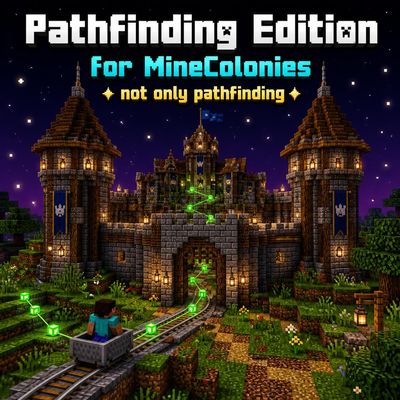
Pathfinding Edition For MineColonies - MineColonies Worker Behavior Optimization
Still struggling with MineColonies’ AI? Bothered by weird Courier / Farmer / Nether Miner AI, or citizens’ eating AI? Install this addon to greatly improve your city-building experience!
 mod
CurseForge · Minecraft
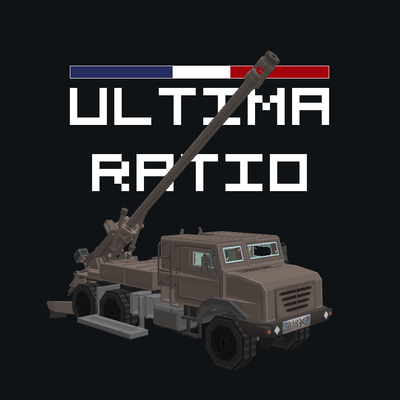
[SBW] Ultima Ratio
Addon for superb warfare that adds French vehicles and stuff
 mod
CurseForge · Minecraft
Farmer's Delight: HoE
Farmer's Delight: Heart of Europe – Central European cuisine for Farmer's Delight: goat milk, cheese and more.