Minecraft version
Back to mods 
CurseForge · Minecraft mod
ReadyKit
Get your test loadout with one key and make any mobs fight each other. A quick kit and mob-brawl tool for testing mods, builds and combat. Forge, NeoForge and Fabric, 1.20.1 to 26.3.
Choose a version Pick your version below, then grab the matching file.
Quick answer
Which ReadyKit release matches 26.3 Forge?
Best match for your filters Readykit 1.0.0 (Forge 26.3)
Game version 26.3
Loader Forge
Readykit 1.0.0 (Forge 26.3) targets 26.3 with Forge. The project page does not say whether this file belongs on the client, dedicated server, or both. No extra mods listed for this file.
Where it goes
Is ReadyKit required on the client, server, or both?
The project page does not say whether this file belongs on the client, dedicated server, or both.
Client Source doesn’t say
Dedicated server Source doesn’t say
Loader for this release Forge
Required install it here Optional supported, not mandatory Not supported do not install here Source doesn’t say do not assume
The source does not explicitly classify this release as client-only or server-only.
What else does Readykit 1.0.0 (Forge 26.3) need?
Readykit 1.0.0 (Forge 26.3) on 26.3 Forge. Every mod below is checked against that same setup.
This file does not list any required mods. Do not add a library just because a different file uses it.
This file does not list any required or optional mods.
Before you install it
Add ReadyKit without breaking your instance.
Built for Readykit 1.0.0 (Forge 26.3) on 26.3 Forge. Pick another file and the loader, install side or required mods may change.
- 01
Stick to this file
Use Readykit 1.0.0 (Forge 26.3). It targets 26.3 with Forge; another release may have different loader, side or dependency requirements.
- 02
Bring the mods it needs
This file does not list any required mods. Do not add a library just because a different file uses it.
- 03
Put it on the correct side
The project page does not say whether this file belongs on the client, dedicated server, or both.
- 04
Pick the file you checked
Use the “Get this file” button beside Readykit 1.0.0 (Forge 26.3). It opens that exact file at the source.
About this project
What does ReadyKit add?
Readykit
A ready-to-go kit for testing mods and fights.
Testing a mod, a boss or a build and tired of filling your inventory by hand every time? Press J and your loadout is there. Want to see how two mobs handle each other? Point the Provoking Crystal at them and watch them fight.
YOUR KIT, ONE KEY AWAY
- J gives you your kit. It works in Creative mode or with operator permissions.
- It never replaces or removes anything in your inventory. Missing items go into free slots; what doesn’t fit is skipped.
- Refill mode (default) only gives what you’re missing, so pressing J again never floods your inventory. Add mode gives a fresh copy each time, with a short cooldown.
- Your kit is saved on your side, so it’s the same in every world and on every server.
Default kit: iron sword, iron pickaxe, water bucket, 64 cobblestone, 64 birch planks, 3 golden apples, 64 baked potatoes, full iron armour and a shield.
KIT EDITOR
Press K to open a clean, vanilla-style editor:
- Armour, offhand, inventory and hotbar slots laid out exactly like your real inventory.
- Below them, every creative item with a search bar and scrolling. No need to have the item in your inventory first.
- Click to pick up and place. Right-click places one item. Drag across slots to paint copies. Scroll over a slot to change the amount.
- Shift-click to clear a slot or quick-add an item. Keys 1-9 copy into the hotbar. Delete clears a slot.
- Switch between Refill and Add mode, or reset to the default kit, in one click.
PROVOKING CRYSTAL
A spinning End Crystal with a red core, found in the Readykit creative tab.
- Right-click two mobs: they fight each other.
- Sneak + right-click a mob: it goes into a frenzy and attacks the nearest mob.
- Sneak + right-click the air: calms every provoked mob nearby.
- Works from a distance, on brain-based mobs like piglins and hoglins, on neutral mobs and even on the Warden.
- The fight is kept alive for a configurable time, so mobs don’t just give up.
Readykit stays quiet: it only shows text when you set mobs to fight. Everything else is feedback by sound.
CONTROLS
J - Deploy kit
K - Open kit editor
Both keys can be changed in Controls > Readykit.
CONFIGURATION
File: config/readykit.properties
- Kit cooldown, required permission level, and whether Creative players can always use the kit.
- Crystal range, how long fights last, frenzy radius, mutual aggression, and whether mobs can be turned against players (off by default).
COMPATIBILITY
- Forge, NeoForge and Fabric (Fabric requires Fabric API).
- Minecraft 1.20.1, 1.20.4, 1.20.6, 1.21.1, 1.21.4, 1.21.5, 1.21.8, 1.21.10, 1.21.11, 26.1.2, 26.2 and 26.3.
- Multiplayer: install it on the server and every client.
Made by ZeroKit.
Project description from CurseForge.
Pick your setup
ReadyKit by Minecraft version and loader
Choose the version and loader you play, then open the matching release.
Minecraft version
26.2
3 loader buildsMinecraft version
26.1.2
3 loader buildsMinecraft version
1.21.11
3 loader buildsMinecraft version
1.21.10
3 loader buildsMinecraft version
1.21.8
3 loader buildsMinecraft version
1.21.5
3 loader buildsMinecraft version
1.21.4
3 loader buildsMinecraft version
1.21.1
3 loader buildsMinecraft version
1.20.6
3 loader buildsMinecraft version
1.20.4
3 loader buildsMinecraft version
1.20.1
3 loader buildsCheck the dependencies, then try the file in a copied instance before changing a world you care about.
Recent files
ReadyKit versions and loaders
Readykit 1.0.0 (Forge 26.3)
Readykit-Forge-26.3.jar
28 Oct 2026
Client Source doesn’t say Server Source doesn’t say Dependencies No extras listed Listed on Release listing
Check the 26.3 · Forge setup Forge26.3 release
Looking for an older file? The official CurseForge project page is in Resources.
 mod
CurseForge · Minecraft
TONI's Base Defense
Reinforce any block so nobody else can break it, then guard your base with turrets, a force field dome and nasty traps that never hurt you or your friends.
 mod
CurseForge · Minecraft
Just Enough Everything (JEE)
One recipe viewer for everything: EMI's interface, JEI's plugins, and where every item really comes from.
 mod
CurseForge · Minecraft
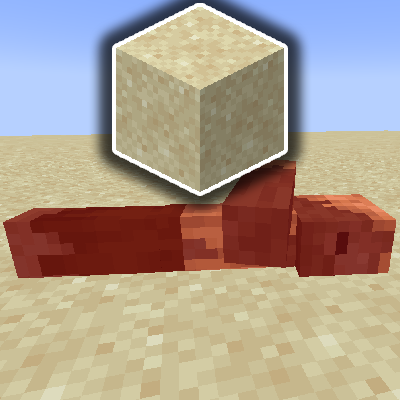
Husks Drop Sand [Fabric/Forge/NeoForge]
Husks drop sand upon death