


Minecraft version
Back to mods 
CurseForge · Minecraft mod
Drop The Beam
Festival-grade laser shows and stage lighting: modular spotlights, swappable lenses, haze zones, and dynamic colored light that moves fast.
Choose a version Pick your version below, then grab the matching file.
Quick answer
Which Drop The Beam release should I use?
Latest stable file dropthebeam-1.1.0.jar
Game version 1.21.1
Loader NeoForge
Drop The Beam dropthebeam-1.1.0.jar targets 1.21.1 with NeoForge. The project page does not say whether this file belongs on the client, dedicated server, or both. No extra mods listed for this file.
Where it goes
Is Drop The Beam required on the client, server, or both?
The project page does not say whether this file belongs on the client, dedicated server, or both.
Client Source doesn’t say
Dedicated server Source doesn’t say
Loader for this release NeoForge
Required install it here Optional supported, not mandatory Not supported do not install here Source doesn’t say do not assume
The source does not explicitly classify this release as client-only or server-only.
What else does Drop The Beam dropthebeam-1.1.0.jar need?
dropthebeam-1.1.0.jar. Change the file and its required mods may change too.
This file does not list any required mods. Do not add a library just because a different file uses it.
This file does not list any required or optional mods.
Before you install it
Add Drop The Beam without breaking your instance.
Built for Drop The Beam dropthebeam-1.1.0.jar. Pick another file and the loader, install side or required mods may change.
- 01
Stick to this file
Use dropthebeam-1.1.0.jar. It targets 1.21.1 with NeoForge; another release may have different loader, side or dependency requirements.
- 02
Bring the mods it needs
This file does not list any required mods. Do not add a library just because a different file uses it.
- 03
Put it on the correct side
The project page does not say whether this file belongs on the client, dedicated server, or both.
- 04
Pick the file you checked
Use the “Get this file” button beside dropthebeam-1.1.0.jar. It opens that exact file at the source.
About this project
What does Drop The Beam add?


Drop the Beam turns your world into a festival main stage: lasers, spotlights, haze, screens and speakers, and a light desk that writes the whole show from your music.
Drop a disc on the turntable. The lights do the rest.
Showcase
Tutorial: build a festival stage, step by step

 Six lenses: fan, grid, scanner, light sheet, cone and gobo, with 13 color filters.
 Haze: beams turn solid in the haze, with smoke drifting through them.
 Colored light: spots light blocks and players in color, shadows included.
 Shaderpacks: Iris (Complementary, BSL, Photon tested) and Sodium.
Flashing lights: a client option limits strobes and flashes.

 Light desk: reads the song and writes the whole show, drops and quiet parts included.
 Your music: MIDI discs, MP3, OGG and WAV files, or songs made at the music station.
 Real instruments: a built-in synthesizer; the optional Drop the Beam Instruments pack adds recorded ones.
 Stage microphone: your voice in the speakers, and lights that follow it.

 Screens: multiblock screens show images, videos, a camera view or a webcam.
 Room lighting: LED strips and panels, disco floor, mirror ball, black light and garlands.
 Multiplayer: every player sees and hears the same show at the same moment.
 Server control:
/dropthebeam admin turns features off and moderates uploaded files.
1. Put the jar in mods on the client and the server (NeoForge 21.1.250+).
2. Place a spotlight, add a lens and a filter, right-click to set it.
3. Add a haze machine, speakers and a turntable with a disc.
4. Link the spots to a light desk and let it write the show.
A bug or an idea? Open an issue.

Drop the Beam transforme votre monde en grande scène de festival : lasers, spots, brume, écrans et enceintes, et une table lumière qui écrit tout le spectacle à partir de votre musique.
Posez un disque sur la platine. Les lumières font le reste.
Six lentilles : éventail, grille, scanner, nappe, cône et gobo, avec 13 filtres de couleur.
Brume : les faisceaux prennent corps dans la brume, traversée de volutes.
Lumière colorée : les spots éclairent blocs et joueurs en couleur, ombres comprises.
Shaderpacks : Iris (Complementary, BSL, Photon testés) et Sodium.
Lumières clignotantes : une option du client limite stroboscopes et flashs.
Table lumière : lit le morceau et écrit tout le spectacle, drops et passages calmes compris.
Votre musique : disques MIDI, fichiers MP3, OGG et WAV, ou morceaux faits à la station musicale.
Vrais instruments : un synthétiseur intégré ; le pack Drop the Beam Instruments ajoute des enregistrements.
Micro de scène : votre voix dans les enceintes, et des lumières qui la suivent.
Écrans : des écrans multiblocs affichent images, vidéos, vue de caméra ou webcam.
Éclairage de salle : bandes et panneaux LED, sol disco, boule à facettes, lumière noire et guirlandes.
Multijoueur : chaque joueur voit et entend le même spectacle au même instant.
Contrôle du serveur : /dropthebeam admin coupe des fonctions et modère les fichiers envoyés.
1. Placez le jar dans mods, côté client et serveur (NeoForge 21.1.250+).
2. Posez un spot, ajoutez lentille et filtre, clic droit pour le régler.
3. Ajoutez une machine à brume, des enceintes et une platine avec un disque.
4. Reliez les spots à une table lumière et laissez-la écrire le spectacle.
Un bug ou une idée ? Ouvrez un ticket.

Author / Auteur: THEFricadelle | License / Licence: All Rights Reserved
Project description from CurseForge.
Pick your setup
Drop The Beam by Minecraft version and loader
Choose the version and loader you play, then open the matching release.
Check the dependencies, then try the file in a copied instance before changing a world you care about.
Recent files
Drop The Beam versions and loaders
dropthebeam-1.1.0.jar
9 Nov 2026
Client Source doesn’t say Server Source doesn’t say Dependencies No extras listed Listed on Release listing
Check the 1.21.1 · NeoForge setup 1.21.1NeoForge release
dropthebeam-1.0.1.jar
4 Nov 2026
Client Source doesn’t say Server Source doesn’t say Dependencies No extras listed Listed on Release listing
Check the 1.21.1 · NeoForge setup 1.21.1NeoForge release
dropthebeam-1.0.0.jar
28 Oct 2026
Client Source doesn’t say Server Source doesn’t say Dependencies No extras listed Listed on Release listing
Check the 1.21.1 · NeoForge setup 1.21.1NeoForge release
Looking for an older file? The official CurseForge project page is in Resources.
 mod
CurseForge · Minecraft
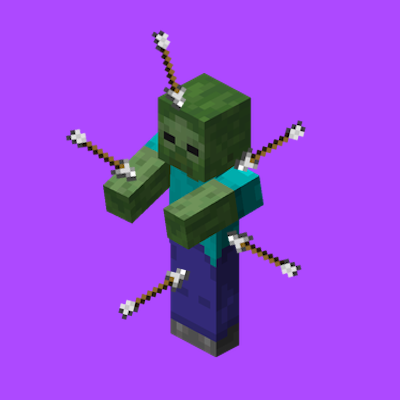
Arrow Accuracy
Simplistic client mod to make arrows stick into entities where they hit.
 mod
CurseForge · Minecraft
Secret Blocks (multi-loader)
Secret Blocks adds blocks that take the look of the blocks around them. Use them to build hidden rooms, secret doors, traps and redstone that nobody can see.
 mod
CurseForge · Minecraft
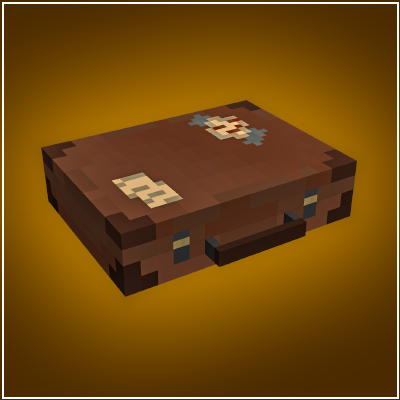
Pocket Repose
Adds a bigger on the inside suitcase.