Minecraft version
Back to mods 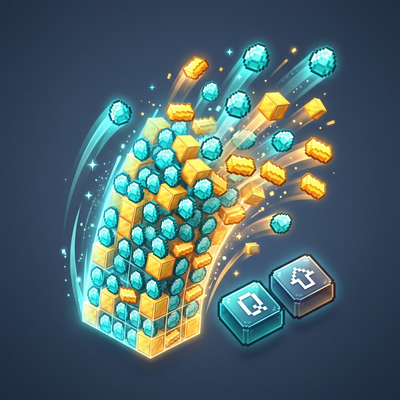
CurseForge · Minecraft mod
Toss a Stack
Hover over any item in your inventory and press Shift+Q to toss the entire stack! Client-side.
Choose a version Pick your version below, then grab the matching file.
Quick answer
Which Toss a Stack release should I use?
Latest stable file tossastack-1.1.0.jar
Game version 26.3
Loader NeoForge
Toss a Stack tossastack-1.1.0.jar targets 26.3 with NeoForge. The project page does not say whether this file belongs on the client, dedicated server, or both. No extra mods listed for this file.
Where it goes
Is Toss a Stack required on the client, server, or both?
The project page does not say whether this file belongs on the client, dedicated server, or both.
Client Source doesn’t say
Dedicated server Source doesn’t say
Loader for this release NeoForge
Required install it here Optional supported, not mandatory Not supported do not install here Source doesn’t say do not assume
The source does not explicitly classify this release as client-only or server-only.
What else does Toss a Stack tossastack-1.1.0.jar need?
tossastack-1.1.0.jar. Change the file and its required mods may change too.
This file does not list any required mods. Do not add a library just because a different file uses it.
This file does not list any required or optional mods.
Before you install it
Add Toss a Stack without breaking your instance.
Built for Toss a Stack tossastack-1.1.0.jar. Pick another file and the loader, install side or required mods may change.
- 01
Stick to this file
Use tossastack-1.1.0.jar. It targets 26.3 with NeoForge; another release may have different loader, side or dependency requirements.
- 02
Bring the mods it needs
This file does not list any required mods. Do not add a library just because a different file uses it.
- 03
Put it on the correct side
The project page does not say whether this file belongs on the client, dedicated server, or both.
- 04
Pick the file you checked
Use the “Get this file” button beside tossastack-1.1.0.jar. It opens that exact file at the source.
About this project
What does Toss a Stack add?
📦 Toss A Stack




Tired of having to awkwardly stretch your fingers for Ctrl + Q just to drop a full stack of cobble or dirt while managing your chests? Toss A Stack solves that problem with a clean, intuitive quality-of-life improvement.
Simply hover over any item slot in your inventory or storage GUI and press Shift + Toss (default: Shift + Q) to toss the entire stack at once!
✨ Features
- 🎯 Intuitive Stack Tossing: Hold
Shiftwhile pressing your bound toss/drop key (defaultQ) over any item in any container GUI to drop the whole stack immediately. - ➗ Split Stacks in 1/3 (NEW): Press the split hotkey (default
V) over any stack to pick up 1/3 of it onto your cursor—exactly how right-click splits things in half! If you're already holding an item on your cursor, pressing the hotkey deposits 1/3 of your carried stack into the slot. - 🔄 Vanilla Preservation: Pressing your toss key alone (
Q) still drops a single item just like vanilla. - 🧠 Muscle Memory Friendly:
Ctrl + Qremains functional out of the box, so you never have to unlearn old habits. - 🌐 100% Client-Side: Safe for multiplayer! You can join any vanilla, NeoForge, Fabric, Spigot, or Paper server. The server does not need this mod installed.
- ⚙️ Configurable: Easily customize or toggle Shift/Ctrl drop modifiers and the split fraction divisor (default 3 for 1/3) in your local config file.
🎮 How to Use
- Open your inventory or any container screen (Chest, Barrel, Furnace, Shulker Box, etc.).
- Hover your mouse over the item:
- Press
Qto toss 1 item. - Press
Shift + Qto toss the entire stack! - Press
Vto split 1/3 of the stack into your cursor (like right-click splits in half)! - If holding items on your cursor, press
Vto deposit 1/3 of your carried stack into the slot!
- Press
⚙️ Configuration
A configuration file is generated at .minecraft/config/tossastack-client.toml:
[general]
    # Whether pressing Shift + Toss key tosses the entire item stack.
    shiftTossesStack = true

    # Whether pressing Ctrl + Toss key tosses the entire item stack (vanilla behavior).
    ctrlTossesStack = true

    # Whether the hotkey to split stacks into a fraction (e.g. 1/3) is enabled.
    enableSplitKey = true

    # The fraction divisor used when splitting item stacks (default is 3, which splits into 1/3).
    splitDivisor = 3
❓ Frequently Asked Questions (FAQ)
Q: Do my friends or the server need this mod installed?
A: No! It is purely client-side. The mod uses vanilla's built-in container throw packet protocol (ClickType.THROW), meaning remote servers recognize your drop action naturally without any server plugin or mod required.
Q: Does this work with modded inventories and custom containers?
A: Yes! Any screen extending Minecraft's standard AbstractContainerScreen (which almost all modded inventories do) will automatically benefit from Toss A Stack.
Q: Can I include this in my modpack?
A: Yes, absolutely! Feel free to include Toss A Stack in any public or private modpack under the MIT License.
🐛 Issues & Contributing
Found a bug or have a suggestion? Head over to our GitHub Issues page to report it!
Project description from CurseForge.
Pick your setup
Toss a Stack by Minecraft version and loader
Choose the version and loader you play, then open the matching release.
Check the dependencies, then try the file in a copied instance before changing a world you care about.
Recent files
Toss a Stack versions and loaders
tossastack-1.1.0.jar
1 Nov 2026
Client Source doesn’t say Server Source doesn’t say Dependencies No extras listed Listed on Release listing
Check the 26.3 · NeoForge setup NeoForge26.3 release
tossastack-1.0.0.jar
29 Oct 2026
Client Source doesn’t say Server Source doesn’t say Dependencies No extras listed Listed on Release listing
Check the 26.3 · NeoForge setup NeoForge26.3 release
Looking for an older file? The official CurseForge project page is in Resources.
 mod
CurseForge · Minecraft
Fixed Simple VC Port
This mod gives opportunity to choose your own port for Simple Voice Chat when you want to open LAN connection for your Single Player world
 mod
CurseForge · Minecraft
Copper Fast Oxidation
Right-click copper with an Amethyst Shard to make it oxidize one stage.
 mod
CurseForge · Minecraft
Status Menus
Use crafting tables, furnaces and other workstations through floating in world panels. Move freely, arrange saved layouts and keep multiple station menus synchronized.