Minecraft version
Back to mods 
CurseForge · Minecraft mod
Earthworks: Construction Fleet
Immersive construction vehicles designed for survival, a 3D assembly workshop, working dump and service trucks, driver instruments, and Minecraft-style road equipment.
Choose a version Pick your version below, then grab the matching file.
Quick answer
Which Earthworks: Construction Fleet release should I use?
beta file earthworks-0.5.0-alpha.5.jar
Game version 1.20.1
Loader Forge
Earthworks: Construction Fleet earthworks-0.5.0-alpha.5.jar targets 1.20.1 with Forge. The project page does not say whether this file belongs on the client, dedicated server, or both. No extra mods listed for this file.
Where it goes
Is Earthworks: Construction Fleet required on the client, server, or both?
The project page does not say whether this file belongs on the client, dedicated server, or both.
Client Source doesn’t say
Dedicated server Source doesn’t say
Loader for this release Forge
Required install it here Optional supported, not mandatory Not supported do not install here Source doesn’t say do not assume
The source does not explicitly classify this release as client-only or server-only.
What else does Earthworks: Construction Fleet earthworks-0.5.0-alpha.5.jar need?
earthworks-0.5.0-alpha.5.jar. Change the file and its required mods may change too.
This file does not list any required mods. Do not add a library just because a different file uses it.
This file does not list any required or optional mods.
Before you install it
Add Earthworks: Construction Fleet without breaking your instance.
Built for Earthworks: Construction Fleet earthworks-0.5.0-alpha.5.jar. Pick another file and the loader, install side or required mods may change.
- 01
Stick to this file
Use earthworks-0.5.0-alpha.5.jar. It targets 1.20.1 with Forge; another release may have different loader, side or dependency requirements.
- 02
Bring the mods it needs
This file does not list any required mods. Do not add a library just because a different file uses it.
- 03
Put it on the correct side
The project page does not say whether this file belongs on the client, dedicated server, or both.
- 04
Pick the file you checked
Use the “Get this file” button beside earthworks-0.5.0-alpha.5.jar. It opens that exact file at the source.
About this project
What does Earthworks: Construction Fleet add?
Dig. Haul. Build.
Earthworks: Construction Fleet brings a working construction yard to Minecraft 1.20.1 Forge. Assemble machines in survival, fuel and maintain them, collect excavated materials, and finish the site with roads, signs and lights.
Vehicles-
The development fleet contains 12 machines inspired by real-world equipment: Caterpillar 320 excavator, Komatsu D65 bulldozer, Vögele Super 1800 paver, Hamm H13 roller, Volvo A40 articulated hauler, Kenworth T880 service truck, Bobcat E35 compact excavator, Caterpillar D8 heavy dozer, CAT 140 grader, John Deere 1270G forestry harvester, Volvo L120H wheel loader and Liebherr LTM 1050-3.1 mobile crane.
Dig and clear terrain, haul materials, pave and compact asphalt, grade gravel or dirt paths, harvest trees and support the rest of your fleet. The rebuilt articulated dump truck displays collected materials in its bed. Vehicle sounds and moving tools bring the jobsite to life. Models and animations continue to be refined during development.
Built for survival
Craft the Construction Workshop to browse rotating 3D previews, check material requirements and assemble your equipment. Tiered recipes use Superb Warfare steel and mechanical components; larger machines require a bigger investment.
Machines have their own durability, fuel reserves and cargo capacity. Dedicated fuel slots accept coal, charcoal and coal blocks. Excavated drops enter vehicle cargo, and a full inventory stops collection. Open cargo from the driver seat with I/G. Repair parked machines with a wrench and Superb Warfare steel ingots.
Create vault crane
With Create 6.0.6 installed, the mobile crane can lift and relocate connected item vaults of up to 81 blocks, preserving their stored items. Park, aim at a vault and use the crane action to lift; aim at a clear landing area to lower it. A blocked landing keeps the load suspended. Unload before packing the crane away. Create is optional for the rest of the mod.
Finish the intersection
Build tapered traffic cones, octagonal stop signs, barriers, work lights, road lamps and traffic signals. Connect vertical and horizontal poles to suspend signals above the road. Traffic lights offer automatic timing, manual colors and a redstone red override. They are visual signals, not automated vehicle traffic control.
Main Road Construction Vehicles-
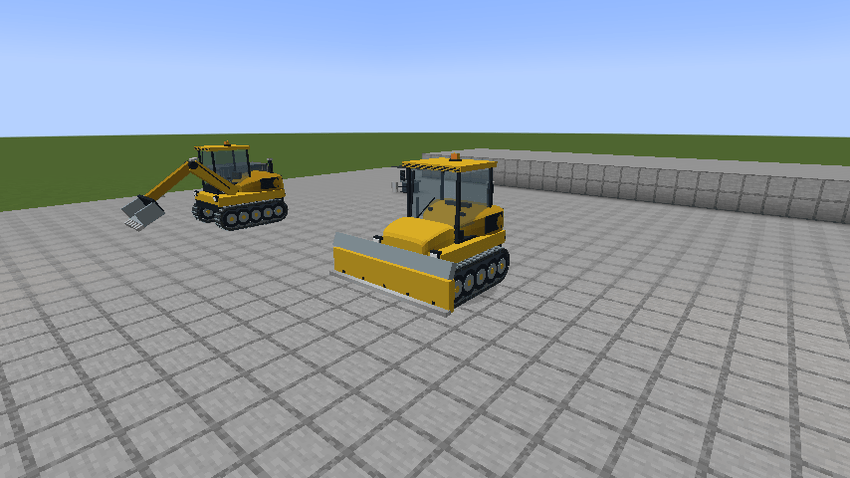
Komatsu D65 bulldozer - Removes dirt 4 x2
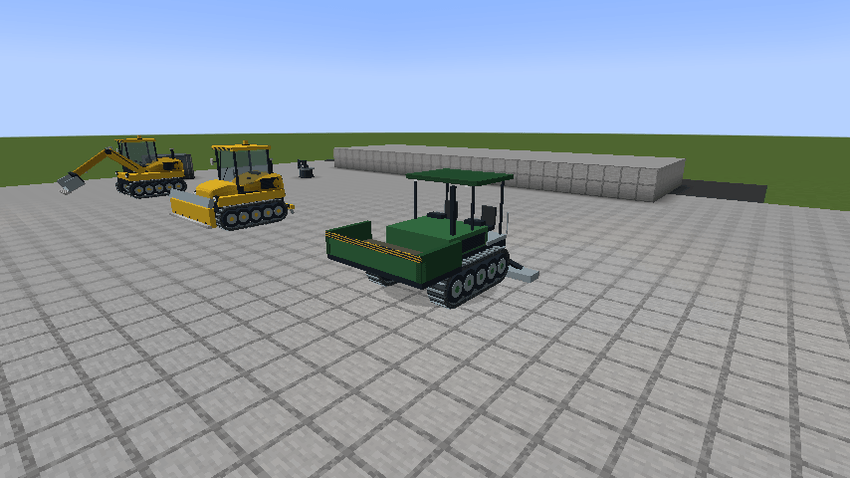
Vögele Super 1800 paver- Turns ground into loose asphalut block
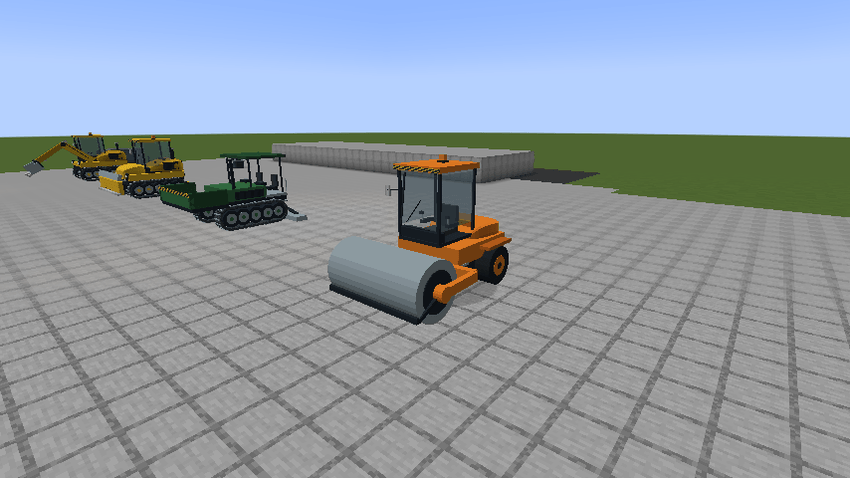
Hamm H13 roller- Turns loose asphalt block into hardened asphalt block
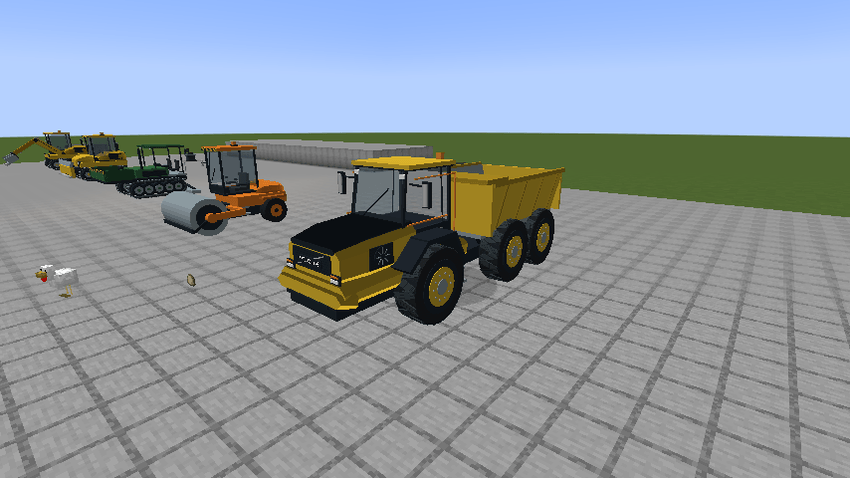
Volvo A40 articulated hauler- Dumptruck with an immersive bed. You can see the items that are in the vehicles inventory/bed while driving and the dump truck can dump items out controllably.
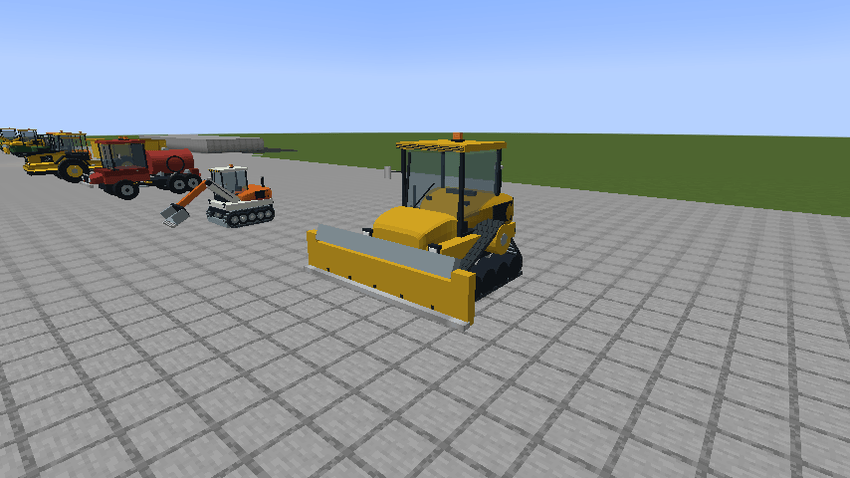
Caterpillar D8 heavy dozer- Removes dirt 8-6x3
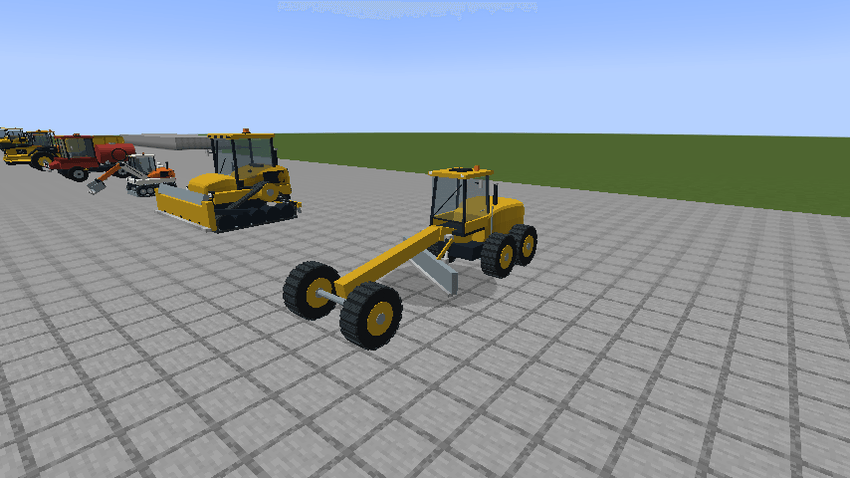
CAT 140 grader- Turns grass under neath into path block + can (throw gravel)/ can replace the blocks underneath with gravel essentially making gravel paths.
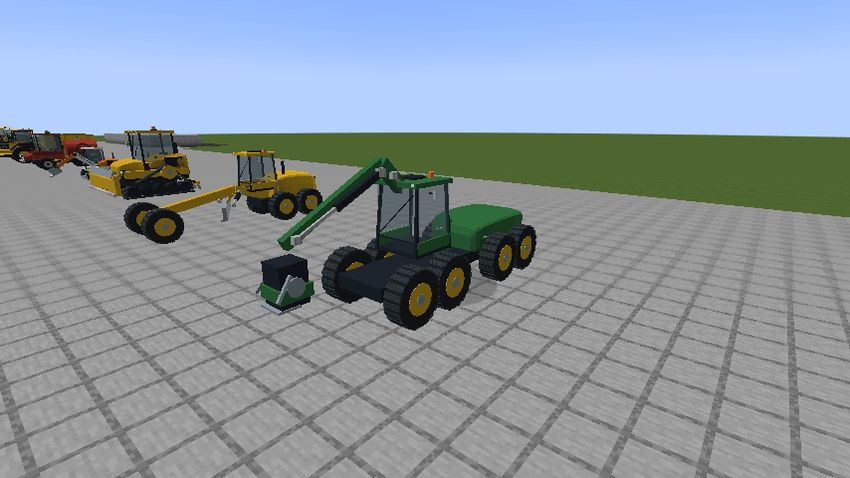
John Deere 1270G forestry harvester- Cuts trees down efficiently
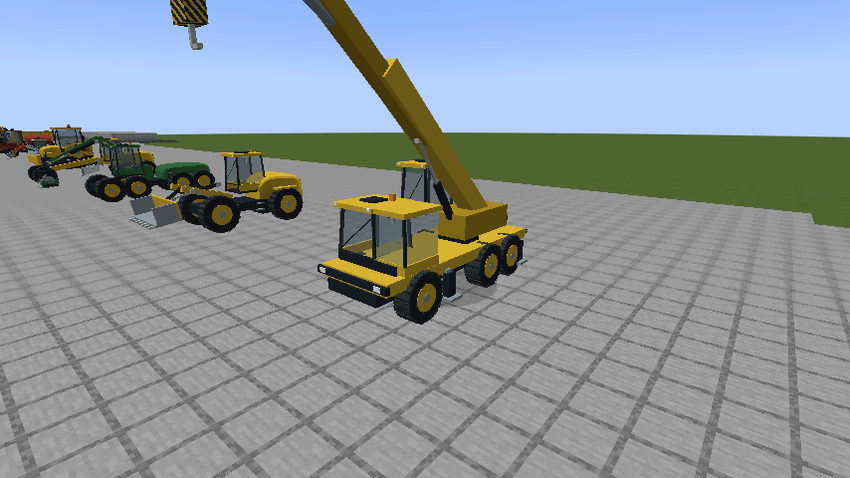
Liebherr LTM 1050-3.1 mobile crane- Works with Create 6.06. The vehicle can pick up item vaults, transport them and place them back down
Disclaimer- Models are obviously not finished and more vehicles will be added in future.
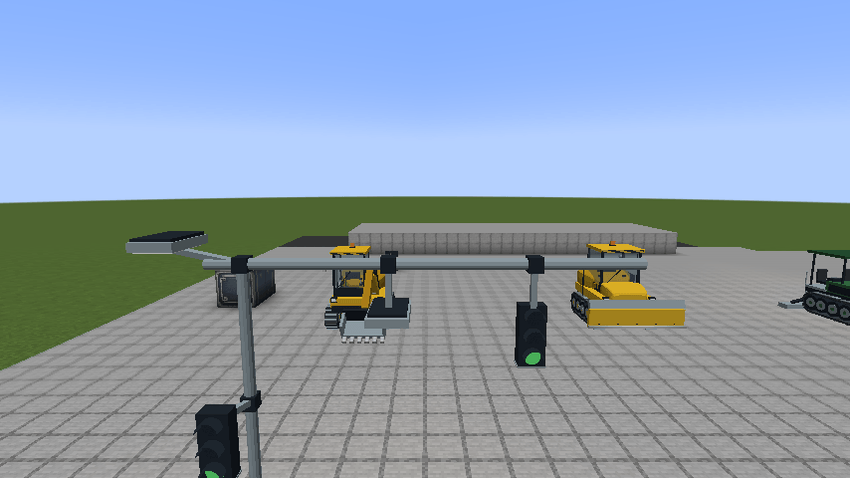
Working traffic lights!
More immersive road blocks coming!
Controls
- WASD: drive and steer.
- Left mouse / R: work or toggle the machine action; the crane uses these to lift or lower while parked.
- V: change supported work modes or depth.
- I/G: open vehicle cargo while seated.
- Sneak + wrench: pack a parked, unloaded machine.
The dashboard shows speed, fuel, durability and work information. Check Minecraft’s key bindings if another mod uses the same keys.
Installation and development status
0.5.0-alpha.2 and onwards requires Minecraft Java 1.20.1, Forge 47.x, Java 17 and Superb Warfare 0.8.8 with its required dependencies. Create 6.0.6 is optional for vault handling. Install matching versions on the server and all clients. Keep only one Earthworks JAR in the mods folder.
This requirement applies to the 0.5 update; the older 0.3 release remains available separately. Alpha files may need to be downloaded directly from the project’s Files tab.
Main/Best Video
First Video
Future Addition Checklist
Vehicles
-Road line painting vehicle
-Cargo Truck working w/ create
-In place crane
-pickup trucks
-Cargo ships
-Cargo planes
-Drilling vehicles
Blocks
-Traffic/Road stopper (like the ones for parking lots and railroad crossing)
-Wait button + Screen
-Immersive fuel pump
-laser level/site planner
-More signs
-painted asphalt block
-Barrier/jersey
-Tall worklight **Specific Features **
-Dump truck bed + other beds working as hopper
-some vehicles shouldn't collect materials?
-Asphault crasks over a long time and usage
-Vehicle attachments + upgrades
-Model refinement
Project description from CurseForge.
Pick your setup
Earthworks: Construction Fleet by Minecraft version and loader
Choose the version and loader you play, then open the matching release.
Check the dependencies, then try the file in a copied instance before changing a world you care about.
Recent files
Earthworks: Construction Fleet versions and loaders
earthworks-0.5.0-alpha.5.jar
7 Nov 2026
Client Source doesn’t say Server Source doesn’t say Dependencies No extras listed Listed on Release listing
Check the 1.20.1 · Forge setup 1.20.1Forge beta
earthworks-0.5.0-alpha.4.jar
7 Nov 2026
Client Source doesn’t say Server Source doesn’t say Dependencies No extras listed Listed on Release listing
Check the 1.20.1 · Forge setup 1.20.1Forge beta
earthworks-0.5.0-alpha.2.jar
6 Nov 2026
Client Source doesn’t say Server Source doesn’t say Dependencies No extras listed Listed on Release listing
Check the 1.20.1 · Forge setup 1.20.1Forge alpha
Earthworks: Construction Fleet 0.3.0 - Workshop & Fleet Update
earthworks-1.20.1-0.3.0.jar
29 Oct 2026
Client Source doesn’t say Server Source doesn’t say Dependencies No extras listed Listed on Release listing
Check the 1.20.1 · Forge setup 1.20.1Forge beta
Looking for an older file? The official CurseForge project page is in Resources.