Minecraft version
Back to mods 
CurseForge · Minecraft mod
Last Good Tick
Record redstone signals before and after a stopped clock or stuck-high signal, then inspect the timeline.
Choose a version Pick your version below, then grab the matching file.
Quick answer
Which Last Good Tick release should I use?
beta file last-good-tick-neoforge-26.3-1.0.0.jar
Game version 26.3
Loader NeoForge
Last Good Tick last-good-tick-neoforge-26.3-1.0.0.jar targets 26.3 with NeoForge. The project page does not say whether this file belongs on the client, dedicated server, or both. No extra mods listed for this file.
Where it goes
Is Last Good Tick required on the client, server, or both?
The project page does not say whether this file belongs on the client, dedicated server, or both.
Client Source doesn’t say
Dedicated server Source doesn’t say
Loader for this release NeoForge
Required install it here Optional supported, not mandatory Not supported do not install here Source doesn’t say do not assume
The source does not explicitly classify this release as client-only or server-only.
What else does Last Good Tick last-good-tick-neoforge-26.3-1.0.0.jar need?
last-good-tick-neoforge-26.3-1.0.0.jar. Change the file and its required mods may change too.
This file does not list any required mods. Do not add a library just because a different file uses it.
This file does not list any required or optional mods.
Before you install it
Add Last Good Tick without breaking your instance.
Built for Last Good Tick last-good-tick-neoforge-26.3-1.0.0.jar. Pick another file and the loader, install side or required mods may change.
- 01
Stick to this file
Use last-good-tick-neoforge-26.3-1.0.0.jar. It targets 26.3 with NeoForge; another release may have different loader, side or dependency requirements.
- 02
Bring the mods it needs
This file does not list any required mods. Do not add a library just because a different file uses it.
- 03
Put it on the correct side
The project page does not say whether this file belongs on the client, dedicated server, or both.
- 04
Pick the file you checked
Use the “Get this file” button beside last-good-tick-neoforge-26.3-1.0.0.jar. It opens that exact file at the source.
About this project
What does Last Good Tick add?
Last Good Tick
A redstone black box for the moment your machine stops working. Place up to four virtual probes using commands, arm a stopped-clock or stuck-high trigger, and inspect the signal history around the event. No blocks or wiring are changed.
Quick start
Stand near your machine and choose positions where a receiver would read the signal, usually next to the wire or source.
/lgt add clock 100 64 200
/lgt add output 104 64 200
/lgt arm inactive 100
/lgt status
/lgt timeline 1
/lgt compare 1 2
Use /lgt help for all commands. /lgt arm high 100 watches for continuous power instead. /lgt freeze captures immediately. Trigger thresholds range from 20 to 1200 ticks; choose longer than the normal clock period.
What it records
- Four probes per player, within 64 blocks and the same dimension.
- Received neighbor power from 0 to 15, sampled once per server tick.
- A bounded 240-tick history with 40 ticks captured after a trigger.
- Paginated timeline and comparison of two probes.
- Unknown samples when outside range, in another dimension, or beside unloaded chunks. These do not count as failures.
It never loads chunks, scans areas, rolls back builds or detects sub-tick pulses. Comparisons show observations, not proof of what caused a failure. Probe settings persist per player in the world folder; recordings are session-only and clear on logout or restart. Rearm when you return. All players may diagnose nearby builds; this is not a land-claim system.
Installation
Install on the server, or in your single-player mods folder. No extra library mods or custom client GUI are required. Choose exactly one matching file: Forge 1.20.1 / Java 17; NeoForge 1.21.1 / Java 21; NeoForge 26.3 / Java 25.
Beta notice
New beta release; bugs may remain. Core tests, in-game server tests and exact-JAR installed-server checks passed. Graphical client testing is not complete. Back up worlds and report issues in comments with your version and loader.
Original code and artwork by RickCode. MIT license. No telemetry or outbound requests. Unofficial and not affiliated with Mojang or Microsoft.
Project description from CurseForge.
Pick your setup
Last Good Tick by Minecraft version and loader
Choose the version and loader you play, then open the matching release.
Minecraft version
1.21.1
1 loader buildMinecraft version
1.20.1
1 loader buildCheck the dependencies, then try the file in a copied instance before changing a world you care about.
Recent files
Last Good Tick versions and loaders
last-good-tick-neoforge-26.3-1.0.0.jar
29 Oct 2026
Client Source doesn’t say Server Source doesn’t say Dependencies No extras listed Listed on Release listing
Check the 26.3 · NeoForge setup NeoForge26.3 beta
last-good-tick-neoforge-1.21.1-1.0.0.jar
29 Oct 2026
Client Source doesn’t say Server Source doesn’t say Dependencies No extras listed Listed on Release listing
Check the 1.21.1 · NeoForge setup 1.21.1NeoForge beta
last-good-tick-forge-1.20.1-1.0.0.jar
29 Oct 2026
Client Source doesn’t say Server Source doesn’t say Dependencies No extras listed Listed on Release listing
Check the 1.20.1 · Forge setup 1.20.1Forge beta
Looking for an older file? The official CurseForge project page is in Resources.
 mod
CurseForge · Minecraft
Pipster
Readable item, fluid, gas and energy pipes for Minecraft, with filters right at the port and channel-based tesseracts. For Fabric and NeoForge.
 mod
CurseForge · Minecraft
Profet's Timber
Chop one log and the whole tree comes down, cartoon style: it creaks, tips over, bursts into leaves and pops apart into its drops. Only needed on the server.
 mod
CurseForge · Minecraft
Mantislight
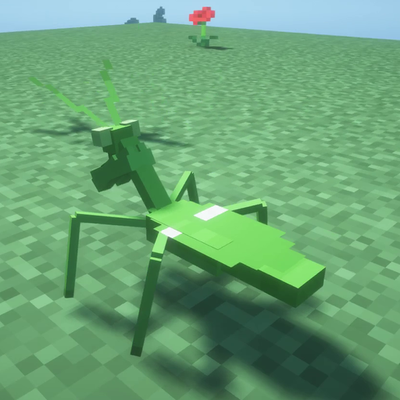
Eleven real praying mantises that blend in: catch them, keep them in enclosures, raise them from egg case to adult, and raise a Vigil that keeps watch.