Minecraft version
Back to mods 
CurseForge · Minecraft mod
Fun Mini Games
Interactive tavern mini-games, card duels, and custom gambling tables with emerald bets! Also provides Cool uses to cards itself!
Choose a version Pick your version below, then grab the matching file.
Quick answer
Which Fun Mini Games release should I use?
Latest stable file mini-games-1.0.0.jar
Game version 1.21.1
Loader Fabric
Fun Mini Games mini-games-1.0.0.jar targets 1.21.1 with Fabric. The project page does not say whether this file belongs on the client, dedicated server, or both. No extra mods listed for this file.
Where it goes
Is Fun Mini Games required on the client, server, or both?
The project page does not say whether this file belongs on the client, dedicated server, or both.
Client Source doesn’t say
Dedicated server Source doesn’t say
Loader for this release Fabric
Required install it here Optional supported, not mandatory Not supported do not install here Source doesn’t say do not assume
The source does not explicitly classify this release as client-only or server-only.
What else does Fun Mini Games mini-games-1.0.0.jar need?
mini-games-1.0.0.jar. Change the file and its required mods may change too.
This file does not list any required mods. Do not add a library just because a different file uses it.
This file does not list any required or optional mods.
Before you install it
Add Fun Mini Games without breaking your instance.
Built for Fun Mini Games mini-games-1.0.0.jar. Pick another file and the loader, install side or required mods may change.
- 01
Stick to this file
Use mini-games-1.0.0.jar. It targets 1.21.1 with Fabric; another release may have different loader, side or dependency requirements.
- 02
Bring the mods it needs
This file does not list any required mods. Do not add a library just because a different file uses it.
- 03
Put it on the correct side
The project page does not say whether this file belongs on the client, dedicated server, or both.
- 04
Pick the file you checked
Use the “Get this file” button beside mini-games-1.0.0.jar. It opens that exact file at the source.
About this project
What does Fun Mini Games add?
Wager your emeralds, play with cards like never before, and test your luck against the Gambler.
Overview
Mini-Games introduces an authentic tavern card gambling experience into Minecraft. Pull up a stool, wager emeralds on an interactive table against the Gambler NPC, and handle 3D cards that can be fanned in hand, placed flat onto surfaces, or thrown across the room.
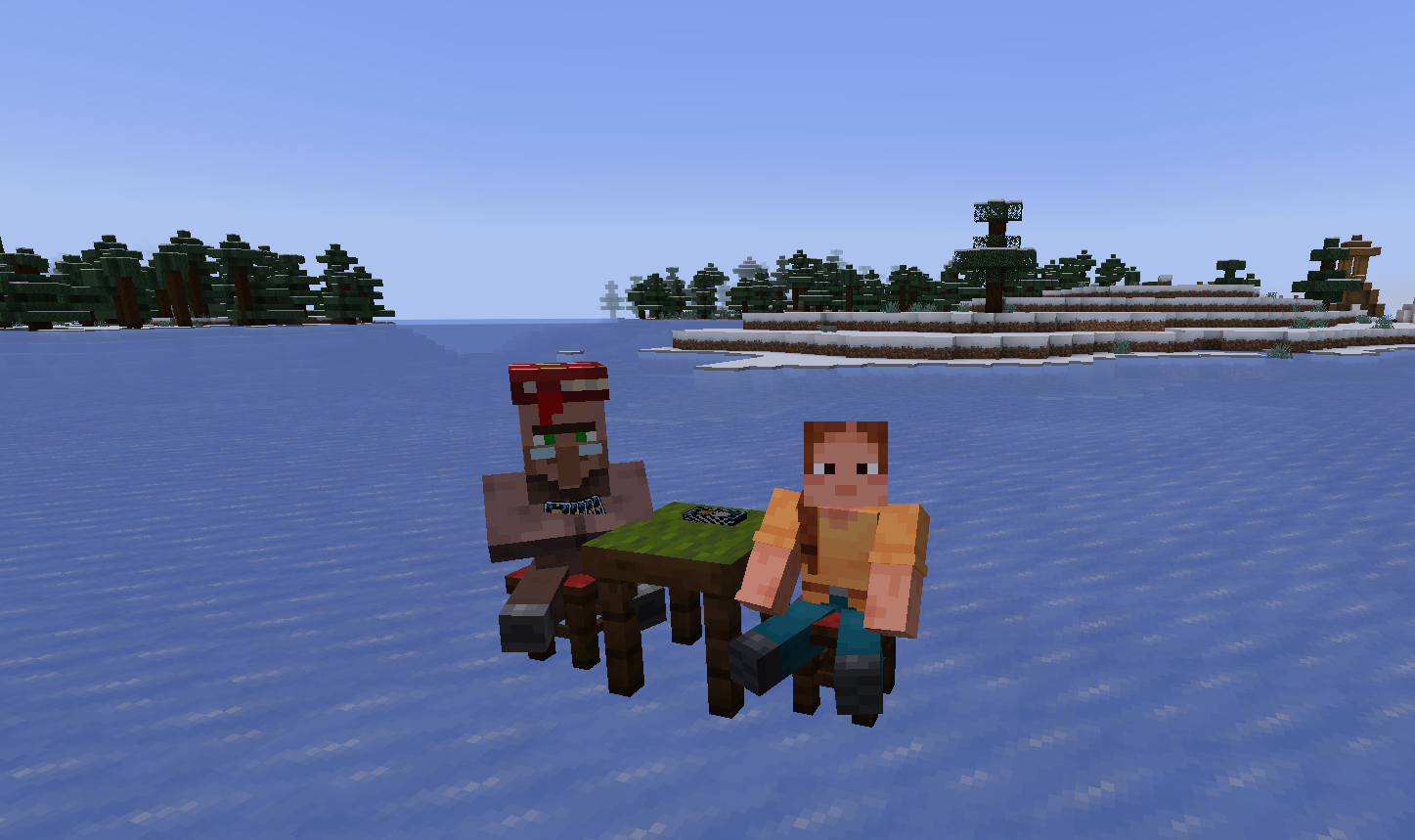
The Gambler seated at the table ready for a match.
Tavern Gambling Table
Gambler & Furniture
The Gambler is a custom librarian villager variant programmed with autonomous seating AI that actively searches for nearby stools. For a match to function, the player must sit on the stool directly opposite to the Gambler's stool, with both stools placed immediately adjacent to the Gambling Table block.
Once seated, right-clicking either the Gambling Table or the Gambler opens the wagering menu to initiate the game and launch the table HUD.
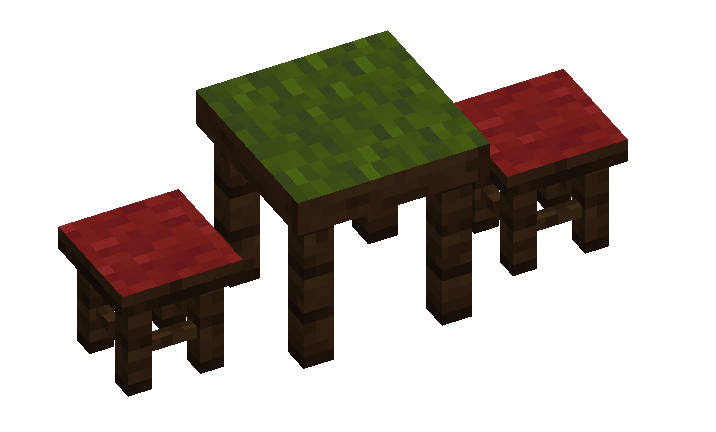
Stool alignment: two adjacent stools positioned directly across from each other.
Playing Mechanism & Table HUD
The gambling minigame operates through three dedicated screen tabs: Rules, Advanced Configuration, and the Game itself.
1. Rules
Matches are contested through sequential card reveals against the Gambler. Each round, both participants place one card on the table. Every suit carries a specific win condition, with Sword cards taking absolute priority over Shield cards regardless of numeric value. When both cards are Swords, the higher number cuts down the opponent and takes the point.
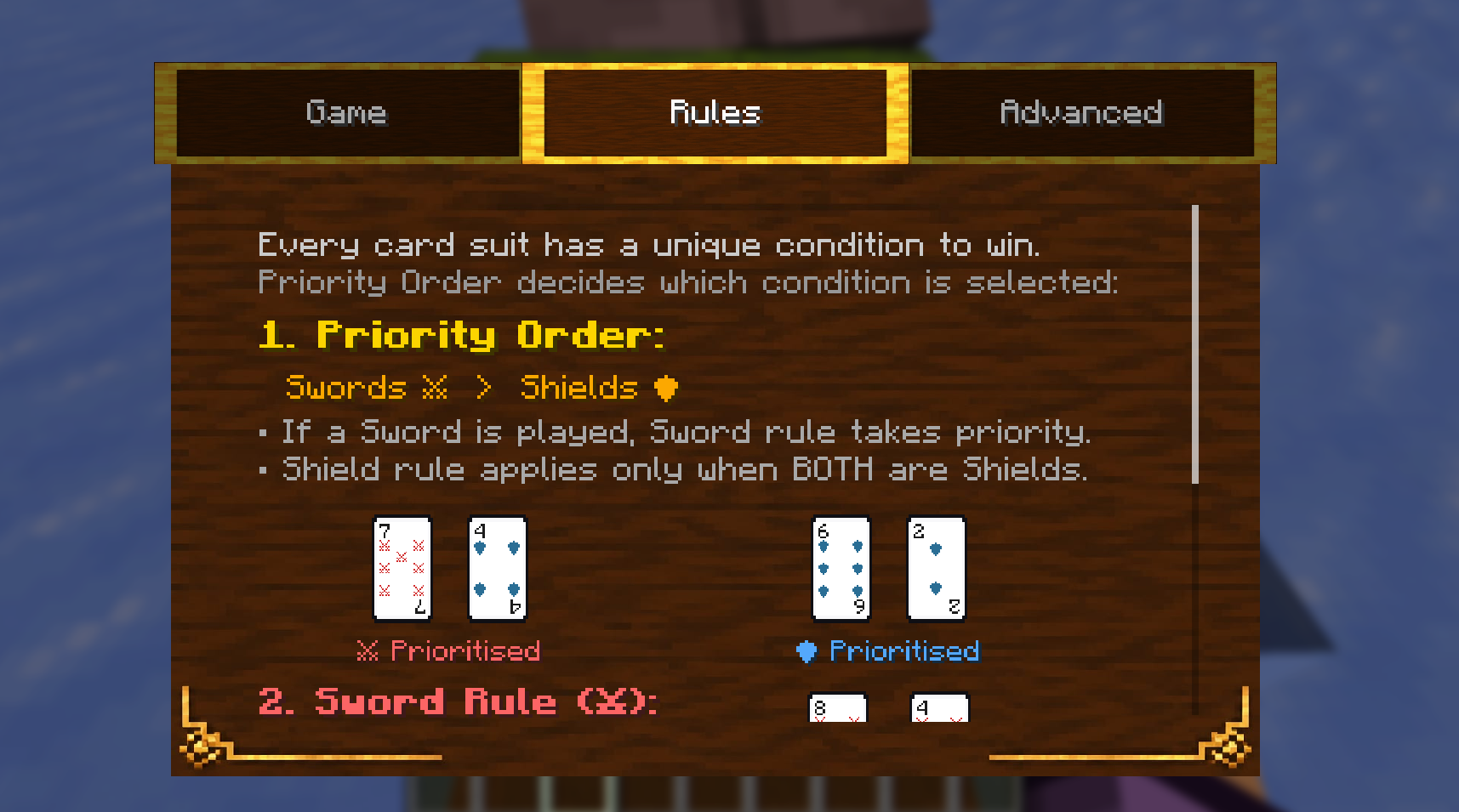
Rules Page 1: Suit priority hierarchy and Sword combat resolution.
When both played cards are Shields, the rule inverts: the lowest numeric value parries the heavier strike and wins the round. If both participants reveal cards with the exact same suit and identical numeric value, the round results in a tie and both sides draw replacement cards.
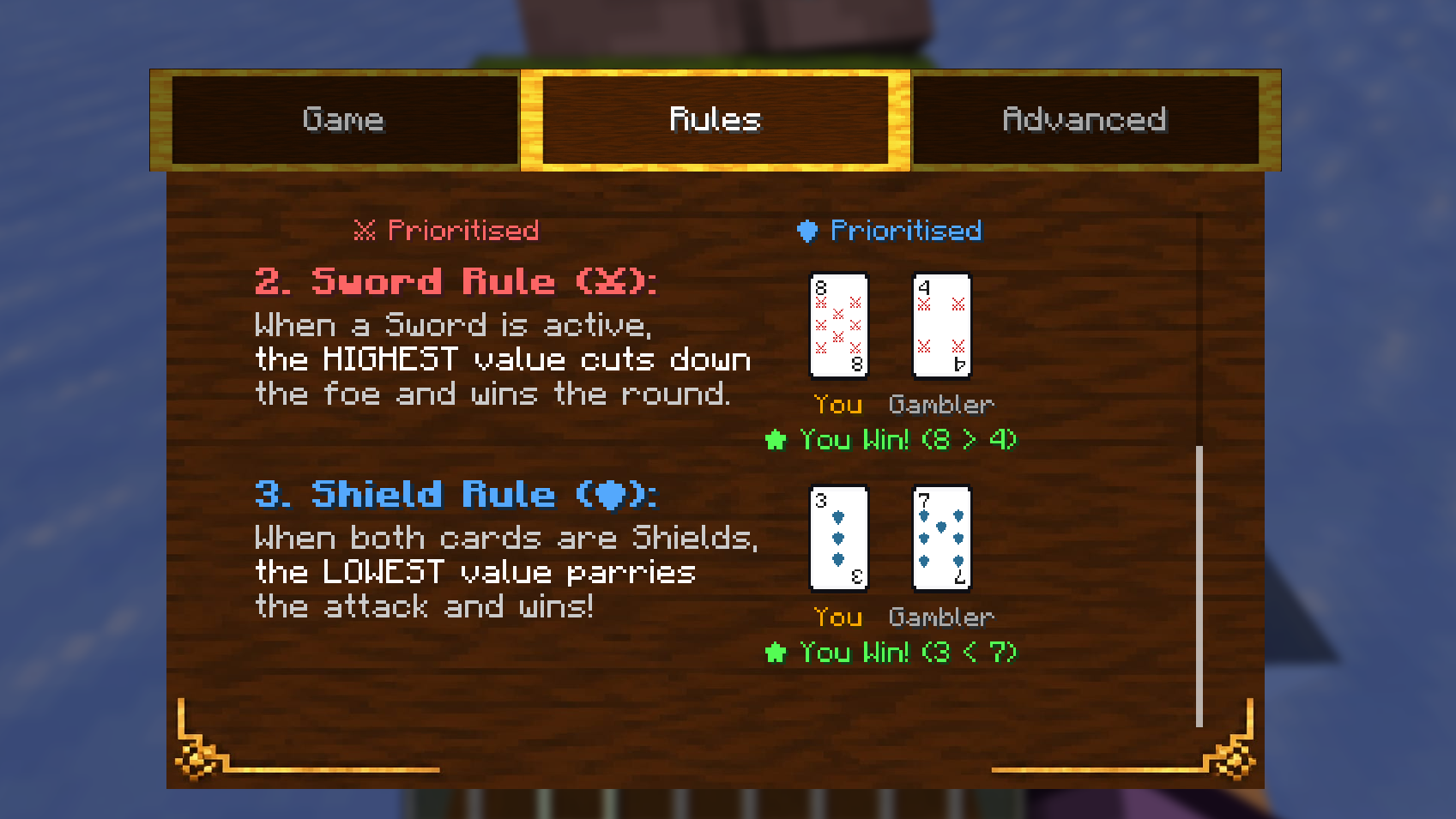
Rules Page 2: Shield mechanics.
2. Advanced Settings
The Advanced tab configures match parameters before wagering. Players can adjust the Gambler's AI difficulty between Easy, Medium, and Hard. The emerald block texture on this tab was directly inspired by SevTech: Ages.
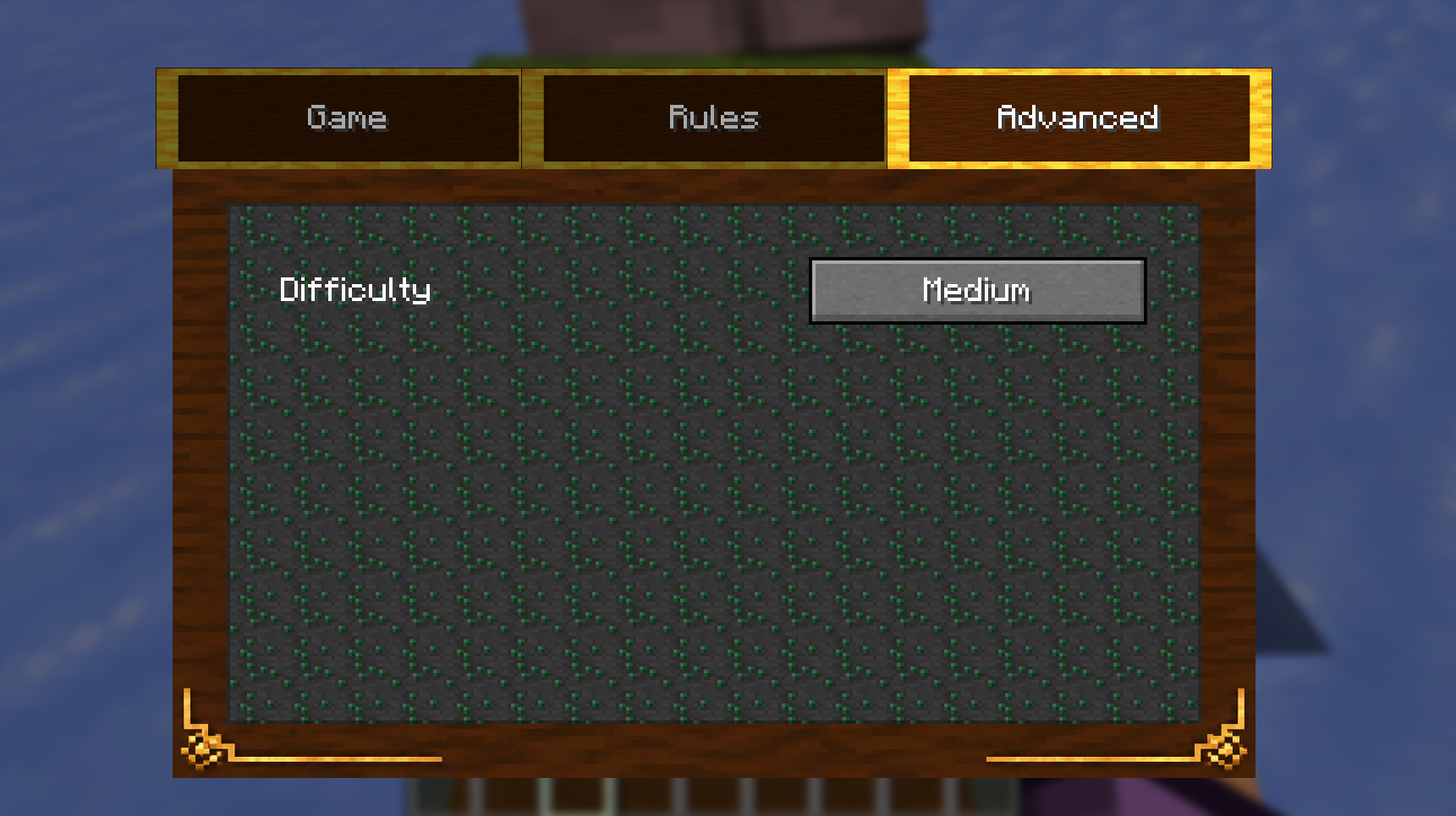
Advanced menu featuring the SevTech-inspired emerald texture in the background.
3. Game Table
The primary Game tab provides a full view of your preferences before starting the game: adjust match length between 3, 5, 7, or 9 rounds, select your emerald wager, and view confirmed stakes before the first card is laid down.
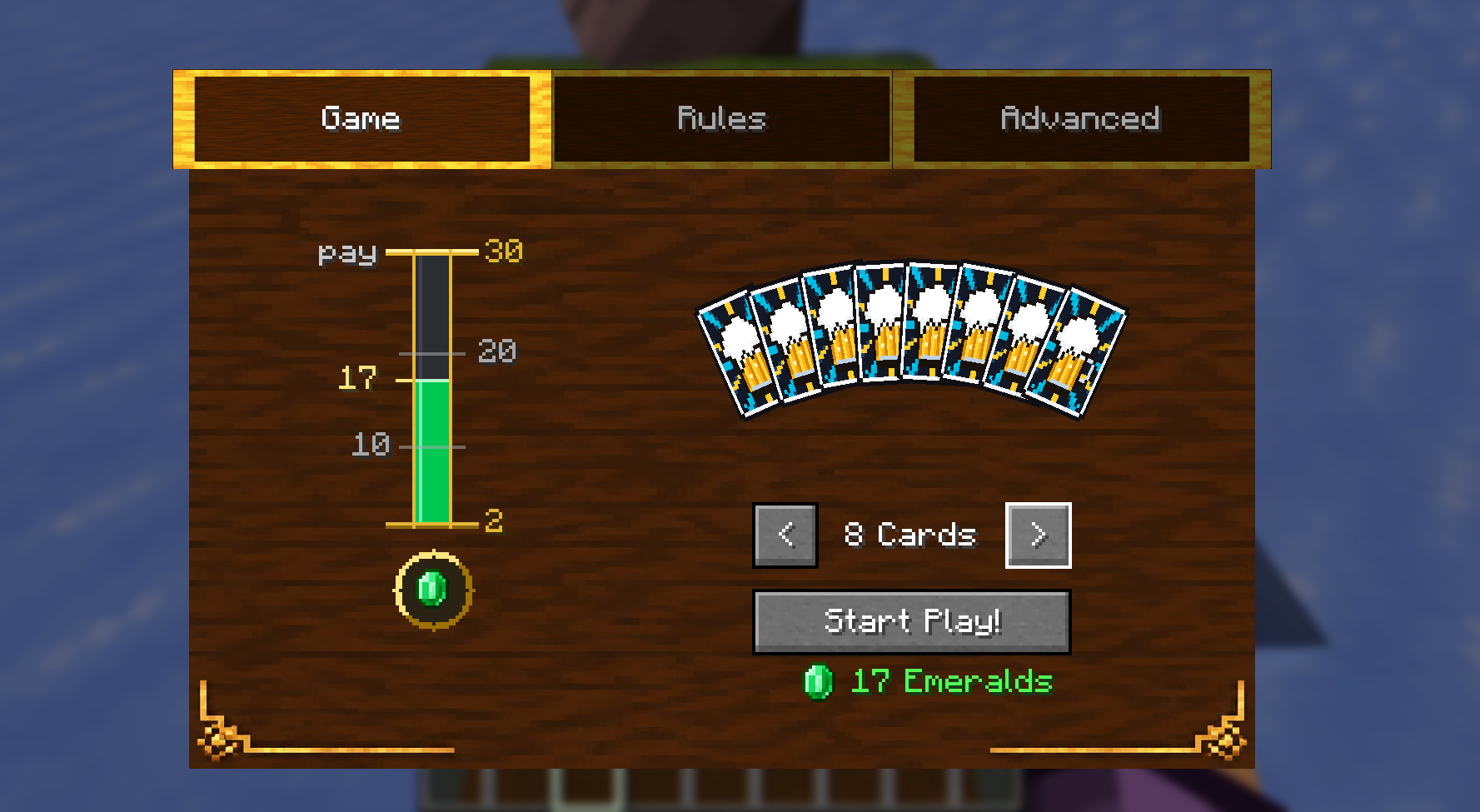
Game tab displaying live hand count and match stakes.
4. In-Game HUD & Table Deck Pile
Once a match begins, an in-game HUD displays real-time round counts, your current score against the Gambler, and the active emerald wager. While outside of an active game, players can right-click the deck pile resting on top of the gambling table to retrieve fresh cards into their inventory. Winning a match awards double the wagered emeralds (2× pot) directly into your inventory, while losing forfeits the pot to the Gambler.
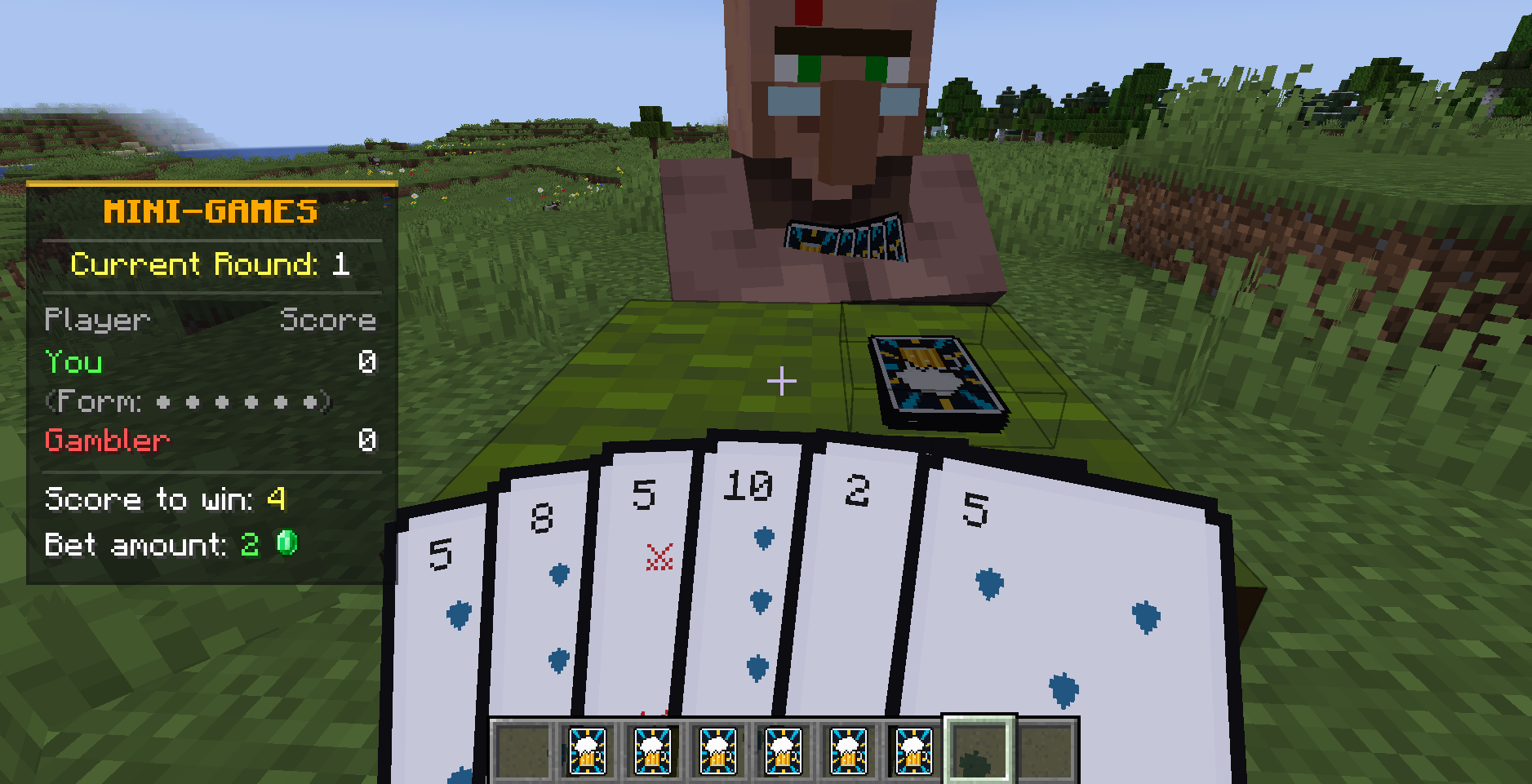
Real-time match HUD tracking round progress.
Throwable Cards
Holding Tavern Cards in your inventory while outside of a table game and pressing Shift + Right-Click transitions you into the card state, dynamically fanning out your deck in full 3D perspective across your hand. Pressing Shift + Right-Click again exits the state and returns your hotbar to normal.
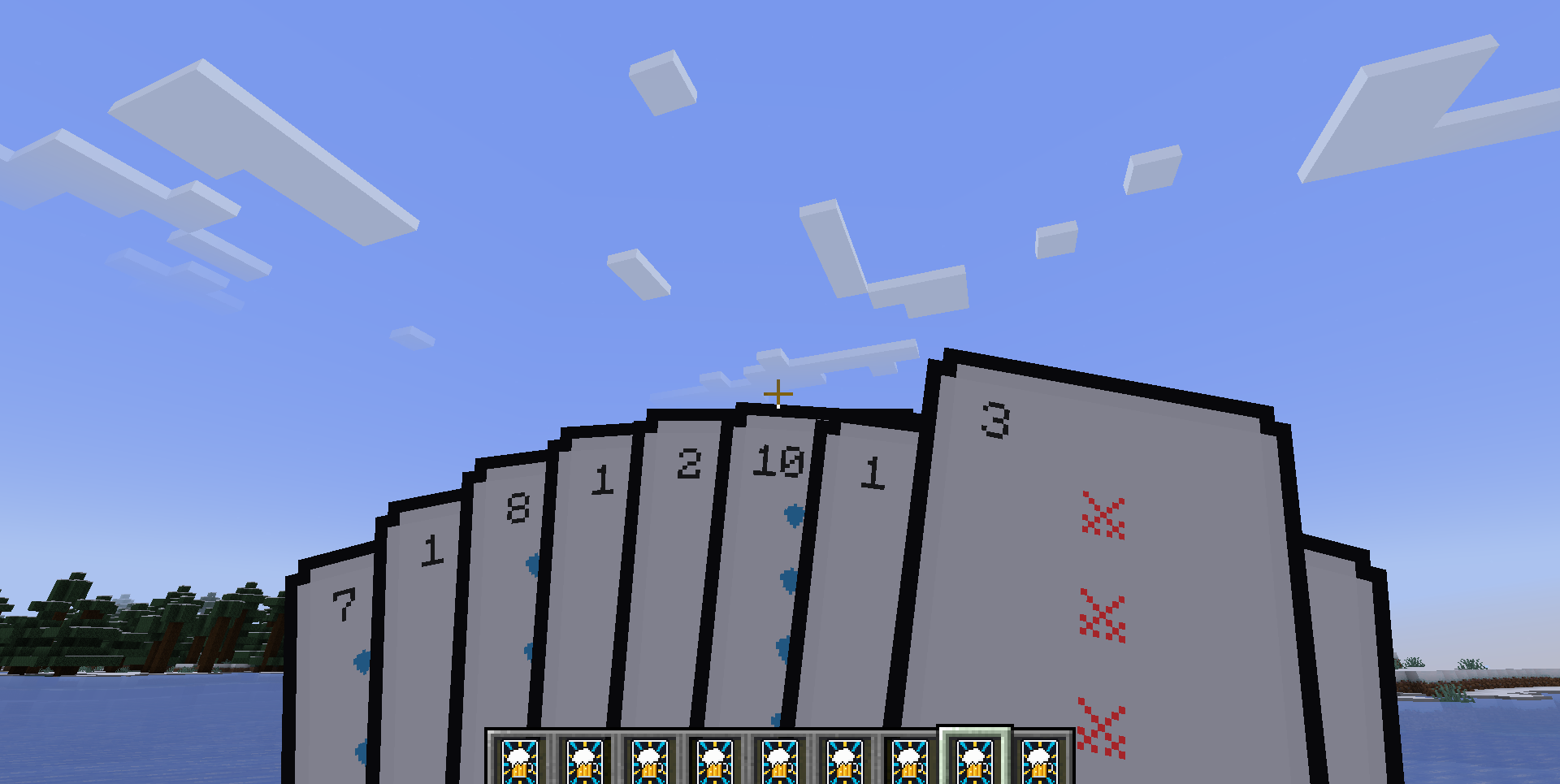
3D deck fanning toggled via Shift + Right-Click.
While inside the card state, holding Right-Click charges up throw velocity before releasing a high-speed 3D projectile into the air. Note that thrown cards currently do not deal damage.
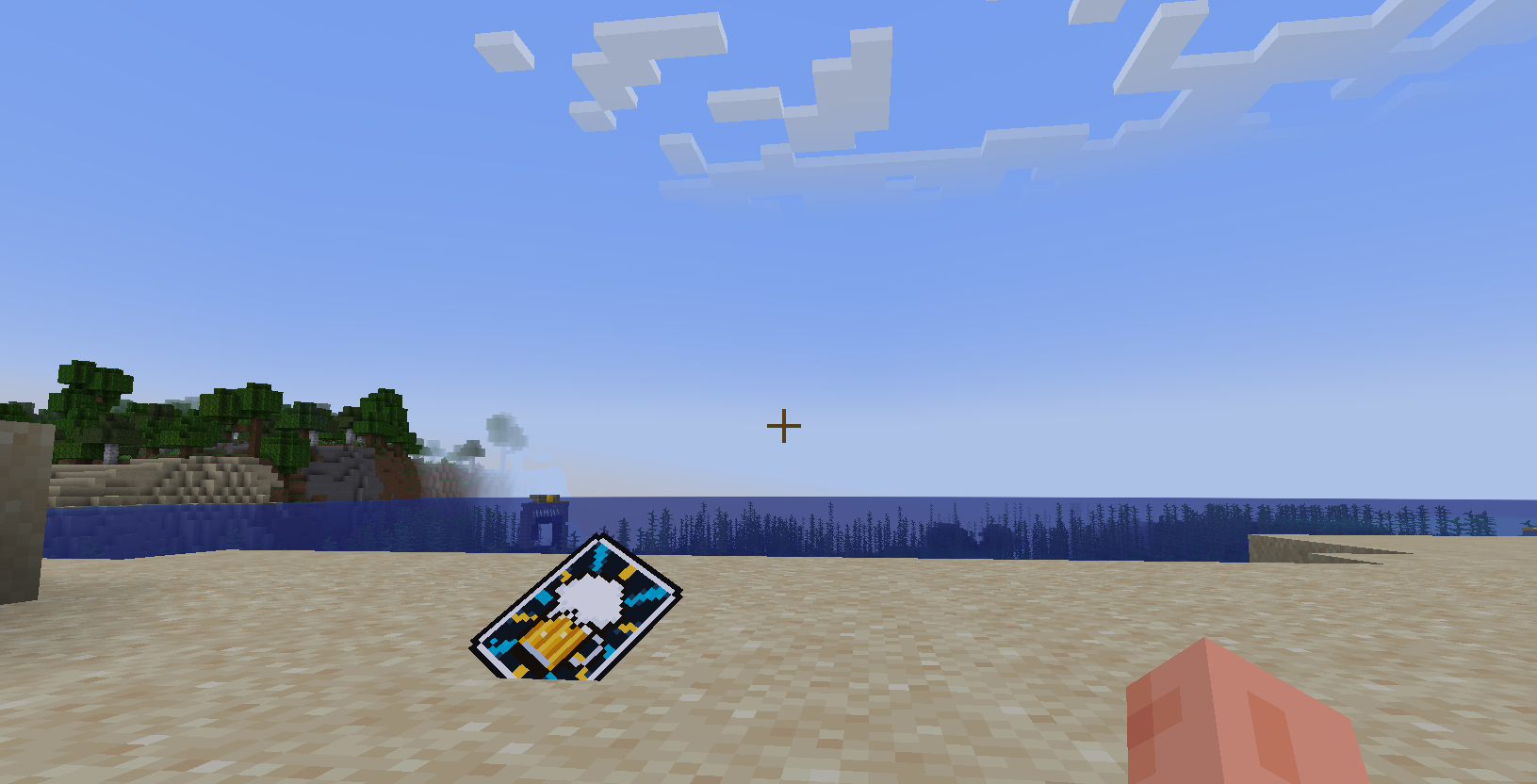
Thrown Card lying on ground.
Tapping Right-Click directly onto any block face places the card flat against the surface as a decorative item.
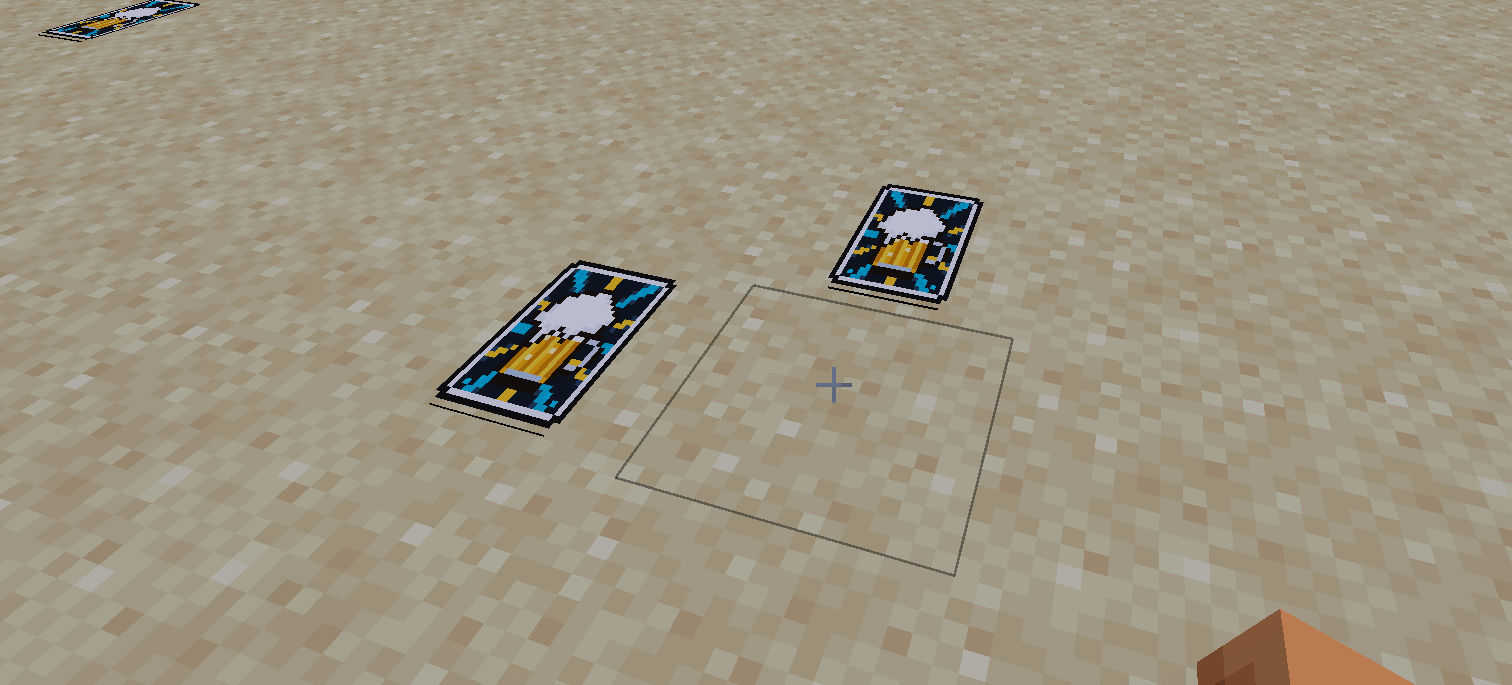
Cards placed flat against world surfaces with a single right-click tap.
Server Config Features
Server administrators can inspect and modify runtime configurations in-game or through the console using /minigames or /minigames help.
The base command /minigames config supports the following management subcommands:
/minigames get [option]checks the current runtime value of any setting./minigames set [option] [val]changes configuration values on the fly without requiring a server reboot./minigames reloadreloads all values from the configuration file on disk./minigames resetrestores all configuration options back to factory defaults.
The available configuration options are:
despawn <seconds>sets the time before placed or thrown cards despawn, or -1 to never despawn.damage <amount>configures the damage dealt by thrown card projectiles.pickup <true/false>toggles whether thrown cards can be retrieved from blocks.gambler <true/false>enables or disables Gambler NPC spawning behavior.crafting <true/false>enables or disables survival recipes for tables, stools, and cards.maxcards <1-9>limits the maximum cards allowed per hand in gambling matches.
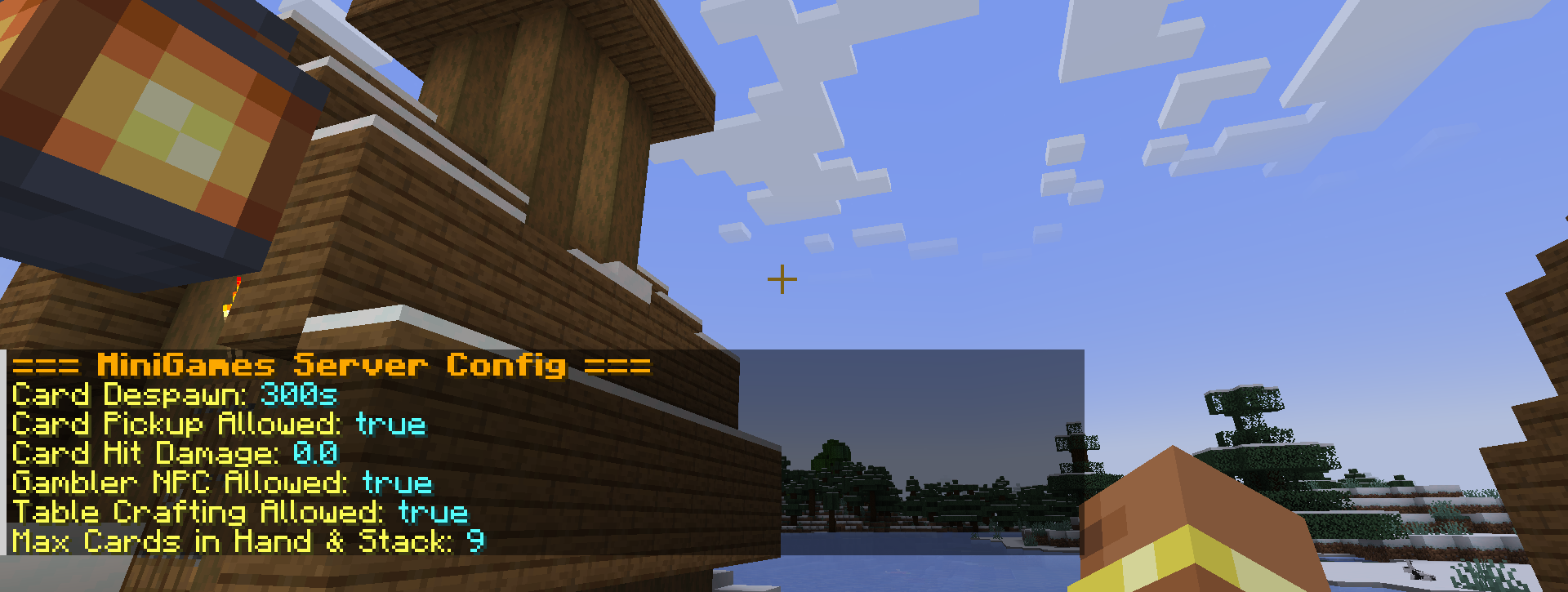
In-game output listing active server settings.
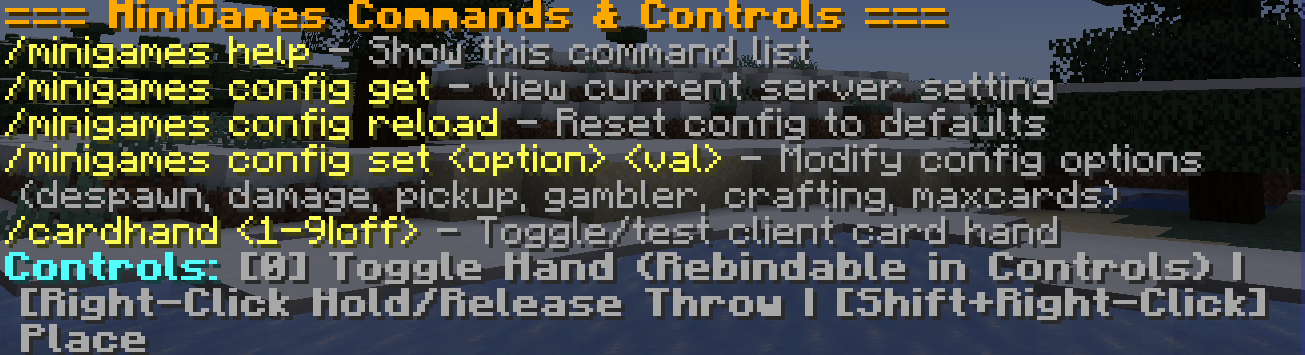
Modifying server configuration parameters via chat commands.
Creative Tab Addition
A dedicated Mini Games tab has been registered to the creative menu on Page 1 (slot 0) for rapid access to all mod items, furniture blocks, and spawn eggs, represented by a custom 3D Tavern Card icon.
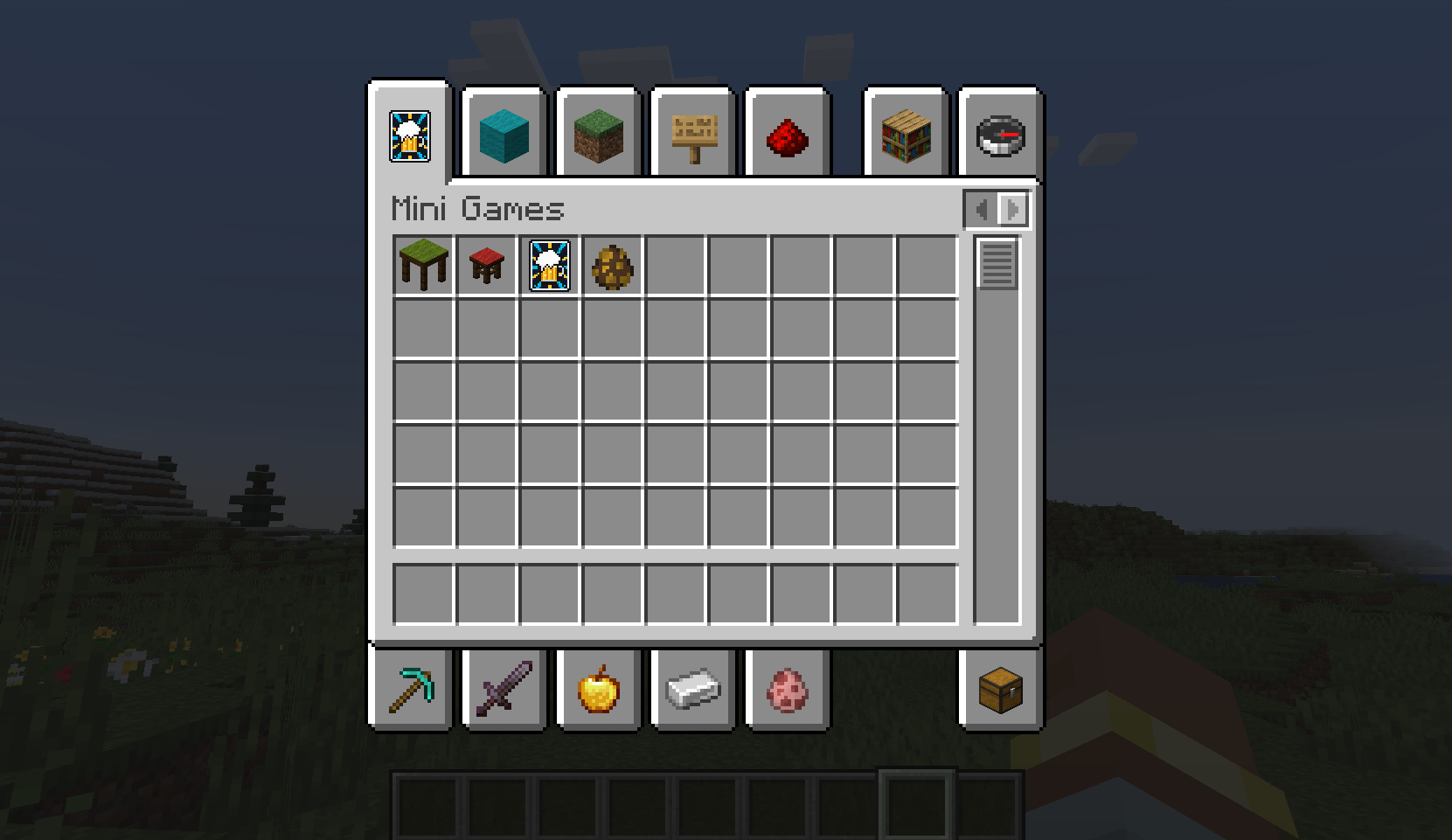
The dedicated Mini Games creative tab positioned on Page 1.
Quick Controls
| Action | Condition | Control | Description |
|---|---|---|---|
| Sit on Stool | Free / Standing | Right-Click on Stool |
Mounts the stool facing the table. |
| Start Game & HUD | Seated on stool opposite Gambler | Right-Click Table or Gambler |
Opens wagering menu to configure match and start table HUD. |
| Play Table Card | Active Table Game | Right-Click with Card in Hand |
Plays your selected card onto the gambling table. |
| Enter / Exit Card State | Not in table game | Hold Shift + Right-Click with Card |
Fans out 3D cards in hand. Repeat to exit back to normal hotbar. |
| Place Card Flat | Inside Card State | Tap Right-Click on Block Surface |
Places the card flat against floors, walls, or tables. |
| Throw Card Projectile | Inside Card State | Hold Right-Click (> 1 sec) |
Charges throw power; release to flick the card as a 3D projectile. |
Crafting Recipes
All three core items can be crafted in survival mode and unlock in the Recipe Book upon collecting their ingredients.
Gambling Stool
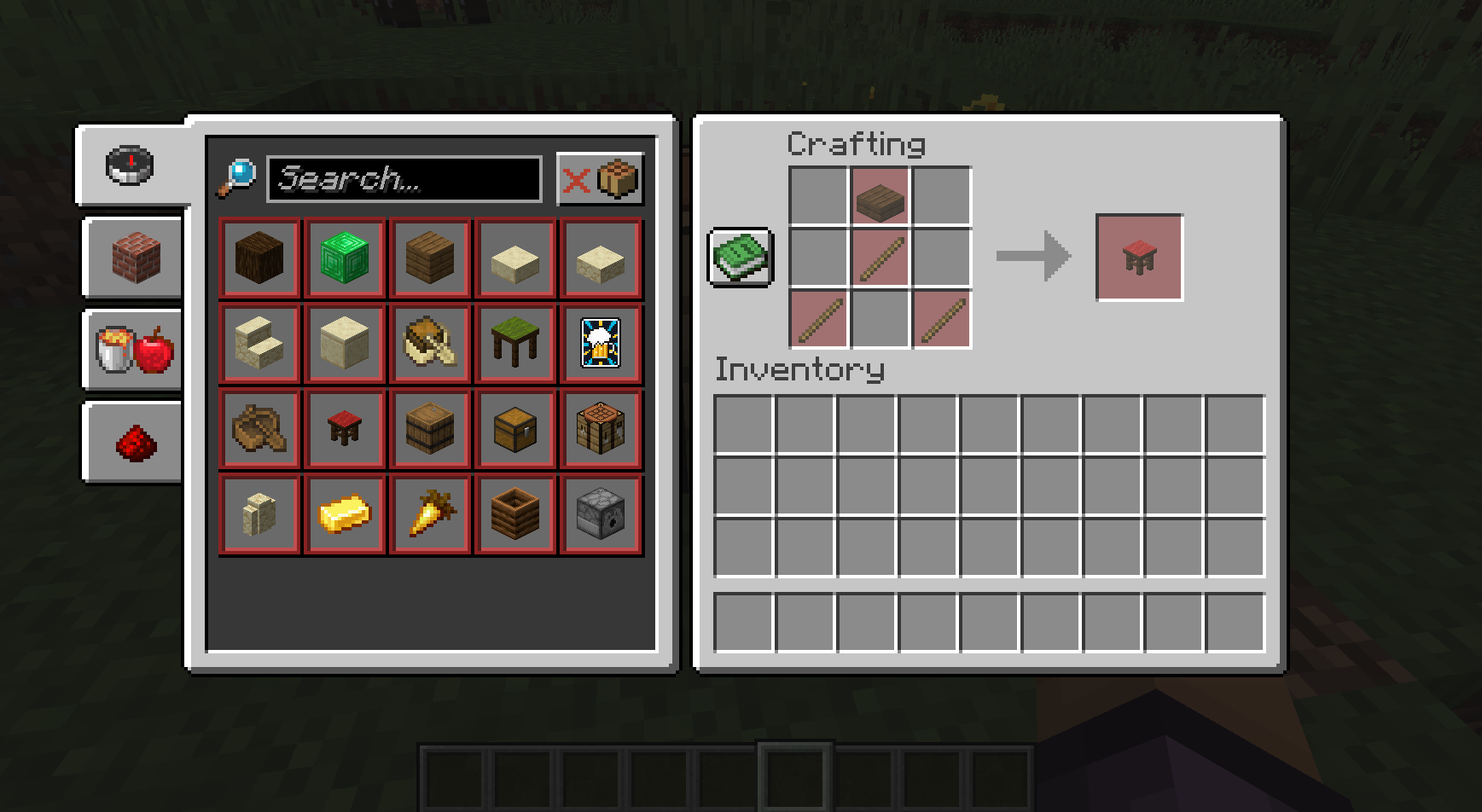
Crafting recipe for the Gambling Stool: 1 Dark Oak Slab and 3 Sticks.
Gambling Table
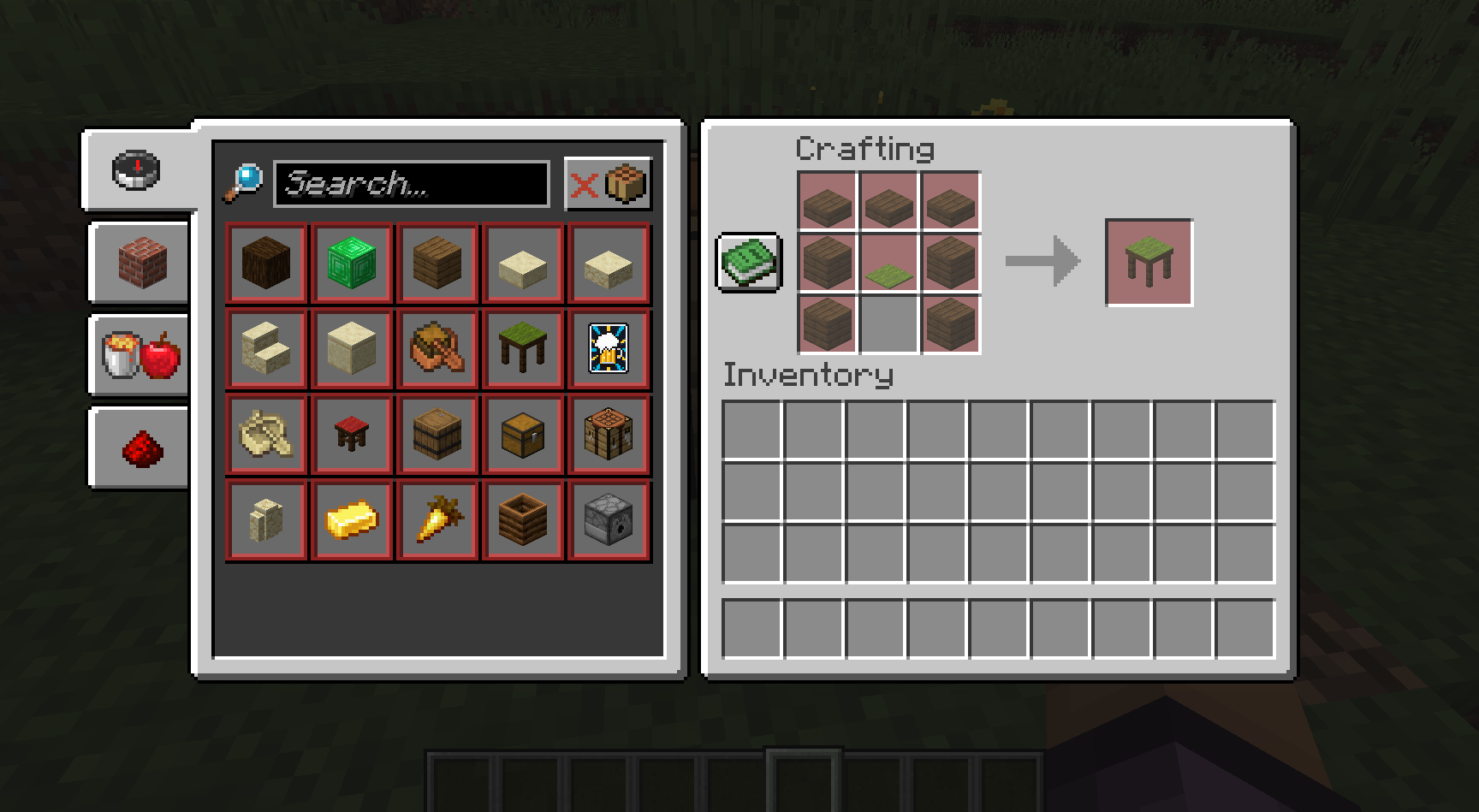
Crafting recipe for the Gambling Table: 3 Dark Oak Slabs, 4 Dark Oak Planks, and 1 Green Carpet.
Tavern Card
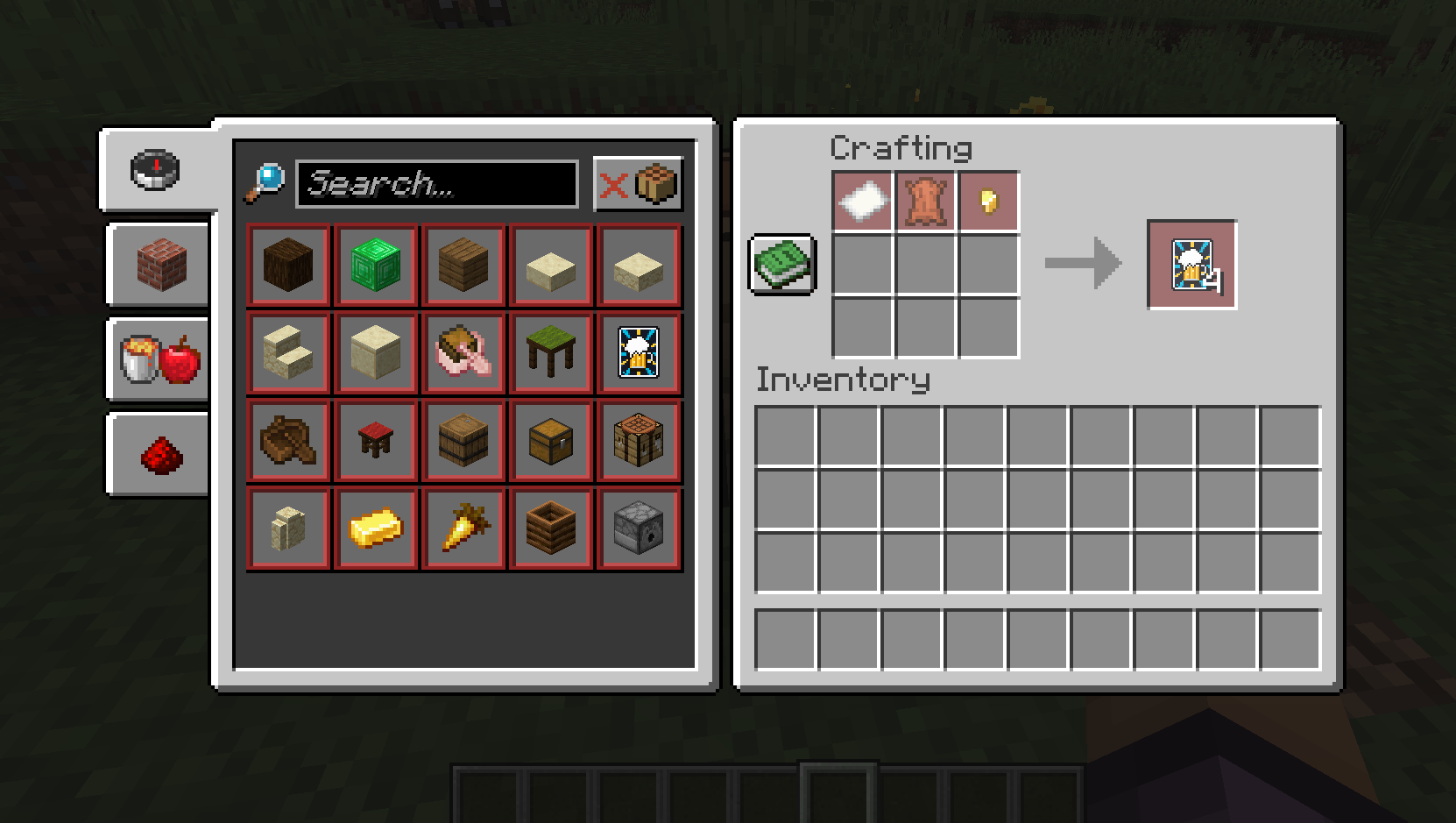
Shapeless crafting recipe yielding 4 Tavern Cards: 1 Paper, 1 Leather, and 1 Gold Nugget.
Requirements
- Minecraft:
1.21.1 - Fabric Loader:
0.19.5+ - Fabric API: Required
Project description from CurseForge.
Pick your setup
Fun Mini Games by Minecraft version and loader
Choose the version and loader you play, then open the matching release.
Check the dependencies, then try the file in a copied instance before changing a world you care about.
Recent files
Fun Mini Games versions and loaders
mini-games-1.0.0.jar
31 Oct 2026
Client Source doesn’t say Server Source doesn’t say Dependencies No extras listed Listed on Release listing
Check the 1.21.1 · Fabric setup Fabric1.21.1 release
Looking for an older file? The official CurseForge project page is in Resources.
 mod
CurseForge · Minecraft
Healthify - Health Bars & Damage Numbers
Clean RPG-style health bars and damage numbers, with support for Dynamic Difficulty, Hostility and Champions.
 mod
CurseForge · Minecraft
Debugify Reforge
Debugify is a Forge 1.20.1 port of isXander's Debugify mod that fixes bugs from the Minecraft bug tracker, with smart detection that skips fixes already applied by Forge or other mods.
 mod
CurseForge · Minecraft
The Bible
Adds the entire CPDV translation of the Bible as an item.