Minecraft version
Back to mods 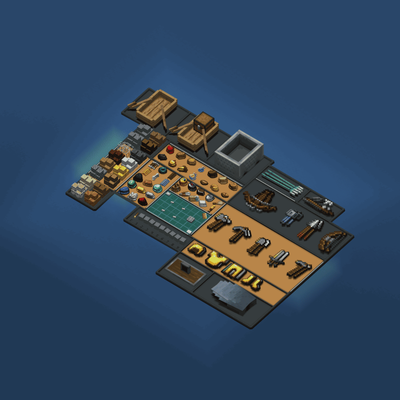
CurseForge · Minecraft mod
Inventory Expanded
Completely reimagines Minecraft's inventory with a fully interactive 3D system, featuring realistic item placement, smooth animations, intuitive crafting, and immersive equipment management.
Choose a version Pick your version below, then grab the matching file.
Quick answer
Which Inventory Expanded release should I use?
beta file Inventory Expanded 0.2.1 (Beta) (Fabric) - 1.21.11
Game version 1.21.11
Loader Fabric
Inventory Expanded 0.2.1 (Beta) (Fabric) - 1.21.11 targets 1.21.11 with Fabric. The project page does not say whether this file belongs on the client, dedicated server, or both. No extra mods listed for this file.
Where it goes
Is Inventory Expanded required on the client, server, or both?
The project page does not say whether this file belongs on the client, dedicated server, or both.
Client Source doesn’t say
Dedicated server Source doesn’t say
Loader for this release Fabric
Required install it here Optional supported, not mandatory Not supported do not install here Source doesn’t say do not assume
The source does not explicitly classify this release as client-only or server-only.
What else does Inventory Expanded 0.2.1 (Beta) (Fabric) - 1.21.11 need?
Inventory Expanded 0.2.1 (Beta) (Fabric) - 1.21.11. Change the file and its required mods may change too.
This file does not list any required mods. Do not add a library just because a different file uses it.
This file does not list any required or optional mods.
Before you install it
Add Inventory Expanded without breaking your instance.
Built for Inventory Expanded 0.2.1 (Beta) (Fabric) - 1.21.11. Pick another file and the loader, install side or required mods may change.
- 01
Stick to this file
Use Inventory Expanded 0.2.1 (Beta) (Fabric) - 1.21.11. It targets 1.21.11 with Fabric; another release may have different loader, side or dependency requirements.
- 02
Bring the mods it needs
This file does not list any required mods. Do not add a library just because a different file uses it.
- 03
Put it on the correct side
The project page does not say whether this file belongs on the client, dedicated server, or both.
- 04
Pick the file you checked
Use the “Get this file” button beside Inventory Expanded 0.2.1 (Beta) (Fabric) - 1.21.11. It opens that exact file at the source.
About this project
What does Inventory Expanded add?
**
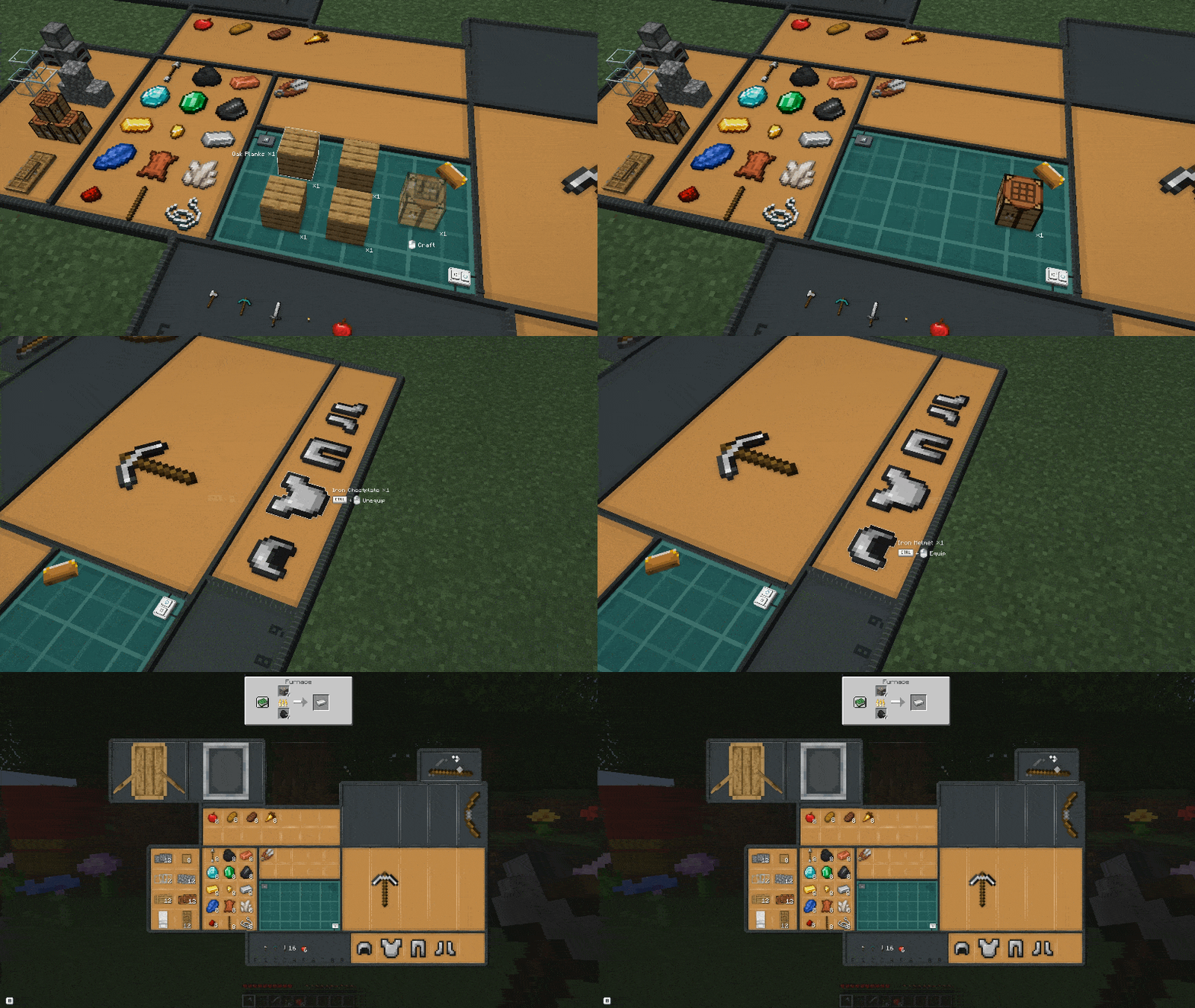
Inventory Expanded** is an inventory overhaul that transforms item management into a fully animated 3D experience. Instead of a traditional inventory screen, your equipment is laid out on a customizable mat, with dedicated sections for blocks, crafting materials, food, tools, weapons, and armor.
Opening your inventory unfolds the mat. Items respond as you pick them up and move them, while contextual labels and mouse-button hints keep interactions easy to understand. Customizable mat colors and LED lighting let you personalize the presentation.
The mod combines expanded storage with automatic organization and flexible placement. Keep items aligned using the grid, or disable it to arrange them freely within supported storage areas. Alt + right-click lets you separate matching items into independent positions, while Ctrl + right-click equips or removes supported equipment. Bundles display their contents and capacity automatically, with mouse-wheel selection and right-click extraction.
Inventory Expanded also supports modded items and includes saved scale adjustments for individual item types, entire mods, and detected resource packs. These adjustments affect only their appearance inside the inventory, helping you fine-tune models without changing their size in the world.
*Your inventory, expanded!
 *
Commands & Debugging
Inventory Scaling
Use /inventory scale <target> <value> to customize item sizes in your inventory.
Available targets:
- vanilla — Adjusts vanilla Minecraft items.
- item — Adjusts the item type held in your main hand.
- Mods & Resource Packs — Adjusts items from detected mods or resource packs.
Autocomplete displays all available targets.
Use /inventory settings to configure your inventory
Examples:
/inventory scale vanilla 50%— Increases vanilla item sizes by 50%./inventory scale item -50%— Reduces the size of the held item type.
Use normal to restore the default scale.
Values range from -200 to 200, with the % symbol optional. Positive values increase size (100% doubles it), while negative values gradually reduce it (-100% halves it, -200% reduces it to one-third).
Project description from CurseForge.
Pick your setup
Inventory Expanded by Minecraft version and loader
Choose the version and loader you play, then open the matching release.
Minecraft version
1.21.1
1 loader buildCheck the dependencies, then try the file in a copied instance before changing a world you care about.
Recent files
Inventory Expanded versions and loaders
Inventory Expanded 0.2.1 (Beta) (Fabric) - 1.21.11
inventory-expanded-fabric-beta-0.2.1.jar
4 Nov 2026
Client Source doesn’t say Server Source doesn’t say Dependencies No extras listed Listed on Release listing
Check the 1.21.11 · Fabric setup Fabric1.21.11 beta
Inventory Expanded 0.2.1 (Beta) (NeoForge) - 1.21.1
inventory-expanded-neoforge-beta-0.2.1.jar
4 Nov 2026
Client Source doesn’t say Server Source doesn’t say Dependencies No extras listed Listed on Release listing
Check the 1.21.1 · NeoForge setup 1.21.1NeoForge beta
Inventory Expanded (Beta) - 0.2.0 - NeoForge 1.21.1
Inventory-Expanded-Beta-0.2.0-NeoForge-1.21.1.jar
29 Oct 2026
Client Source doesn’t say Server Source doesn’t say Dependencies No extras listed Listed on Release listing
Check the 1.21.1 · NeoForge setup 1.21.1NeoForge beta
Looking for an older file? The official CurseForge project page is in Resources.
 mod
CurseForge · Minecraft
maidfairy_enhancement
Enable your maid fairy to equip armor, wield weapons, and engage in combat alongside you.
 mod
CurseForge + Modrinth · Minecraft
Modest Meals
A vanilla enhancing mod that aims to expand the food system with dynamic meals, while also adding stamina.
 mod
CurseForge · Minecraft
RLCraft Villager Tomes
Turn the enchanted books you find into permanent villager trades. Hand a villager a book and it learns that enchantment. Works with modded enchantments.