Minecraft version
Back to mods 
CurseForge · Minecraft mod
Stream Chat
Your Twitch & YouTube live chat inside Minecraft: alerts, moderation, channel points in-game.
Choose a version Pick your version below, then grab the matching file.
Quick answer
Which Stream Chat release matches 26.3?
Best match for your filters Stream Chat
Game version 26.3
Loader Fabric
Stream Chat targets 26.3 with Fabric. The project page does not say whether this file belongs on the client, dedicated server, or both. No extra mods listed for this file.
Where it goes
Is Stream Chat required on the client, server, or both?
The project page does not say whether this file belongs on the client, dedicated server, or both.
Client Source doesn’t say
Dedicated server Source doesn’t say
Loader for this release Fabric
Required install it here Optional supported, not mandatory Not supported do not install here Source doesn’t say do not assume
The source does not explicitly classify this release as client-only or server-only.
What else does Stream Chat need?
Stream Chat on 26.3. Every mod below is checked against that same setup.
This file does not list any required mods. Do not add a library just because a different file uses it.
This file does not list any required or optional mods.
Before you install it
Add Stream Chat without breaking your instance.
Built for Stream Chat on 26.3. Pick another file and the loader, install side or required mods may change.
- 01
Stick to this file
Use Stream Chat. It targets 26.3 with Fabric; another release may have different loader, side or dependency requirements.
- 02
Bring the mods it needs
This file does not list any required mods. Do not add a library just because a different file uses it.
- 03
Put it on the correct side
The project page does not say whether this file belongs on the client, dedicated server, or both.
- 04
Pick the file you checked
Use the “Get this file” button beside Stream Chat. It opens that exact file at the source.
About this project
What does Stream Chat add?
Stream Chat
Your Twitch and YouTube live chat, right inside Minecraft. Read your chat without leaving the game, react to subs and raids, moderate in one click, and let your viewers affect your world with their channel points.
✔ 100% client-side: nothing to install on the server ✔ Works in singleplayer and multiplayer ✔ No account needed to read a chat ✔ Everything is configured from an in-game menu: /streamchat
⚠️ The mod's interface is currently in French only. An English translation is planned.
🚀 Get started in 2 minutes
- Install the mod (with Fabric API on Fabric).
- In game, type
/streamchat→ Diffuseurs (Streamers) → Twitch → Mode : Compte Twitch (Twitch account). - Click Se connecter avec Twitch (Log in with Twitch), open the page, enter the code shown, done.
Your chat appears, and it reconnects automatically every time you play. For YouTube: Diffuseurs → YouTube → paste your channel link → Connecter (Connect).
💬 Your chat in your game
- Twitch and YouTube messages with viewers' name colors
- Streamer ◆, mod ⚔, VIP ♦ and subscriber ✦ badges
- Subs, raids, Cheers, Super Chats and new members highlighted
- Messages that mention you stand out in yellow, with a sound
- Highlight words of your choice
- Bots ignored by default (Nightbot, StreamElements…)
- Automatic reconnection, and on YouTube the mod waits for your stream to go live
🔔 Alerts & sounds
A subtle sound for mentions, events (subs, raids, follows…) or every message, as you prefer.
🛡️ One-click moderation
Click a name in the chat:
- Ignore (only on your side)
- On your channel: Delete message, Timeout 10 minutes, Ban (with confirmation)
✍️ Chat on Twitch without leaving the game
Type !t your message in the Minecraft chat: it goes to Twitch, not to the server. The prefix can be changed in the menu.
⭐ For your Twitch channel
With your account connected, you also see:
- Power-ups (Celebrations, Message Effects, Gigantified Emotes, custom Power-ups)
- New followers
- Channel point redemptions
- Polls and predictions with their results
And you can change your stream's title and category from the game.
🎮 Channel points → in-game actions
Link a Minecraft command to each of your channel point rewards:
- "Creeper surprise" →
summon creeper ~ ~ ~ - "Gift" →
give @s diamond 1
{user} is replaced by the viewer's name. Requires cheats (singleplayer) or operator rights on the server. Channel points require an affiliate or partner channel.
🔒 Security
- Login with a code on twitch.tv: the mod never sees your password.
- Your session is stored separately in
config/streamchat-secrets.json. Don't share this file. - Log out deletes the session and revokes access on Twitch.
- Viewers can't run arbitrary commands: only their filtered username is inserted.
📦 Versions
| Loader | Minecraft |
|---|---|
| Fabric | 26.3 · 1.20.1 |
| NeoForge | 26.3 |
Required on Fabric: Fabric API Optional: Mod Menu, to open the settings from the mod list
⚠️ Good to know
- Interface in French only for now.
- YouTube is read without an API key or account; if YouTube changes its website, YouTube chat may stop working until the mod is updated.
- Emotes are shown as text.
Stream Chat is an independent project, not affiliated with Twitch or YouTube.
Project description from CurseForge.
Pick your setup
Stream Chat by Minecraft version and loader
Choose the version and loader you play, then open the matching release.
Check the dependencies, then try the file in a copied instance before changing a world you care about.
Recent files
Stream Chat versions and loaders
Stream Chat
streamchat-fabric-26.3.jar
30 Oct 2026
Client Source doesn’t say Server Source doesn’t say Dependencies No extras listed Listed on Release listing
Check the 26.3 · Fabric setup Fabric26.3 release
Stream Chat
streamchat-fabric-26.3-1.0.0.jar
29 Oct 2026
Client Source doesn’t say Server Source doesn’t say Dependencies No extras listed Listed on Release listing
Check the 26.3 · Fabric setup Fabric26.3 release
Looking for an older file? The official CurseForge project page is in Resources.
 mod
CurseForge · Minecraft
Barely Enough Items (BEI)
Find any item, see every recipe, and plan the whole craft, in a viewer that stays out of your way.
 mod
CurseForge + Modrinth · Minecraft
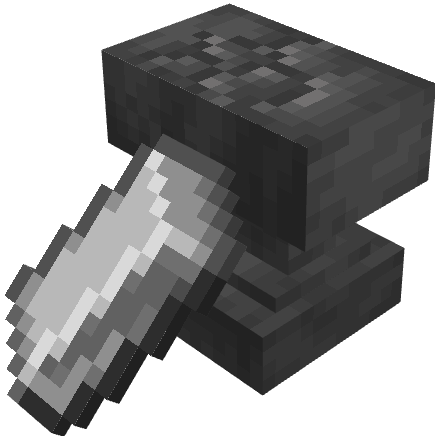
Mendable Anvils
A mod that allows players to fix their anvils by shift + right-clicking an anvil with an iron ingot
 mod
CurseForge + Modrinth · Minecraft
Jump Over Fences
Don't let walls and fences stop you! Jump over them!