Create Needed by Create Control Panels create_controlling-neoforge-0.2.2+1.21.1.jar
requiredMatching file found Matched file: Create 6.0.10 for mc1.21.1
CurseForge · Minecraft mod
Addon for Create Mod that adds Control Engineering style control panels that have buttons, levers, gauges and much more added to them.
Quick answer
Create Control Panels create_controlling-neoforge-0.2.2+1.21.1.jar targets 1.21.1 with NeoForge. The project page does not say whether this file belongs on the client, dedicated server, or both. All 1 required mods have matching files.
Where it goes
The project page does not say whether this file belongs on the client, dedicated server, or both.
The source does not explicitly classify this release as client-only or server-only.
create_controlling-neoforge-0.2.2+1.21.1.jar. Change the file and its required mods may change too.
Install Create first. We found matching files for this game-version and loader setup.
We only count dependency files that match this setup. A file for another loader does not fill the gap.
Before you install it
Built for Create Control Panels create_controlling-neoforge-0.2.2+1.21.1.jar. Pick another file and the loader, install side or required mods may change.
Use create_controlling-neoforge-0.2.2+1.21.1.jar. It targets 1.21.1 with NeoForge; another release may have different loader, side or dependency requirements.
Install Create first. We found matching files for this game-version and loader setup.
The project page does not say whether this file belongs on the client, dedicated server, or both.
Use the “Get this file” button beside create_controlling-neoforge-0.2.2+1.21.1.jar. It opens that exact file at the source.
About this project
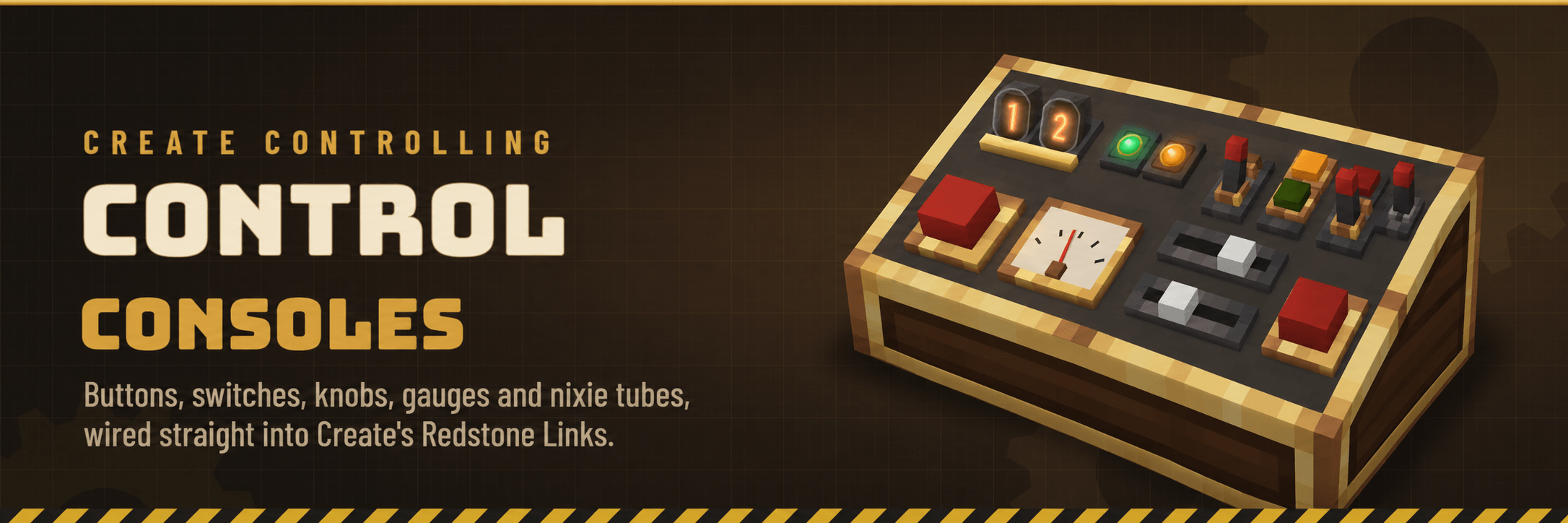
Your contraptions deserve a control room. Create Controlling adds a sloped Control Console you can cover in chunky 3D buttons, switches, knobs, sliders, lamps, gauges and glowing nixie tubes. Every part talks over Create's own Redstone Link frequencies, so a console can start a train yard, throttle a mill, open a gate across the base, or tell you how full the tanks are, all without running a single line of redstone dust.
Requires Create 6.0.8 or newer · Minecraft 1.20.1 (Forge) and 1.21.1 (NeoForge)


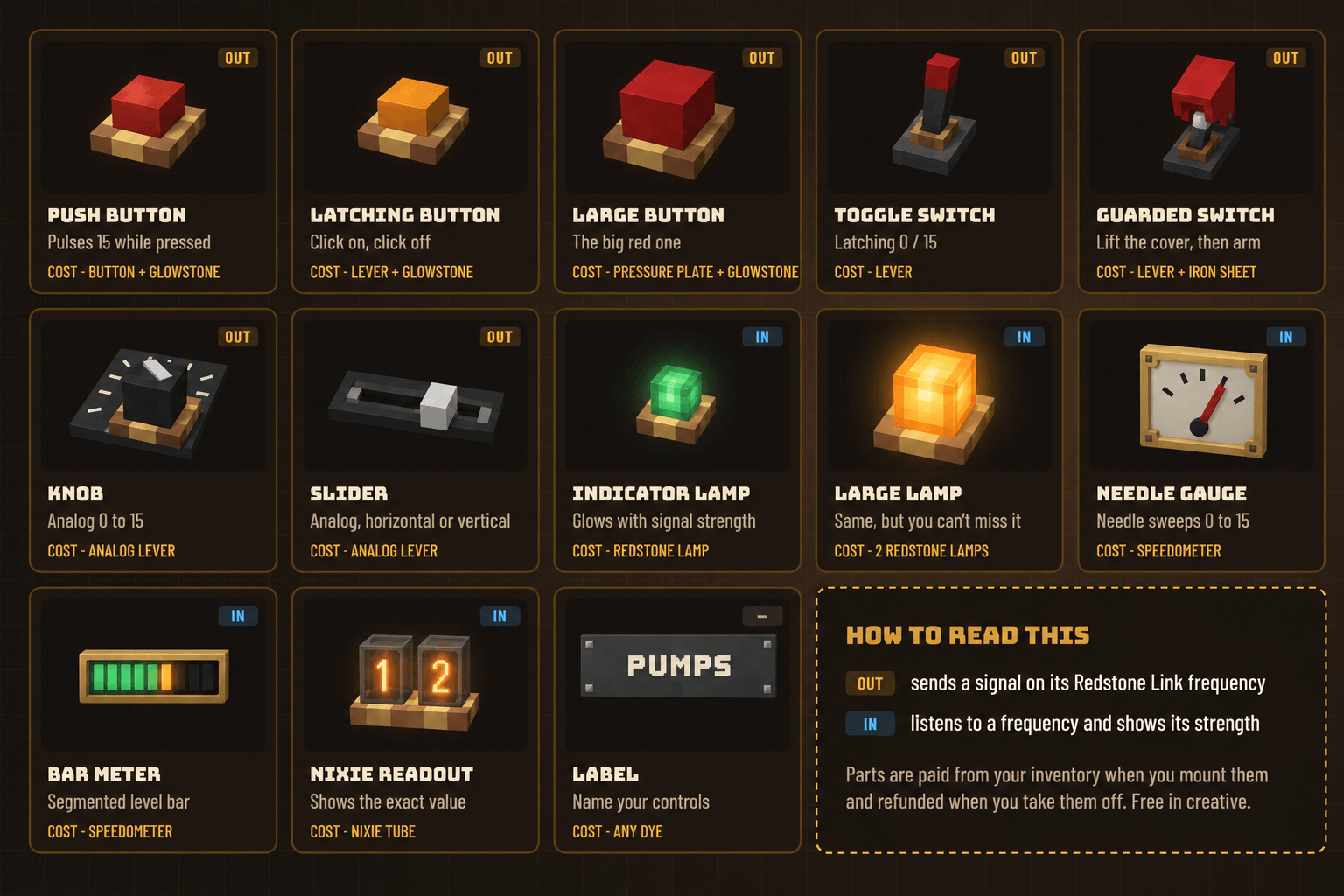
Sliders come in horizontal and vertical versions, which makes 14 types in all. Out parts send a signal on their frequency; in parts listen to one and show how strong it is. A knob or slider at 9 sends strength 9, and a nixie readout listening on that frequency shows 09.
A few details worth knowing:

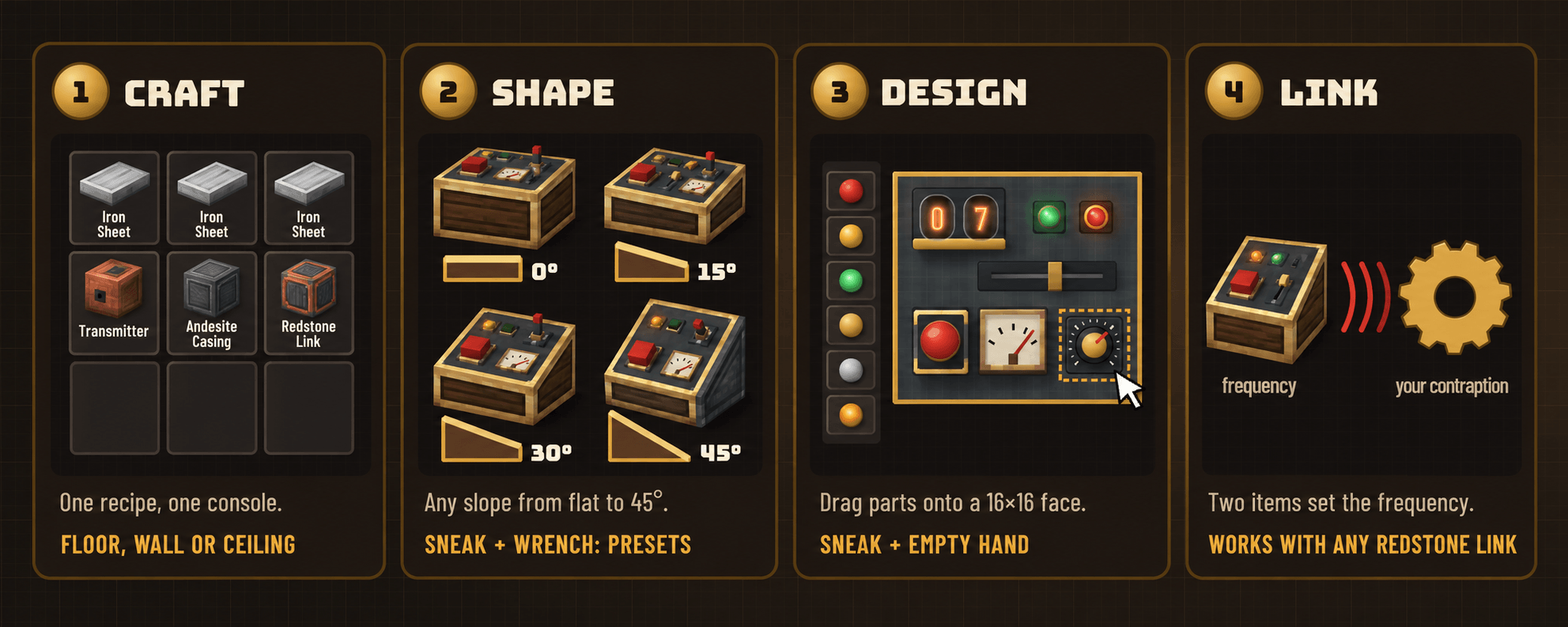

Casings. Right-click a console with an andesite casing, brass casing, copper casing, train casing or industrial iron block to re-dress its body. Consoles of the same shape, angle and casing placed side by side join into one continuous desk.
Blueprints. Breaking a console keeps its design, so you can pick it up and move it. To build the same layout again, craft a Console Blueprint (two paper, lapis lazuli and a brass sheet). Use it on a console to copy the design, then on another console to paste it. Pasting only charges you for parts the new console doesn't already have, and refunds the rest.
Goggles. Look at a console while wearing Engineer's Goggles to see its linked components, their frequencies and their current values.

| Minecraft 1.20.1 | Minecraft 1.21.1 | |
|---|---|---|
| Mod loader | Forge 47.4+ | NeoForge 21.1+ |
| Create | 6.0.8 or newer | 6.0.8 or newer |
| Install on | client and server | client and server |

How far does a console reach? As far as a Redstone Link does. Consoles join Create's link network, so the range and rules are Create's own.
Can I use it in creative? Yes. Components are free in creative mode, and parts placed there refund nothing when removed.
Can I use it in my modpack? You're welcome to include Create Controlling in any modpack.

Found a bug or have an idea? Please comment or you can share the bug with me on my Discord.
Licensed under the MIT License.
Project description from CurseForge.
Pick your setup
Choose the version and loader you play, then open the matching release.
Check the dependencies, then try the file in a copied instance before changing a world you care about.
Recent files
create_controlling-neoforge-0.2.2-1.21.1.jar
3 Nov 2026
create_controlling-forge-0.2.2-1.20.1.jar
3 Nov 2026
create_controlling-forge-0.2.1-1.20.1.jar
30 Oct 2026
create_controlling-neoforge-0.2.1-1.21.1.jar
30 Oct 2026
create_controlling-neoforge-0.2.0-1.21.1.jar
30 Oct 2026
create_controlling-forge-0.2.0-1.20.1.jar
30 Oct 2026
Looking for an older file? The official CurseForge project page is in Resources.
 mod
A simple mod that allows create ships/structures to be fully glued together by shift-right-clicking with super glue (Also works with honey glue)
 mod
A 5x5x5 multiblock quarry that really mines: a moving drill gantry, upgrades, any pipe or cable, and its own Coal Generator.
 mod
An unofficial port of Scorched Guns 0.5.5 (Minecraft 1.20.1 / Forge 47.x) to Minecraft 1.21.1 / NeoForge.