Minecraft version
Back to mods 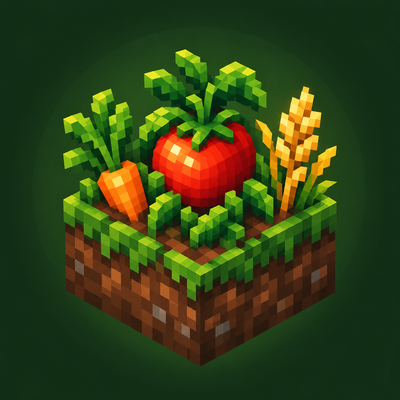
CurseForge · Minecraft mod
Gartenfreude
Grow new crops, cook delicious meals, and automate your farm with harvesters and fertilizer machines.
Choose a version Pick your version below, then grab the matching file.
Quick answer
Which Gartenfreude release should I use?
Latest stable file Gartenfreude 1.0.4
Game version 26.3
Loader NeoForge
Gartenfreude 1.0.4 targets 26.3 with NeoForge. The project page does not say whether this file belongs on the client, dedicated server, or both. No extra mods listed for this file.
Where it goes
Is Gartenfreude required on the client, server, or both?
The project page does not say whether this file belongs on the client, dedicated server, or both.
Client Source doesn’t say
Dedicated server Source doesn’t say
Loader for this release NeoForge
Required install it here Optional supported, not mandatory Not supported do not install here Source doesn’t say do not assume
The source does not explicitly classify this release as client-only or server-only.
What else does Gartenfreude 1.0.4 need?
Gartenfreude 1.0.4. Change the file and its required mods may change too.
This file does not list any required mods. Do not add a library just because a different file uses it.
This file does not list any required or optional mods.
Before you install it
Add Gartenfreude without breaking your instance.
Built for Gartenfreude 1.0.4. Pick another file and the loader, install side or required mods may change.
- 01
Stick to this file
Use Gartenfreude 1.0.4. It targets 26.3 with NeoForge; another release may have different loader, side or dependency requirements.
- 02
Bring the mods it needs
This file does not list any required mods. Do not add a library just because a different file uses it.
- 03
Put it on the correct side
The project page does not say whether this file belongs on the client, dedicated server, or both.
- 04
Pick the file you checked
Use the “Get this file” button beside Gartenfreude 1.0.4. It opens that exact file at the source.
About this project
What does Gartenfreude add?
Gartenfreude – Grow, Cook and Automate
Gartenfreude expands Minecraft with new crops, homemade meals and machines that help you automate your garden.
Start with the cookbook! Combine a vanilla book with a carrot or potato to craft the Gartenfreude Cookbook. Discover recipes for dishes, ingredients, tools and machines. The cooking oven also has a book button that opens its built-in recipe browser.
Grow your garden
Grow tomatoes, cucumbers, peppers, chili, broccoli, cauliflower, corn, rice, oats, grapes, olives, berries and more.
Add trellises to supported climbing plants and watch them grow across two blocks. Keep ripe tomatoes sheltered from rain to protect them from rot.
Cook with your harvest
Turn your produce into soups, salads, cakes, pizza, burgers and vegetable dishes—or make refreshing fruit juices.
The cooking oven offers nine ingredient slots, a fuel slot and a separate slot for a reusable cooking pot or frying pan. Browse its recipes directly through the built-in recipe browser.
Process your ingredients
Use the mill to turn wheat, barley, oats and corn into flour for dough and baking recipes. Prepare more ingredients with the vegetable chopper, juicer and oil press.
Improve your harvest
Craft fertilizer using two bone meal and either two rotten tomatoes or two vegetables. The vegetables can be the same or different varieties.
Suitable crops normally yield 1–3 items, increasing to 2–5 when fertilized. Fertilizer lasts for one harvest. Crops with a fixed single-item yield receive no bonus.
Plant products can also be recycled in the vanilla composter.
Automate your farm
Harvesters collect mature crops and restart their growth. Choose between three tiers:
- Iron: 3×3 area
- Diamond: 5×5 area
- Netherite: 9×9 area
Place a fertilizer machine directly beside a harvester to connect them. A redstone pulse sent to the harvester triggers harvesting, followed by fertilizing.
Both machines can also operate independently, each controlled by its own redstone pulses. They activate once per pulse—a continuous signal does not repeat the cycle.
Harvesters require a hoe, and both machines support hopper connections.
Requirements
- Minecraft 26.3
- NeoForge 26.3.0.76 or newer within the 26.3.0 release line
- Install on both client and server for multiplayer.
Gartenfreude is in active development. Recipes, textures and balancing may change. Feedback and bug reports are welcome!
Project description from CurseForge.
Pick your setup
Gartenfreude by Minecraft version and loader
Choose the version and loader you play, then open the matching release.
Check the dependencies, then try the file in a copied instance before changing a world you care about.
Recent files
Gartenfreude versions and loaders
Gartenfreude 1.0.4
gartenfreude-1.0.4.jar
8 Nov 2026
Client Source doesn’t say Server Source doesn’t say Dependencies No extras listed Listed on Release listing
Check the 26.3 · NeoForge setup NeoForge26.3 release
Gartenfreude
gartenfreude-1.0.2.jar
30 Oct 2026
Client Source doesn’t say Server Source doesn’t say Dependencies No extras listed Listed on Release listing
Check the 26.3 · NeoForge setup NeoForge26.3 release
Looking for an older file? The official CurseForge project page is in Resources.
 mod
CurseForge · Minecraft
Naturalist Feast
Naturalist + Farmer's Delight adds new foods, hearty feasts, and useful ways to make the most of nature's resources.
 mod
Modrinth · Minecraft
RFTools Power
RFTools addon for all power generator/storage
 mod
Modrinth · Minecraft
RFTools Base
RFTools Base: base mod for all McJty tech mods