Minecraft version
Back to mods 
CurseForge · Minecraft mod
Content Studio
Create custom Minecraft challenges with role-based rules, shared stats, random loot, shops, custom items, commands, and RPG progression through an in-game UI.
Choose a version Pick your version below, then grab the matching file.
Quick answer
Which Content Studio release should I use?
Latest stable file Content Studio 0.11.0 — NeoForge 1.21.1
Game version 1.21.1
Loader NeoForge
Content Studio 0.11.0 — NeoForge 1.21.1 targets 1.21.1 with NeoForge. The project page does not say whether this file belongs on the client, dedicated server, or both. No extra mods listed for this file.
Where it goes
Is Content Studio required on the client, server, or both?
The project page does not say whether this file belongs on the client, dedicated server, or both.
Client Source doesn’t say
Dedicated server Source doesn’t say
Loader for this release NeoForge
Required install it here Optional supported, not mandatory Not supported do not install here Source doesn’t say do not assume
The source does not explicitly classify this release as client-only or server-only.
What else does Content Studio 0.11.0 — NeoForge 1.21.1 need?
Content Studio 0.11.0 — NeoForge 1.21.1. Change the file and its required mods may change too.
This file does not list any required mods. Do not add a library just because a different file uses it.
This file does not list any required or optional mods.
Before you install it
Add Content Studio without breaking your instance.
Built for Content Studio 0.11.0 — NeoForge 1.21.1. Pick another file and the loader, install side or required mods may change.
- 01
Stick to this file
Use Content Studio 0.11.0 — NeoForge 1.21.1. It targets 1.21.1 with NeoForge; another release may have different loader, side or dependency requirements.
- 02
Bring the mods it needs
This file does not list any required mods. Do not add a library just because a different file uses it.
- 03
Put it on the correct side
The project page does not say whether this file belongs on the client, dedicated server, or both.
- 04
Pick the file you checked
Use the “Get this file” button beside Content Studio 0.11.0 — NeoForge 1.21.1. It opens that exact file at the source.
About this project
What does Content Studio add?
Content Studio
Create your own Minecraft challenges, minigames, and RPG content with an in-game editor. Assign roles to players or mobs, turn individual rules on or off, and combine them to build your own scenarios.
Features
- Role-based challenges: timed random item rewards, randomized crafting results, block drops, and mob drops, with configurable item pools and exclusions.
- Shared survival: share inventories (including armor and offhand), health, or hunger between members of the same role. Each sharing option can be enabled separately.
- Player and mob roles: configurable restrictions, potion effects, health, attack, defense, titles, and visible mob names. Assign roles manually, by mob type, or by spawn chance.
- Conditional commands: create role rules and custom command aliases, with access for everyone, operators, or selected roles. Use the public /top command to move to a safe surface.
- Custom currencies and shops: create currencies, buy and sell items, and set selling prices as a percentage of the purchase price. Open a shop with
/content shop <shop name>. - Item editor: edit names, lore, enchantments, attributes, and item data. Attach commands to attacks and right-click events, with configurable targets, cooldowns, chances, and conditions.
- Gacha rewards: build themed reward pools with rarity weights, costs, guarantees, reward quantities, and inventory-based custom item snapshots that preserve enchantments and special abilities.
- Optional RPG progression: enable RPG features per role. Gain experience from mob strength, customize leveling and experience multipliers, award stat points, and configure level-up recovery.
- Reusable client presets: save content settings locally and apply them on other servers you administer. Personal balances, inventories, nicknames, and RPG progress are not included in presets.
- Editor conveniences: searchable lists, suggestions and Tab completion, color codes, optional italic formatting, and Korean and English interfaces.
Getting started
- Install the matching loader and Content Studio JAR on both the client and server. For singleplayer, install it in your client.
- Press F8 or run /content to open the editor. Editing most settings requires operator permission or cheats enabled in singleplayer.
- Create a role, assign members, and enable the rules you want. Sharing applies between members of the same role.
- Players can use shops, wallets, and enabled RPG features without editor access. Gacha configuration requires Creative mode.
Supported versions
| Minecraft | Loader | Java |
|---|---|---|
| 1.20.1 | Forge 47.4.4 or compatible later 47.x | 17 |
| 1.21.1 | NeoForge 21.1.248 | 21 |
Download the file for your exact Minecraft version and loader. Forge and NeoForge files are separate builds and cannot be interchanged.
Current status
0.11.0 is a Release build for Forge 1.20.1 and NeoForge 1.21.1. Both versions have been tested in isolated game environments, including the English interface and preset transfer. Compatibility with every third-party mod and simultaneous multi-account dedicated-server play has not been fully verified.
한국어 안내
역할별 규칙, 인벤·체력·배고픔 공유, 커스텀 재화와 구매·판매 상점, 아이템·명령어 편집, 가챠, 선택형 RPG 기능으로 나만의 콘텐츠를 만드는 모드입니다. F8 또는 /content로 편집기를 열 수 있습니다. 클라이언트와 서버에 버전과 로더가 맞는 모드 파일을 설치해주세요. Minecraft 언어 설정에 따라 한국어와 영어를 지원합니다.
Project description from CurseForge.
Pick your setup
Content Studio by Minecraft version and loader
Choose the version and loader you play, then open the matching release.
Minecraft version
1.20.1
1 loader buildCheck the dependencies, then try the file in a copied instance before changing a world you care about.
Recent files
Content Studio versions and loaders
Content Studio 0.11.0 — NeoForge 1.21.1
contentstudio-neoforge-1.21.1-0.11.0.jar
9 Nov 2026
Client Source doesn’t say Server Source doesn’t say Dependencies No extras listed Listed on Release listing
Check the 1.21.1 · NeoForge setup 1.21.1NeoForge release
Content Studio 0.11.0 — Forge 1.20.1
contentstudio-forge-1.20.1-0.11.0.jar
9 Nov 2026
Client Source doesn’t say Server Source doesn’t say Dependencies No extras listed Listed on Release listing
Check the 1.20.1 · Forge setup 1.20.1Forge release
Content Studio 0.9.0 — Forge 1.20.1
contentstudio-forge-1.20.1-0.9.0-test.jar
7 Nov 2026
Client Source doesn’t say Server Source doesn’t say Dependencies No extras listed Listed on Release listing
Check the 1.20.1 · Forge setup 1.20.1Forge release
Content Studio 0.9.0 — NeoForge 1.21.1
contentstudio-neoforge-1.21.1-0.9.0-test.jar
7 Nov 2026
Client Source doesn’t say Server Source doesn’t say Dependencies No extras listed Listed on Release listing
Check the 1.21.1 · NeoForge setup 1.21.1NeoForge release
Content Studio 0.8.0 — NeoForge 1.21.1
contentstudio-neoforge-1.21.1-0.8.0-test.jar
6 Nov 2026
Client Source doesn’t say Server Source doesn’t say Dependencies No extras listed Listed on Release listing
Check the 1.21.1 · NeoForge setup 1.21.1NeoForge release
Content Studio 0.8.0 — Forge 1.20.1
contentstudio-forge-1.20.1-0.8.0-test.jar
6 Nov 2026
Client Source doesn’t say Server Source doesn’t say Dependencies No extras listed Listed on Release listing
Check the 1.20.1 · Forge setup 1.20.1Forge release
Content Studio 0.7.0 — NeoForge 1.21.1
contentstudio-neoforge-1.21.1-0.7.0-test.jar
30 Oct 2026
Client Source doesn’t say Server Source doesn’t say Dependencies No extras listed Listed on Release listing
Check the 1.21.1 · NeoForge setup 1.21.1NeoForge release
Content Studio 0.7.0 — Forge 1.20.1
contentstudio-forge-1.20.1-0.7.0-test.jar
30 Oct 2026
Client Source doesn’t say Server Source doesn’t say Dependencies No extras listed Listed on Release listing
Check the 1.20.1 · Forge setup 1.20.1Forge release
Looking for an older file? The official CurseForge project page is in Resources.
 mod
CurseForge · Minecraft
Portal Activation
Customize how Nether portals are activated by configuring the required activation item.
 mod
CurseForge · Minecraft
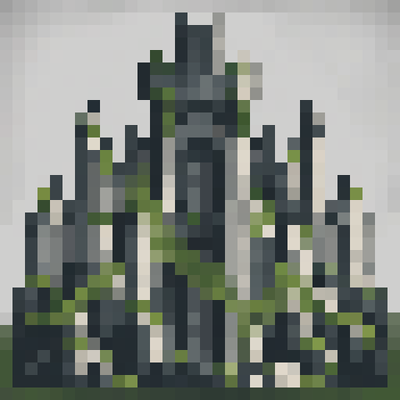
The Lost Citadel
Adds rare, overgrown citadels with monumental towers, Roman arch bridges, layered halls, and ruined courtyards.
 mod
CurseForge · Minecraft
Dead Air: Wayfarer Radio
Adds a standalone radio soundtrack with RPG/Adventure game music into Dead Air as the Wayfarer Radio station when Dead Air is installed. Otherwise adds music to the game without Dead Air.