LDLib Needed by GregTech Maintenance Toolbox 1.0.0
requiredMatching file found Matched file: LDLib 1.20.1-1.0.52.a-forge
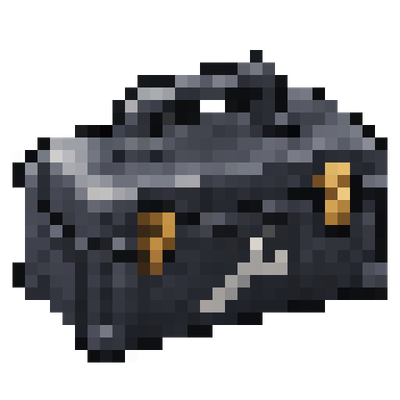
CurseForge · Minecraft mod
An eight-slot toolbox for GregTech CEu Modern featuring quick radial tool selection, portable storage, maintenance hatch repair, easy nearby access to placed toolboxes, sixteen dye colors, configurable sounds, and full English and Russian language support.
Quick answer
GregTech Maintenance Toolbox 1.0.0 targets 1.20.1 with Forge. The project page does not say whether this file belongs on the client, dedicated server, or both. All 2 required mods have matching files.
Where it goes
The project page does not say whether this file belongs on the client, dedicated server, or both.
The source does not explicitly classify this release as client-only or server-only.
GregTech Maintenance Toolbox 1.0.0. Change the file and its required mods may change too.
Install LDLib, GregTech CEu Modern first. We found matching files for this game-version and loader setup. 8 come through another mod in the chain.
8 extra mods were pulled in by other dependencies. Indented rows show who needs each one. We only count dependency files that match this setup. A file for another loader does not fill the gap.
Before you install it
Built for GregTech Maintenance Toolbox 1.0.0. Pick another file and the loader, install side or required mods may change.
Use GregTech Maintenance Toolbox 1.0.0. It targets 1.20.1 with Forge; another release may have different loader, side or dependency requirements.
Install LDLib, GregTech CEu Modern first. We found matching files for this game-version and loader setup. 8 come through another mod in the chain.
The project page does not say whether this file belongs on the client, dedicated server, or both.
Use the “Get this file” button beside GregTech Maintenance Toolbox 1.0.0. It opens that exact file at the source.
About this project
Keep your GregTech tools organized and ready to use. This addon introduces an eight-slot toolbox with a radial tool selector, animated model, and maintenance hatch integration.
| Action | Control |
|---|---|
| Open toolbox storage | Right-click |
| Open the tool wheel | Hold Left Alt |
| Select a tool | Point and release Alt, left-click, or press 1–8 |
| Cancel tool selection | Right-click |
| Place the toolbox | Shift + right-click a block |
| Collect a placed toolbox | Shift + right-click with an empty hand |
| Preview stored tools | Hold Shift while hovering over the item |
With an empty main hand, the tool wheel opens only when an accessible placed toolbox is nearby.
Install this addon on both the client and server.
Tested with GregTech CEu Modern 7.5.3. The mod accepts newer GregTech versions, but their compatibility has not been verified. This release does not support Fabric or NeoForge.
TerraFirmaGreg is optional. When TFG is installed, the toolbox recipe uses wrought-iron sheets; otherwise, it uses wrought-iron plates. Check your recipe viewer for the active recipe.
Create is not required.
Open Mods → GregTech Maintenance Toolbox → Config to adjust the wheel binding and sound settings.
The placed-toolbox access radius can be configured through placedToolboxRange in the world’s serverconfig/maintenance_toolbox-server.toml. The default is 16 blocks, with a supported range of 1–64.
Created by Quasar_o. Licensed under MIT.
Bundled sound effects are derived from rubberduck’s 100 CC0 Metal and Wood SFX. Tool hover sounds use the installed GregTech sound resources. The toolbox features an original model and an AI-assisted metal texture.
This is an unofficial community addon, not affiliated with or endorsed by the GregTech CEu, TerraFirmaGreg, or Create teams.
Project description from CurseForge.
Pick your setup
Choose the version and loader you play, then open the matching release.
Check the dependencies, then try the file in a copied instance before changing a world you care about.
Recent files
maintenance-toolbox-1.0.0.jar
30 Oct 2026
Looking for an older file? The official CurseForge project page is in Resources.
 mod
Tesseract allows you to transport Items, Fluid and Energy
 mod
This mod converts all multiblock structures from Mekanism into single-block machines.
 mod
Saves your items on a lootable corpse when you die.