Fabric API Needed by Ghostbys Totem Highlights ghostbytmgs-totem-highlights-1.0.0+mc26.3.jar
requiredMatching file found Matched file: [26.3] Fabric API 0.165.0+26.3
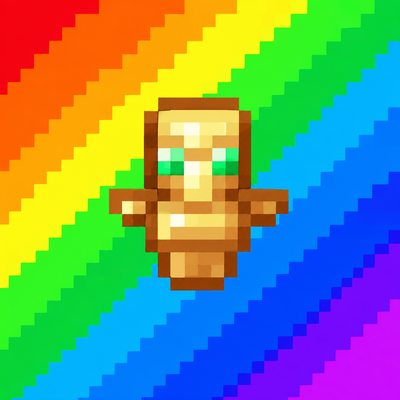
CurseForge · Minecraft mod
Highlights every Totem of Undying in your inventory and containers with a customizable color, so you can spot and grab them instantly.
Quick answer
Ghostbys Totem Highlights ghostbytmgs-totem-highlights-1.0.0+mc26.3.jar targets 26.3 with Fabric. The project page does not say whether this file belongs on the client, dedicated server, or both. All 1 required mods have matching files.
Where it goes
The project page does not say whether this file belongs on the client, dedicated server, or both.
The source does not explicitly classify this release as client-only or server-only.
ghostbytmgs-totem-highlights-1.0.0+mc26.3.jar. Change the file and its required mods may change too.
Install Fabric API first. We found matching files for this game-version and loader setup. 1 comes through another mod in the chain.
1 extra mod was pulled in by another dependency. Indented rows show who needs each one. We only count dependency files that match this setup. A file for another loader does not fill the gap.
Before you install it
Built for Ghostbys Totem Highlights ghostbytmgs-totem-highlights-1.0.0+mc26.3.jar. Pick another file and the loader, install side or required mods may change.
Use ghostbytmgs-totem-highlights-1.0.0+mc26.3.jar. It targets 26.3 with Fabric; another release may have different loader, side or dependency requirements.
Install Fabric API first. We found matching files for this game-version and loader setup. 1 comes through another mod in the chain.
The project page does not say whether this file belongs on the client, dedicated server, or both.
Use the “Get this file” button beside ghostbytmgs-totem-highlights-1.0.0+mc26.3.jar. It opens that exact file at the source.
About this project
Never dig through your inventory for a totem again. This mod puts a colored highlight behind every Totem of Undying whenever you open your inventory, so you can see and grab them instantly, even in a full inventory mid-fight.
#FFE14D or #B4FFE14D (with opacity)Press J in-game to open the settings. You can change the key under Options → Controls → Key Binds.
With Mod Menu installed, you can also open them from the mod list’s Configure button.
Project description from CurseForge.
Pick your setup
Choose the version and loader you play, then open the matching release.
Showing the newest 12 of 16 game versions. Older files are in the list below.
Check the dependencies, then try the file in a copied instance before changing a world you care about.
Recent files
ghostbytmgs-totem-highlights-1.0.0-mc26.3.jar
1 Nov 2026
ghostbytmgs-totem-highlights-1.0.0-mc26.2.jar
1 Nov 2026
ghostbytmgs-totem-highlights-1.0.0-mc26.1.2.jar
1 Nov 2026
ghostbytmgs-totem-highlights-1.0.0-mc26.1.1.jar
1 Nov 2026
ghostbytmgs-totem-highlights-1.0.0-mc26.1.jar
1 Nov 2026
ghostbytmgs-totem-highlights-1.0.0-mc1.21.10.jar
1 Nov 2026
ghostbytmgs-totem-highlights-1.0.0-mc1.21.9.jar
1 Nov 2026
ghostbytmgs-totem-highlights-1.0.0-mc1.21.8.jar
1 Nov 2026
ghostbytmgs-totem-highlights-1.0.0-mc1.21.7.jar
1 Nov 2026
ghostbytmgs-totem-highlights-1.0.0-mc1.21.6.jar
1 Nov 2026
ghostbytmgs-totem-highlights-1.0.0-mc1.21.5.jar
1 Nov 2026
ghostbytmgs-totem-highlights-1.0.0-mc1.21.4.jar
1 Nov 2026
Looking for an older file? The official CurseForge project page is in Resources.
 mod
A customizable RPG-style hotbar for inventory items, keybinds, and supported mod skills, with a radial menu and cooldown displays.
 mod
A lightweight, zero-overhead utility mod that allows crafting Ender Pearls using 1 Lapis Lazuli and 1 Redstone Dust.
 mod
Let's use more glass